

ON1 Photo RAW 2027 Guided tour Step 1 of 8
Browse Your Drives and Folders
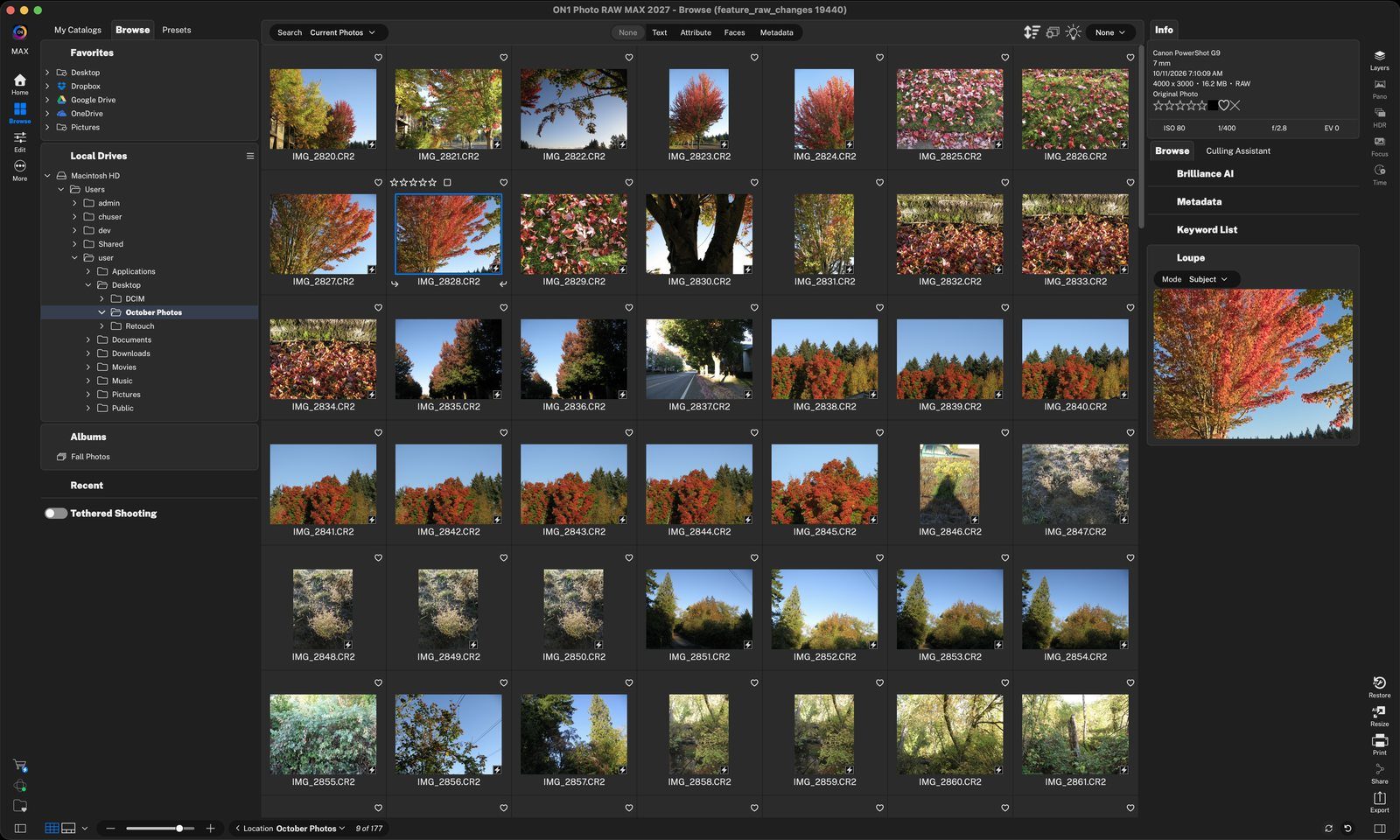
Browse is where you find, view and organize your photos. There's nothing to import first: open a folder on your computer and its photos appear in the grid.
Add Favorites
Favorites are shortcuts to the folders you use most, including cloud folders like Dropbox, Google Drive and OneDrive.
Change Views
Switch from the grid to see one photo large in Filmstrip view, or compare similar shots side by side.
Like, Rate and Label
Mark your photos as you go by clicking the controls on each thumbnail. Ratings, likes and color labels are what the filters use to find your best shots.
Filter and Sort Your Files
Filter the grid to show only the photos you want, and sort them in the order you need.
Create Albums
Albums group photos from any folder without copying them, so you can collect the shots for a project in one place.
Expand a Pane
The panes on the right show details about the selected photo. Click a pane's name to expand it and see its contents; click again to collapse it.
Take It Further
When you're ready to edit or share, everything is one click away.
Tour complete
You browsed your drives and Favorites, changed views, rated and liked photos, filtered and sorted, made an album and explored the Metadata pane.
- 1Local Drives
- 1Favorites
- 1Filmstrip
- 2Compare
- 1Thumbnail controls
- 2Info pane
- 1Attribute filter
- 2Filter presets
- 3Sort
- 1New Album
- 2Album
- 1Metadata
- 1Edit
- 2Right rail