

 ON1 Photo RAW
Head-to-Head Comparison

ON1 Photo RAW vs. Luminar Neo
Both promise to take the pain out of editing with AI-driven tools, pro-level RAW processing, and no Adobe subscription. But the two are built on fundamentally different philosophies — here's how they compare on pricing, workflow, AI, image quality, and overall value.
At a Glance
ON1 Photo RAW vs. Luminar Neo
The high-level stuff that matters when you're choosing your next editor.
| Feature | ON1 Photo RAW | Skylum Luminar Neo |
|---|---|---|
| Pricing Model | One-time purchase ($99.99) or MAX ($169.99) with the full plugin suite, plus affordable subscription options | Expensive perpetual license ($417–$546) with just 1 year of AI tool access, and upsells for full functionality |
| Core Strength | All-in-one editing suite: Develop, Effects, Layers, DAM, AI | Style-heavy, one-click AI effects for fast edits |
| AI Features | Brilliance AI, Super Select AI, NoNoise AI, Resize AI, Portrait AI, Generative Erase/Crop | Enhance AI, GenErase, GenSwap, Supersharp AI, Portrait Bokeh AI |
| Digital Asset Management | Full cataloging system with metadata, keywords, ratings, and color labels | Minimal file browser, no cataloging or keywording |
| Layering & Masking | True Photoshop-style layers and masking with AI selections | Limited stacking and basic masking only |
| Ideal User | Enthusiasts and pros needing control, scalability, and Adobe-level flexibility | Creators wanting quick, dramatic edits without deep manual adjustments |
See It In Action
See the All-New ON1 Photo RAW 2027
Want to see how ON1 Photo RAW feels in action? Watch this quick overview to get a feel for the interface, tools, and workflow. If you're ready to get into more advanced techniques, we've got plenty more videos that break down ON1's most powerful features one by one.
Head to Head
User Interface & Workflow
The biggest difference shows up the second you open them: they're built for two very different kinds of editing brains.
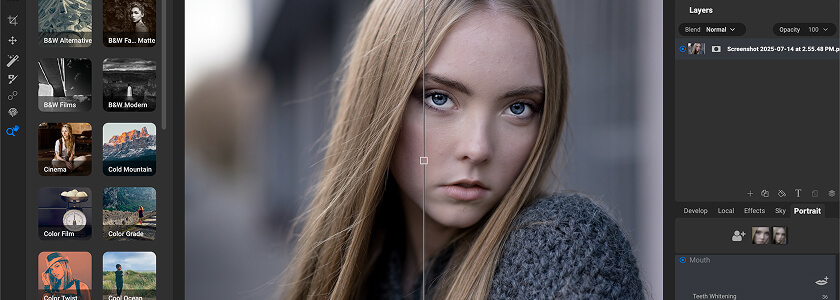
ON1: Built Like a Pro's Playground
- Instantly familiar if you've ever touched Lightroom or Photoshop.
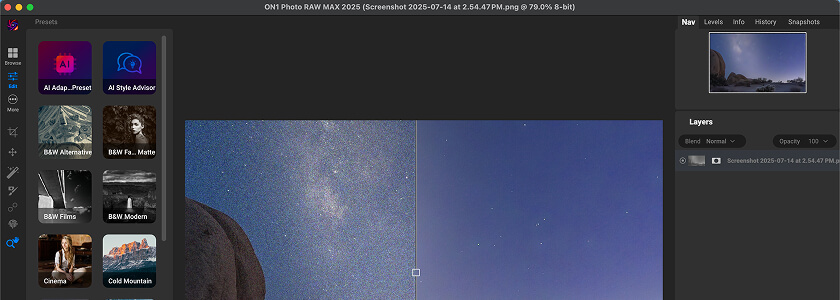
- A clear module-based workflow — Browse, Develop, Effects, Resize, Layers — with sliders, masks, and local adjustments right where you expect them.
- A workhorse interface: easy enough to navigate but deep enough to lose yourself fine-tuning color curves, stacking effects, or building composite layers.
- Non-destructive workflow and optional catalogs so you can manage thousands of images without bogging down your machine.
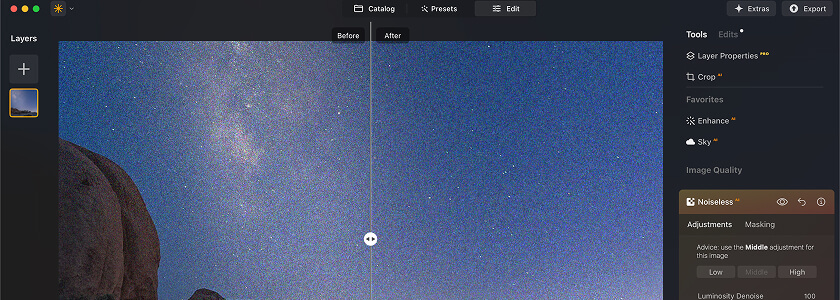
Luminar Neo: Minimalist and Made for Speed
- One-click AI magic and preset-driven editing.
- Great for making an image pop fast, but you'll feel those limits quickly.
- No real cataloging system — just a basic file browser, so large library management isn't really its thing.
TL;DR
If your workflow involves batch editing, layered composites, or long-term library management, ON1 is the clear winner. If you just want quick, stylistic edits without digging deep, Luminar's minimal UI gets you there faster.
Head to Head
AI-Powered Features: Automation vs. Creative Control
Both are loaded with machine-learning tools that promise to do the heavy lifting, but they approach it very differently.
ON1's AI: Built Into the Workflow
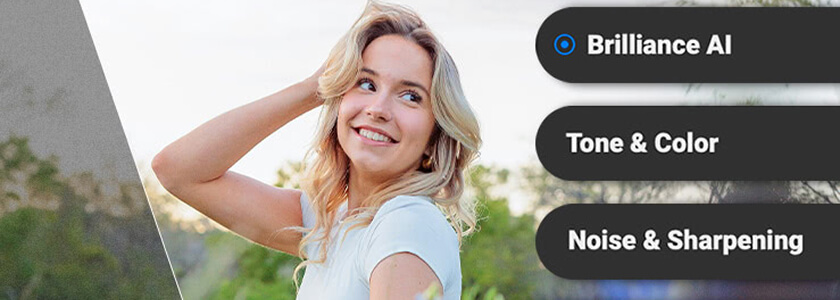
- Brilliance AI for smart image enhancement.
- Super Select AI for dead-simple brushless masking and local adjustments.
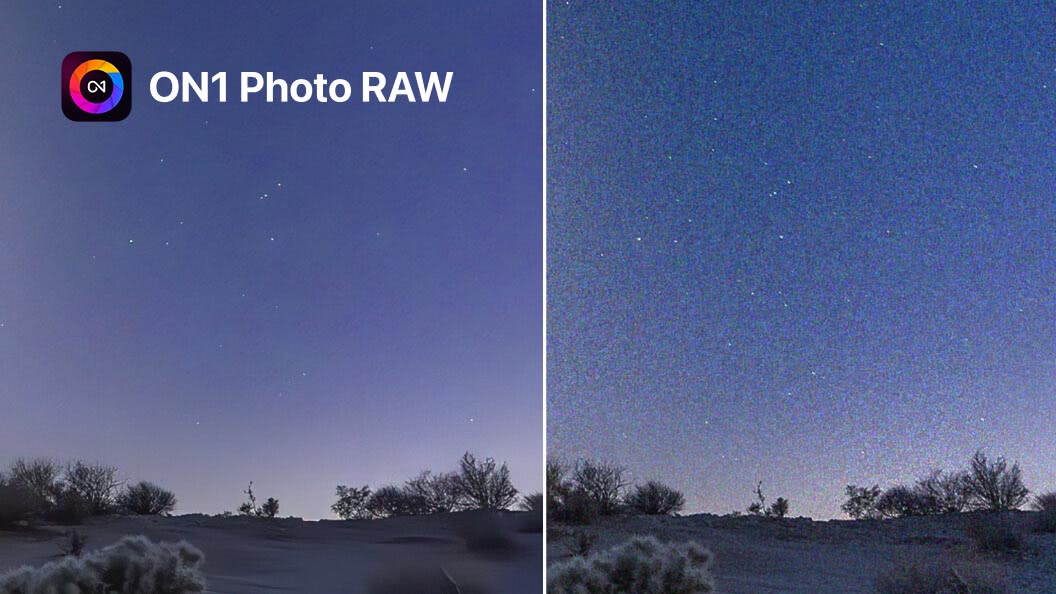
- NoNoise AI for top-tier noise reduction and deblurring.
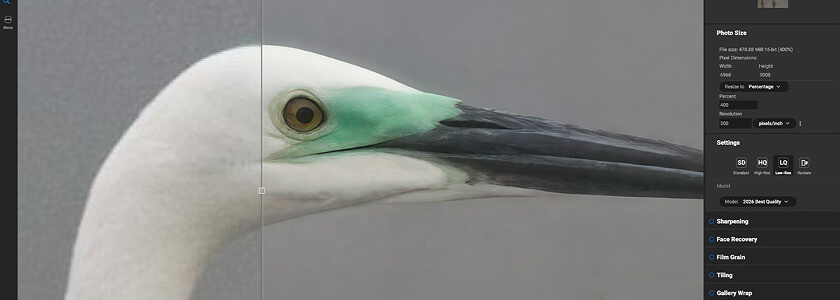
- Resize AI for massive upscaling with print quality.
- Generative Erase & Crop AI for object removal and recomposing that doesn't look AI-fake, with no round-tripping.
- Portrait AI for natural skin smoothing, eye brightening, and face sculpting.
- Tack Sharp AI for sharpening that doesn't overcook your images.
- Sky Swap AI for one-click sky replacement with realistic lighting and masking.
Luminar's AI: Fast, Flashy, and Focused on Style
- Enhance AI, a single slider for instant punch.
- GenErase and GenSwap for removing or swapping objects with prompts.
- Supersharp AI for focus correction, and Portrait Bokeh AI for adding background blur after the fact.
- Atmosphere AI and Magic Light AI for fog and cinematic glow.
- Many standout tools are paid extensions or limited by annual access terms, even with a perpetual license — and baked-in results can be hard to fine-tune.
TL;DR
If you want integrated AI that speeds up a pro-grade workflow — masking, retouching, upscaling, cataloging — ON1 wins. If you're into playful, stylized edits with minimal effort, Luminar's creative AI tools scratch that itch, but expect to pay extra for the full arsenal.
Head to Head
Image Organization: A Professional Library vs. a Basic Browser
If you're editing more than a handful of photos a week, Digital Asset Management is essential. This is where the split gets wide.

ON1: Professional-Grade Image Management
- Optional catalogs — no forced import.
- Folder-based browsing.
- Keywords, star ratings, color labels, and metadata editing.
- Smart albums and search filters for power users.
- A full non-destructive workflow baked into every organizational tool, scaling to multi-terabyte libraries.

Luminar Neo: Minimalist Browser for Casual Use
- Built for casual use: open a folder, view images.
- No keyword tagging.
- No cataloging or color ratings.
- No real search functionality — fine for one-off images, rough for a wedding, a portrait batch, or a 200GB archive.
TL;DR
ON1 is made for scalable, organized editing workflows. Luminar is built for quick, shoot-and-go edits, and it shows.
Head to Head
RAW Processing & Image Quality
When it comes to RAW processing, ON1 and Luminar aren't playing the same game. If you care about fine-tuned image quality, this is one of the most important differences.
ON1 Photo RAW: Precise, Flexible RAW Control
ON1's RAW engine is optimized for detail retention, dynamic range, and accurate color reproduction. You can dig deep into tone curves, HSL adjustments, LUTs, and precision color grading without feeling like the software is fighting you.
It also supports nearly every major camera profile and RAW format, making it a reliable choice whether you're shooting on a Canon DSLR, a Sony mirrorless, or a medium-format Fuji.

Luminar Neo: Speed and Style, Sometimes at a Cost
When you load a RAW file, Neo often applies a baked-in look right away, which can make your images pop fast — but it also means less granular control over tonal range and sharpness.
Want to fine-tune shadow contrast without touching midtones, or adjust individual color channels? You'll quickly find Neo's toolset more limiting than ON1's.
TL;DR
ON1 is the pick if you want precise, pro-level control over your RAW files. Luminar is fine if you're okay with stylized, one-click edits that do most of the thinking for you.
Head to Head
Layers & Masking: Photoshop-Style vs. Limited Stacking
This is where ON1 vs. Luminar Neo stops being a friendly comparison and turns into a clear mismatch.

ON1: Photoshop-Level Power
- True Photoshop-style layers — stack multiple images, blend modes, and adjustment layers.
- Composite edits and non-destructive, multi-layer workflows.
- AI-powered masking with Super Select AI and Mask AI, so complex selections like isolating a subject from a chaotic background feel almost effortless.
- Fully integrated — no bouncing between apps to get Photoshop-level control.
Luminar Neo: Keeps Things Lightweight
- Effect stacking, which sounds similar but isn't — you can apply adjustments on top of each other, but there are no true layers.
- No blending modes and no grouped adjustments.
- Basic masking only, which makes Neo less suited to detailed compositing or advanced retouching.
TL;DR
ON1 gives you layer-based freedom for creative projects and complex edits. Luminar's effect stacking is fine for simple tweaks, but that's where it stops.
Head to Head
Performance & Speed: Who Runs Faster?
Editing software can have all the bells and whistles in the world, but if it crawls when you're batch-exporting or previewing AI effects, you're going to hate using it.

ON1 Wins for Speed and Consistent Performance
ON1 Photo RAW is designed to stay snappy, even on mid-spec machines. Fast culling tools make it easy to whip through large shoots, AI previews render quickly so you aren't left staring at spinning wheels, and batch exporting multiple file types runs efficiently. It feels purpose-built for high-volume workflows, whether you're editing hundreds of wedding shots or cranking out a commercial set.
Luminar Runs Smoothly for Light Edits
Luminar Neo has made big strides with its modular engine, which loads AI tools like GenErase or Supersharp AI as needed. But load up a large catalog or run multiple AI adjustments on a batch of RAWs and you'll feel the lag. Neo was built with casual, one-off edits in mind, not enterprise-level photo management.
TL;DR
ON1 keeps up with demanding, high-volume editing sessions. Luminar works well for lighter, single-image projects but doesn't scale as gracefully.
Budget
Pricing & Value: True Cost Over Time
Both brands claim to offer “no subscription required,” but the real-world value shakes out very differently.
For more editors that skip the subscription, see our guide to non-subscription photo editing software.
ON1 Photo RAW Pricing
Photo RAW (core app)
$99.99 for the complete all-in-one editor.
Photo RAW MAX
$169.99, including the full plugin suite, mobile app, and cloud sync.
ON1 Everything Plan
$7.99/month or $50/year. 2 devices, core app, mobile, plugins, 200GB cloud.
ON1 Everything Plus
$17.99/month or $140/year. 5 devices, 1TB cloud, and ON1 Plus membership with training and community access. No upsells, no surprise extension packs.
Skylum Luminar Neo Pricing
Perpetual Desktop License
$417, currently $119 on sale.
Cross-Device License
$477, currently $159 on sale.
Max License
$546, currently $179 on sale, including 1 year of AI tools and Creative Library access.
Extensions
Supersharp AI, HDR Merge, Upscale AI and more are bundled or sold separately depending on your tier. Ongoing access to key AI tools requires renewal after 1 year, even with a “lifetime” license.
TL;DR
ON1 provides a complete, professional suite upfront, and its pricing is transparent and all-inclusive — especially with the MAX bundle or the Everything Plan. Luminar's extensions model adds up fast if you want a fully loaded editing suite.
Decision Time
Who Is It For?
ON1 vs. Luminar Neo isn't just a feature checklist — it's a difference in philosophy. Luminar Neo is the fun, fast filter machine. ON1 Photo RAW is the full creative studio.
Go with ON1 Photo RAW if…
- You want an all-in-one Lightroom + Photoshop alternative with no subscription strings attached.
- You need serious library management — keywords, smart albums, catalogs — for large photo collections.
- Your workflow includes batch editing, multi-layer composites, or advanced masking.
- You'd rather pay once — or choose a low-cost subscription — and get everything you need upfront.
Choose Luminar Neo if…
- You prefer fast, one-click edits and don't need deep manual control.
- You mostly edit one-off images or small projects without cataloging.
- You love creative AI effects like sky swaps, atmosphere overlays, and dramatic style filters — even if that means paying for extensions.
The Verdict
Why ON1 Photo RAW is the Clear Choice
Both programs deliver on their promises: Luminar Neo makes it ridiculously easy to create bold, share-ready edits in seconds, while ON1 Photo RAW gives you a full creative control center for serious editing and management.
But if you want a true Lightroom + Photoshop replacement that combines RAW processing, cataloging, AI tools, layer-based editing, and pro-level output — all without the subscription handcuffs or hidden upsells — ON1 Photo RAW pulls ahead. It's the software built for photographers who want speed and depth in one package.
If you're ready to see the difference, don't just take our word for it. Try ON1 Photo RAW free today and see why more photographers are switching for good.
Frequently Asked Questions
If you're just starting out, Luminar Neo feels simpler thanks to its one-click AI presets and creative filters. ON1 Photo RAW has a steeper learning curve, but it rewards you with more control and flexibility as your editing skills grow.
In terms of playful, dramatic edits like sky swaps, atmosphere overlays, and artistic presets, Luminar Neo leans more into creative effects. ON1 also offers sky replacement and filters, but its focus is more on precision tools and professional workflows.
Yes. ON1 Photo RAW combines a Lightroom-style catalog with Photoshop-style layers and masking, making it a true all-in-one solution. Luminar Neo offers strong editing tools but lacks the advanced layering and cataloging needed to fully replace Adobe.



Try ON1 Photo RAW free
See for yourself why ON1 Photo RAW is the true Lightroom and Photoshop replacement: no subscription handcuffs, no hidden upsells.
- Own it outright
- Built-in AI tools
- Real layers and masks
- No subscription required