

Sharp, noise-free photos from your highest-ISO shots.
 NoNoise AI 2027
“Sharp, noise-free photos from your highest-ISO shots — nothing to configure.”
- 1Account
- 2Verify
- 3DownloadGet link
- 4Done
Step 1 of 4
Cleaner detail in every shot.
Create your free account to try NoNoise AI 2027 for 30 days. The AI models are rebuilt from the ground up to remove more noise and recover more sharpness, with fewer artifacts than ever.
or create a new account
NoNoise AI installs on Mac and Windows. Sign up here and we'll email your download link as soon as you verify, so it's ready when you're at your computer.
- No card required
- Own it or subscribe, your choice
- 30-day money-back guarantee
By continuing, you agree to ON1's Terms of Service and Privacy Policy. This site is protected by reCAPTCHA and the Google Privacy Policy and Terms of Service apply.
Sign in
Welcome back.
Sign in with your ON1 account to start your NoNoise AI 2027 trial.
New to ON1?
Step 2 of 4
Check your inbox
We sent a confirmation link to the address below. Click it whenever you're ready. You don't need to wait on this page.
Once you verify, we'll send your NoNoise AI 2027 download link to this address so you can install it on your Mac or PC.
Step 3 of 4
You're verified
Your account is confirmed. Download NoNoise AI 2027, then sign in to the app to start your 30-day trial.
Your account is confirmed. NoNoise AI 2027 installs on Mac and Windows, so we've emailed your download link. Open it on your computer to install and start your 30-day trial.
Download link sent
ON1_NoNoise_AI_2027.dmg
On a PC? Get the Windows installer.
Trouble installing? Visit the ON1 Help Center
Step 4 of 4
Your cleanest photos are one install away
Finish on your computer
While NoNoise AI finishes downloading, install it on your computer, or skip ahead and get a feel for the Noise & Sharpening panel.
Your trial starts once NoNoise AI 2027 is installed on your Mac or PC and you've signed in to the app. Here's what to do when you're at your computer.
Want a head start? Take a 30-second tour of the Noise & Sharpening panel while the installer runs.Get a head start Take a 30-second tour of the Noise & Sharpening panel now, so you know your way around before you install.
- Account created
- Email verified
- Download complete
- Download link emailed
Install & activate
On your Mac or PC
- 1Open ON1_NoNoise_AI_2027.dmg from your Downloads folder.
- 2Double-click the installer package inside to launch it.
- 3Follow the prompts. When asked, enter your Mac admin password, not your ON1 password.
- 4When installation finishes, open NoNoise AI 2027 from your Applications folder.
- 5Sign in with your ON1 account to start your trial.
- 1On your Mac or PC, open the email from ON1 with your NoNoise AI 2027 download link.
- 2Download the installer and open it.
- 3Follow the prompts. When asked, enter your computer's admin password, not your ON1 password.
- 4Open NoNoise AI 2027 and sign in with the account you just created. That starts your 30-day trial.
Getting Started with NoNoise AI
Click anywhere to move to the next step, or use the steps above the screenshot to jump back and forth.
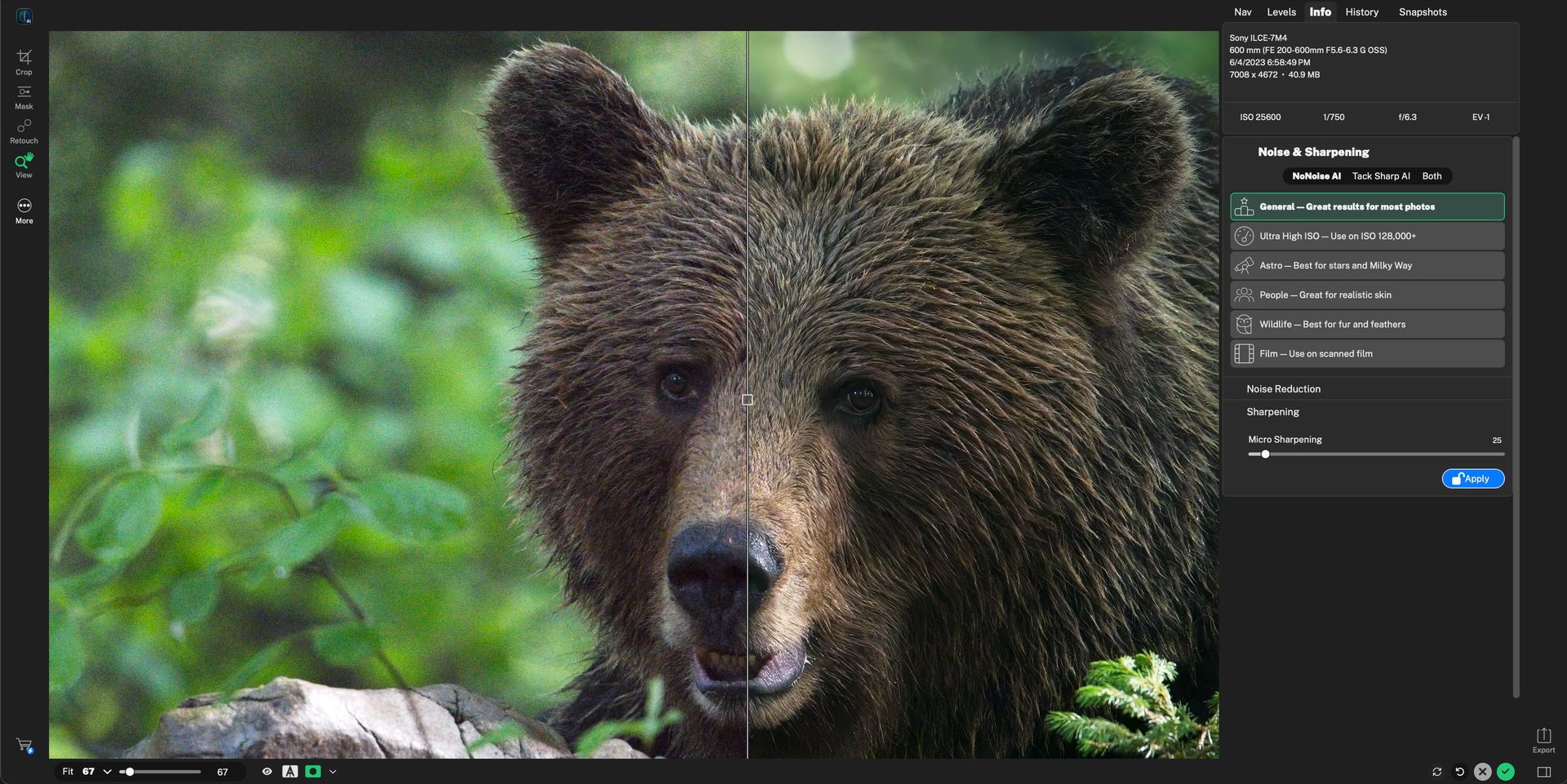
🎉 You're ready to reduce noise like a pro.
You've covered every control in the Noise & Sharpening panel. Try it on one of your own high-ISO shots.
Mode selector — Start at the top of the Noise & Sharpening panel and pick what you want to fix.
Subject models — Choose the model that matches what's in your photo.
Micro Sharpening — Add a touch of sharpening to finish the look.
Before/after compare — Check your result against the original.
Apply & save — Happy with the result? Apply it to your photo.
Step 1 of 5 · click anywhere to continue