

 ON1 Photo RAW
Head-to-Head Comparison

ON1 Photo RAW vs. DxO PhotoLab
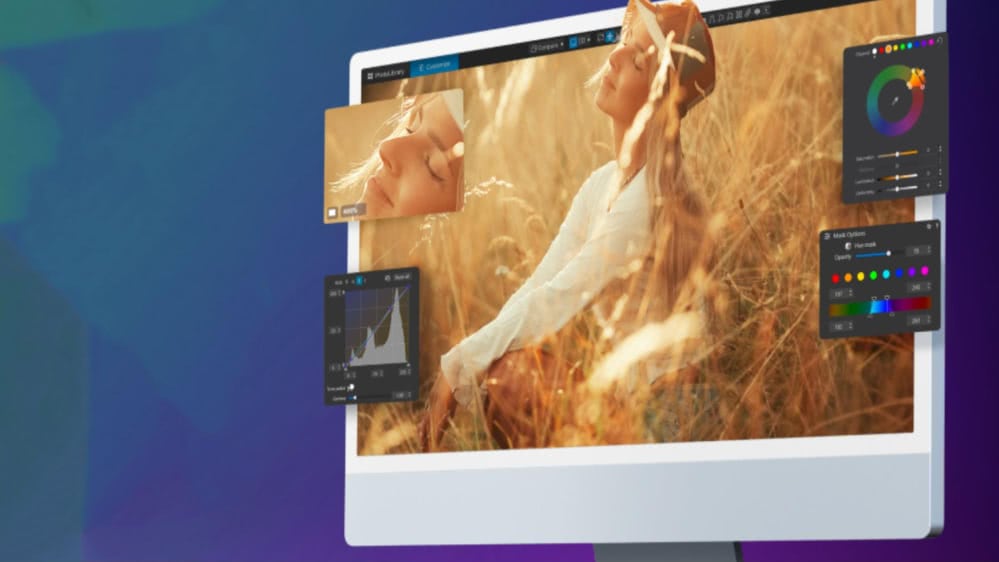
Both are respected in the pro editing space, but they take very different approaches to the same goal. One leans into an all-in-one editing environment packed with AI-powered creative tools; the other is built around optical science and best-in-class noise reduction.
At a Glance
ON1 vs. DxO PhotoLab Side-by-Side
A full snapshot of the current versions: ON1 Photo RAW 2027, ON1 Photo RAW MAX 2027, DxO PhotoLab 9 Essential, and DxO PhotoLab 9 Elite.
| Category | ON1 Photo RAW 2027 | ON1 Photo RAW MAX 2027 | DxO PhotoLab 9 Essential | DxO PhotoLab 9 Elite |
|---|---|---|---|---|
| License Type | Perpetual | Perpetual | Perpetual | Perpetual |
| Price (USD) | $149.99 | $239.99 | ||
| Plugin Support | No | Yes (Photoshop + Lightroom) | Limited LR plugin | Limited LR plugin |
| AI Toolset | Full suite (Brilliance AI, Super Select AI, Resize AI, NoNoise, Sky Swap, Generative Erase, Portrait AI, TackSharp AI, Keyword AI) | Same as Photo RAW | Basic AI masks | DeepPRIME XD + AI masks |
| Noise Reduction | NoNoise AI | NoNoise AI | Basic denoise | DeepPRIME XD (flagship) |
| HDR / Pano / Focus Stacking | Built-in | Built-in | Not included | Not included |
| Layers & Compositing | True pixel layers | True pixel layers | Adjustment layers only | Adjustment layers only |
| Lens / Camera Profiles | Broad support | Broad support | DxO modules (limited in Essential) | Full DxO optical module support |
| Local Adjustments | AI masks, gradients, luminosity, color, depth | Same as Photo RAW | U Point masking | U Point masking |
| Digital Asset Management | Browse, catalog, albums, smart albums, AI keywording | Same as Photo RAW | Folder browsing, keywords | Same as Essential |
| Cloud / Mobile App | iOS + Android (with optional sync) | iOS + Android | No mobile app | No mobile app |
| Tethering | Basic | Basic | Limited | Limited |
| Ideal Fit | All-in-one workflow + creative control | All-in-one workflow + plugin flexibility | Entry-level DxO quality | Maximum DxO quality + optics engine |
Quick Takeaway
ON1 is built as a single, unified workspace for editing, effects, layers, and output. DxO PhotoLab leans harder into technical image quality — especially noise reduction and calibrated lens modules — but requires external tools for composites, HDR, panoramas, and creative effects.
See It In Action
ON1 Photo RAW: What's New?
Meet ON1 Photo RAW, our most ambitious release yet. Smarter masking lets you isolate subjects or backgrounds instantly. New effects like Depth Lighting, Split Field, Double Exposure, and Motion open the door to fresh stylistic looks. Resize AI is native now, perspective fixes are cleaner, and Negative Mode adds a legit film aesthetic without presets or plugins.
Image Quality
How Each Editor Handles RAW Processing and Image Quality
Both are built for professional RAW development, but they're optimized for different priorities: ON1 leans into versatility and multi-frame workflows, while DxO is laser-focused on extracting maximum clarity from a single frame.
ON1: Ready for RAW Editing and Creative Flexibility
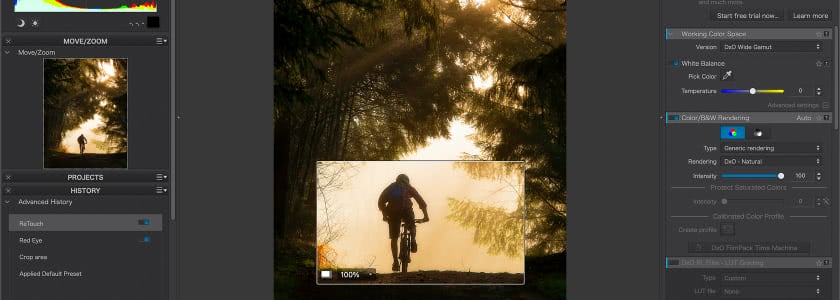
ON1 Photo RAW uses a modern RAW engine that gives you full control over tone, color, sharpening, and detail, and goes further by including multi-image tools normally found in separate apps — HDR bracket merges, panorama stitching, focus stacks, LUTs and effects, and layered edits inside the same file.
A landscape bracket, a real-estate pano, or a macro stack can be processed start to finish without exporting to Photoshop or another tool. Paired with NoNoise AI and TackSharp AI, ON1 lets you finish the entire image concept without leaving the workspace.
DxO PhotoLab: Precision RAW Processing With a Technical Edge
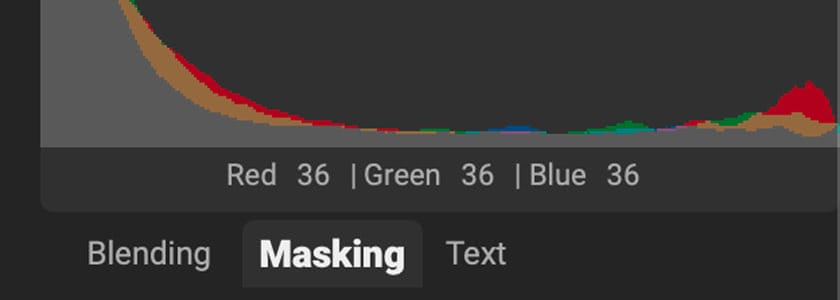
DxO is known for one thing above all else: elite-level detail and noise handling. DeepPRIME XD gives it a real advantage for high-ISO work, wildlife shots, night photography, and anything pushed to the edge of exposure. With its proprietary camera-and-lens modules, every correction is mathematically profiled for that specific body and optic — which is why DxO users talk less about “editing” and more about “image purity.”
What you don't get: built-in HDR, panoramas, or focus stacking. If you need those, you'll need another app in the workflow.
TL;DR
If your priority is absolute noise performance and lens-profile accuracy, DxO PhotoLab remains a top-tier option. If you want strong RAW quality plus pano, HDR, stacking, effects, layers, and AI refinements in one place, ON1 offers a wider toolbox without extra software.
Automation & Intelligence
The AI Gap Between ON1 and DxO
DxO leans into technical refinement and noise science, while ON1 treats AI like an extra set of hands that speeds up real-world editing and opens creative doors.
ON1: AI That Enhances the Entire Workflow
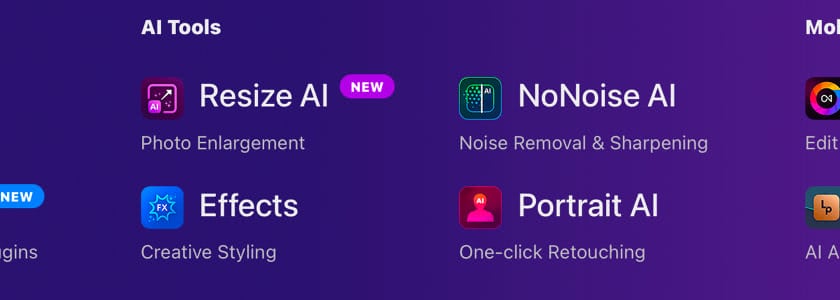
- Brilliance AI for tone and color optimization.
- Super Select AI and Mask AI for ultra-fast subject, region, sky, and object masking.
- NoNoise AI and TackSharp AI for denoise and deblur.
- Resize AI for super-resolution upscaling.
- Sky Swap AI for realistic sky replacement.
- Generative Erase and Canvas Extend for content-aware fixes.
- Portrait AI for natural facial and skin cleanup.
- Photo Keyword AI for automatic metadata tagging.
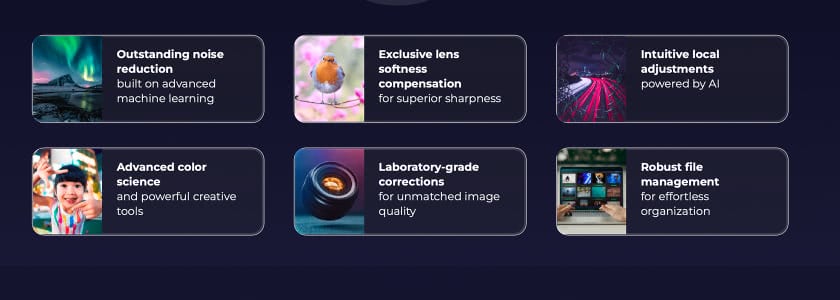
DxO PhotoLab: AI With a Technical Purpose
- DeepPRIME XD, DxO's flagship denoise and demosaic engine.
- AI Masks for subject, background, and people selections.
- U Point Controls for gradient-free local editing.
- Smart Lighting and ClearView for global exposure and haze removal.
- No sky swaps, generative erase, AI upscaling, portrait AI, keyword automation, or effects AI. The philosophy is to enhance image purity, not reinterpret it.
TL;DR
If you want the best RAW photo editor with noise reduction, DxO PhotoLab Elite has a strong case. If you want a full creative AI workflow in one application, ON1 is playing a completely different game — and winning it.
Workflow
How It Actually Feels to Edit in ON1 vs. DxO PhotoLab
Feature lists are one thing; how those features feel in daily editing is something else entirely.
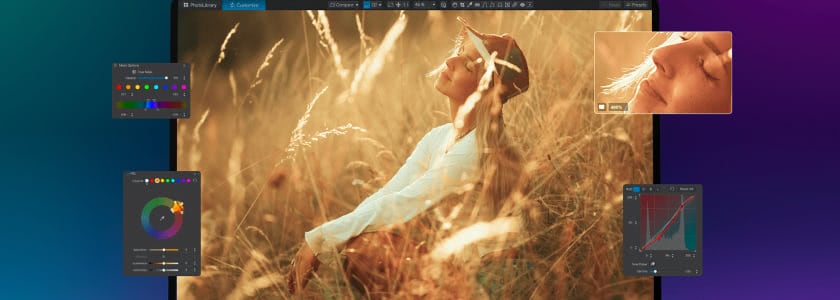
ON1: One App, Multiple Workspaces
You can browse folders, catalog photos, cull, develop, retouch, composite, apply effects, and export all in the same space. No importing is required, no external editor is mandatory, and no plugins are needed unless you want them. The interface is modular but direct: Browse, Edit, Effects, Export.
DxO: Edit-Centric, Not All-in-One
DxO is built around image correction, not full-stack production. You browse a folder, adjust the RAW file, apply local corrections, clean noise, and export. For compositing, graphic overlays, multi-frame merges, or layered effects, you'll need Photoshop, Affinity, Capture One, or another program in the chain.
For many DxO users, PhotoLab is the “first stop,” not the whole journey.
TL;DR
DxO works best as a specialized RAW and denoise engine in a multi-app workflow. If you'd rather keep your entire workflow housed in one editor instead of bouncing files between software, ON1 is the DxO PhotoLab alternative you want.
Compositing
Layers, Masking, and Compositing Depth
Both can edit a RAW file, but only one can build a full composite, stack effects, and treat images like multi-layer documents inside the same editor.
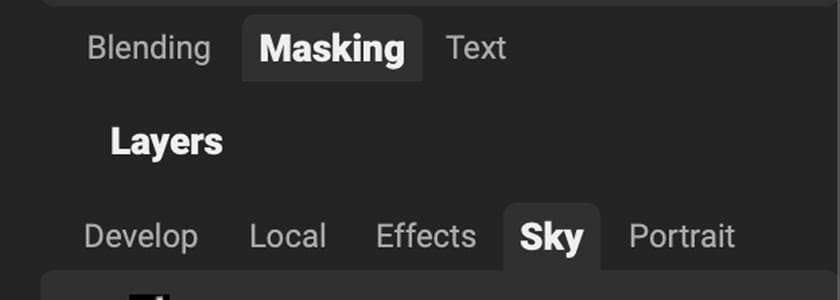
ON1: Full Layer-Based Editing Like a Built-In Photoshop
- True pixel layers, blend modes, and masking tools.
- An effects engine you can apply at the layer or filter level.
- Combine multiple photos, and add text, overlays, or branding.
- Stack adjustment layers and effects, using AI masks, color range masks, luminosity masks, and gradient masks.
- Blend exposures or skies without leaving the app. Everything lives in the .ON1 file, so it replaces a two-app workflow.
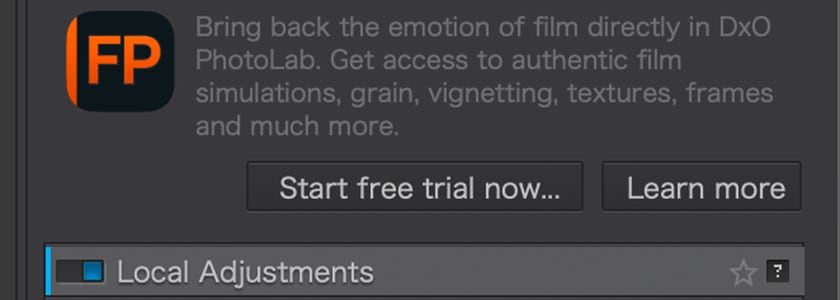
DxO PhotoLab: Local Adjustments Only, No True Layers
- Powerful adjustment masks through U Point technology and AI subject detection.
- No multi-image layering, graphics, stackable effects, or composite editing.
- One image at a time — apply local and global corrections, then export.
- Sky swaps, product mockups, exposure blends, and layered client exports mean jumping to Photoshop or another editor.
TL;DR
If your workflow ever involves multiple images, overlays, graphics, or layered retouching, ON1 is a DxO PhotoLab alternative that can do it solo. DxO is strictly a single-frame correction tool with no compositing built in.
Gear & Glass
How Each Editor Treats Your Gear, Glass, and Shooting Style
Both support a wide range of camera bodies and lenses, but the way they handle optical corrections is very different.
ON1: Broad Compatibility Without Required Modules
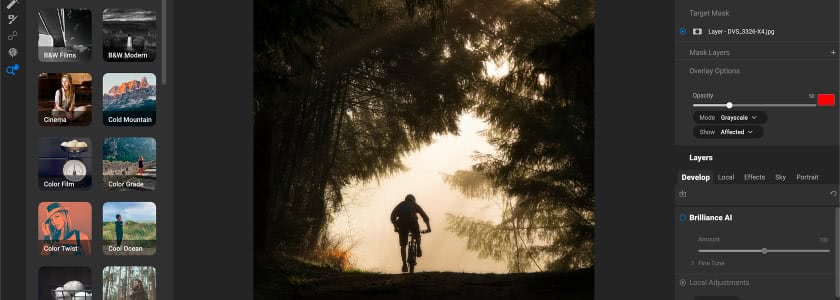
ON1 supports an extensive list of camera and lens profiles and applies corrections automatically, but it doesn't require precision-locked optical modules. You can edit unsupported gear, legacy lenses, or custom setups without waiting for DxO-style profiles to be released — useful for hybrid shooters, adapted lenses, vintage glass, and anyone who doesn't stick to one brand ecosystem.
DxO PhotoLab: Industry-Leading Optical Modules
Each body-and-lens pairing is lab-measured for distortion, vignetting, sharpness falloff, and chromatic aberration. When PhotoLab recognizes your gear, it loads a correction file optimized for that combination with scientific precision.
The catch: these modules aren't available for every lens or camera, full module support is only included in the Elite edition, and unsupported lenses fall back to more generic correction tools.
TL;DR
DxO gives you unmatched optical accuracy, but only as long as you use supported lenses and the Elite tier. ON1 trades microscopic precision for universal compatibility, so every camera and lens workflow stays uninterrupted.
Budget
The Real Cost of Committing to ON1 or DxO PhotoLab
Both offer perpetual licenses, but the cost of ownership looks different once you include features, plugins, and version upgrades.
See how both stack up against other one-time purchase photo editors.
ON1: Lower Entry Price and More Included Features
ON1 Photo RAW
for the full desktop app.
ON1 Photo RAW MAX
, adding plugin support for Photoshop and Lightroom.
What's included
Full RAW editor, full AI toolset, layers and compositing, built-in HDR, pano, and focus stacking, the effects engine, mobile app access, and DAM features with AI keywording. Optional cloud-sync subscriptions start at $17.99/month, but the perpetual license is fully usable on its own.
DxO PhotoLab: Higher Buy-In for Full Feature Access
PhotoLab 9 Essential
$149.99.
PhotoLab 9 Elite
$239.99 — the only edition that includes DeepPRIME XD and full optical correction.
What's still missing
HDR, panorama, focus stacking, layer-based editing, and creative effects all require additional software.
TL;DR
ON1 gives you a complete workflow at a lower entry price and doesn't require a higher tier to unlock its best features. DxO's full capability only exists in the Elite edition, and you'll still need another editor for compositing, effects, or multi-frame work.
Decision Time
Which Editor Makes More Sense for Your Style of Work?
No editor wins every category, so choosing between ON1 and DxO depends on what you value most in your editing process.
ON1 Photo RAW is ideal if you:
- Want an all-in-one DxO PhotoLab alternative with RAW tools, layers, effects, and AI creative features.
- Prefer to avoid round-tripping between multiple apps.
- Use a mix of cameras or lenses, including unsupported glass or vintage adapters.
- Want AI-enhanced workflow tools like keywording, sky swap, and generative erase.
- Need built-in HDR, pano stitching, or focus stacking.
DxO PhotoLab is ideal if you:
- Shoot high-ISO work and want class-leading noise performance.
- Rely on supported lenses and want lab-calibrated optical corrections.
- Already use Photoshop or another pixel editor for layering and compositing.
- Want a RAW developer focused on image purity rather than creative flexibility.
- Value DeepPRIME XD as a standalone reason to buy.
The Bottom Line
The Final Verdict
If you're searching for the best RAW photo editor with noise reduction, DxO PhotoLab Elite is still a strong contender — the right choice if your highest priority is mathematical image quality and you don't mind using multiple applications to finish a project.
But if you're comparing ON1 vs. DxO PhotoLab to find the most complete solution, not just the cleanest file, ON1 Photo RAW gives you far more capability per dollar, fewer workflow interruptions, and a broader creative ceiling.
If you want the most modern, flexible, AI-powered RAW editor in a single install, ON1 Photo RAW is the better long-term anchor for a pro or advanced shooter's workflow.
Frequently Asked Questions
Yes. ON1 Photo RAW was built to handle RAW processing, layers, effects, masking, retouching, and exports in one app. Many photographers switch to it specifically to avoid bouncing between multiple programs for basic compositing or multi-frame edits.
DxO PhotoLab Elite has the stronger deep-noise engine thanks to DeepPRIME XD. ON1's NoNoise AI is still highly capable and has the benefit of running inside the same editor as layers, effects, and export tools, so you don't need a second app to finish your edit.
ON1 supports a very wide range of cameras and lenses, but does not depend on lab-measured optical modules. DxO's profiling is more precise, but it only applies to supported gear and is locked behind the Elite edition.
Test the full workflow for yourself
Every tool in this comparison — AI masking, NoNoise, Resize AI, HDR merge, panorama stitching, focus stacking, layers, effects, and a full RAW engine — is in the trial. Drop in your files and give it the same edit you'd run through your current workflow.
- Own it outright
- Built-in AI tools
- Real layers and masks
- No subscription required