
 ON1 Photo Studio
Subscription
ON1 Photo Studio
Every ON1 software tool. One trusted subscription. For photographers who want everything.
- Every ON1 App Included
- 1 TB Cloud Sync
- 5 Computers
- Cancel Anytime
© Hudson Henry Photography
Overview
What is ON1 Photo Studio?
ON1 Photo Studio is a complete professional photo editing subscription for photographers who want everything from ON1. It includes Photo RAW MAX, the full suite of ON1 plugins, Cloud Sync, ON1 Plus education, any new ON1 software titles we release, and all major and minor updates as they're available. From fast RAW editing and powerful AI tools to resizing and streamlined workflow automation, Photo Studio saves time, reduces complexity, and keeps your entire workflow moving forward.

Photo RAW MAX
The full professional editor, always up to date.

Cloud Sync & ON1 Plus education
Keep photos, edits, and skills in sync everywhere.
The full suite of ON1 plugins
NoNoise AI, Resize AI, Effects, Portrait AI, Sky Swap AI, HDR.
All future titles & updates
Every new ON1 software release, included automatically.

Subscription
Start ON1 Photo Studio
One price. Everything included. Cancel anytime.
ON1 Photo Studio
Yearly Subscription
$179.99/year
- Every ON1 professional app and feature
- All updates and upgrades included
- All future ON1 software tools included
- Cancel anytime
30-day money-back guarantee • Transparent pricing • Trusted by professional photographers
What's Included in Photo Studio?
Everything ON1 Makes — Included
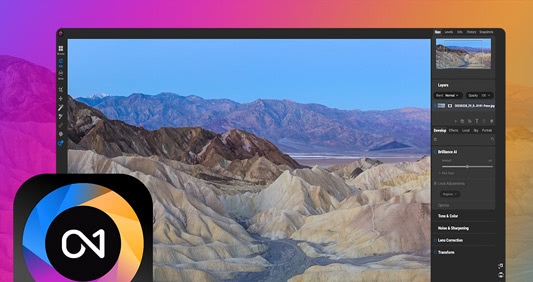
Core Editing Platform
Photo RAW MAX
A professional photo editor built for photographers who want full control from import to export. Layers, advanced masking, precision color grading, creative effects, and AI tools that handle the heavy lifting without making decisions for you. No Photoshop subscription. No Lightroom catalog. Just your photos and a complete set of tools in one app.
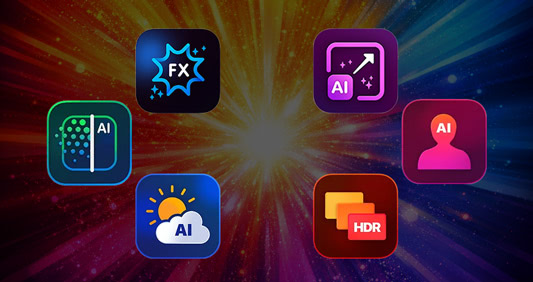
Individual Professional AI & Creative Apps, and Plugins
Every ON1 App, Ready to Use
ON1 NoNoise AI delivers advanced noise reduction with preserved detail, ON1 Resize AI provides intelligent upscaling with print-ready results, ON1 Restore AI for repairing and enhancing, ON1 Effects offers creative finishing and color tools, ON1 Portrait AI enables natural-looking AI portrait retouching, ON1 Sky Swap AI seamlessly replaces skies with realistic blending, and ON1 HDR creates natural HDR photos with balanced tone and detail.
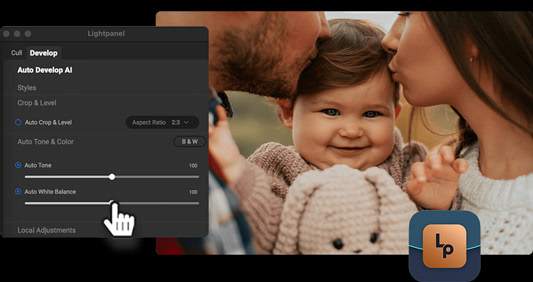
Automation & High-Volume Workflows
Lightpanel
AI-assisted culling and automated editing for Lightroom Classic users, designed to speed up large jobs by intelligently selecting, rating, and applying consistent edits while keeping photographers in control.
Photo Studio Subscription Benefits
Everything That Comes With the Subscription
Includes automatic access to all future ON1 software — including major version upgrades to ON1 Photo RAW MAX, all ON1 apps, new ON1 software titles as they're released, and ongoing pro-level tools and AI advancements — all at no additional cost. Photo Studio also allows you to use individual ON1 apps as standalone software, includes 1 TB of Cloud Sync to sync photos and edits across devices, supports activation on up to five computers, and provides full access to ON1 Plus with exclusive training, community resources, loyalty rewards, and creative extras.
Compare Plans
Choose the ON1 Plan That Fits How You Work
Both plans include the full Photo RAW MAX editing experience and the complete AI toolset. ON1 Photo Studio adds everything else ON1 offers — individual apps, cloud, education, and future tools — in one subscription.
 ON1 Photo RAW MAX
$89.99
Billed annually
$7.99
Billed monthly
 ON1 Photo Studio
$179.99
Billed annually
$17.99
Billed monthly
| Feature | ON1 Photo RAW MAX | ON1 Photo Studio |
|---|---|---|
| Photo RAW MAX (Full RAW Editor + Restore AI + Use Photo RAW as a Plugin) — Always Up-to-date | ||
| Use ON1 Apps as Standalone Software (Resize AI, NoNoise AI, Effects, and More) | — | |
| Full Access to ON1 Plus (Training, Community, Extras) | — | |
| Get Any New Software Title Automatically | — | |
| Cloud Sync & Mobile Integration | 200 GB | 1 TB |
| Number of Computers | 3 | 5 |
| Complete AI Editing Toolset (Masking, Generative Erase, Distraction Removal, Style Advisor, Brilliance AI) | ||
| AI Photo Restoration (Dust & Scratch Removal, Color Restoration, Damage Repair, Photo Enhancement) | ||
| Professional Retouching Tools (Brush, Perfect Eraser, Liquify, Healing, Clone Stamp, and More) | ||
| Layers & Non-Destructive Workflow | ||
| Advanced Photo Techniques (Panorama, Focus Stacking, Time-Lapse, HDR) | ||
| Presets, Effects, Skies & Textures (200+ Built-In Assets) | ||
| Batch Processing, Exporting & Printing |
Who It's For
Built for Serious Photographers
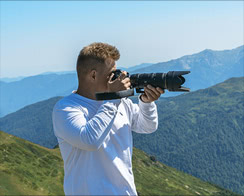
Professional photographers and serious enthusiasts who need a complete toolkit

Wedding, portrait, and high-volume photographers managing large jobs

Photographers ready to leave Lightroom and Photoshop behind for good

Photographers who want powerful AI tools without giving up creative control

Photographers who want one predictable price with nothing held back
Our Promise
A Subscription You Can Trust
ON1 Photo Studio is built for long-term confidence. One price. One ecosystem. Every professional ON1 software tool included. As ON1 evolves, Photo Studio subscribers stay fully equipped — without wondering what's coming next or what's locked away.
Frequently Asked Questions
ON1 Photo Studio is a complete professional photo editing subscription that includes every ON1 software tool in one integrated ecosystem. It combines Photo RAW MAX, all ON1 individual standalone products and plugins, Cloud Sync, ON1 Plus education, and access to all future ON1 software titles and updates — giving photographers everything they need in one place.
ON1 Photo Studio includes Photo RAW MAX, all ON1 plugins (NoNoise AI, Resize AI, Effects, Portrait AI, HDR, Sky Swap AI), ON1 Lightpanel, 1TB of Cloud Sync, ON1 Plus training and resources, activation on up to five computers, and all future ON1 software releases and updates while subscribed.
Yes. ON1 Photo Studio is designed as a complete alternative to Lightroom and Photoshop, combining non-destructive RAW editing, advanced masking, layers, retouching, compositing, and AI-powered tools into a single workflow — without requiring Adobe Creative Cloud.
For the vast majority of photographers, yes. Between Photo RAW MAX and the full suite of individual ON1 apps, Photo Studio covers RAW processing, layers, masking, retouching, compositing, and creative effects end to end — the same workflow most photographers use Lightroom and Photoshop together for today.
Photo RAW MAX covers the core capabilities most photographers need. The individual products go deeper in specialized areas — advanced AI noise reduction, high-end resizing, effects, and portrait retouching. Photo Studio gives you both, and Photo Studio subscribers get new products and major updates immediately, even before they're integrated into Photo RAW MAX.
Yes. ON1 Photo Studio includes NoNoise AI, Resize AI, Portrait AI, Sky Swap AI, AI masking, subject detection, and automated culling and editing through Lightpanel — designed to save time without sacrificing creative control.
Yes. Lightpanel, ON1's AI-assisted culling and automated editing tool for Lightroom Classic users, is included as part of the Photo Studio subscription at no additional cost.
ON1 Cloud Sync lets you sync photos, edits, presets, and albums across computers and mobile devices. ON1 Photo Studio includes 1TB of Cloud Sync storage to keep your workflow connected wherever you work.
Yes. Photo Studio is billed annually and renews automatically. It's the only ON1 plan that includes every individual app, all future titles, and full ON1 Plus access — you can cancel anytime.
Your original photos and exported files remain yours. Your edits are not deleted — you simply lose access to active editing features, cloud sync, and ongoing updates once your subscription term expires.
Before You Install
System Requirements
Photo Studio includes ON1 Photo RAW MAX, so these are the requirements to run it.
Minimum |
Recommended |
|
|---|---|---|
| Operating System |
(Current maintenance releases, 64 bit only) |
(Current maintenance releases, 64 bit only) |
| Processor |
macOS:
Windows:
|
macOS:
Windows:
|
| RAM |
8 GB (16 GB if shared with the GPU) |
32+ GB |
| Hard Drive |
6 GB for installation |
|
| Graphics |
macOS:
Windows:
|
macOS:
Windows:
|
| Optional Integration |
Photoshop CC, Photoshop Elements, Photoshop Lightroom Classic, Apple Photos, Affinity Photo (Current versions for all) |
|
| Internet |
A high-speed internet connection and active account for installation, ON1 Cloud Sync, activation, auto-update checking, content downloads, and tutorials. |
|
| Supported Options |
|
|
| Supported Languages |
English, German, Spanish, French, Japanese, Korean, Simplified Chinese, Russian, Portuguese, Italian, Dutch |
|
The ON1 Guarantee
Your Trust is Our Foundation
Every purchase is protected. Every photo is yours. No games, no surprises.