

ON1 Photo RAW 2027 Guided tour Step 1 of 4
Select the photos to merge
In Browse, select every photo that makes up the panorama. For best results, shoot on a tripod with about 50% overlap between frames.
Click Pano
The merge tools sit in the column on the far right of Browse: Layers, Pano, HDR, Focus and Time.
Preview and adjust the panorama
The photos open in Create Panorama, which shows a preview of the merged result.
Find the result in Browse
The finished panorama is saved as a new file and appears in Browse next to the photos it was made from.
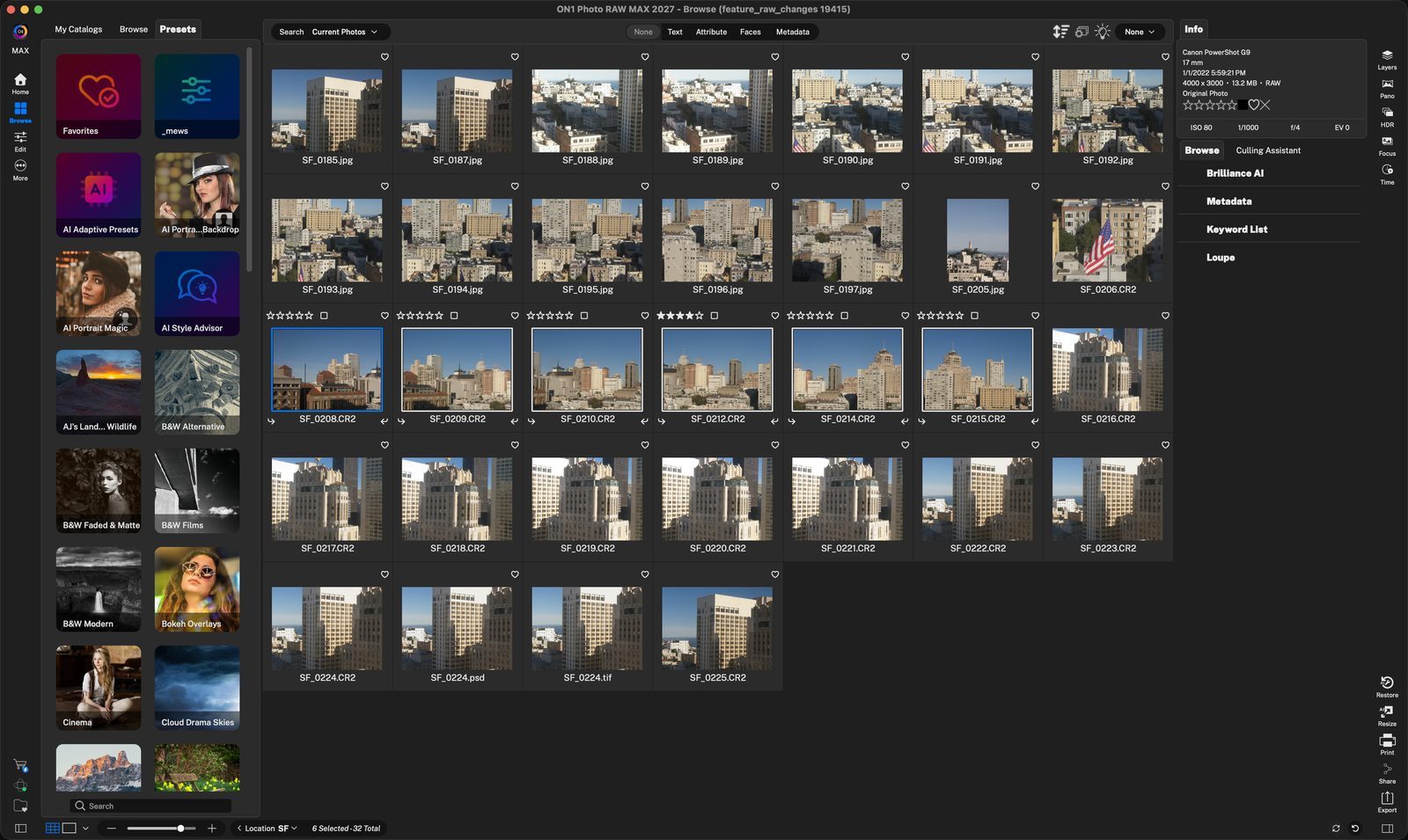
Select the framesClick the first photo, then Shift-click the last. Here SF_0208 to SF_0215 are outlined, ready to merge. Click anywhere to continue
PanoClick it to stitch the selected photos into one panorama. Click anywhere to continue
PreviewCheck the stitch here. The bottom corner confirms 6 of 6 photos merged. Click anywhere to continue
Make changesSet Type and Edges, choose the output File Size, and pick whether the result opens in Browse or Edit. Click anywhere to continue
CreateClick the blue check to build the panorama. The X cancels. Click anywhere to continue
Your panoramaSF_0208 Pano.onphoto sits in front of the originals, which stay untouched. Double-click it, or press E, to open it in Fit view. Click anywhere to continue
Fit viewThe whole panorama fits the Browse window. From here you can switch to Edit to keep working on it. Click anywhere to finish
Tour complete
You selected your frames, merged them with Pano, and found the finished panorama in Browse.
- 1Selected photos
- 1Pano
- 1Preview
- 2Panorama Options
- 3Create
- 1Panorama file
- 2Fit view