

August 2026 ON1 Recap: NoNoise AI 2027, Free Guide & More
- 10,756 Views
 Posted by Kahlie Wright
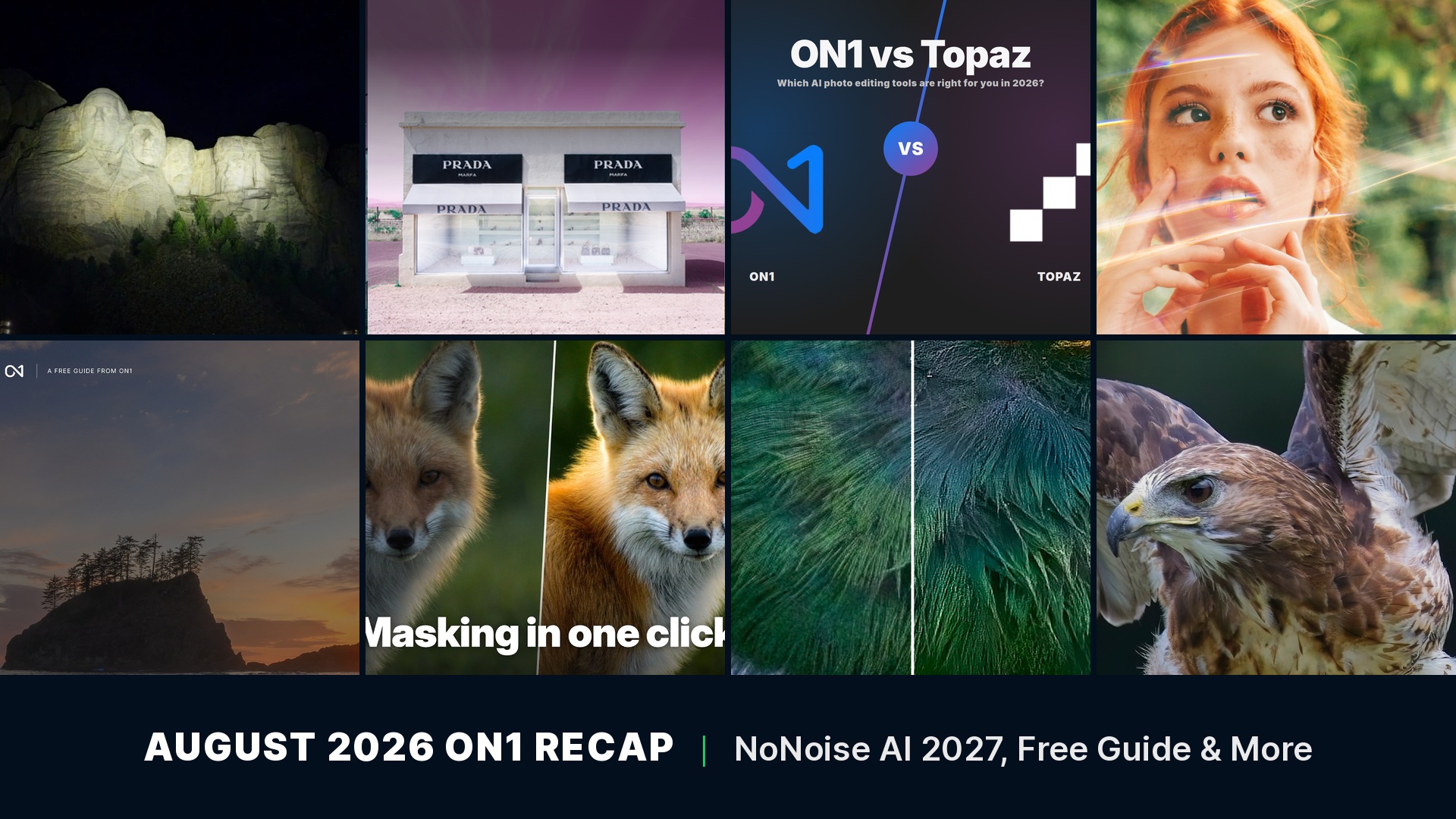
A wildlife shot at dawn or a Milky Way frame late at night almost always comes with a tradeoff. Raise the ISO enough to get the exposure, and noise chews through the same fine detail you were trying to capture. That’s the problem ON1 spent August solving. NoNoise AI 2027 got its first public look this month, rebuilt specifically for the high-ISO situations that give generic noise reduction the most trouble. Alongside it, new training landed on relighting flat photos with Local Adjustments, a free 15-page guide for anyone just picking up a camera, and a fresh set of film-style light leaks for the Creative Library. Here’s everything new from ON1 this August.
In this recap:
- New ON1 NoNoise AI 2027: AI Noise Reduction, TackSharp AI & Model Selector
- Video: Stop Losing Detail to Noise, NoNoise AI 2027 First Look
- Video: Fixing Light Is Easier Than You Think
- Free eBook: The Beginner’s Guide to Photography
- New in the Creative Library: Analog Glow Light Leaks
- ON1 vs. Topaz: Which AI Photo Editing Tools Are Right for You?
- Just Try It: A Marfa, Texas Photo Project
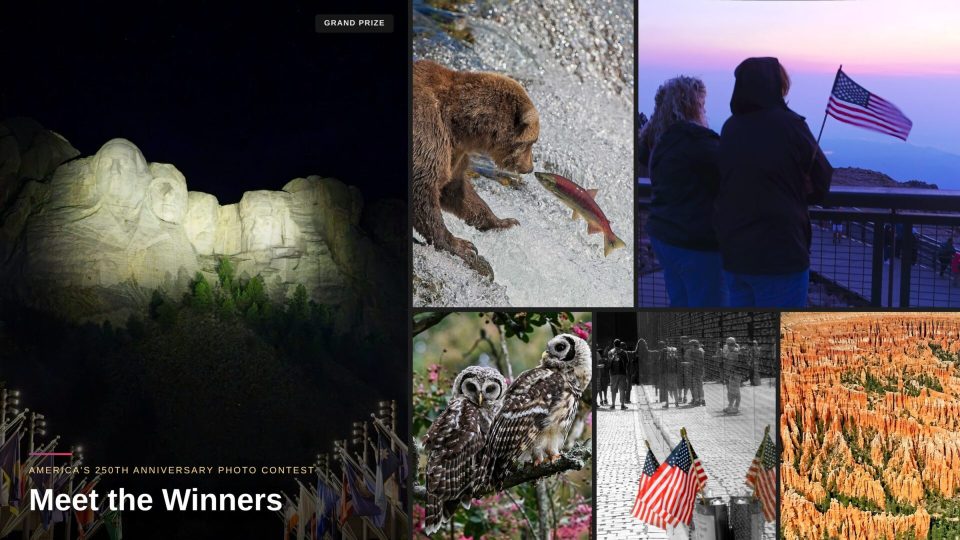
- America’s 250th Anniversary Photo Contest: Meet the Winners
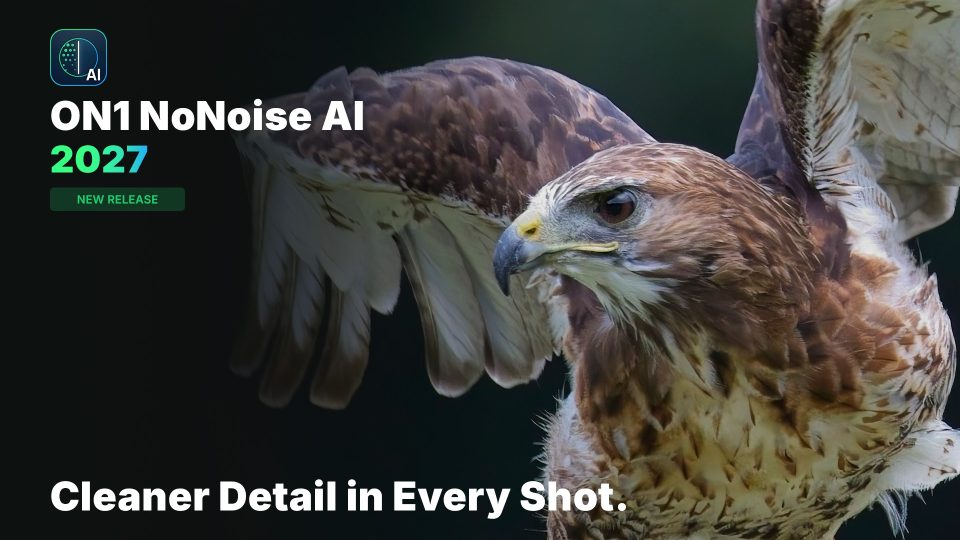
NoNoise AI 2027 targets the high-ISO shots that give most noise reduction tools the hardest time.
New ON1 NoNoise AI 2027: AI Noise Reduction, TackSharp AI & Model Selector
August 17, 2026
ON1 announced NoNoise AI 2027, a rebuilt noise reduction tool aimed at the high-ISO shots that give most software the hardest time: wildlife at dawn or dusk, concerts under stage lighting, and the Milky Way at night. Remastered noise reduction models remove more noise while keeping results looking sharp and natural instead of smoothed over, whether that’s ISO 6400 for a concert or ISO 12,800 for a night sky. “It is easy to remove every trace of noise, but that often leaves a photo looking flat and over-processed, more like a painting than a photograph,” said Dan Harlacher, VP of Product at ON1. “We built NoNoise AI 2027 to preserve the small details that make an image look real.”
The release also adds a new model selector, so you can match the AI to your subject, wildlife, people, astrophotography, or scanned film, in one click, and upgrades TackSharp AI’s deblurring models to bring soft photos back into focus. NoNoise AI 2027 is open for pre-order now and ships in late September 2026.
- Remastered noise reduction models built for high-ISO wildlife, concert, and night photography
- New AI model selector for Wildlife, People, Astro, and scanned film
- Upgraded TackSharp AI deblurring
- Automatic subject and background masks for applying different settings to each
Learn more about NoNoise AI 2027 →
Stop Losing Detail to Noise: ON1 NoNoise AI 2027, First Look
August 18, 2026
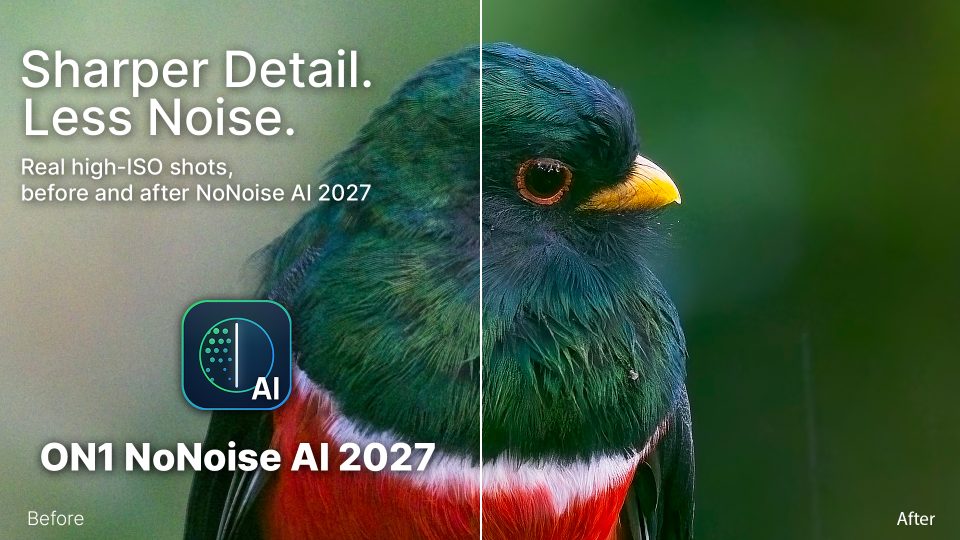
High ISO steals detail in wildlife and astro shots: feathers get soft, stars disappear. This first-look video shows NoNoise AI 2027 fixing that automatically, no sliders required, ahead of its late September release. A second short preview, published August 21, walks through the new model selector on its own, showing the Astro, Wildlife, and People models each holding onto detail a generic setting would smooth away.
You’ll learn how to:
- See NoNoise AI 2027 applied to a real high-ISO wildlife photo
- Compare detail retention against a standard noise reduction pass
- Preview the Astro, Wildlife, and People model selector options
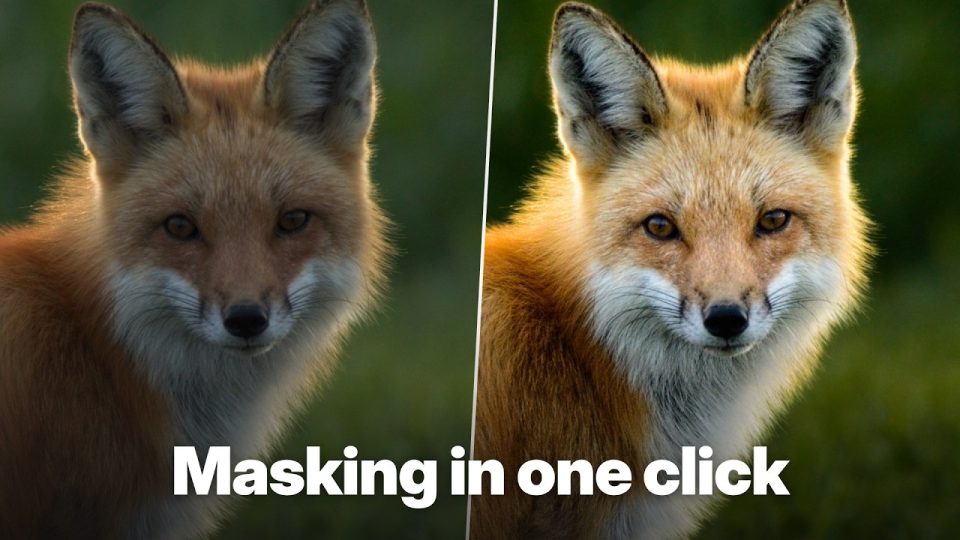
Fixing Light Is Easier Than You Think
August 4, 2026
A flat photo usually isn’t a lighting problem. It’s a separation problem. This tutorial shows how to build independent Subject and Background masks with Local Adjustments, then brighten the subject and deepen the background separately to create real depth in a photo that started out flat. Dynamic Contrast pulls out fine texture, and a Skylight-style Photo Filter ties the relit scene together, all non-destructively so every adjustment stays editable.
You’ll learn how to:
- Build separate Subject and Background masks with Local Adjustments
- Use Dynamic Contrast to recover texture without overprocessing
- Finish a relit photo with a Photo Filter for a natural look

Free eBook: The Beginner’s Guide to Photography
August 21, 2026
This free 15-page guide is built for anyone picking up a camera or phone for the first time. It covers reading light, composition basics like the rule of thirds, leading lines, and framing, and how to think about focus and story before you shoot. It closes with an eight-point checklist to run through before every shot, no settings rabbit hole, no jargon, about 30 minutes to a sharper eye.
Download includes: a 15-page PDF guide covering light, composition, and focus fundamentals, plus a pre-shot checklist.
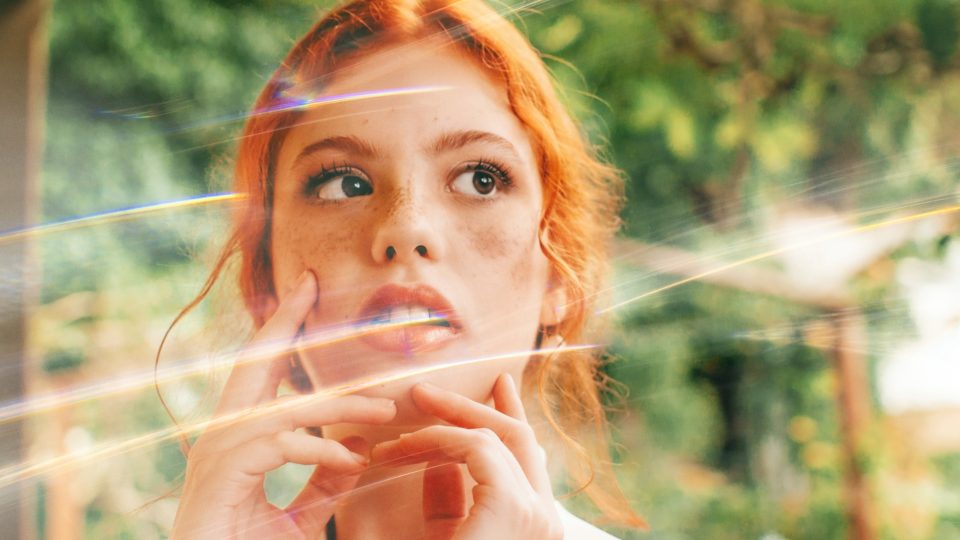
New in the Creative Library: Analog Glow Light Leaks
August 21, 2026
This new collection from Dylan Kotecki adds warm, sun-faded glow and film-style flares to a photo in seconds. It includes ten light leaks, ranging from warm amber streaks to cool blue and violet flares, for photographers who want the unpredictable character of real analog film without shooting film.
What’s included:
- Ten light leak overlays, from warm amber to cool blue and violet tones
- Ready to apply in ON1 Photo RAW’s Effects module
Get more from every photo with ON1 Photo RAW. Try it free for 30 days. No subscription required.
ON1 vs. Topaz: Which AI Photo Editing Tools Are Right for You?
August 5, 2026
ON1 Photo RAW and Topaz Labs solve different problems. ON1 is a full RAW editor, with organizing, masking, layers, and effects built into one app you buy once. Topaz sells separate, narrower AI tools built for one job each, like Topaz Photo for noise and sharpening or Topaz Gigapixel for upscaling, and as of August 2026 every Topaz tier is subscription-only. This article breaks down where each one fits, feature by feature and dollar for dollar: a single program that edits a photo start to finish favors ON1, while best-in-class upscaling or noise removal layered on top of an editor you already use is where Topaz’s specialized tools still lead.
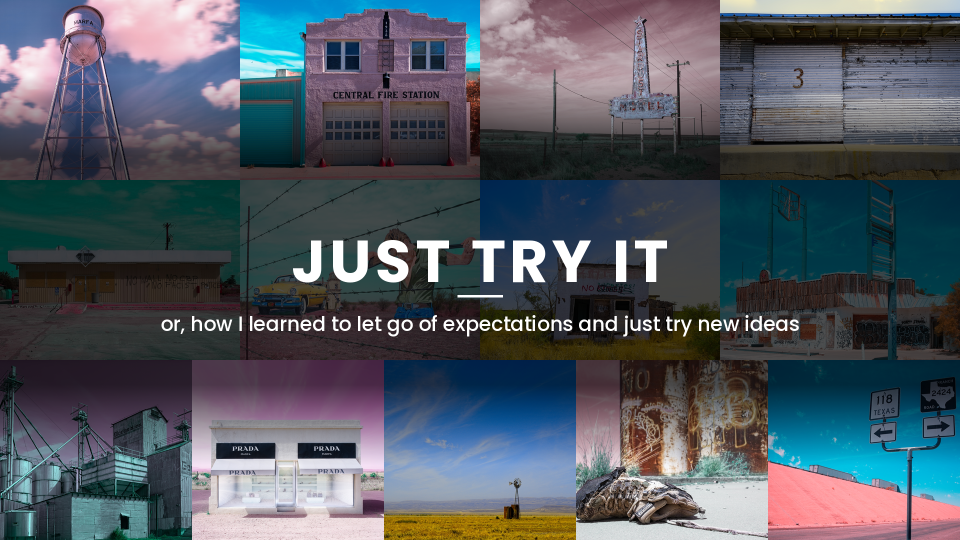
Just Try It: A Marfa, Texas Photo Project
August 7, 2026
ON1’s Dan Harlacher spent a day in Marfa, Texas, a small art town in the middle of the West Texas desert, and turned ordinary travel shots into a pop-art series with a two-step edit in ON1 Photo RAW: Super Select AI to isolate one key element and push Dynamic Contrast on it, then an inverted mask with a Channel Mixer filter over the rest of the frame for the blown-out pinks and teal skies that give the series its false-color look. It’s a reminder that a personal project doesn’t need a plan, just a willingness to try an idea and see where it leads.
America’s 250th Anniversary Photo Contest: Meet the Winners
August 10, 2026
Entries for ON1’s America’s 250th Anniversary Photo Contest closed this summer, and the winners are in. Jeremy Pratt took the $500 grand prize for “Carved in Light,” a night shot of Mount Rushmore’s Avenue of Flags edited with Brilliance AI. Herbert Achatz placed second with a grizzly mid-catch at Katmai National Park’s Brooks Falls, and John Woodring took third with a Pikes Peak sunrise, out of hundreds of entries from photographers across the country.
All of this is free to explore right now.
Everything in this recap, the tutorials, the free guide, the Creative Library collection, and the blog articles, is available to every ON1 customer today. No membership required.
New content posts every week on the ON1 Blog, Video Library, Bookshelf, and Creative Library. Check back often, or bookmark the blog, to catch it as it happens.
Want even more? ON1 Plus members get exclusive tutorials, courses, guides, and Creative Library drops every month on top of everything here.
6 Comments
Russell WebbSeptember 4, 2026
I assume that this new no noise 2027 will be integrated into the next release of On1 Photo Raw 2027?
When may we see news about On1 Photo Raw 2027?
KahlieSeptember 8, 2026
Yes, the latest NoNoise AI models will be integrated into the upcoming ON1 Photo RAW 2027. For more information about this exciting release, please visit the following link: https://www.on1.com/blog/introducing-on1-photo-raw-2027-a-new-raw-processing-engine-improved-nonoise-ai-an-ai-culling-assistant-and-more/
Christian BiancoSeptember 5, 2026
CELA SERAIT BIEN SI LES GUIDE ETAIT EN PLUSIEURS LANGUES . MERCI
Jan MasařSeptember 5, 2026
Dobrý den. Tento nový program No Noise 2027 vypadá velmi zajímavě a bude součástí vydání ON1 Photo RAW 2027?
Daniela ArgandoñaSeptember 5, 2026
I do hope the new No Noise will be integrated in the On1 Photo Raw as standalone program.
Aman NasirSeptember 22, 2026
I’m looking forward to seeing NoNoise AI 2027 integrated into ON1 Photo RAW. The new AI models sound very promising. I also found [Ranvik](https://ranvik.ru/image) interesting for exploring AI image tools.
Please review our privacy policy for information about how we use the data we collect.