21st Anniversary Sale

Thank you for 21 years. Save up to 60% this month.

  • No Subscription Required
  • Mac & Windows
  • Own It Forever
Loading...

ON1 Blog

The Latest in ON1 News

Ballet dancer and vintage camera still life composite photograph taken in a home studio by Dan Harlacher

How to Build a Home Photo Studio for Under $500

Many photographers think of a studio as a luxury, a facility only few can afford. I’m here to show you that you can have one of your own, at home, for as little as a few hundred dollars.

You might be asking yourself: why would I want a studio if I’m not a people photographer? A studio gives photographers of all kinds a playground to practice their craft regardless of weather or location, and a level of control they rarely have outdoors. Even if you only use it for personal projects, a multi-purpose home studio pays real dividends in building and maintaining your skills.

Finding Your Space

Most of us don’t have a room dedicated solely to photography, but we might have one that can serve double duty. A spare bedroom works great. So does a garage.

For me, it’s the dining room.

Living room converted to workout space that doubles as a home photo studio

Dining rooms are so old-fashioned. Big, open, beautiful spaces that sit unused 90% of the year. Ours was basically used on Thanksgiving and Christmas. The rest of the year we eat at the breakfast nook. So I ditched the giant table and converted the space into a multi-purpose workout room and photo studio. (Convincing your significant other may be its own challenge. That part’s on you.)

The space has high ceilings, hardwood floors, and great windows for natural light. In workout mode, it looks like the photo above. In studio mode, I pull down the background paper and wheel in my studio cart.

Home photo studio setup in a living room with gray seamless background and lighting gear

If you didn’t see the background roller near the ceiling, you’d never know the room did double duty. The whole switch from workout room to a photo studio takes less time than warming up.

What You Need to Buy

I’ll assume you already have a camera and a tripod. A macro or portrait lens are also nice additions depending on your interests, but neither is required to get started. Here’s everything else.

A Background

The simplest option is a wall painted whatever color you like. I prefer gray. With proper lighting, you can shift it anywhere from white to black, and with a few colored gels, almost any hue. If you’d rather not paint, a background stand with seamless paper works beautifully. I added a roller drive system to mount mine to the ceiling. Both pieces together came and were under $150 on Amazon.

A Cart

You need somewhere to store your lighting gear that’s easy to move and tuck away. I use a small metal cart on wheels, about $175 on Amazon. It fits in a closet, rolls out in seconds, and doubles as a work surface when I’m shooting tethered.

Some Lights

I grew up learning on strobes, but they’re harder to use and harder to learn on. Today I shoot with LED panels almost exclusively. They’re inexpensive, simple, and forgiving. Unless you’re a working pro, you don’t need top-of-the-line gear. A two-light kit with stands runs about $140, and several photographers have gotten great results based on my recommendation.

That’s really all you need. A stool, a small folding table, and a couple of foam core reflectors from the craft store round things out nicely, but they’re extras.

What You Can Do With It

The gear list above totals less than $500. Less than most lenses. Here’s some of what I’ve made with it.

Self-portrait headshot photographed in a home studio against a gray background

Self-portraits are one of the first things I tried. There’s no better model than yourself when you’re learning to light, because the feedback loop is immediate. You see the result, you adjust, you shoot again.

Purple calla lily still life photograph taken in a home studio

Vintage folding camera still life photograph taken in a home studio

Still life work is where the studio really shines for non-portrait photographers. Flowers, old cameras, collections, products. Controlled light lets you isolate your subject completely and work slowly without worrying about the sun moving or the wind picking up.

Black and white ballet dancer adjusting pointe shoe photographed in a home studio

Overhead black and white photo of a ballet dancer in a tutu taken in a home studio

I’ve photographed ballet dancers in that room. I’ve hosted photography workshops there. The space doesn’t announce itself as a studio, which means it doesn’t limit what you can do with it.

If this inspires you to carve out a corner and give it a try, you might be surprised how much it accelerates your growth, and how much fun you have along the way.

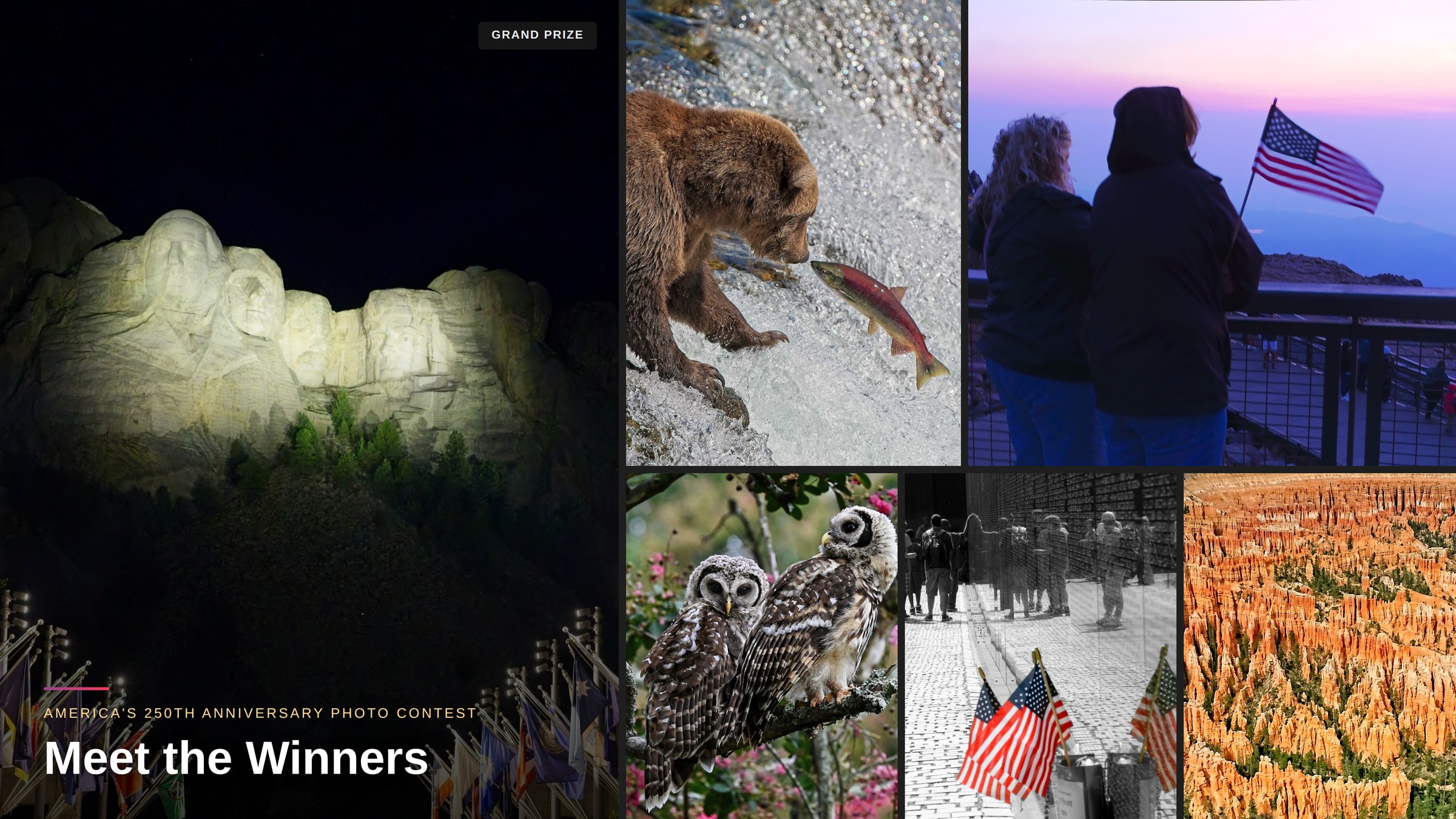
Collage of the winning images for the ON1 21st Anniversary Photo Contest

Announcing the Winners of the ON1 21st Anniversary Contest

We are thrilled to announce the winners of the ON1 Anniversary Contest, celebrating 21 years of photography, creativity, and innovation with the ON1 community. Photographers from around the world submitted images spanning two decades of ON1 software history. From cherished shots taken years ago to brand-new portfolio favorites, and our judges evaluated every entry on creativity, composition, technical execution, editing skill, and overall visual impact.

Read More

What’s Coming to ON1 Plus in July: Your Best Editing Month Yet

July is packed for ON1 Plus members and it’s not just the usual lineup. This month brings three new tutorials, a downloadable editing guide, a live webinar, and the very first ON1 Plus Day, a full day summer workshop filled with live editing sessions, Q&A, and giveaways!

Here’s everything you can look forward to.

Read More

June 2026 ON1 Plus Recap: Restore AI, New Filters, and More

June kept the momentum going inside ON1 Plus, the #1 resource for ON1 Photo RAW training and photography education. With Restore AI still fresh off the 2026.4 launch, members got several more ways to put it to work, including wildlife noise reduction, old photo recovery, and a full course built around rescuing problem photos. On top of that, learn new filters during the Live Edit, a Luminosity Masks deep dive, and a new vintage border collection for the Creative Library. Here’s everything that dropped in June.

Read More

Meet the Experts

Dan Harlacher

Dan Harlacher

Dan has been shaping ON1's software from the ground up for nearly 20 years, and chances are, if there's a feature you love in ON1 Photo RAW, he had a hand in it.

Learn more about Dan

Dylan Kotecki

Dylan Kotecki

With nearly 10 years of experience behind the camera and in front of it as an instructor, Dylan brings a uniquely engaging style to ON1's educational content.

Learn more about Dylan

ON1 Photo RAW 2026

ON1 Photo RAW 2026.4

The Ultimate Photo Editor

No Subscription Required

Special Offer
×Shopping Cart

Your cart is empty.

Celebrating 21 Years

Your photos deserve great tools.

Now they're up to 60% off.

By submitting, you agree to the ON1 terms. Opt out any time.