

Ten Free Color & Mood LUTs for the Looks You See Everywhere
- 92 Views
 Posted by Dylan Kotecki
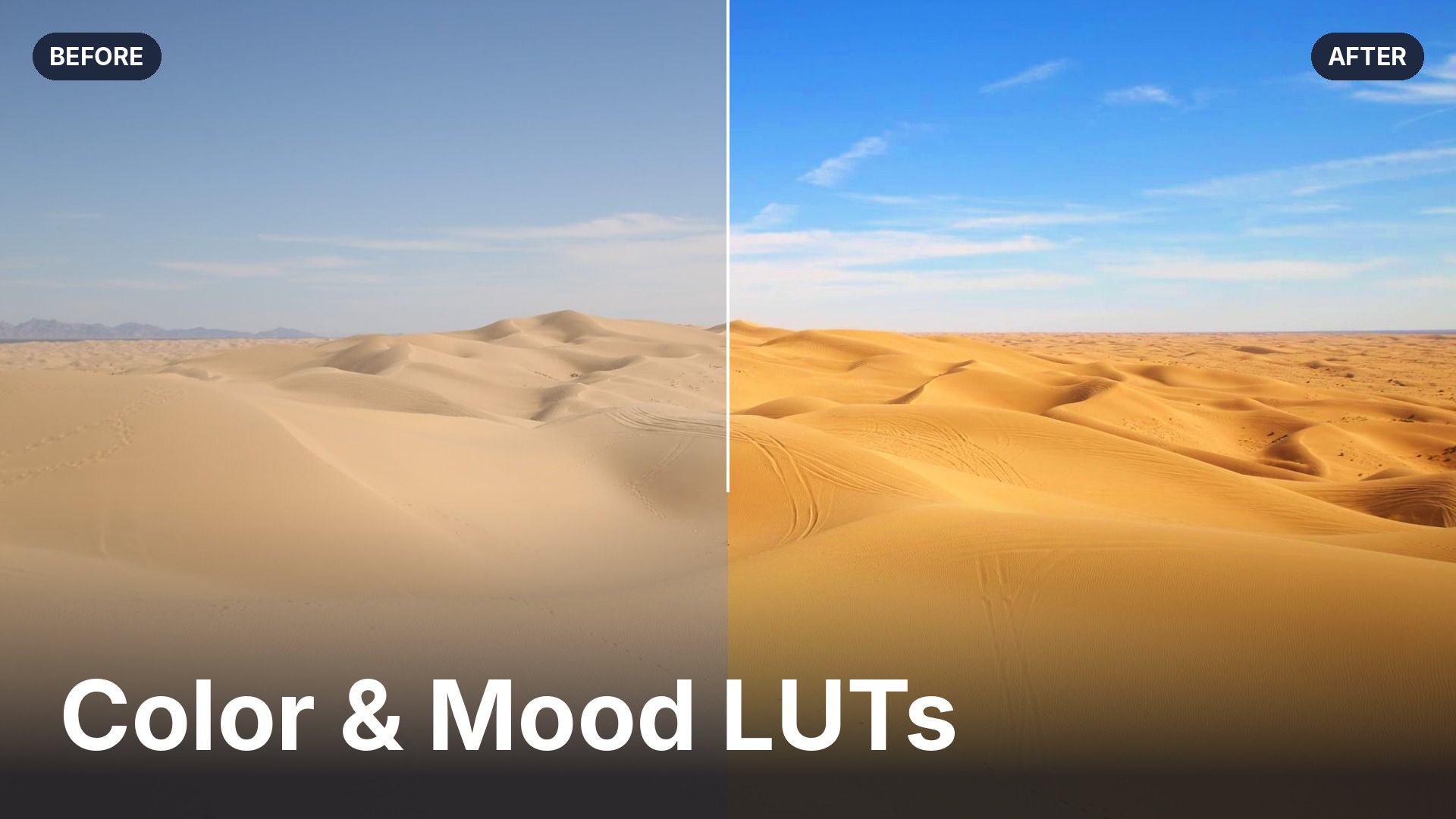
I like using LUTs when I’m editing photos because they get me to a good starting point much quicker. Instead of building a look from scratch, I apply a LUT in one click and can set the mood right away. Then it’s all about fine-tuning from there. It keeps me moving, and it keeps me from overthinking the edits I’m making to my photos.
Getting to a starting point can eat into a lot of time. There are dozens of sliders, a lot of back and forth, and maybe you’re still not sure it’s quite right. Again, that’s why I love using LUTs, and why this new Color & Mood pack is worth a look. It gives you ten of those looks, ready to go. Apply one, see how it feels, move on to the next shot.
It’s free. Download the Color & Mood LUTs along with our other free LUT packs, or stick around and I’ll walk you through each look.
What a LUT does for your photo
A LUT, short for look-up table, is a saved color grade. Instead of juggling curves, color mixers and split-toning sliders, you apply one file and the whole look is applied to the image or video at once. I think of a LUT as a starting point, not a filter you’re stuck with. New to them? This video on using LUTs to color grade photos covers the basics.
The ten looks
Here’s the full set where I made each of them strong on purpose. If the look is too much, I’ll tell you how to dial it back below.
Amber & Aqua
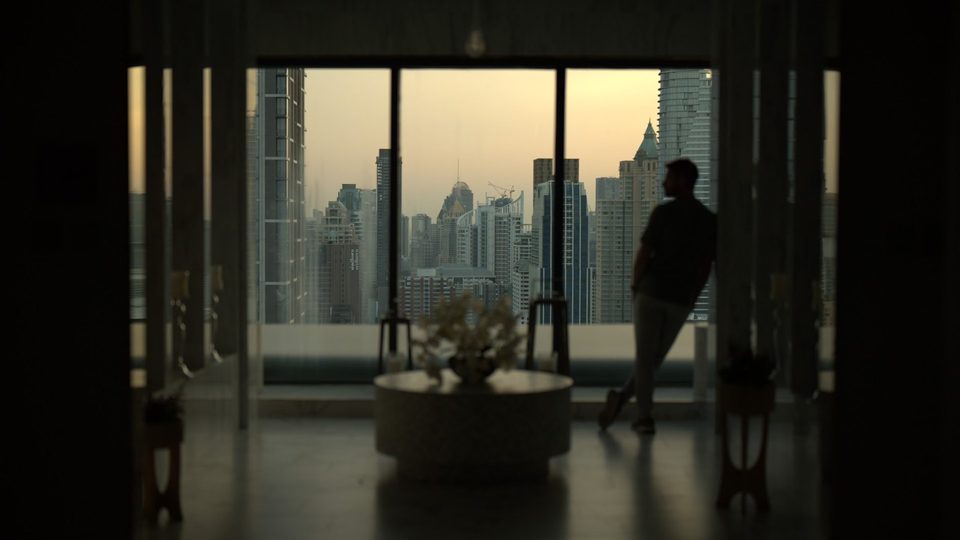
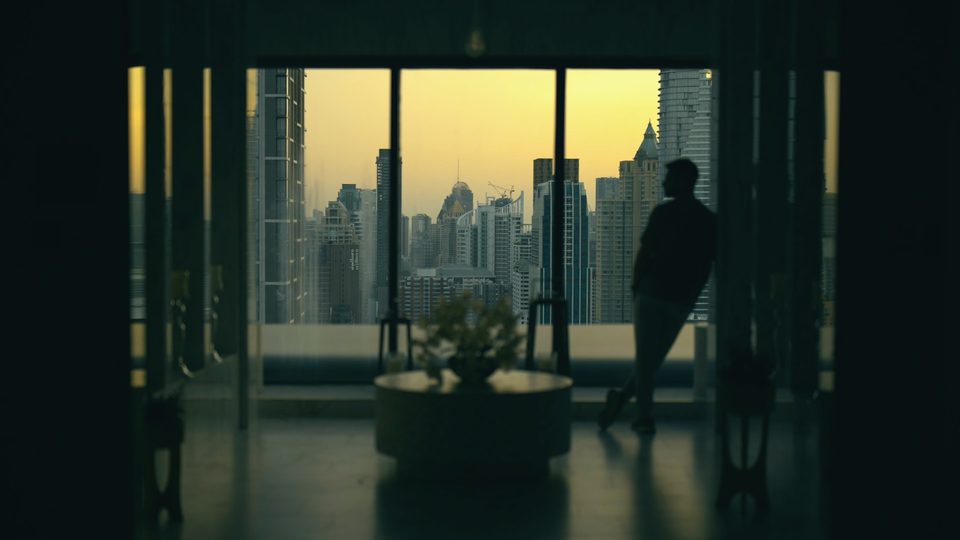
Turquoise water and warm amber highlights. Beach and travel shots are the obvious home for it, but check out what it does to a city window at dusk: teal shadows, a warm amber sky, and a lot of mood.
Moody Forest
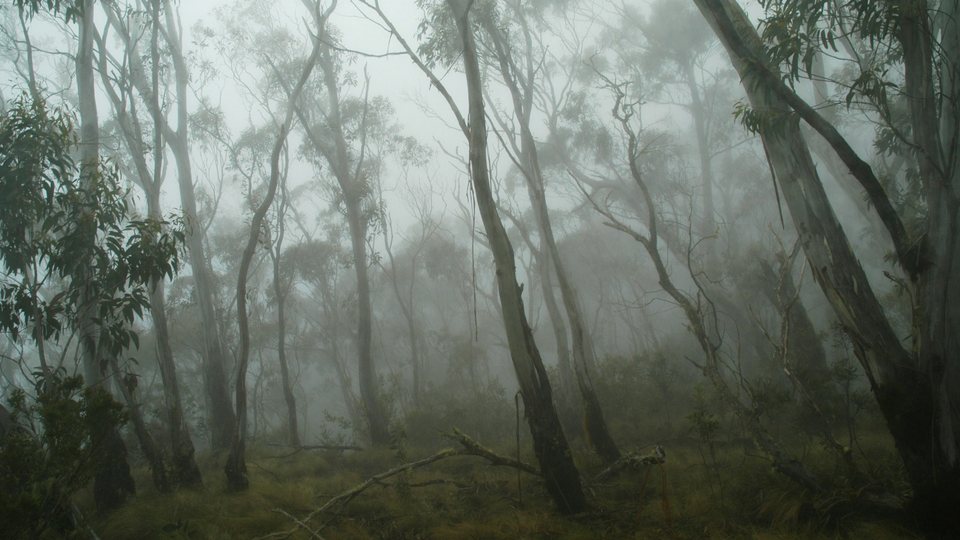
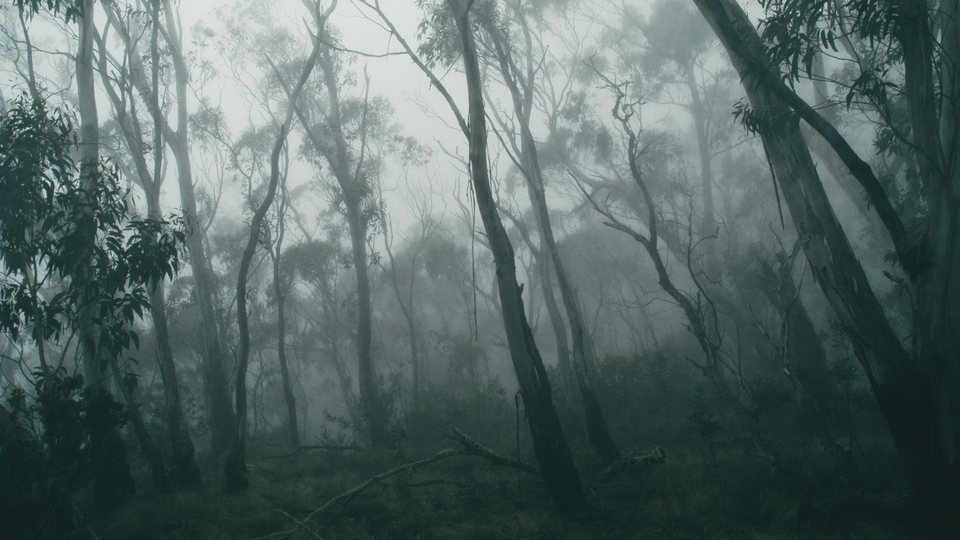
Deep teal-green tones and soft, cool shadows. Here, a foggy forest of tall trees goes from a flat gray morning to something that feels like the opening scene of a mystery.
Dark & Moody
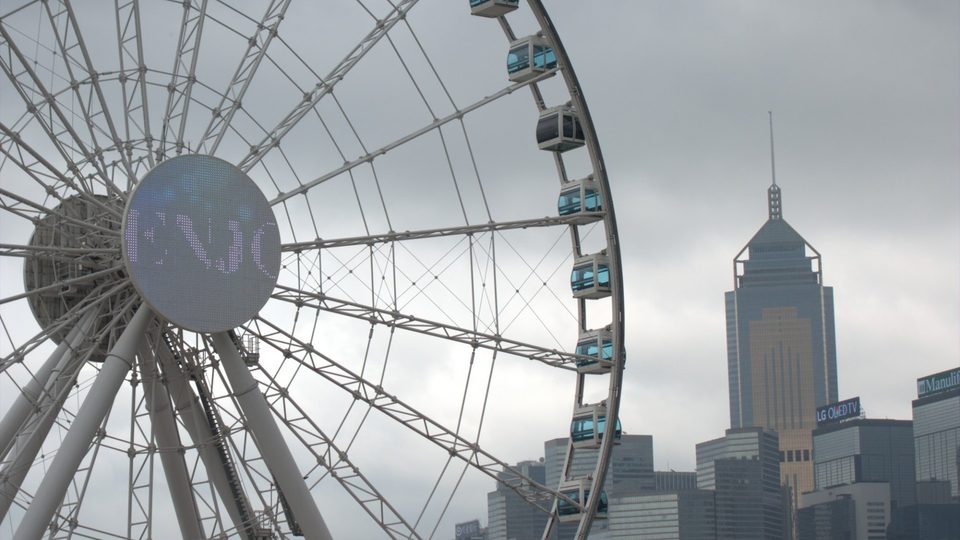
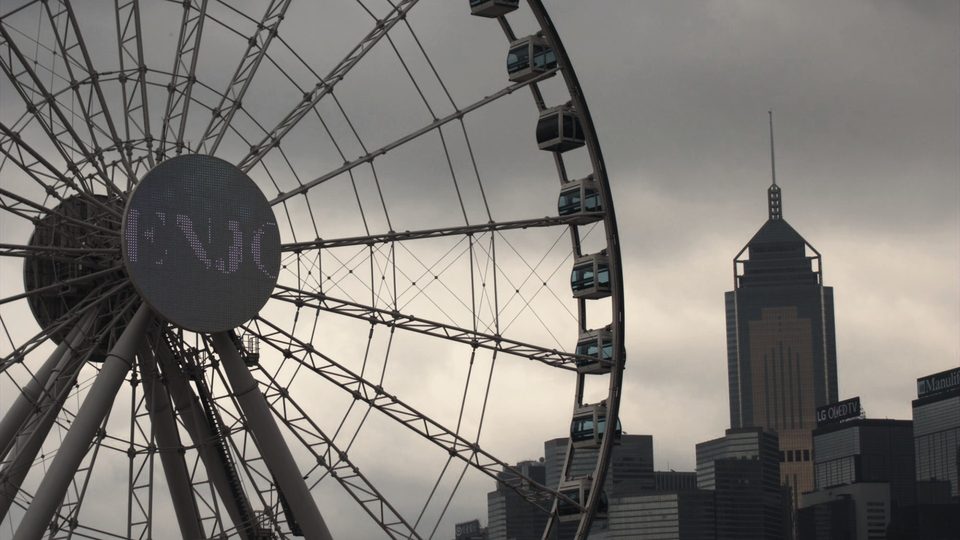
Rich shadows and warm highlights. Great for interiors, night scenes and low light, when you want the dark parts to feel intentional. Look at what it does to the flat gray sky over the Ferris wheel: suddenly the scene has a mood, and a story.
Golden Hour
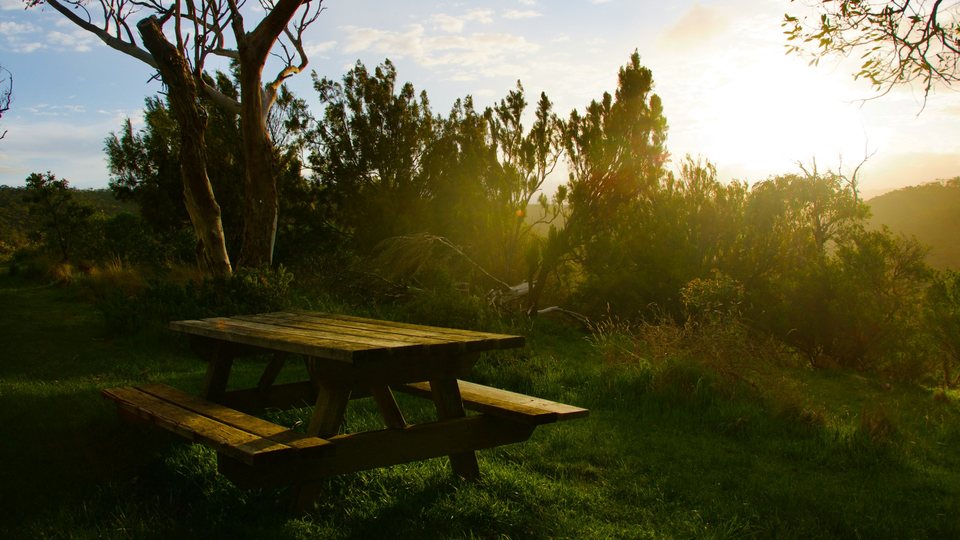
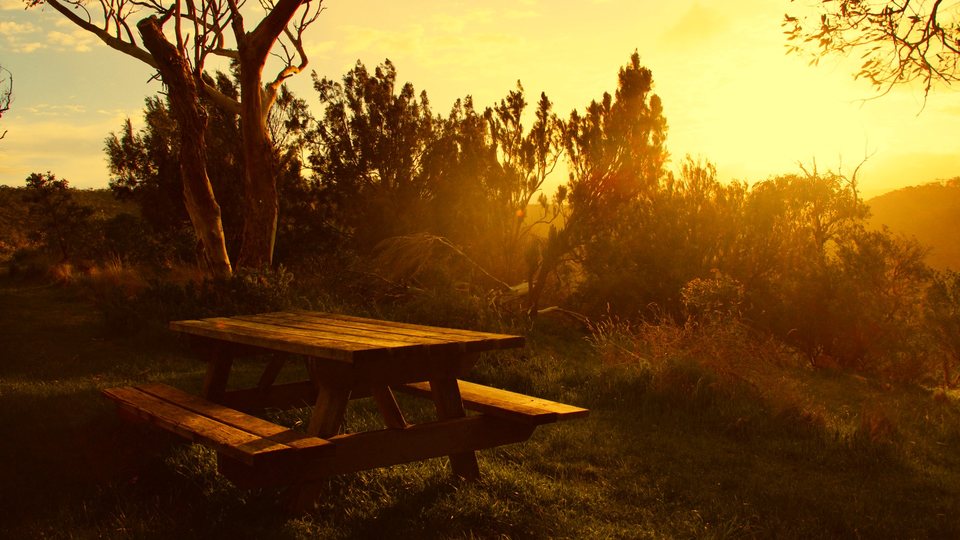
Check out this picnic table in a grassy clearing: the pale evening sky turns to gold, and suddenly you want to pull up a chair.
Heatwave
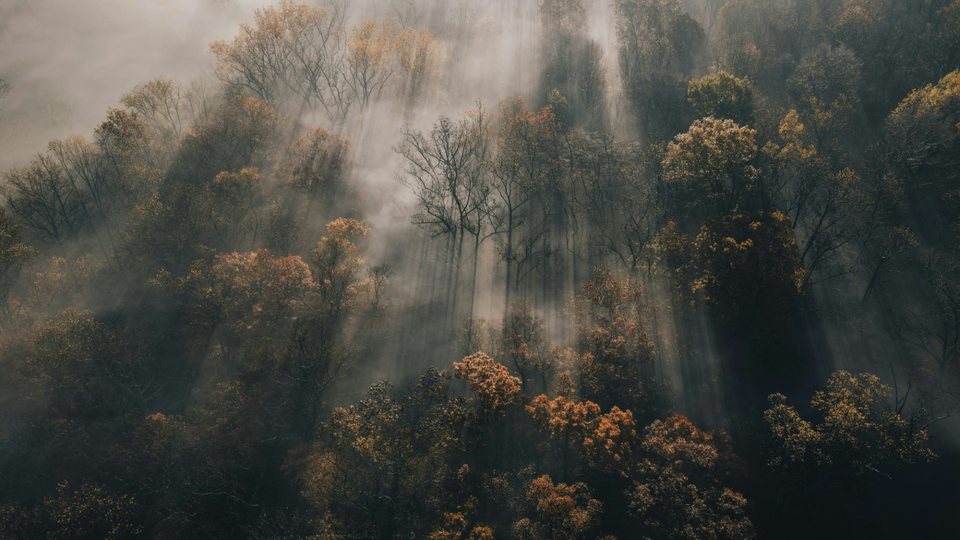
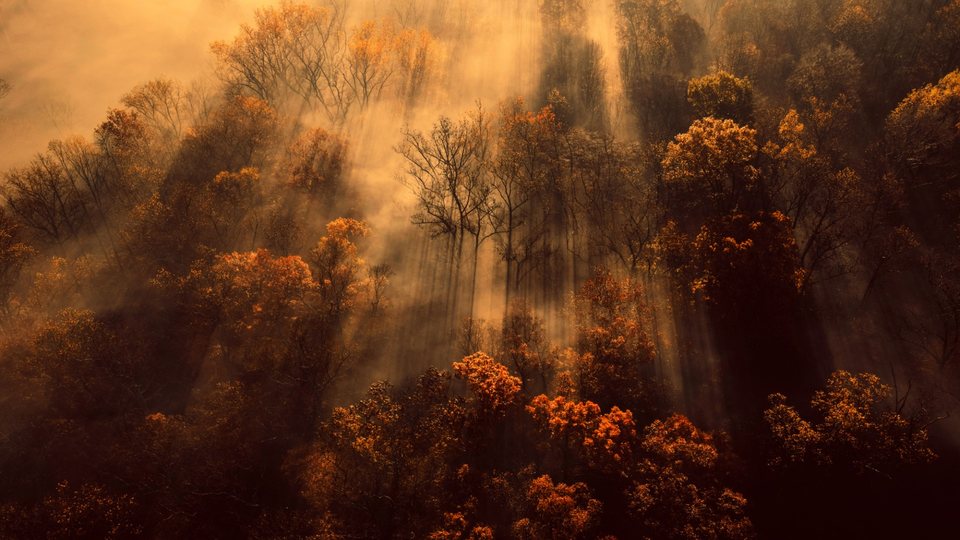
Burnt oranges and reds for deserts, summer streets and sun-baked landscapes. I tried it on sunbeams breaking through mist over a forest canopy, and the cool morning turned into a scorcher.
Honey Glow
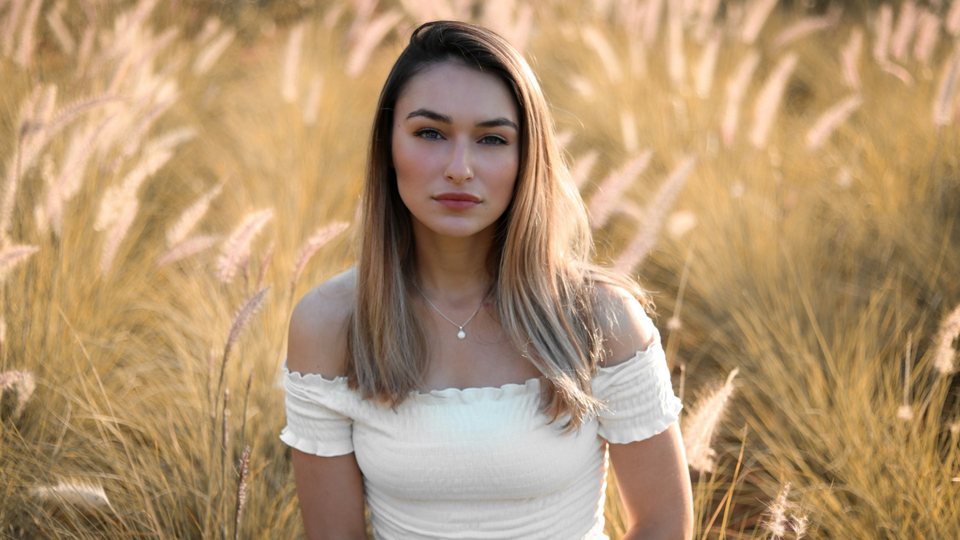
Soft, flattering skin and pastel tones inspired by classic portrait film. This is my pick when the subject is a person and I want the mood gentle.
Urban Pop
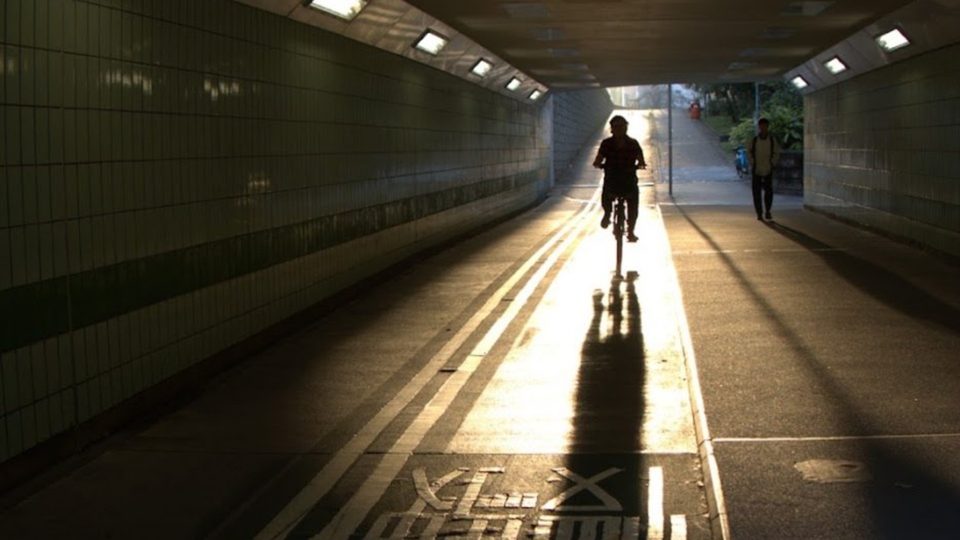
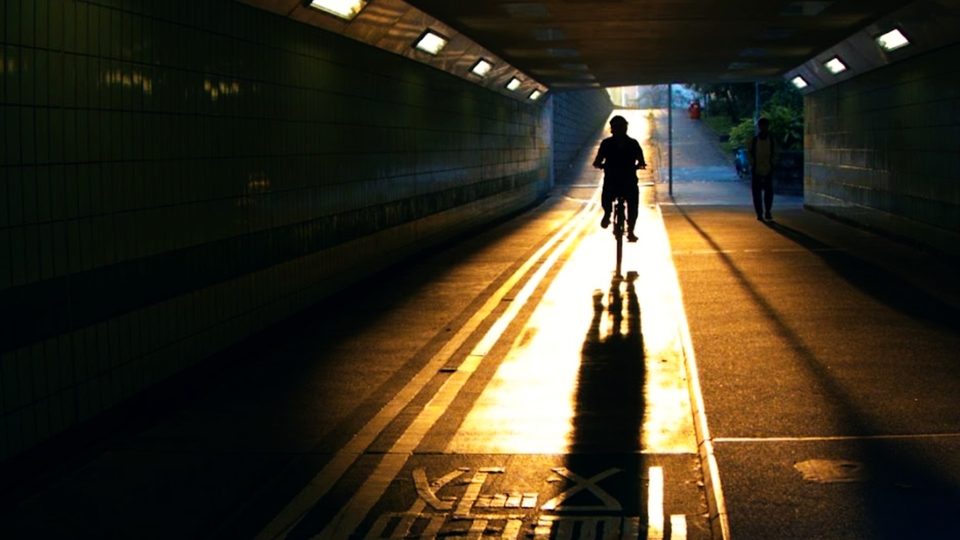
Hard contrast with bold yellows and blues for city and street photos. This is the loud one, and I mean that as a compliment. A cyclist rolling out of a tunnel gets deeper shadows and a golden glow that feels like a movie still.
Super Vivid
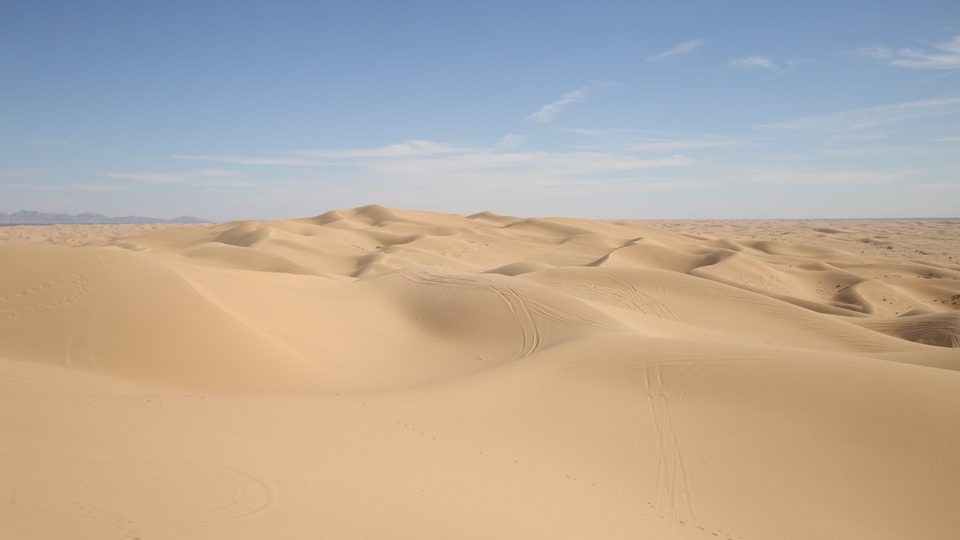
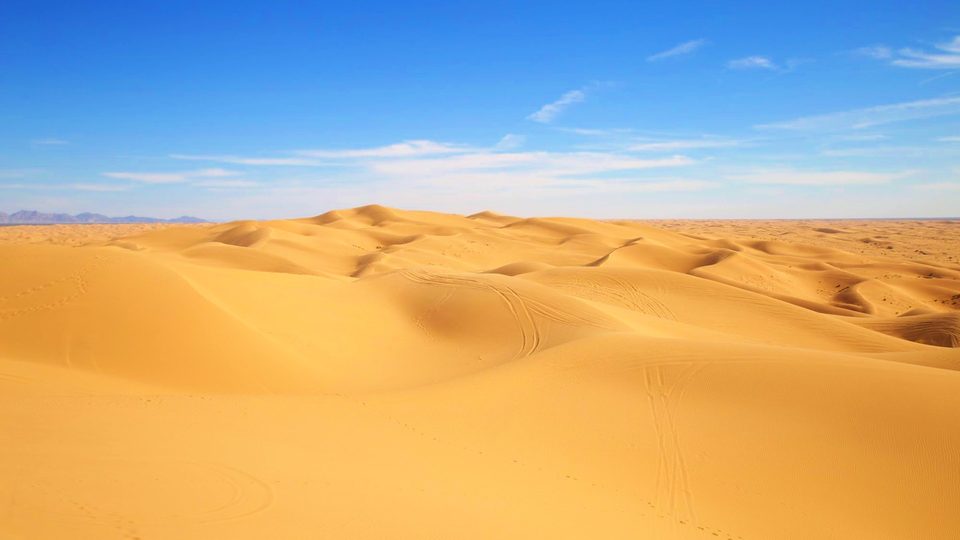
Maximum color. Made for images posted to social media feeds. Here it takes pale desert sand and turns it golden under a deep blue sky.
Bloom
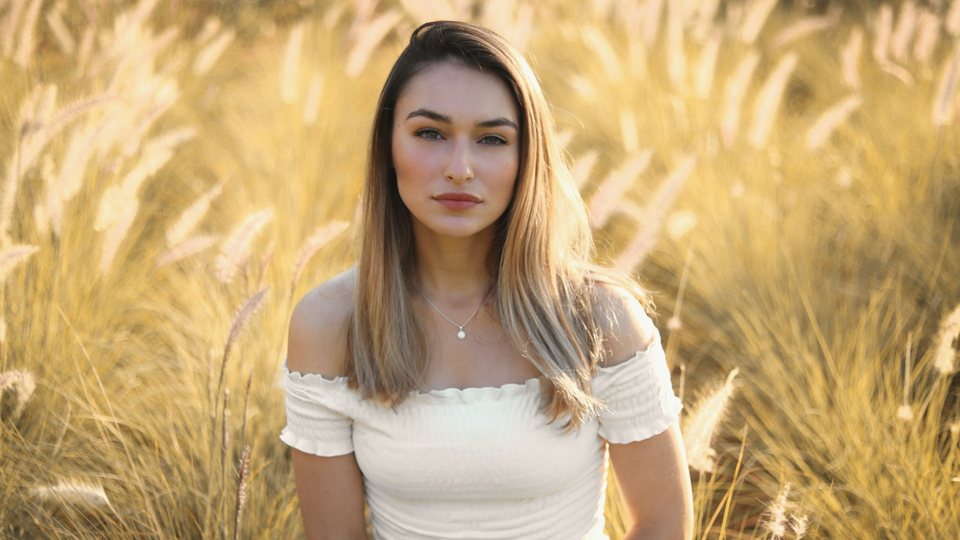
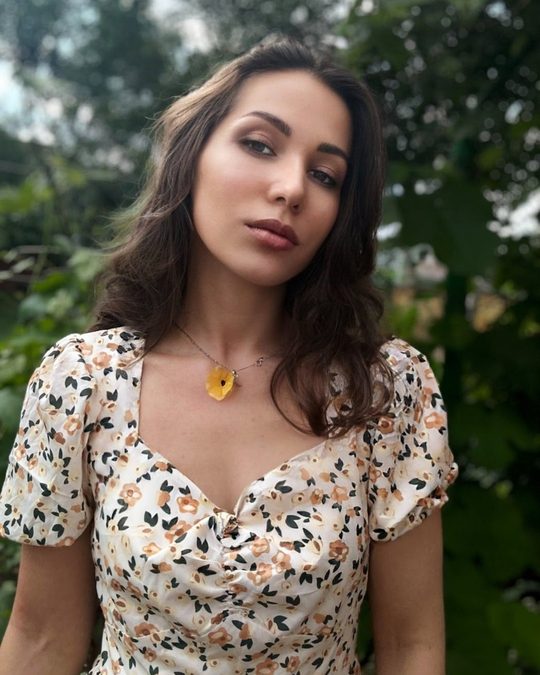
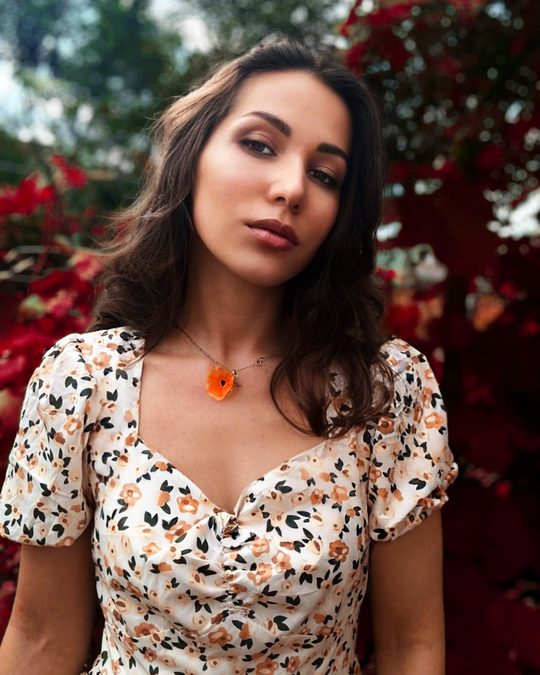
An infrared-style look that turns foliage and golds pink and red. Try it on a portrait against green leaves and watch the background flip. Here the foliage goes deep red while her skin stays natural. It’s a fun one.
Lush Nature
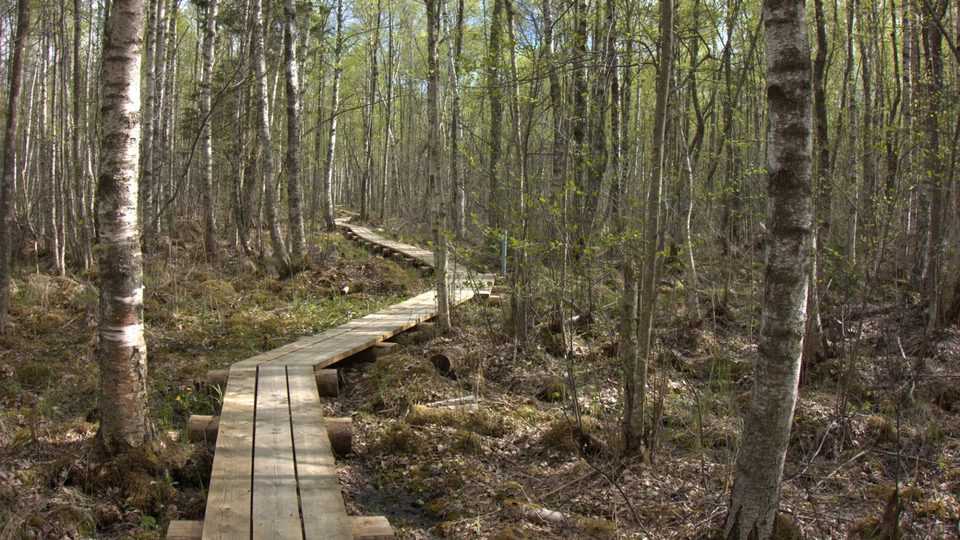
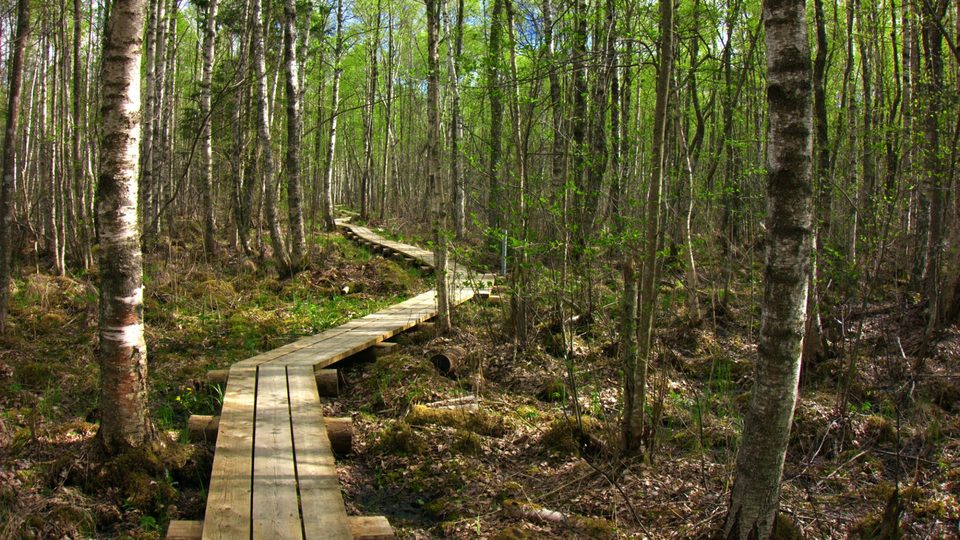
Saturated greens and deep blue skies for landscapes and hikes. A boardwalk through a spring birch forest goes from muted to full of life. Perfect for the days the scenery looked better in person than on your screen.
How to use them in ON1 Photo RAW
- Open your photo and go to the Effects tab.
- Add the LUTs filter.
- Choose one of the Color & Mood looks.
- Use the filter’s Opacity slider to dial the look back to where you like it.
- Want the look on just part of the photo? Mask it.
Adjusting the Opacity slider is the move here. A look that’s a little too much at full strength often looks much better at a lower setting, so drag the slider down until the edited photo feels right.
Use the same look on your video
The LUTs are .cube files, so they also work in Photoshop, Premiere Pro, DaVinci Resolve and Final Cut Pro. If you shoot both photos and video, use the same look on both and everything feels like it came from the same place.
Get the pack
They’re free, with no credit card required. Enter your email and country on the free LUTs page to download them. While you’re there, check out the other nine packs, including cinematic, black & white and portrait.
Want presets as well? See our free Lightroom presets and LUTs.
Pick a look, try it on a photo you already know well, and see what changes. Happy shooting,
Dylan
FAQ
Are the Color & Mood LUTs free?
Yes. The pack is free, and there is no credit card required.
Do I need ON1 Photo RAW to use them?
No. They are .cube files, so they work in other apps too. In ON1 Photo RAW, you apply them with the LUTs filter in the Effects tab.
How do I make a look less intense?
Lower the LUTs filter’s Opacity slider, or mask the look so it only affects part of the photo.
Please review our privacy policy for information about how we use the data we collect.