

ON1 Photo RAW 2027 Guided tour Step 1 of 4
Open the Sky tab
Sky Swap AI replaces a dull sky in a couple of clicks. It finds the sky for you and blends the new one into the scene.
Pick a new sky
Pick a style or sky and it replaces the gray sky instantly.
Fit the sky
Fine-tune where the sky sits and how it looks.
Blend and finish
Make the land look lit by the new sky, then apply.
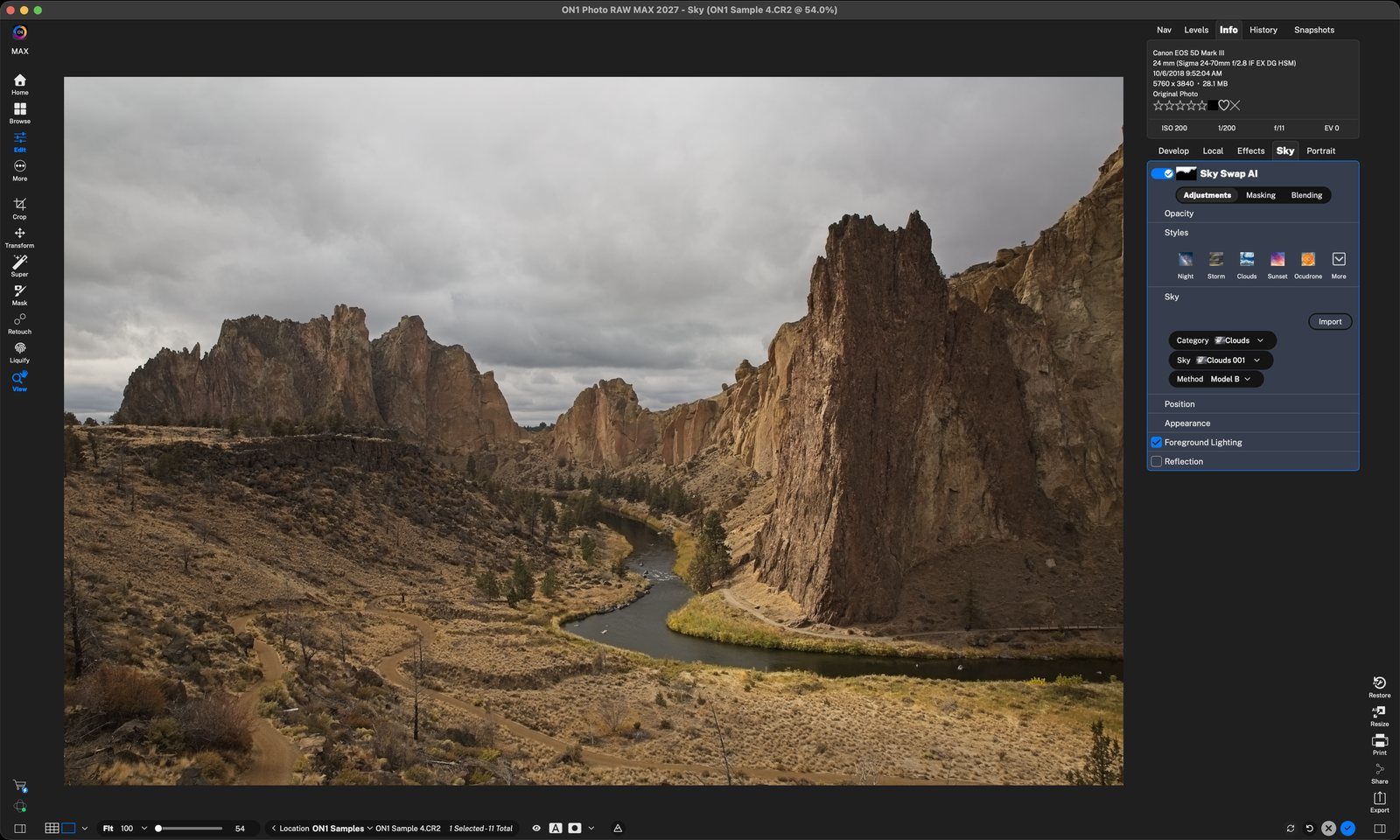
SkyClick the Sky tab. Sky Swap AI finds and masks the sky for you. Click anywhere to continue
Click a Style. Instant sky swapOne-click looks: Night, Storm, Clouds, Sunset and more. Sunset is chosen here. Click anywhere to continue
New skyThe sunset drops in behind the rocks right away, with no manual masking. Click anywhere to continue
Choose the exact skyPick a Category, then a Sky from it, here Sunset 022. Import adds your own sky photos. Click anywhere to continue
PositionShift Horizon moves the sky up or down, Scale sizes it (38 here), and Fade Edge (-53) softens where it meets the land. The arrows flip it left to right. Click anywhere to continue
AppearanceWarmth, Brightness and Haze match the sky to your photo. Blur softens it for a shallow-focus look. Click anywhere to continue
Foreground LightingTints the land with the sky's color so it looks lit by the sunset. Foreground, Edges and Distance control how far the glow reaches. Click anywhere to continue
ReflectionShows the new sky in water, like the river here. Amount sets its strength. Click anywhere to continue
DoneClick the blue check to keep your new sky. It stays editable, so you can change it later. Click anywhere to finish
Tour complete
You swapped a gray sky for a sunset, fit it to the scene and blended its light into the land.
- 1Sky tab
- 1Styles
- 2New sky
- 3Category and Sky
- 1Position
- 2Appearance
- 1Foreground Lighting
- 2Reflection
- 3Done