

ON1 Photo RAW 2027 Guided tour Step 1 of 5
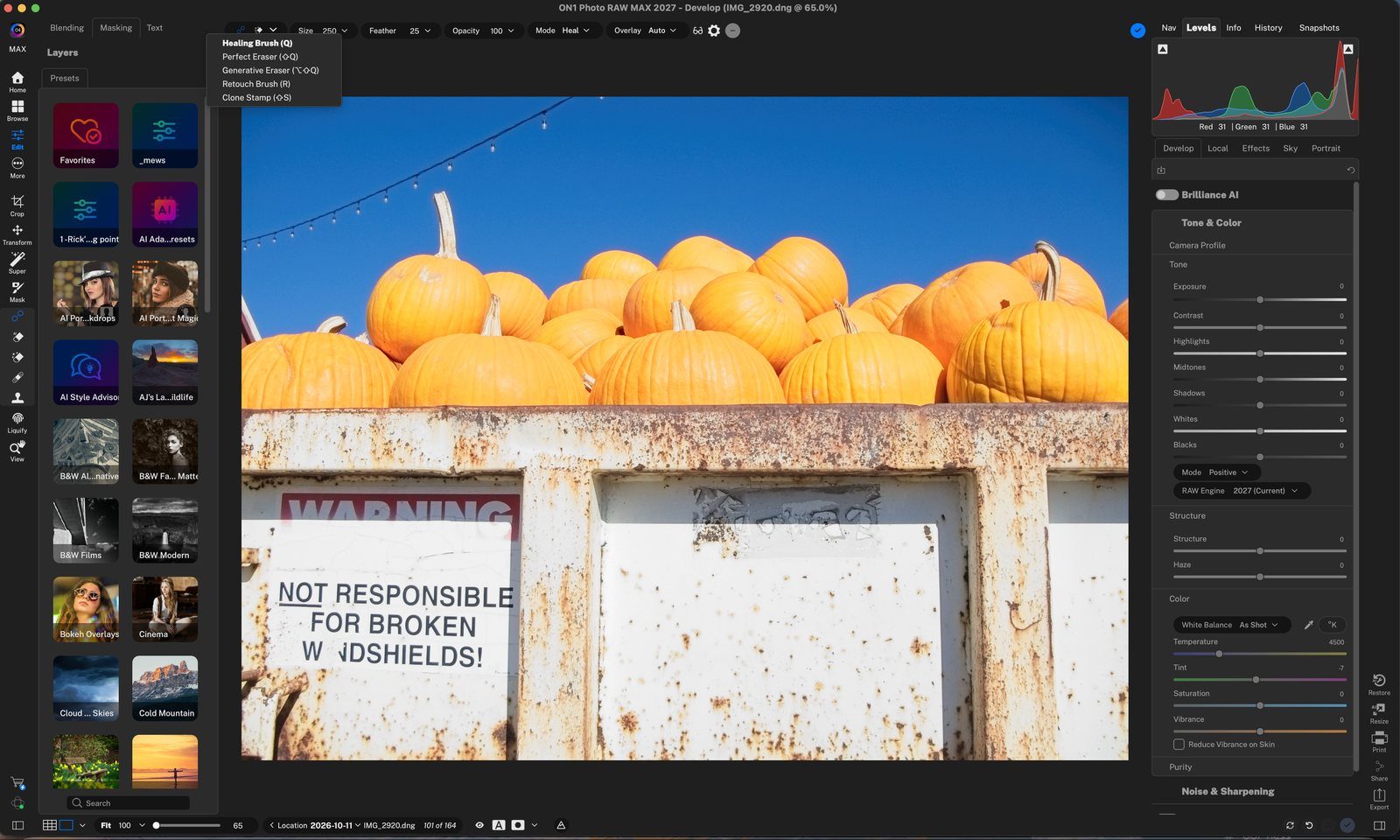
Open the Retouch Tools
Photo RAW has a set of retouching tools for removing distractions, from tiny dust spots to whole objects. They live together in the Tool Well on the left.
Retouch Brush
The Retouch Brush removes small imperfections like dust, blemishes and power lines. It fills the brushed area with similar color and texture from the area around it.
Perfect Eraser
The Perfect Eraser removes distractions and blemishes. It replaces the pixels inside the area you paint with a natural-looking result.
Generative Eraser
For larger distractions, the Generative Eraser uses AI to rebuild the area with new content. Paint over the whole object, then click Generate.
Review and Apply
The new content is added on its own layer. When you return to Browse, the photo is saved as an .onphoto file, with your original kept at the bottom of the layer stack.
Tour complete
You covered the Retouch Brush, Perfect Eraser and Generative Eraser.
- 1Retouch tools
- 2Tool menu
- 1Retouch Brush
- 2Paint over it
- 1Perfect Eraser
- 2Paint a spot
- 3Try another tool
- 1Generative Eraser
- 2AI model
- 3Paint and Generate
- 1Result
- 2Apply
- 3New layer