

AI Photo & Technology Insights
The Best AI Tools for Photographers in 2026 (Without a Subscription)
Refreshed for 2026, with Topaz’s move to subscriptions, Photo RAW MAX plugin support, and the new AI Culling Assistant.
Looking to utilize the power of AI on your next photography project but don’t want another subscription? ON1 Photo RAW delivers a full suite of AI tools, including noise reduction, sharpening, upscaling, and portrait retouching, inside a single, perpetual-license app. It’s the best choice for creatives who want cutting-edge AI without recurring monthly fees.
Why AI Matters for Modern Photography
AI is changing how photographers work. It saves time on tedious tasks and unlocks new creative possibilities, from instantly cleaning up noisy images to one-click retouching. With ON1 Photo RAW, you get these tools built-in, no extra subscription or plugin required.
AI Feature Showdown: ON1 vs. Competitors
| AI Task | ON1 Photo RAW | Luminar Neo | Topaz Photo |
| Noise Reduction | NoNoise AI (fast, built-in) | Yes | Yes |
| Sharpening | TackSharp AI (motion + focus aware) | Limited | Yes |
| Image Upscaling | Resize AI (up to 1000%) | Limited | Limited |
| Portrait Retouching | Portrait AI (natural, editable) | Basic | No |
| Plugin Support | Yes, with Photo RAW MAX (LR/PS) | Limited | Limited |
| One-Time Purchase | Yes | Yes | No (subscription, $199/yr) |
AI for Noise Reduction
ON1’s NoNoise AI uses deep learning to detect and remove luminance and color noise while preserving fine detail. It works on RAW files and produces natural results with a single click, perfect for astrophotography, concerts, and other high-ISO images.
AI for Sharpening Blurry Photos
TackSharp AI analyzes motion and focus blur separately, applying targeted corrections that recover detail without halos. It’s ideal for slightly soft wildlife, sports, or handheld shots.
AI for Portrait Enhancement
Portrait AI automatically detects faces, smooths skin, whitens eyes and teeth, and allows manual overrides for full control, producing natural, client-ready results with minimal effort.
AI for Image Upscaling
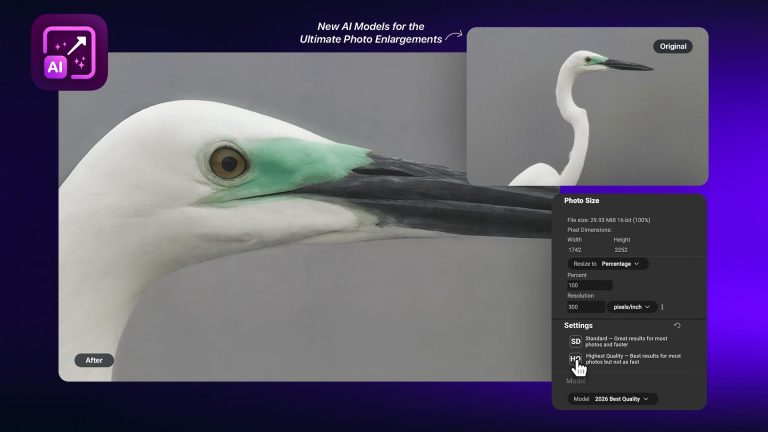
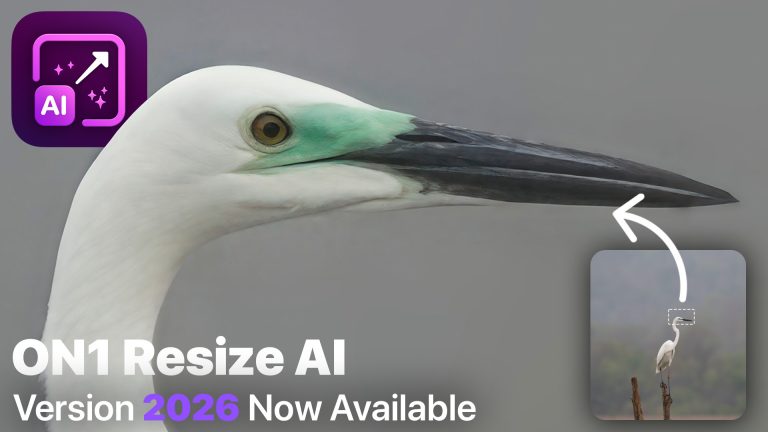
Resize AI uses deep learning to intelligently upscale images up to 10x, preserving texture and edges. It’s perfect for large prints, crops, or repurposing older low-res photos.
AI-Powered Workflow Efficiency
Beyond image quality, ON1 uses AI to make your entire workflow faster:
- Intelligent AI Masking: Instantly select subjects, skies, or backgrounds.
- Keyword AI: Auto-suggest tags for better organization.
- AI Culling Assistant: New in Photo RAW MAX 2027, arriving this fall, to save you hours of culling time. No subscription required.
Pro Tip: Combine AI culling + batch noise reduction for a massive time savings on wedding and event shoots.
Lightroom/Photoshop Plugin Workflow
Prefer to stay in Adobe? With Photo RAW MAX, ON1’s AI tools run as plugins:
- Send a photo from Lightroom or Photoshop.
- Apply NoNoise AI, TackSharp AI, or Resize AI.
- Save back to your catalog as a PSD or TIFF.
This lets you add AI power without disrupting your existing workflow.
FAQs for AI-Curious Creatives
Is ON1’s AI included with the perpetual license?
Yes. No extra payment is required beyond optional upgrades.
How does ON1 compare to Topaz Photo?
Topaz now sells its apps by subscription. ON1 Photo RAW puts multiple AI tools in one app with a full RAW workflow, as a one-time purchase.
Can I use ON1’s AI as a plugin?
Yes. With Photo RAW MAX, ON1’s AI tools run as plugins for Lightroom and Photoshop.
Does ON1 run on both Mac and Windows?
Yes, with identical feature sets.
Get Started with AI-Enhanced Editing
Download the free trial and test NoNoise AI, TackSharp AI, and Resize AI on your own photos, and see why ON1 is the most complete AI photo editor you can own.
Please review our privacy policy for information about how we use the data we collect.