

ON1 Photo RAW 2027 Guided tour Step 1 of 5 New in 2027
Open Local
Subject and Background Select live on the Local tab. They make a mask for you in one click, so you can adjust just one part of the photo.
Select the Subject
In 2027, Subject Select reads the whole scene, so it finds the subject you meant, including what they're holding or riding.
Adjust the Subject
Any slider you move now changes only the selected subject.
Select the Background
Background Select is the exact opposite of Subject: everything except your subject.
Darken and Finish
Darken the background so your subject stands out, then keep the edit.
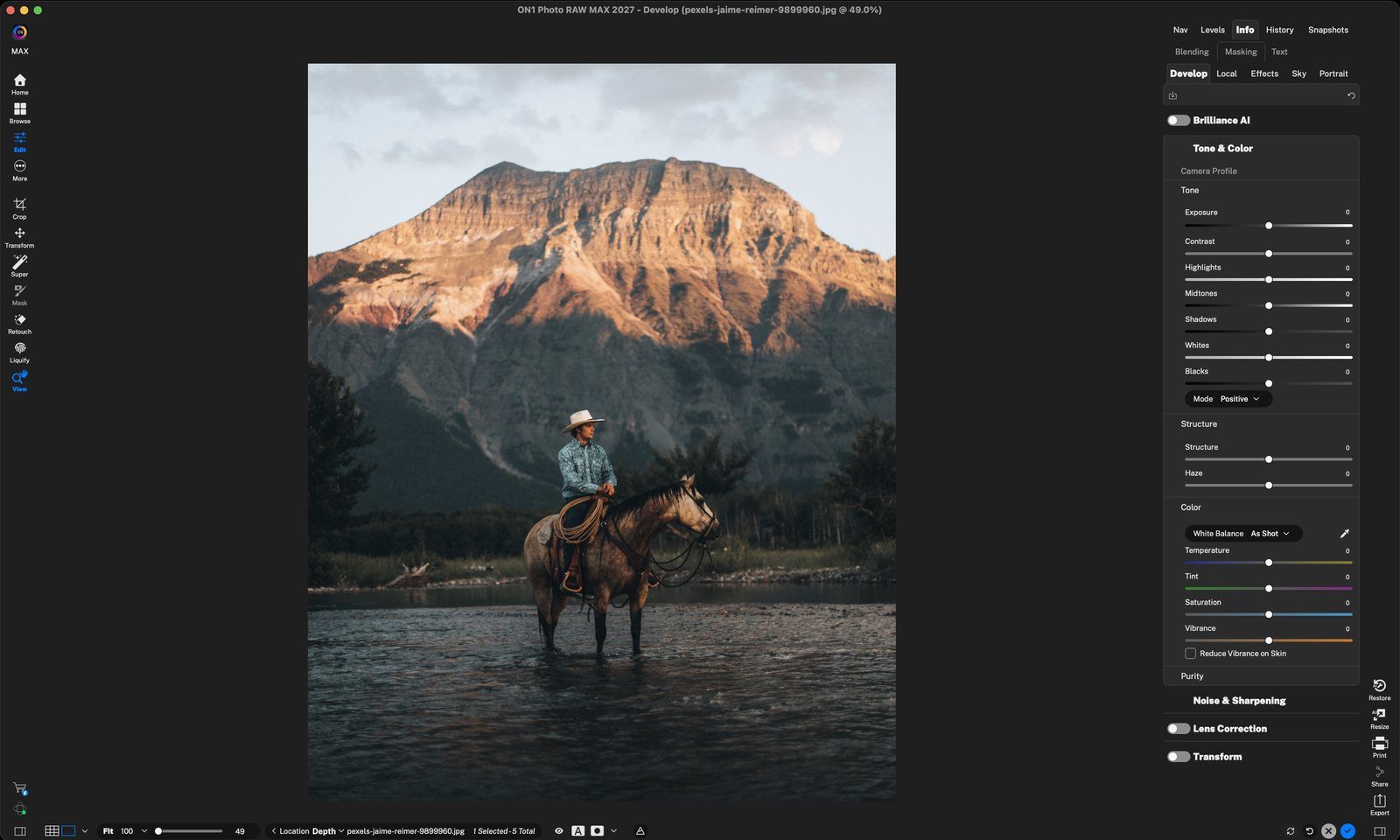
Click LocalThe Local tab is where you adjust just part of a photo. Click anywhere to continue
Click SubjectOne click adds a new adjustment with a mask of the main subject. Click anywhere to continue
Hover over the mask thumbnailRoll your mouse over the small mask thumbnail in the Adjustment header to preview the mask in red. Click anywhere to continue
Check the maskWhile you hover, the red overlay shows what's selected: the rider, his hat and rope, and the whole horse, even its legs in the water. The mountain and river are left out. Click anywhere to continue
Adjust just the subjectHere Exposure is lowered a little, Structure is raised for more detail, and Temperature and Saturation are cooled to calm the warm tones on the horse. Click anywhere to continue
Click BackgroundAdds a second adjustment with the background masked. Your subject adjustment stays below it. Click anywhere to continue
Hover to previewRoll over the new adjustment's mask thumbnail to see the background mask in red. Click anywhere to continue
Everything but the subjectWhile you hover, the red covers the mountain, sky and river, and stops cleanly at the rider and horse. Click anywhere to continue
Darken the backgroundExposure −1.1 and Shadows −16 dim the mountain and river. The rider and horse are untouched and now stand out. Click anywhere to continue
Click the blue checkKeeps both adjustments and leaves Edit. You can come back and change them any time. Click anywhere to finish
Tour complete
You selected the subject in one click, adjusted it, flipped to the background, darkened it and kept the edit.
- 1Local tab
- 1Subject
- 2Mask thumbnail
- 3Subject mask
- 1Subject sliders
- 1Background
- 2Mask thumbnail
- 3Background mask
- 1Background sliders
- 2Done