

ON1 Photo RAW 2027 Guided tour Step 1 of 4
Open a photo in Fit view
You can apply presets without leaving Browse. Start by picking the photo.
Choose a category and add a preset
Presets are grouped into categories in the left-hand panel.
Try a different category
Switching looks only takes two clicks.
Back to Grid view
Presets make it easy to apply creative effects right in Browse.
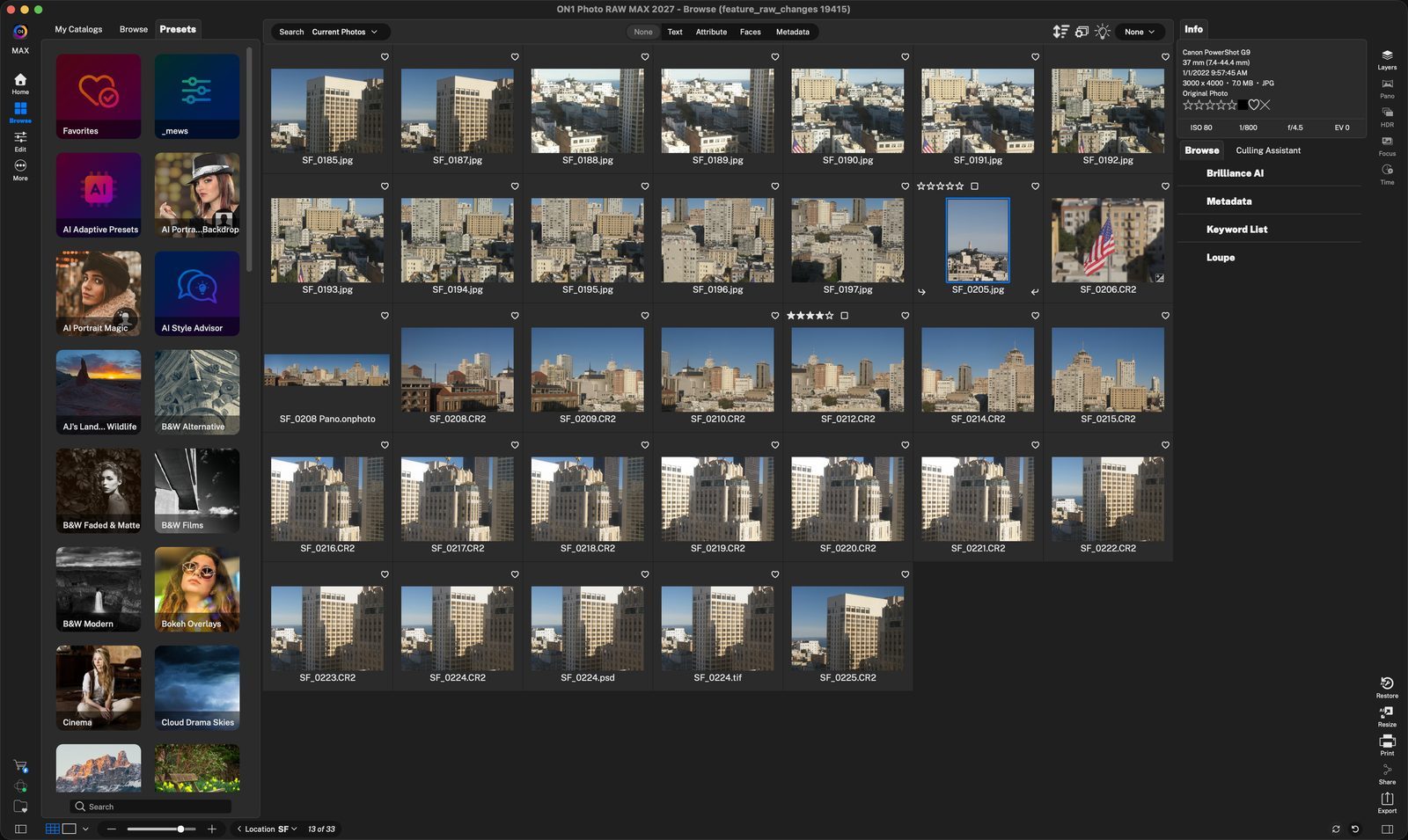
Select a photoClick SF_0205, then press the spacebar or E to open it in Fit view. Click anywhere to continue
Fit viewThe photo fills the preview, with the Presets panel on the left. Click anywhere to continue
Pick a categoryClick B&W Films to see the presets inside it. Click anywhere to continue
Add a presetClick a preset to apply it. BF7 - Ilford HP5 400 turns the photo black and white. Click anywhere to continue
Go backClick the left arrow next to the category name to return to all preset categories. Click anywhere to continue
Choose a new presetHere B&W Alternative is open, and BA1 gives the photo an aged, sepia look. Click anywhere to continue
Press G, or click the grid button, to return to Grid view. Click anywhere to continue
DoneThe SF_0205 thumbnail now shows the preset you applied. Click anywhere to finish
Tour complete
You opened a photo in Fit view, applied presets from two categories, and went back to Grid view.
- 1Select photo
- 2Fit view
- 1B&W Films category
- 2BF7 preset
- 1Back arrow
- 2BA1 preset
- 1Grid view
- 2Updated thumbnail