

ON1 Photo RAW 2027 Guided tour Step 1 of 5
Open the Portrait tab
Portrait AI retouches faces quickly and naturally. It finds each face for you and applies a starting amount of retouching.
If a face is not detected
Faces are usually found automatically. If one is missed, for example in profile or partly hidden, add it yourself.
Smooth the skin
The Skin section uses frequency separation, which smooths tone and color while keeping natural texture.
Brighten the eyes
Make the eyes stand out without changing the rest of the face.
Shape the face and finish the smile
Optional finishing touches for the face shape and the lips.
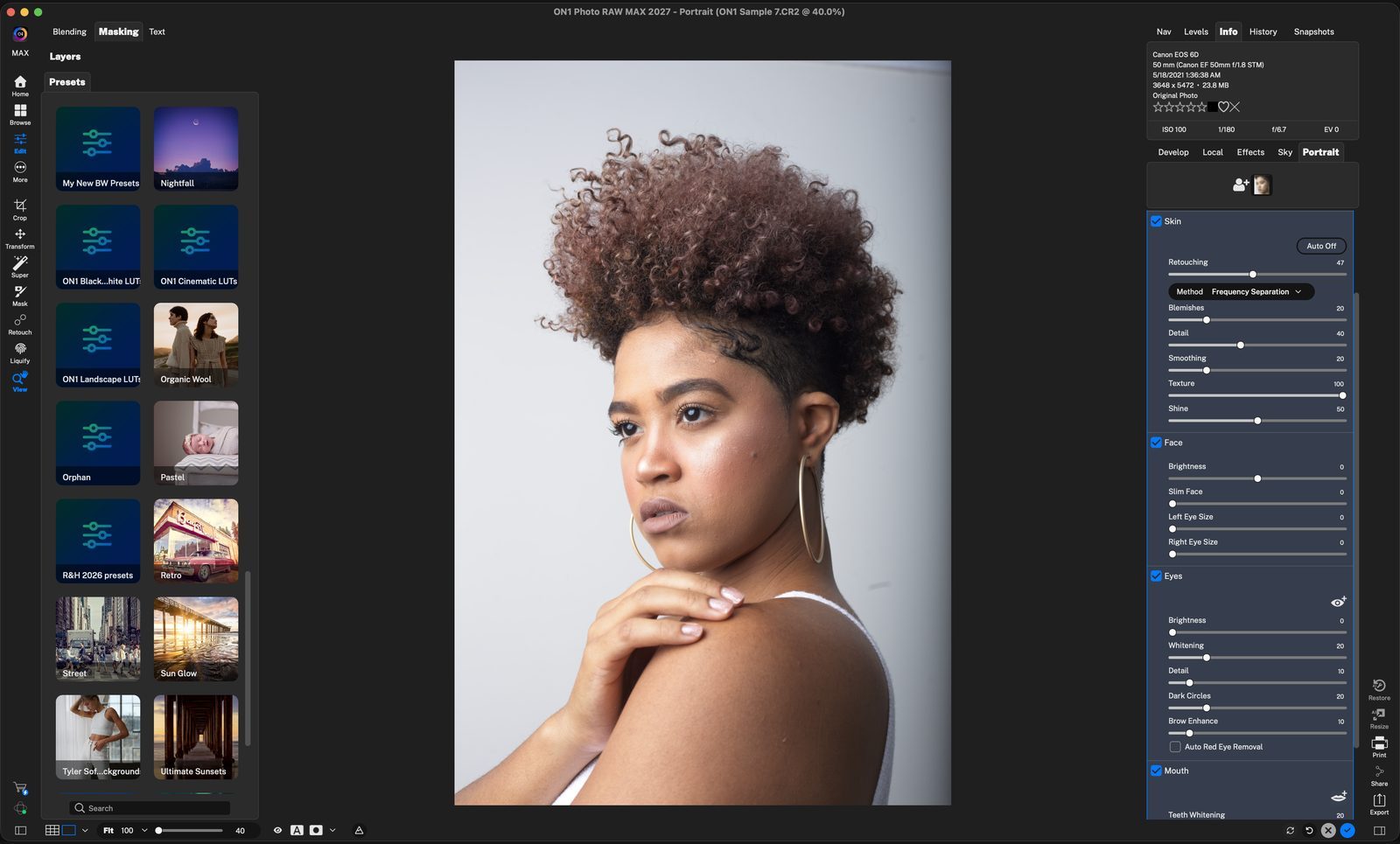
PortraitClick the Portrait tab. Click anywhere to continue
Face found automaticallyPortrait AI detects the face and shows its thumbnail here. Each face gets its own settings, with a starting amount of retouching already applied. Click anywhere to continue
Add FaceClick the person icon with a +. Each face found or added gets its own thumbnail and settings. Click anywhere to continue
Fit the boxDrag the corners so only the face is inside the box, then click OK. Click anywhere to continue
RetouchingThe overall amount, set for you by the AI. Here it is raised from 47 to 88 for smoother skin. Click anywhere to continue
Fine-tuneBlemishes smooths fine lines, Detail brings back lost detail, Smoothing adds more, Texture adds natural grain, and Shine evens out hot spots. Click anywhere to continue
Check the eyesClick the eye icon to show the eye outlines on the face. Drag the points if they are off. Click anywhere to continue
BrightenBrightness 33 and Whitening 50 open up the eyes. Dark Circles 47 lightens under the eyes, and Brow Enhance 48 darkens the brows. Detail sharpens the pupils. Click anywhere to continue
FaceBrightness adds fill light. Slim Face (40 here) slims the jawline, and Left and Right Eye Size enlarge each eye. Click anywhere to continue
MouthTeeth Whitening brightens the smile. Lip Vibrance, Brightness and Hue adjust lip color. Click the lips icon to check the mouth outline. Click anywhere to continue
DoneClick the blue check to keep the retouch. Every setting stays editable for each face. Click anywhere to finish
Tour complete
You smoothed skin, brightened eyes and refined the face and smile with Portrait AI.
- 1Portrait tab
- 2Detected face
- 1Add Face
- 2Face box
- 1Retouching
- 2Skin sliders
- 1Eye overlay
- 2Eye sliders
- 1Face
- 2Mouth
- 3Done