

ON1 Photo RAW 2027 Guided tour Step 1 of 4
Find Noise & Sharpening
NoNoise AI lives inside Photo RAW's Develop tab. This sample is a night sky shot, the kind of photo that picks up a lot of noise.
Switch to NoNoise AI
The Noise & Sharpening panel opens on Classic. Switch to NoNoise AI for AI noise reduction.
Tune NoNoise AI
Here the view is at 100% with a before/after split, the easiest way to judge noise reduction on real detail.
NoNoise is applied
NoNoise AI is applied to the preview. Click the photo to zoom to 100% for an accurate view.
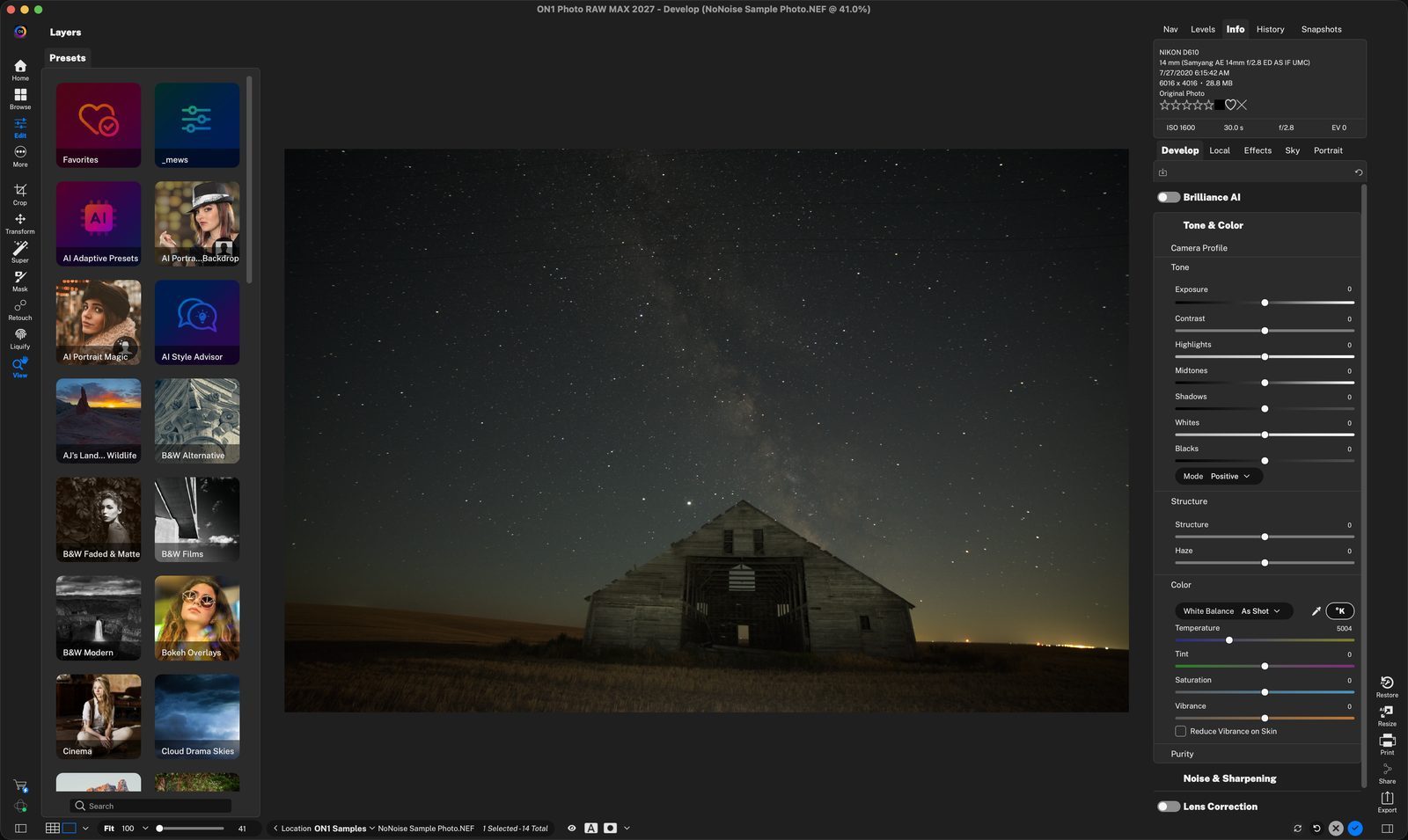
Start in DevelopOpen your photo in Develop. Noise & Sharpening is one of the panes stacked on the right; scroll down to find it. Click anywhere to continue
Noise & SharpeningClick the pane's name to expand it. Click anywhere to continue
Classicis the traditional slider-based noise reduction and sharpening. All of its sliders start at 0. Click anywhere to continue
NoNoise AIClick this tab to use AI noise reduction instead. Tack Sharp AI sharpens, and Both runs the two together. Click anywhere to continue
Before/after splitDrag this divider across the photo to compare the original with the cleaned-up version. Original is on the left, NoNoise settings applied on right. Click anywhere to continue
Pick a subjectChoose the preset that matches your photo as a starting point. Click anywhere to continue
Model and slidersChoose a model, then drag the sliders to fine-tune the result. Click anywhere to continue
ApplyClick Apply to process the photo and lock in the settings. Click anywhere to continue
The resultCompare the sky with the first step: the grain is much smoother, while the stars and barn boards stay crisp. Click anywhere to continue
AdjustAfter you apply, the settings lock and dim. If you want to refine or make adjustments, click the Adjust button to unlock the panel and make changes to the settings sliders. Click anywhere to finish
Tour complete
You opened Noise & Sharpening, switched to NoNoise AI, tuned it at 100%, and applied it.
- 1Open an Image into Develop
- 2Noise & Sharpening
- 1Classic controls
- 2NoNoise AI tab
- 1Before/after divider
- 2Subject presets
- 3Choose a Model and Make adjustments
- 4Apply
- 1Cleaned-up photo
- 2Adjust