

ON1 Photo RAW 2027 Guided tour Step 1 of 2
Welcome to the Home screen
Home is the first screen you see when you open Photo RAW. The three Getting Started cards cover the most common ways to begin.
Learn, then pick up where you left off
The rest of Home helps you learn the app and get back to recent work in one click.
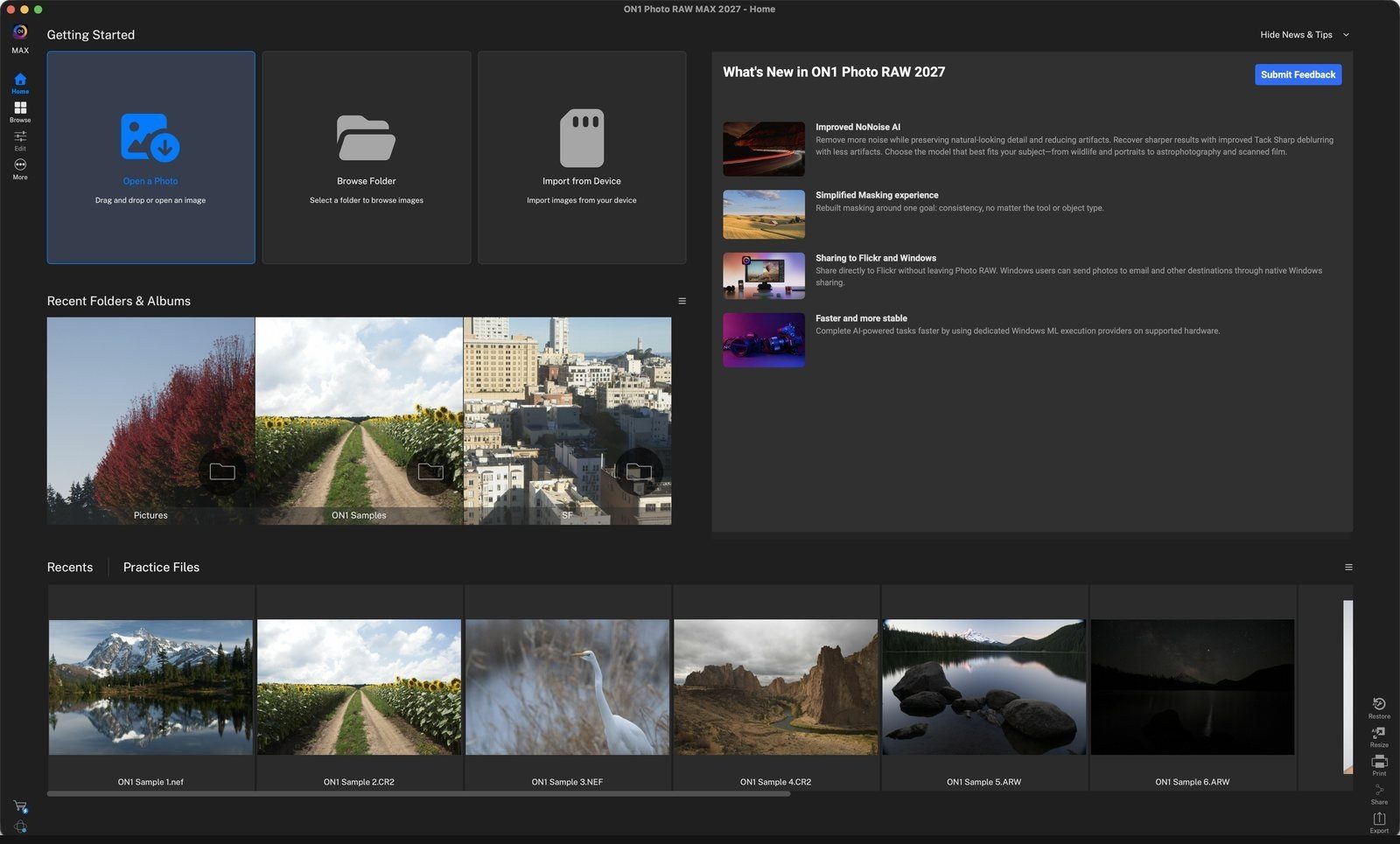
Open a PhotoOpens a file picker so you can choose one photo. It opens straight into Develop so you can start editing. Click anywhere to continue
Browse FolderPick a folder and Photo RAW opens it in Browse Grid view. Start here to review a whole folder of images. Click anywhere to continue
Import from DeviceOpens the import window for bringing photos in from a camera, memory card, phone or other connected device. Click anywhere to continue
What's New in ON1 Photo RAW 2027Highlights of the new features in this release. Click Submit Feedback to tell us what you think. Hide News & Tips at the top right collapses this panel. Click anywhere to continue
Recent Folders & AlbumsFolders and albums you have browsed lately. Click one to jump straight back into Browse. Click anywhere to continue
Recentsreopens photos you worked on recently. Practice Files are sample images installed with the app, made to follow along with ON1 tutorials. Click anywhere to continue
Switch modulesThe rail on the left moves between Home, Browse, Edit and More. You can choose an Edit module from here for further editing, like Develop or Effects! Click anywhere to finish
Tour complete
You know your way around Home: three ways to start, where to learn, and how to get back to recent work.
- 1Open a Photo
- 2Browse Folder
- 3Import from Device
- 1What's New
- 2Recent Folders & Albums
- 3Recents and Practice Files
- 4Module rail