

ON1 Photo RAW 2027 Guided tour Step 1 of 6 Cloud Gen AI
Open the Generative Eraser
The Gen AI Eraser removes distractions like wires, signs and people. It works from any Edit module, such as Develop or Effects.
Choose the AI model
Eraser settings sit in the tool options bar across the top of the window.
Paint over it and generate
Brush over the thing you want gone. Here it is the string of lights across the sky.
Remove another distraction
The lights are gone and the sky is clean. You can keep going on the same photo.
Apply and return to Browse
Two blue checks finish the job: one for the eraser, one for the edit.
Compare the result
The erased version is saved as a new .onphoto file, stacked next to the original RAW file.
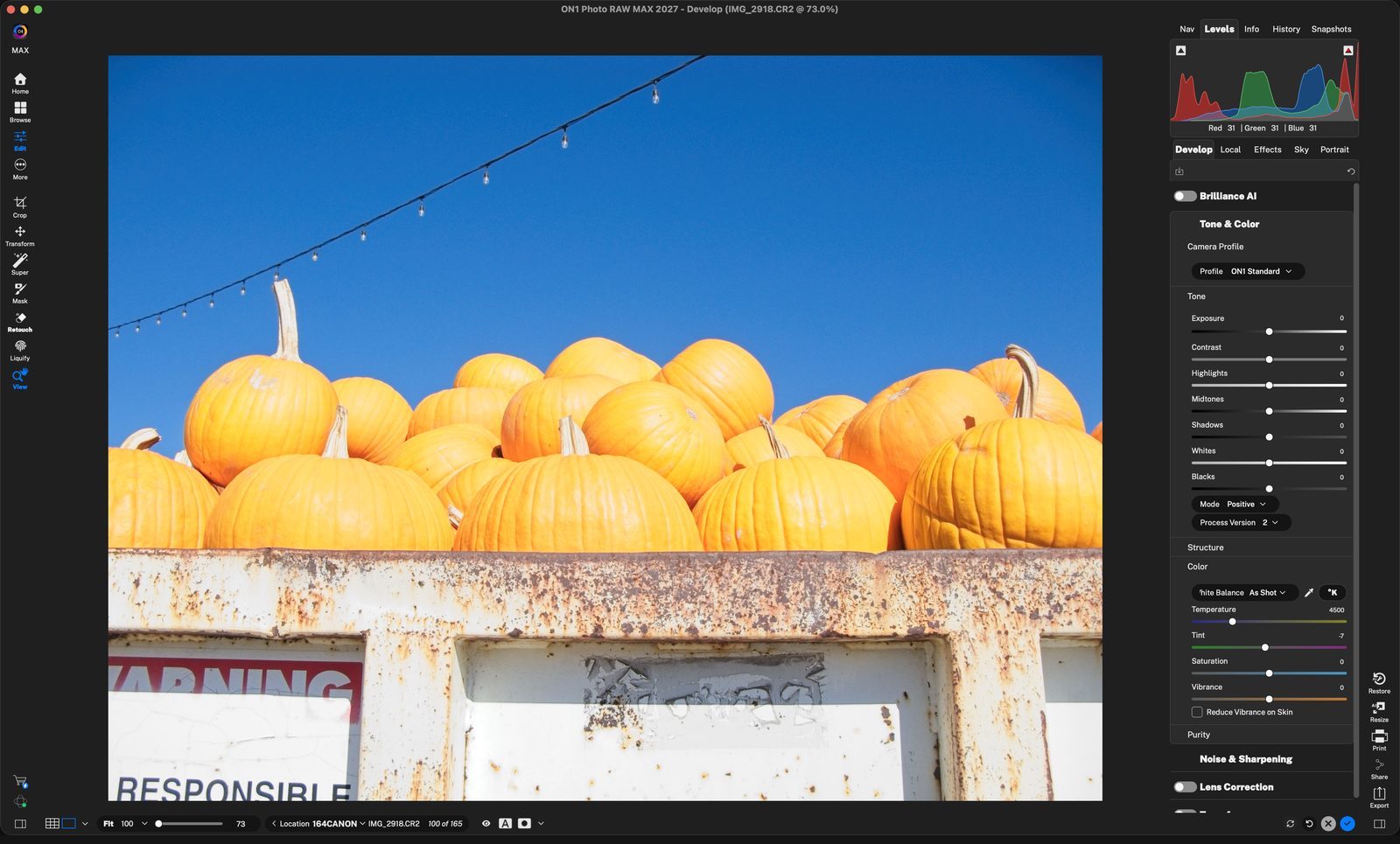
RetouchClick Retouch in the left tool rail to open the retouching tools. Click anywhere to continue
Generative EraserChoose it from the Retouch tools. The shortcut is shown in its tooltip. Click anywhere to continue
OptionsClick the gear icon to open the Gen AI Eraser options. Click anywhere to continue
Pick a modelLocal Non-GenAI, Local Gen AI, Cloud GenAI or Stability AI. This example uses Local Gen AI, which runs on your computer. Click anywhere to continue
Paint over itBrush over the whole distraction. The red overlay shows what will be removed. Size sets the brush width. Click anywhere to continue
GenerateClick Generate to remove the painted area. Click anywhere to continue
Add LayerThe first time, Photo RAW explains that this saves a new, non-destructive .onphoto file with layers. Click Add Layer to continue. Click anywhere to continue
AI at workThe eraser processes the area with the local AI model. Click anywhere to continue
DoneThe lights and string are replaced with matching sky. Click anywhere to continue
Paint the next oneBrush over the warning sign, then click Generate again. Click anywhere to continue
GoneThe sign is replaced with the rusty metal around it. Click anywhere to continue
Apply the eraserClick the blue check in the top tool bar to keep the result and close the Generative Eraser. Click anywhere to continue
Finish editingClick the blue check in the lower-right corner, or press G, to return to Browse. Click anywhere to continue
Original and editIMG_2918.CR2 and IMG_2918.onphoto sit side by side. Select both, then press C. Click anywhere to continue
CompareCompare view shows the original on the left and the clean version on the right. Click anywhere to finish
Tour complete
You erased two distractions with the Gen AI Eraser and compared the result with the original.
- 1Retouch tool
- 2Generative Eraser
- 1Gear icon
- 2Model menu
- 1Painted area
- 2Generate
- 3Add Layer
- 4Progress
- 1Clean sky
- 2Warning sign
- 3Sign removed
- 1Eraser check
- 2Done check
- 1Stacked files
- 2Compare view