

ON1 Photo RAW 2027 Guided tour Step 1 of 5
Welcome to Effects
Effects is where you add creative looks with filters: black and white, contrast, borders and more.
Pick a starting point
Choose which filters to start with, then switch on the ones you want.
Adjust each filter
Each filter opens to show its own settings. Enable as many as you like; they stack from top to bottom.
Add more filters
Need something that is not in the stack? Add it from the filter browser.
Apply and finish
When you like the look, apply your edits. They are saved with the photo and you can change them at any time.
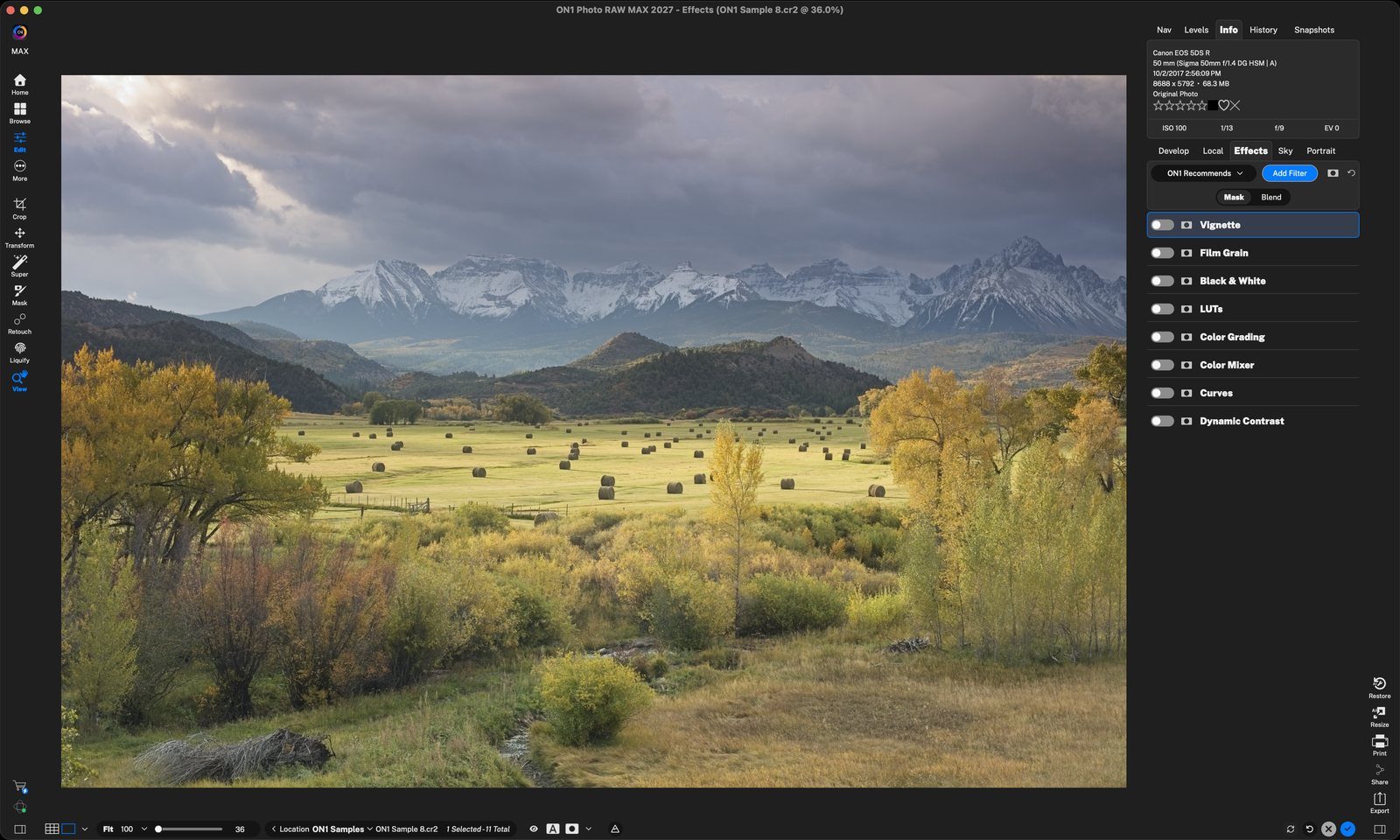
ON1 RecommendsEffects opens with a ready-made stack of filters. They are all switched off, so the photo looks unchanged until you turn one on. Click anywhere to continue
Start with a setON1 Recommends, Last Used, Lightroom or Capture One give you a familiar stack of filters. Blank starts with no filters pre-added to the list. Click anywhere to continue
Turn on a filterClick a filter's switch to enable it. Here Black & White turns the photo monochrome and opens its settings. Click anywhere to continue
StylesOne-click starting points. Here the Red filter darkens the sky for more drama. Click anywhere to continue
CurvesDrag points on the curve to fine-tune brightness and contrast. Here the shadows are pulled down. Click anywhere to continue
Dynamic ContrastAdds punch and detail. Small, Medium and Large set the size of detail it works on. Click anywhere to continue
Add FilterClick Add Filter to open the complete filter browser. Click anywhere to continue
Browse filtersFilters are grouped into Essentials, Creative and Landscape. Hover one for a before/after preview, then click to add it. Apply To can limit it to the subject, sky or background. Click anywhere to continue
Borders addedThe Borders filter adds a white frame. Pick a style, or choose the category, border and opacity. Click anywhere to continue
ApplyClick the blue check at the bottom right to apply your Effects. Click anywhere to finish
Tour complete
You picked a starting point, turned on and adjusted filters, added a border and applied your look.
Go deeper
- 1ON1 Recommends
- 1Starting point menu
- 2Turn on a filter
- 1B&W styles
- 2Curves
- 3Dynamic Contrast
- 1Add Filter
- 2Filter browser
- 3Borders
- 1Apply