

ON1 Photo RAW 2027 Guided tour Step 1 of 4
Start from the Home screen
To look through a whole folder of photos, such as a shoot copied from your camera, start on Home.
Choose Browse Folder
Browse Folder opens a folder picker so you can point Photo RAW at the photos you want to see.
Pick the folder
Your computer's folder picker opens. Find the folder that holds your photos and open it.
Look through your photos
Photo RAW switches to Browse and shows every photo in the folder as a thumbnail grid.
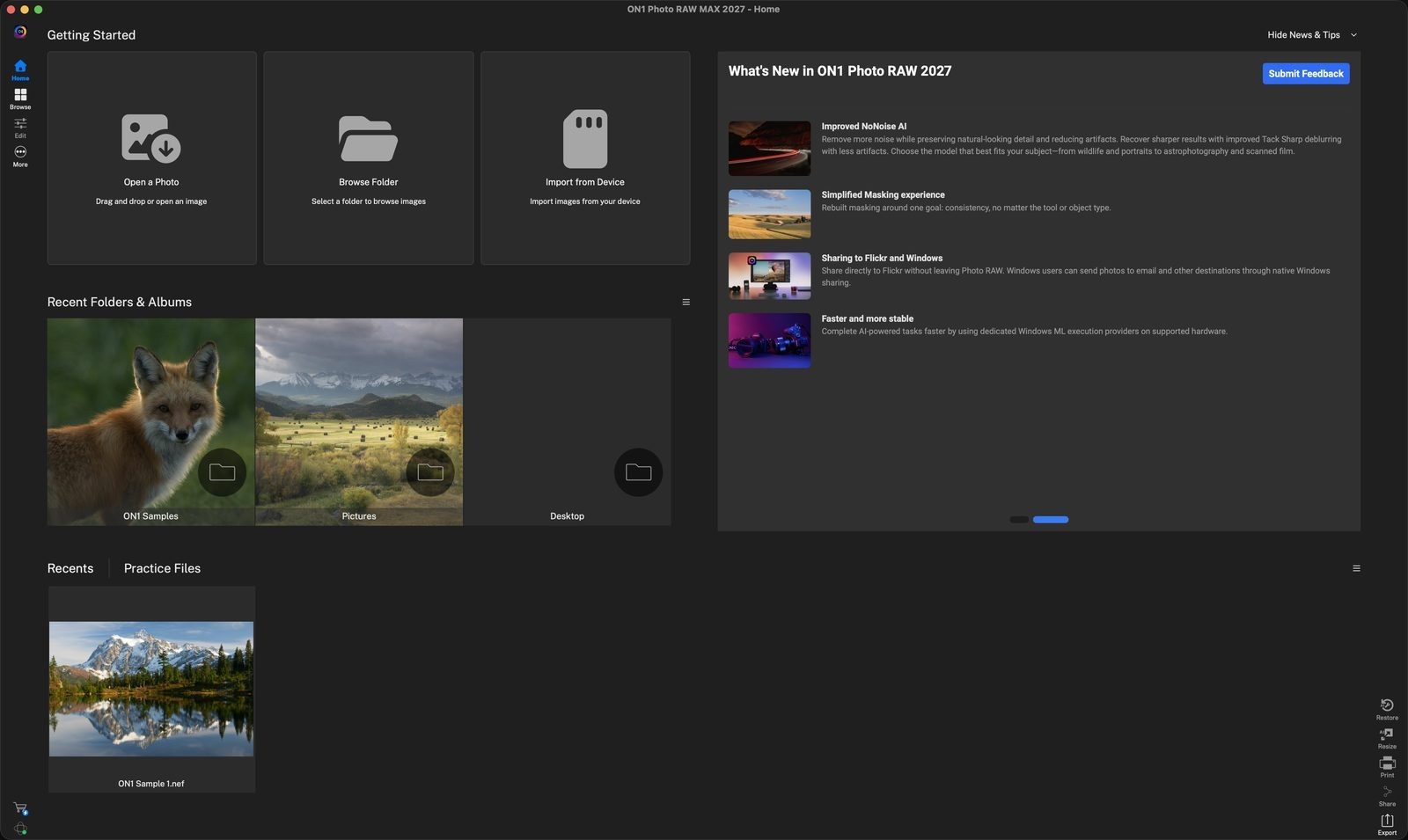
Getting StartedThe quickest ways to begin: open one photo, browse a folder, or import from a camera, SD card or phone. Click anywhere to continue
Recent Folders & AlbumsFolders you have recently browsed before appear here, so you can reopen them in one click. Click anywhere to continue
Browse FolderClick it to choose a folder to browse. Click anywhere to continue
Where your photos liveThe sidebar lists places like Desktop. Connected drives and memory cards, like CANON_DC here, appear under Locations. Click anywhere to continue
Select the folderClick through the columns to the folder you want. Here it is DCIM, then the 164CANON folder. Click anywhere to continue
Openloads the folder into Browse. Click anywhere to continue
Locationshows the folder you are in, 164CANON, and the count: 1 selected out of 164 photos. Click anywhere to continue
Selected photoThe blue outline marks the photo you clicked. The panels on the right show its details. Click anywhere to continue
Infolists the camera, lens, capture time, file size and exposure settings for the selected photo. Click anywhere to continue
Loupeshows a larger preview of the selected photo, so you can check it without leaving the grid. Click anywhere to continue
Folders and drivesUse Favorites and Local Drives to jump to another folder or a connected card. Click anywhere to continue
EditWhen you find a photo you want to work on, click Edit in the left rail. Click anywhere to finish
Tour complete
You opened a folder with Browse Folder and found your way around the Browse grid.
- 1Getting Started
- 2Recents
- 1Browse Folder
- 1Sidebar locations
- 2164CANON folder
- 3Open
- 1Location
- 2Selected photo
- 3Info panel
- 4Loupe
- 5Folders and drives
- 6Edit