

ON1 Photo RAW 2027 Guided tour Step 1 of 5 New in 2027
Turn On Brilliance AI
Brilliance AI analyzes your photo and gives it a balanced starting point in one click. It sits at the top of the Develop tab.
See What It Changed
Brilliance AI doesn't lock anything. It simply sets the regular Develop sliders for you.
Local Adjustments
Brilliance AI also finds the different regions in your photo and enhances each one separately.
Fine Tune
Want more control? Split Brilliance AI into separate tone and color strengths.
Save Your Edit
Happy with the result? Keep it.
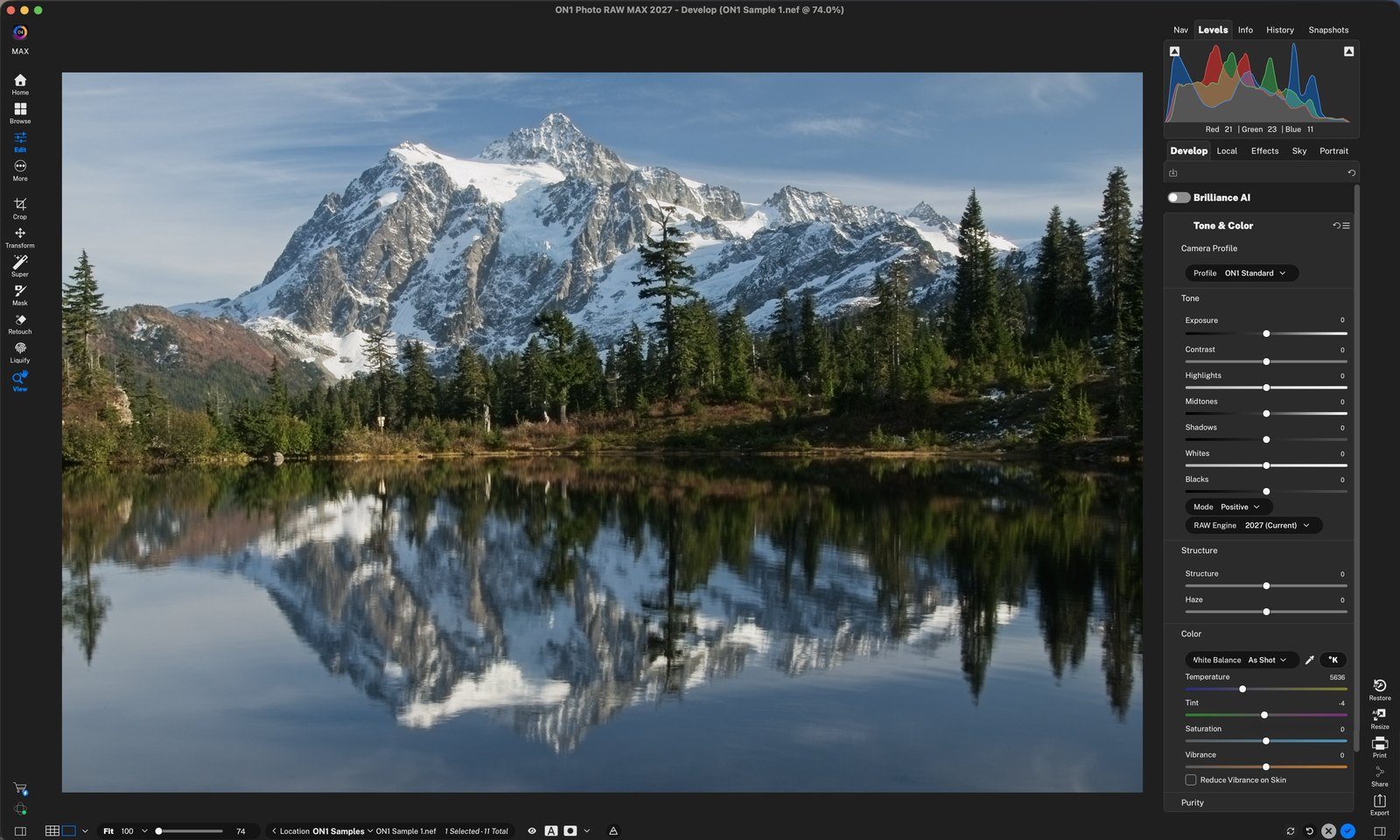
Click the Brilliance AI switchHere it's off, so you see the original photo with every slider at 0. Click anywhere to continue
Instant improvementTone and color are balanced right away. Drag Amount to make the effect stronger or softer. Click anywhere to continue
Open Tone & ColorBrilliance AI set Exposure, Highlights (-46), Shadows and Blacks, added Structure, and switched White Balance to Auto. Change any slider to make it your own. Click anywhere to continue
Color tooTemperature, Saturation and Vibrance were adjusted to match the scene. Click anywhere to continue
Turn on Local AdjustmentsCheck the box to let Brilliance AI enhance each region on its own. Click anywhere to continue
Flora, Sky and WaterBrilliance AI found three regions in this photo. Drag a slider to set how much each one is enhanced. Here Flora is boosted to 93 for richer greens. Click anywhere to continue
Open Fine TuneTone Amount controls brightness and contrast, Color Amount controls color. Here tone is 67 and color is 75. Click anywhere to continue
Click the blue checkSaves your edit and leaves Edit. Your original is never changed. Click anywhere to finish
Tour complete
You turned on Brilliance AI, saw the sliders it set, enhanced Flora, Sky and Water separately with Local Adjustments, and fine-tuned tone and color.
- 1Brilliance AI switch
- 2Amount
- 1Tone & Color
- 2Color
- 1Local Adjustments
- 2Regions
- 1Fine Tune
- 1Done