

ON1 Photo RAW 2027 Guided tour Step 1 of 5
Open Effects
Blur works best on a subject in front of a busy background, like this flag. Start in the Effects tab.
Add the Blur filter
The filter browser groups filters by category. Blur is under Creative.
Mask the background
A mask controls where the filter applies. Photo RAW can find the background for you.
Adjust the blur and compare
With the mask in place, go back to the blur itself and set how strong it is.
Apply and return to Browse
When the background looks right, apply the edit.
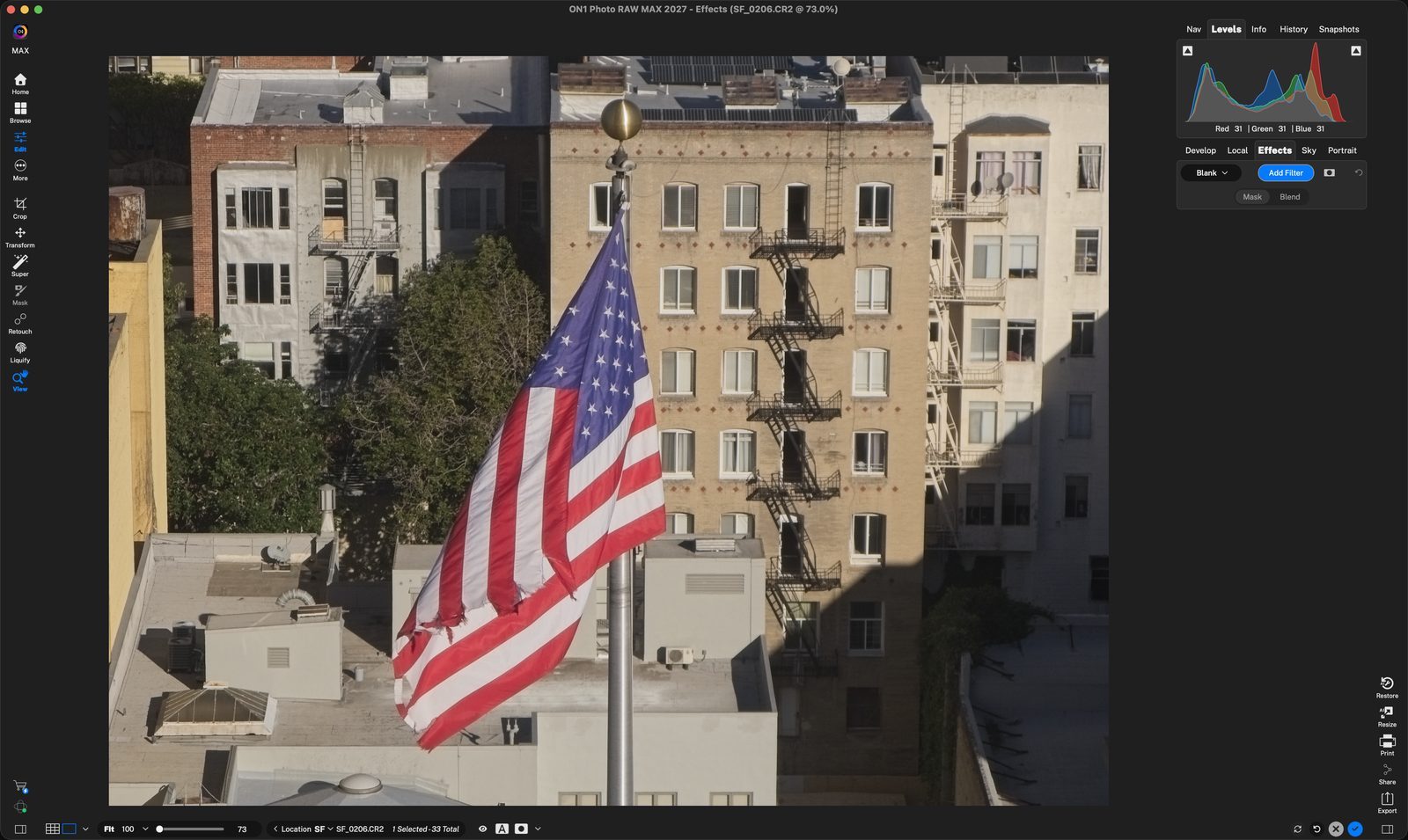
Add FilterIn the Effects tab, click Add Filter to open the filter browser. Click anywhere to continue
BlurClick Blur to add it. The preview on the right shows what the filter does. Click anywhere to continue
Blur covers everythingThe filter is added to the whole photo, flag included. Next you will limit it to the background. Click anywhere to continue
MaskingClick the Masking tab in the Blur filter. Click anywhere to continue
BackgroundClick Background to create a mask that covers everything except the subject. Click anywhere to continue
Subject stays sharpThe blur is removed from the flag and stays on the buildings behind it. Click anywhere to continue
Refine the edgeUse Feather, Shift Edge, Density and the other sliders to fine-tune the mask. Click anywhere to continue
AdjustmentsClick back on the Adjustments tab, then set the blur Type and Amount. Amount is 20 here. Click anywhere to continue
Before/afterClick the compare mode button in the bottom bar to get a before/after slider in the preview. Click anywhere to continue
Drag the sliderThe original is on the left and the blurred version on the right. Click anywhere to continue
ApplyClick the blue check to apply the edit. Then go back to Browse or Home. Click anywhere to continue
DoneBack in Browse, SF_0206 shows the sharp flag against the blurred background. Click anywhere to finish
Tour complete
You added a Blur filter, masked it to the background, fine-tuned it with before/after, and applied it.
- 1Add Filter
- 1Blur
- 2Whole image blurred
- 1Masking tab
- 2Background button
- 3Sharp subject
- 4Mask sliders
- 1Adjustments
- 2Compare mode
- 3Before/after slider
- 1Apply
- 2Result in Browse