ON1 NoNoise AI 2027 Available Now: Rebuilt AI Noise Reduction
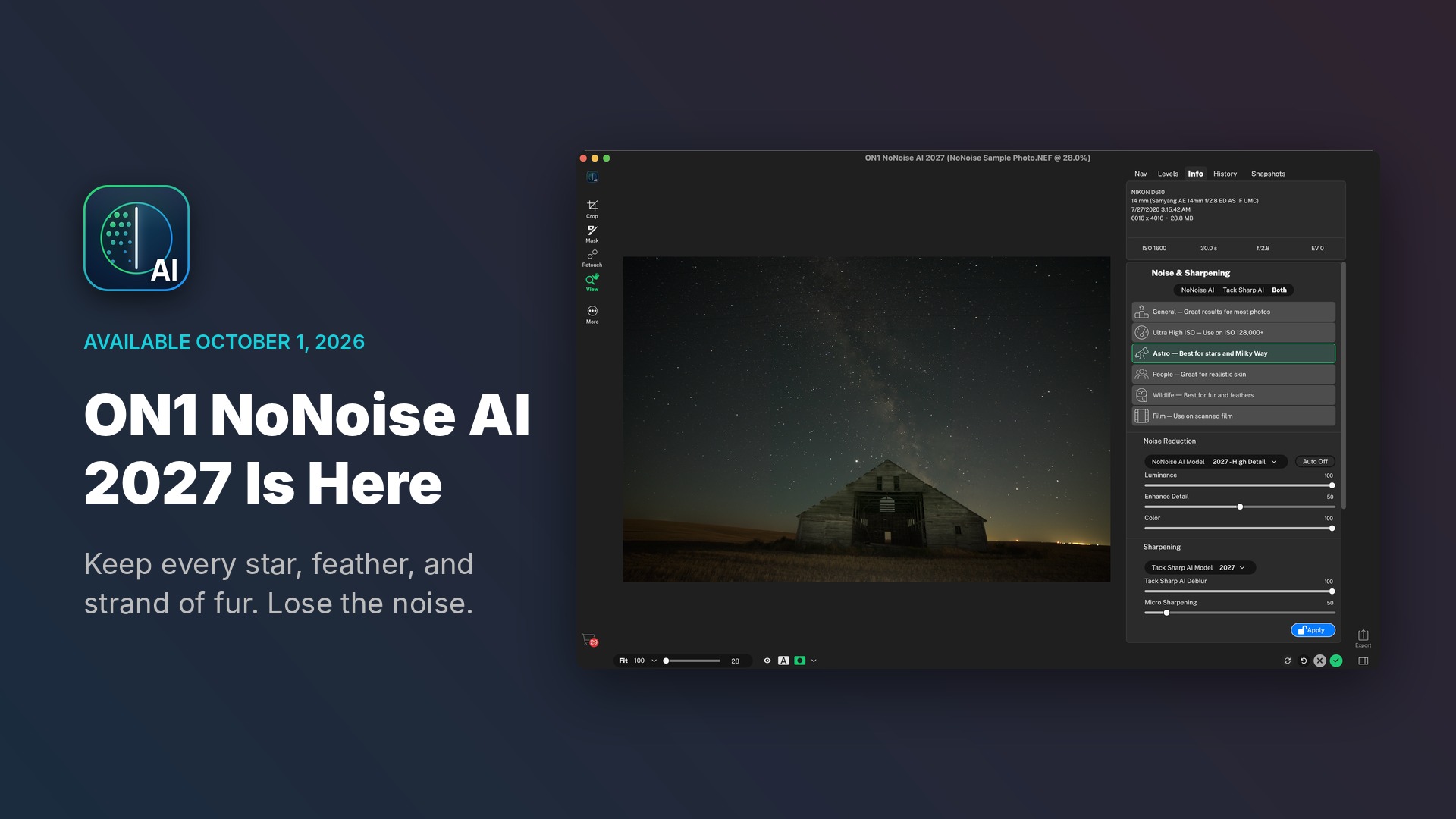
ON1 NoNoise AI 2027 is available today for Mac and Windows. If you have a folder of high-ISO shots you never finished editing, this is the version to open them in. We rebuilt the AI noise reduction and TackSharp AI models, added a model selector with six subject-specific models, and brought in new masking, retouching, and file format tools. As with every ON1 app, you pay once and own it.
If you pre-ordered ON1 NoNoise AI 2027, you can download it now from your ON1 account. Ready to order? Get ON1 NoNoise AI 2027.
Pick the Right AI Model for Every Shot
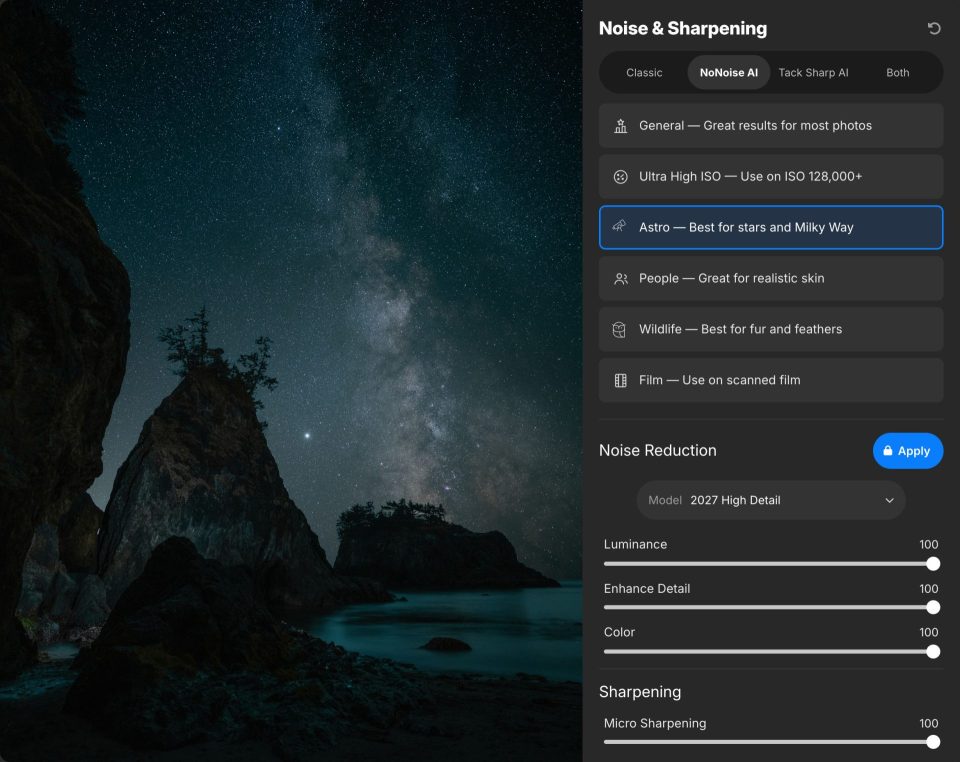
A night sky and a portrait need different kinds of noise reduction. The new model selector puts six models in one list, so you can match the model to your subject:
| Model | Best For | Example Shots |
|---|---|---|
| General | Great results for most photos | Everyday shooting, travel, landscapes |
| Ultra High ISO | Files shot at ISO 128,000 and above | Concerts, gyms, dim indoor events |
| Astro | Stars and the Milky Way | Night skies and astrophotography |
| People | Realistic skin | Portraits, weddings, events |
| Wildlife | Fur and feathers | Birds and mammals at dawn or dusk |
| Film | Scanned film | Digitized negatives and slides |
Want to see it in action? Watch the NoNoise AI 2027 model selector preview.
Fur and Skin That Still Look Real
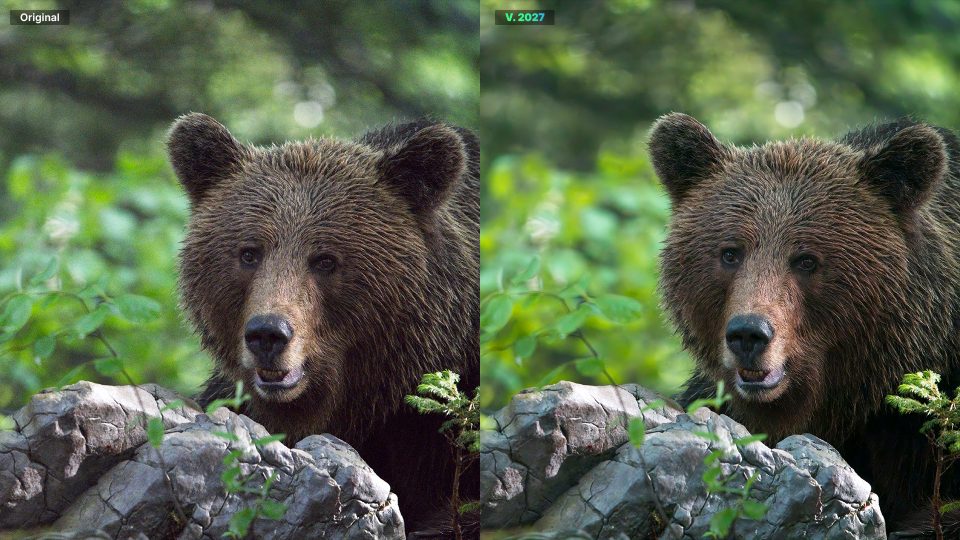
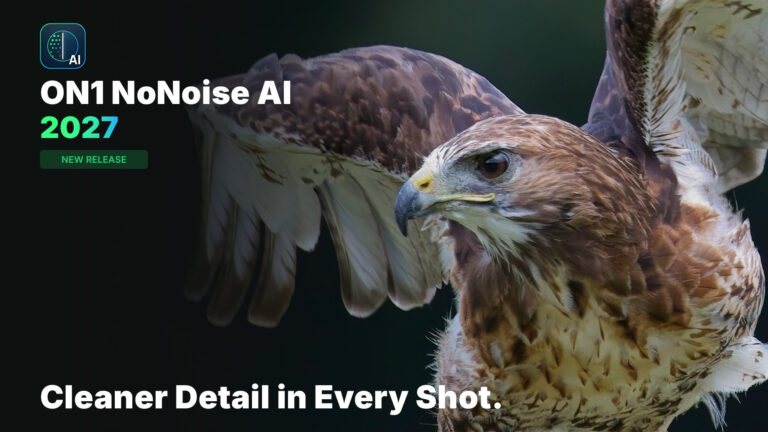
Heavy noise reduction can turn fur into brush strokes and skin into plastic. In the bear comparison above, you can still pick out individual strands around the ears and muzzle after the noise is gone. For portraits, the People model keeps skin texture realistic. See more examples in our NoNoise AI 2027 first look video.
Rescue Slightly Soft Shots With TackSharp AI
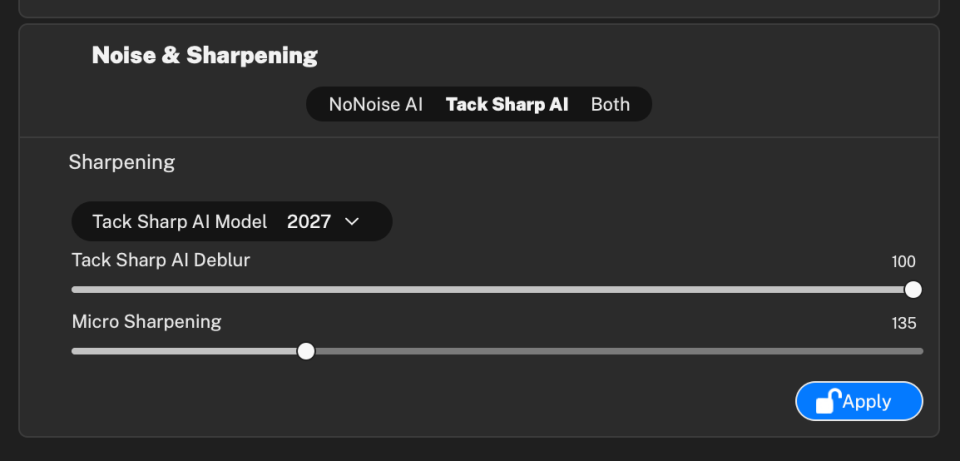
A little motion blur or a missed focus point can cost you an otherwise great frame. The updated TackSharp AI models bring soft photos back into focus with less noise and fewer artifacts than before. Choose Both in the Noise & Sharpening panel to run noise reduction and sharpening together.
Treat Your Subject and Background Differently
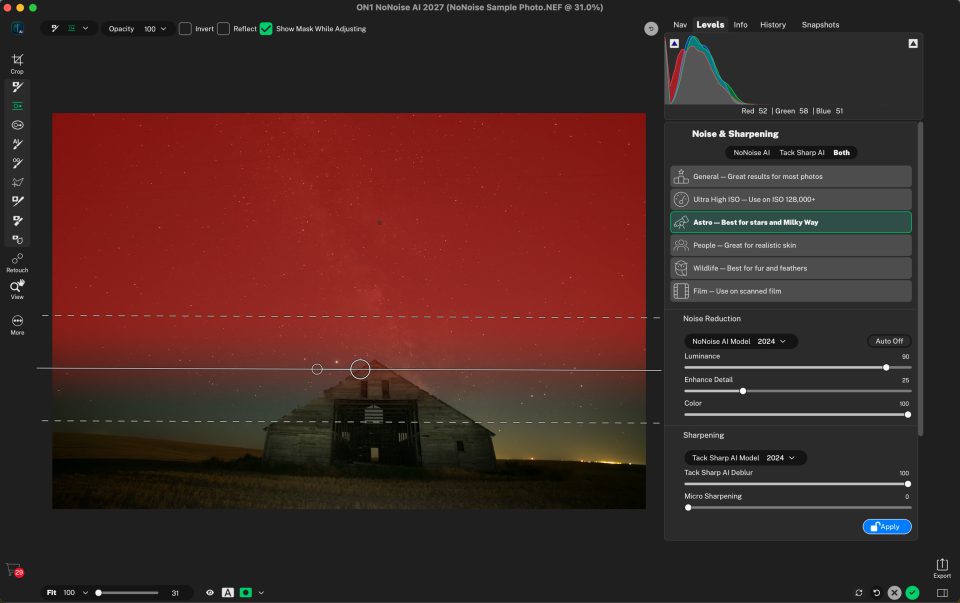
Masks in NoNoise AI 2027 are fast and accurate, so you can use the Astro model on the night sky and stronger noise reduction on your foreground subject. Masks now work like layers you can add, subtract, or intersect, and new depth masks let you apply adjustments that change with distance from the camera.
Faster on Windows, Native on ARM
We overhauled the AI inference engine to use vendor-specific hardware features. Windows users with compatible hardware will see significant speed gains, and we expect more as hardware makers refine their support. It also runs natively on Windows on ARM.
On Mac and Windows, a modernized rendering engine speeds up edits with complex stacks and many masks. Exports run faster, and export presets are easier to use. A new component manager keeps AI models, camera profiles, and presets current in the background.
More New Tools in NoNoise AI 2027
- Generative Erase and Expand: remove large distractions like people or cars, or extend the canvas with realistic detail.
- Automatic distraction removal: find and remove sensor dust and power lines.
- Auto Crop & Level: crop and straighten one photo or a batch while keeping the subject in frame.
- JPG-XL and DNG: view, edit, and export JPG-XL files, with updated DNG support.
- Grayscale support: open and edit grayscale scans like any other photo.
- 30+ new cameras: including the Canon EOS R1, Sony a1 II, Nikon Z 5 II, Fujifilm X-E5, and Ricoh GR IV.
How to Download ON1 NoNoise AI 2027
- Already pre-ordered? Sign in to your ON1 account and download NoNoise AI 2027 from your products page.
- Own an earlier version? Sign in to your ON1 account to see your upgrade price.
- New to NoNoise AI? Buy ON1 NoNoise AI 2027 or download the free 30-day trial and try it on your own noisy images.
Run NoNoise AI as a standalone app or as a plugin for Lightroom Classic, Photoshop, and more. For a closer look at each new tool, read our NoNoise AI 2027 feature deep dive or see the full feature list.
NoNoise AI 2027 FAQ
How much does it cost to upgrade to NoNoise AI 2027?
If you own an earlier version of NoNoise AI, you get upgrade pricing. Sign in to your ON1 account to see your price. New customers can buy NoNoise AI 2027 in the ON1 store. It’s a one-time purchase, not a subscription.
How do I download NoNoise AI 2027?
If you pre-ordered, sign in to your ON1 account and download it from your products page. If you’re new to NoNoise AI, you can buy it in the ON1 store or download the free 30-day trial.
Does NoNoise AI 2027 work as a Lightroom and Photoshop plugin?
Yes. NoNoise AI 2027 runs as a standalone app on Mac and Windows, and as a plugin for Lightroom Classic, Photoshop, Apple Photos, and more.
Is NoNoise AI 2027 included in ON1 Photo RAW 2027?
Yes. The improved NoNoise AI is built into ON1 Photo RAW 2027, coming this fall.