

Finding Creative Inspiration Anywhere with ON1 Photo RAW 2026
- January 28, 2026
- 7,938 Views
Posted by Dan Harlacher
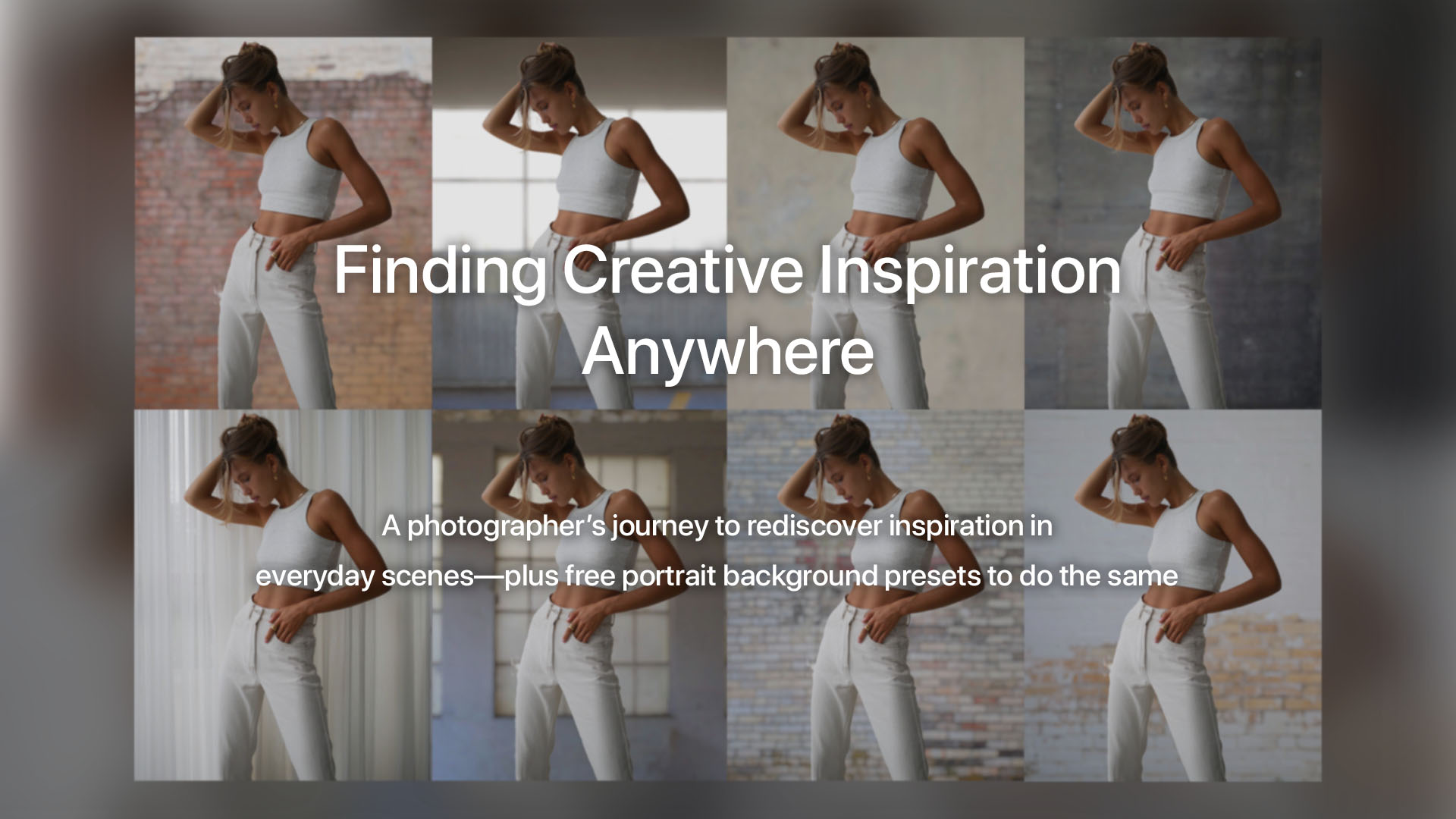
After moving from Oregon to eastern Texas, VP of Product Dan Harlacher rediscovers creative inspiration by slowing down and seeing everyday scenes differently. This post explores how personal photography projects, textures, and ON1 Photo RAW 2026 can turn ordinary surroundings into creative opportunities. Plus you’ll get a new set of 25 creative textures—each available in sharp and softly blurred versions—paired with one-click portrait presets to instantly create beautiful, studio-style backgrounds inside Photo RAW 2026.
Creative inspiration doesn’t always come from dramatic landscapes or iconic locations. Sometimes, it comes from learning to see differently. This past summer, I moved from the Portland, Oregon area to Tyler in eastern Texas. As a native Oregonian, I had been spoiled with endless photographic variety—mountains, coastlines, forests, rivers, and farmland all within a couple of hours’ drive. Finding a place to photograph felt effortless.
Eastern Texas has its own beauty, but it’s different. The piney woods are green yet unfamiliar. There are no waterfalls to chase, no hills to climb for sweeping vistas, and no obvious postcard scenes. If I’m being honest, I found myself in a creative slump—something many photographers experience when their surroundings change.
A Shift in Perspective
One afternoon, while out mountain biking on a dry winter day, I was thinking about those differences. Back in Oregon, it would likely be cold, rainy, and gray. Instead, here I was riding in sunshine, surrounded by woods that feel like perpetual fall.
Then I clipped a tree with my handlebars and crashed.
Lying there in the crunchy leaves, staring up at bare branches against a blue sky, something clicked. There was beauty all around me—it just wasn’t what I was used to photographing.
A Monthly Photography Project Commitment
Right then, I made a promise to myself: every month this year, I would take on a new photography project idea to reconnect with my creative groove. Later that day, while nursing a sore body with a beer at the local pub, I started writing a list. As it grew, I realized sharing these projects might help the ON1 community too. Many photographers feel creatively stuck at some point, especially when familiar inspiration disappears.
So I grabbed my camera and wandered through downtown Tyler with no plan—just looking for what I like to call wild art.
Discovering Wild Art
Wild art is what you find when you walk without expectations. You don’t chase shots—you respond to what’s in front of you.
It might be:
- Light and shadow patterns
- A flower pushing through a sidewalk crack
- A weathered wall full of texture
- A quiet human moment
This approach is one of my favorite ways to rediscover creative photography inspiration, especially when traditional subjects aren’t available.
Turning Textures Into Creative Tools
One thing I always look for is texture. Concrete walls, peeling paint, and aging surfaces are incredibly versatile in post-processing.
I use textures:
- In composites
- To replace dull backgrounds
- To add mood to portraits
- As overlays for depth and character
In less than an hour—covering just a few downtown blocks—I found a wide variety of textures. That’s when another idea came together. Using ON1 Photo RAW 2026, I could combine these textures with lens blur and powerful subject masking to create portrait background presets that replace backgrounds in a single click—giving photographers a flexible, studio-style solution without stepping indoors.
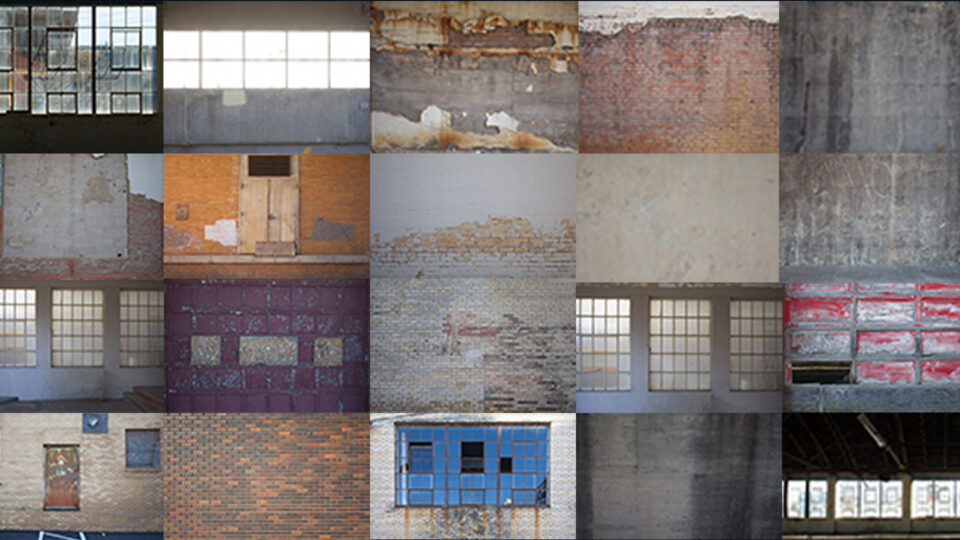
Tyler Soft Magic Backgrounds (Free Content)
That idea became this month’s gift to you.
The Tyler Soft Magic Backgrounds include:
- 25 new textures
- In-focus and softly blurred versions
- One-click presets designed for portraits
These portrait background presets are included in the January content update for ON1 Photo RAW 2026, delivered automatically. Look for the Tyler Soft Magic Backgrounds category in your Preset Browser.
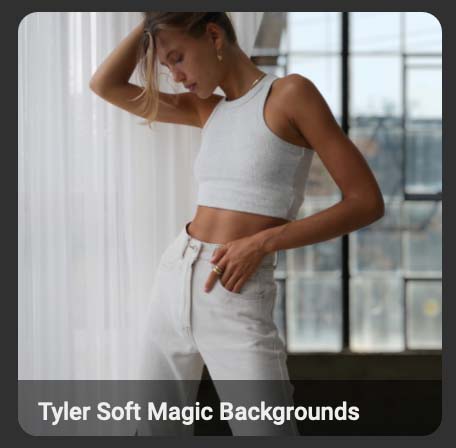
Note: This free update also includes Nikon Z R support and updated lens profiles. Just launch ON1 Photo RAW 2026 and these will automatically download and install for you. Again, you will only be able to get these by launching version 2026 and they will download and install automatically. Once installed, open Effects, and got to the Presets tab and it will look like this:
Tips for Best Results
For the most realistic results:
- Use images with a clear subject, especially people
- Best suited for headshots and three-quarter-length portraits
- Use the Move Edge slider to refine mask blending
- Rotate backgrounds as needed for portrait orientation
- Match background brightness to your subject
Creativity Is Everywhere
This experience reminded me that creativity isn’t about location—it’s about awareness. Whether you’re surrounded by mountains or city streets, inspiration is always there if you’re willing to slow down and look. With the right mindset—and the right photo editing software—even ordinary scenes can become something special.
Here’s to finding inspiration wherever you are, and creating with confidence using ON1 Photo RAW 2026.
28 Comments
Dave EllisJanuary 28, 2026
Great story and one I have been going through also, all be as an amateur. My wife is always wondering what I am doing photographing rocks and walls all over the paradise that I live in here in New Zealand.
On1 has allowed the creative side of me to come through. Please keep up the outstanding work while still allowing scope for the creative living in an Ai world.
Cheers
Dave
Ken GalbraithJanuary 28, 2026
For the last few years I ran a small photography group in Kyneton, Victoria, Australia. This is exactly what I did each month – pick a location and wander. What was really interesting was that we would all come back with very different shots, ranging from wide angle to macro. It emphasised the importance of being yourself and looking at your surroundings for things that interest you. It’s an even bigger challenge when you walk down familiar streets but with a camera in hand!
Going to miss your shots of Oregon though. Used to make me quite envious. Australia has some great scenery but a lot of it is browns and dark greens and in the summer the sky is bright blue with no clouds, making for harsh light and a boring background – thank goodness for sky swap and cloud brushes.
David PriceJanuary 28, 2026
Hi Ken,
That sounds like the classic good day out with your camera. I agree re sky swop. Our skies are mainly Tuperware Cloud Carrying skies. If it isn’t raining, then it is raining.
The UK also has many lovely areas. But, I live in the industrial heartlands, so I have always envied the people who live in such as Portland. Mind you, the UK is small, so such as the Welsh Marches are only a couple of hours drive away.
Nancy BriechleJanuary 28, 2026
I just updated ON1 2026 and checked for the new Tyler presets and they were not in my preset panel. Chuld you tell me how to get them?
kuhnrlJanuary 28, 2026
Tyler Soft Magic Backgrounds were not automatically downloaded and installed, even after a computer restart and reopening ON1.
Wayne MunceJanuary 28, 2026
says updated, but no magic backgrounds downloaded or installed
Wayne MunceJanuary 29, 2026
found – added to presets – automatically downloaded, they are not textures and hard to download the Tyler files as not available.
Wayne MunceJanuary 29, 2026
however, they only appear as presets and the backgrounds in Dan’s blog do not show up, so they do not appear to be available as discreet backgrounds, only presets
David PriceJanuary 28, 2026
No they don’t automatically download. Textures are not the same as Updates.
Download the Textures into your PC. Then read the Guide and use Manage Extras, to add the Textures to your copy of Photo Raw. Also have a look in the Guide as to how to use the Textures Filter.
David Price – ‘participant’
Peter BusuttilJanuary 29, 2026
Hi! Is there a link to download these Textures because I cannot find them anywhere?
Volker GottwaldJanuary 29, 2026
What is the dowload link for the textures?
Volker GottwaldJanuary 29, 2026
After a second restart of PR the textures where automatically installed and visible in Manage Extras.
Volker GottwaldJanuary 29, 2026
To use the texttures as plain textures and not as presets I installed them via Manage Extras. I found the files (using Windows) in C:\ProgramData\ON1\Extras 2026\Textures\Tyler
Wayne RichardsonJanuary 29, 2026
Dan, I have photographed in OR and TX and every State in between and I feel your pain about the change in topography for landscape photography. About a year ago I added a high-end 14mm lens to my arsenal and now I frequently photograph mundane environments through the eye of an insect. Using only my 14mm and my 200-600mm, forces me out of my comfort zone to explore more extreme perspectives and technical setups for otherwise uninteresting landscapes. Abstract photography in a way.
Günter KlausJanuary 29, 2026
Ich habe erst vor 7 Jahren richtig mit dem Fotografieren angefangen und bin dann auch auf eure tolle Foto Software ON1 Photo RAW gestossen und sie hat mir schon sehr viele schöne Momente gemacht,es macht einfach Spaß,damit zu arbeiten!Ich habe auch gemerkt,dass ich durch die Fotografie viel spontaner bei den Motiven geworden bin,man sieht etwas und versucht es schön in Szene zu setzen,ich fotogrfaiere sehr gerne Makros,alles,was damit zu tun hat!
Safeer MuftiJanuary 29, 2026
Tyler Soft Magic Backgrounds were not automatically downloaded and installed, even after a computer restart and reopening ON1.
Günter KlausJanuary 29, 2026
Ich habe heute auch schon untern Tag 2 mal On1 Photo RAW neu gestartet und da hat es mir diese Presets auch nicht raufgeladen,jetzt abends habe ich es nochmals versucht und das Programm machte ein Update und spielte mir jetzt diesen Tyler Soft Magic unter die Presets rein,es hat jetzt funktioniert,danke dafür :))
Greg MooreJanuary 29, 2026
Interesting post. thanks for the comments. I’m not a professional just a guy with a Nikon Zf. I’m wondering what sort of kit you took on these forays? Point and shoot? DSLR? Mirrorless? Dis you take more then one lens, If so what?
Thank you for the “Tyler Soft Magic Backgrounds” they (it?) seems to have downloaded and I found it in the Presets. however, the thumbnail for TSMB01 – TSMB10 looks identical. If I select other presets the thumbnails all look different. Just for the record Photo Raw 2026, MacOS, 32GB RAM, AMD Radeon RX 580 (MoltenVK 1.2.11) 8GB. When I look at the log file I see a lot of messages similar to the one below but with different UUIDs or whatever the numeric identifier is.
2026-01-29 10:57:15 ON1 – CMAN: 61 assets are blocking.
2026-01-29 10:57:15 ON1 – CMAN: Installing asset 1c499e88-b6a7-47aa-a0a2-10bb4b2e81cf.
2026-01-29 10:57:15 ON1 – CMAN: Package asset 62255e86-50be-403e-80a8-14a6538e2c70 not found in manifest.
[A BUNCH OF not found MESSAGES]
2026-01-29 10:57:15 ON1 – CMAN: Installing asset e052e49e-0226-4372-8eb6-f4c8993b1b01.
2026-01-29 10:57:15 ON1 – CMAN: Installing asset 50a97bba-7291-4860-af38-c1cf856acd84.
2026-01-29 10:57:15 ON1 – CMAN: Installing asset 6e947b4d-ac90-4e5b-a137-06d46ad290e8.
[A LOT MORE not found MESSAGES]
HTH,
Ex Test Engineer
Gary RayJanuary 29, 2026
I can identify with a slump after moving from Northern California to Fort Worth. I was mainly a landscape photographer. My new interest here in Texas is wild-life photography, especially birds. Really enjoying my new 200-800 mm lens for this. Also doing a lot of close-up photos with a 100mm prime. Just a change in emphasis from oceans, waterfalls, forests, and mountains. Interesting post and thanks for sharing presets.
Joan NordbyJanuary 29, 2026
Looks like they tried to download, but somehow did not complete the process in presets. Same issue as Dave Moore.
Neither did the textures download.
M McGuireJanuary 30, 2026
Love the story, sorry about the crash, hope you healed up. ON 1 is lucky to have all of you. Keep the stories coming.
Les CornwellFebruary 1, 2026
I do find Tyler Soft Magic Backgrounds (TSMB1-25) both under Presets in the left panel and under Manage Extras/Presets, but I have no idea how they can be used, because they don’t do anything on a portrait I would like to try out. I’m running ON1 PR 2026.2 on an M1 Mac OS Tahoe 26.2.
Whilst a randomly chosen preset like Urban Metal immediately shows up on the thumbnails, I see no difference at all with the 25 TSMB presets.
So a tutorial on how to apply these presets would be welcome.
Teresa ChomaFebruary 1, 2026
I have the exact same issue
Teresa ChomaFebruary 1, 2026
Can someone please tell me how to access the free content? I have opened the program and it has “installed” a category of preset titled Tyler Soft Magic Backgrounds which contain TSMB presets 1-25. My problem is that there is no actual preset attached to this! They are all non-functional. I also don’t have the picture shown in the article to identify the preset. I have gone into the “manage extras” and they presets are also listed there however not in the textures. I’m not the most computer savvy person but it seem that this did not download or install properly with the update and I have no idea where to go from here!
Les CornwellFebruary 3, 2026
I was hoping that meanwhile someone from ON1 would have made a reply and offered a solution. Looks like most (if not all) of us have the TSMB textures that came with the 2026.2 update, but they don’t seem to work.
Kenneth GrangerFebruary 5, 2026
To expand upon what others are reporting: in the Effects, Textures, I have access to to 25 Tyler textures, and 25 Tyler Soft textures. If I apply them from there, they work great. If I select one of the Tyler Soft presets it says it’s applied and has the Tyler Soft category shown but there are no items in the drop to select the actual texture.
That aside, thanks so much for the extras, Dan.
Kenneth GrangerFebruary 5, 2026
Update after reading comments above: I tried exiting and restarting ON1 but it did not help. I should maybe mention I’m on an iMac but I don’t know if that matters or not.
Gilles SubiasFebruary 6, 2026
As I’m not easy with english language, it took me some time for my 2 pence.
I’m quite afraid with this kind of images (cf the 8 same girl behind 5 different backgrounds made by DH), just for transform my (yours) photos I intented to do, for results which wille provide so many photos having same artificials backgrounds; one more thing, change the skies, your photo will be perfect 🤣 ☹️
Please review our privacy policy for information about how we use the data we collect.