


ON1 Photo RAW · 10 Lessons
Digital Asset Management
Digital Asset Management Free Preview
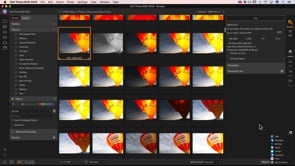
Managing your photos is huge step in photo editing because we all want to feel comfortable and confident that we can find our photos, organize them easily, and share them when we need. In this course, we’ll look at main steps you’ll need to manage and organize your photos. This includes things we can do in-camera, to importing and backing up, finding our favorites, all the way to sharing the photos. In the end, you’ll have a simple system that keeps you doing the fun parts of photography (most likely shooting and editing) more.
Ask Questions and Discuss »
Course Curriculum
10 lessons · 114h 11m
- 1Digital Asset ManagementManaging your photos is huge step in photo editing because we all want to feel comfortable and confident that we can find...02:29Now playing
- 2
 Introduction to DAM22:43:50
 - 3
 Organize05:25:42
 - 4
 Import11:28:40
 - 5
 Backup04:14:32
 - 6
 Keywords22:38:31
 - 7
 Flagging Photos11:13:42
 - 8
 Albums10:06:50
 - 9
 Versions13:56:00
 - 10
 Sharing12:20:52
Course Downloads
Download the course assets and watch the videos offline. This content is yours to have and keep forever.
Thanks for watching this free preview
ON1 Plus unlocks hundreds of video courses, eBooks, presets, and more.