
Smarter AI Photo Editing for Photographers
Edit, organize, and style your photos without the usual hassle. Powered by real machine learning, ON1 helps you get great results in way less time so you can focus on creating, not struggling with controls.
- No Subscription Required
- Mac & Windows
- Own It Forever
Find Your Fit
What do you want to do?
Pick a goal and we will show you the right tool.
Our recommendation
Choose ON1 Photo RAW or ON1 Photo RAW MAX to handle your full editing workflow, from organizing and editing to exporting your final photos.

ON1 Photo RAW
The complete all-in-one editor
- Non-destructive RAW editing
- AI masking and selection
- Built-in organizer
- Layers and compositing
ON1 Photo RAW MAX
Everything in Photo RAW plus plugins
- Everything in Photo RAW
- Works inside Lightroom Classic
- Works inside Photoshop
- Cloud Sync for mobile
Our recommendation
Choose ON1 Resize AI if you want a standalone app or plugin. It is also fully built into ON1 Photo RAW and Photo RAW MAX for easy resizing and printing.

ON1 Resize AI
Next-gen image upscaling
- AI-powered upscaling
- Preserve fine detail
- Print-ready output
- Standalone or plugin
ON1 Photo RAW
The complete all-in-one editor
- Non-destructive RAW editing
- AI masking and selection
- Built-in organizer
- Layers and compositing
ON1 Photo RAW MAX
Everything in Photo RAW plus plugins
- Everything in Photo RAW
- Works inside Lightroom Classic
- Works inside Photoshop
- Cloud Sync for mobile
Our recommendation
Choose ON1 Effects as a standalone app or plugin. It is also built into ON1 Photo RAW and Photo RAW MAX for adding filters, styles, and creative looks.

ON1 Effects
Creative toolkit powered by AI
- Hundreds of filters and LUTs
- One-click presets
- Batch apply to photos
- Standalone or plugin
ON1 Photo RAW
The complete all-in-one editor
- Non-destructive RAW editing
- AI masking and selection
- Built-in organizer
- Layers and compositing
ON1 Photo RAW MAX
Everything in Photo RAW plus plugins
- Everything in Photo RAW
- Works inside Lightroom Classic
- Works inside Photoshop
- Cloud Sync for mobile
Our recommendation
Use ON1 NoNoise AI as a plugin or standalone app. It is also built into ON1 Photo RAW and Photo RAW MAX to quickly reduce noise in dark or grainy photos.

ON1 NoNoise AI
High-ISO noise reduction
- Deep learning noise removal
- Preserves fine details
- Saves as DNG
- Standalone or plugin
ON1 Photo RAW
The complete all-in-one editor
- Non-destructive RAW editing
- AI masking and selection
- Built-in organizer
- Layers and compositing
ON1 Photo RAW MAX
Everything in Photo RAW plus plugins
- Everything in Photo RAW
- Works inside Lightroom Classic
- Works inside Photoshop
- Cloud Sync for mobile
Our recommendation
Use ON1 Portrait AI for quick or detailed touch-ups. It works on its own or inside other editors, and is fully built into ON1 Photo RAW and Photo RAW MAX.

ON1 Portrait AI
Retouching that understands faces
- Auto face detection
- Skin smoothing and blemish removal
- Eye brightening
- Standalone or plugin
ON1 Photo RAW
The complete all-in-one editor
- Non-destructive RAW editing
- AI masking and selection
- Built-in organizer
- Layers and compositing
ON1 Photo RAW MAX
Everything in Photo RAW plus plugins
- Everything in Photo RAW
- Works inside Lightroom Classic
- Works inside Photoshop
- Cloud Sync for mobile
Our recommendation
Use ON1 Sky Swap AI as a plugin or standalone app to drop in dramatic skies fast. It is also included inside ON1 Photo RAW and Photo RAW MAX.

ON1 Sky Swap AI
Sky replacement made easy
- Automatic sky detection
- Hundreds of sky presets
- Natural light matching
- Standalone or plugin
ON1 Photo RAW
The complete all-in-one editor
- Non-destructive RAW editing
- AI masking and selection
- Built-in organizer
- Layers and compositing
ON1 Photo RAW MAX
Everything in Photo RAW plus plugins
- Everything in Photo RAW
- Works inside Lightroom Classic
- Works inside Photoshop
- Cloud Sync for mobile
Our recommendation
Use ON1 HDR on its own or as a plugin to merge bracketed shots. The HDR tool is also fully built into ON1 Photo RAW and Photo RAW MAX.

ON1 HDR
Flawless natural HDR photos
- Bracket merging
- Ghost reduction
- Tone mapping
- Standalone or plugin
ON1 Photo RAW
The complete all-in-one editor
- Non-destructive RAW editing
- AI masking and selection
- Built-in organizer
- Layers and compositing
ON1 Photo RAW MAX
Everything in Photo RAW plus plugins
- Everything in Photo RAW
- Works inside Lightroom Classic
- Works inside Photoshop
- Cloud Sync for mobile
Our recommendation
Go with ON1 Photo RAW MAX to get the ON1 plugins for Photoshop and Lightroom, or subscribe to ON1 Photo Studio for ongoing access and updates.
ON1 Photo RAW MAX
Everything in Photo RAW plus plugins
- Everything in Photo RAW
- Works inside Lightroom Classic
- Works inside Photoshop
- Cloud Sync for mobile

ON1 Photo Studio
Every ON1 tool, one subscription
- All ON1 apps included
- Always on the latest version
- Plugin access for all apps
- ON1 Plus membership included
Our recommendation
ON1 Photo RAW MAX includes Restore AI for repairing old and damaged photos. Photo Studio gives you Restore AI plus every other ON1 tool in one subscription.
ON1 Photo RAW MAX
Everything in Photo RAW plus plugins
- Everything in Photo RAW
- Works inside Lightroom Classic
- Works inside Photoshop
- Cloud Sync for mobile
ON1 Photo Studio
Every ON1 tool, one subscription
- All ON1 apps included
- Always on the latest version
- Plugin access for all apps
- ON1 Plus membership included
Our recommendation
Use ON1 NoNoise AI as a plugin or standalone app. It is also built into ON1 Photo RAW and Photo RAW MAX to quickly reduce noise in dark or grainy photos.
ON1 NoNoise AI
Blur & soft-focus correction
- Deep learning sharpening
- Fixes blur and soft focus
- Included in ON1 NoNoise AI
- Standalone or plugin
ON1 Photo RAW MAX
Everything in Photo RAW plus plugins
- Everything in Photo RAW
- Works inside Lightroom Classic
- Works inside Photoshop
- Cloud Sync for mobile
ON1 Photo Studio
Every ON1 tool, one subscription
- All ON1 apps included
- Always on the latest version
- Plugin access for all apps
- ON1 Plus membership included
Our recommendation
Choose ON1 Photo RAW or ON1 Photo RAW MAX to organize your library. Photo Studio gives you Photo RAW MAX plus every other ON1 tool in one subscription.
ON1 Photo RAW
The complete all-in-one editor
- Non-destructive RAW editing
- AI masking and selection
- Built-in organizer
- Layers and compositing
ON1 Photo RAW MAX
Everything in Photo RAW plus plugins
- Everything in Photo RAW
- Works inside Lightroom Classic
- Works inside Photoshop
- Cloud Sync for mobile
ON1 Photo Studio
Every ON1 tool, one subscription
- All ON1 apps included
- Always on the latest version
- Plugin access for all apps
- ON1 Plus membership included
Our recommendation
Subscribe to ON1 Photo Studio for full access to every ON1 app, all future updates, and bonus content like creative packs, training, and much more in ON1 Plus.
ON1 Photo Studio
Every ON1 tool, one subscription
- All ON1 apps included
- Always on the latest version
- Plugin access for all apps
- ON1 Plus membership included
The Most Powerful Photo RAW Yet
ON1 Photo RAW 2027 is here, and it introduces powerful updates to masking, the Effects module, and photo enlargements, making it one of the most capable Lightroom alternatives available.
Individual ON1 Apps, Plugins, & AI Tools
Our AI-powered apps help you enhance photos faster—with pro-level results. This collection of AI-powered photo editing tools brings machine learning into every corner of your creative process, delivering pro-level results with remarkable speed and precision. Each of these individual apps are also included inside ON1 Photo RAW.
Our plugins work at a level of integration no other plugin does, including working with multiple photos in editing, keeping photos re-editable across applications, or batch processing photos.
Your creative toolkit, made smarter by AI
ON1 Effects
Best for photographers adding finishing touches, creative styling, or applying batch stylization.
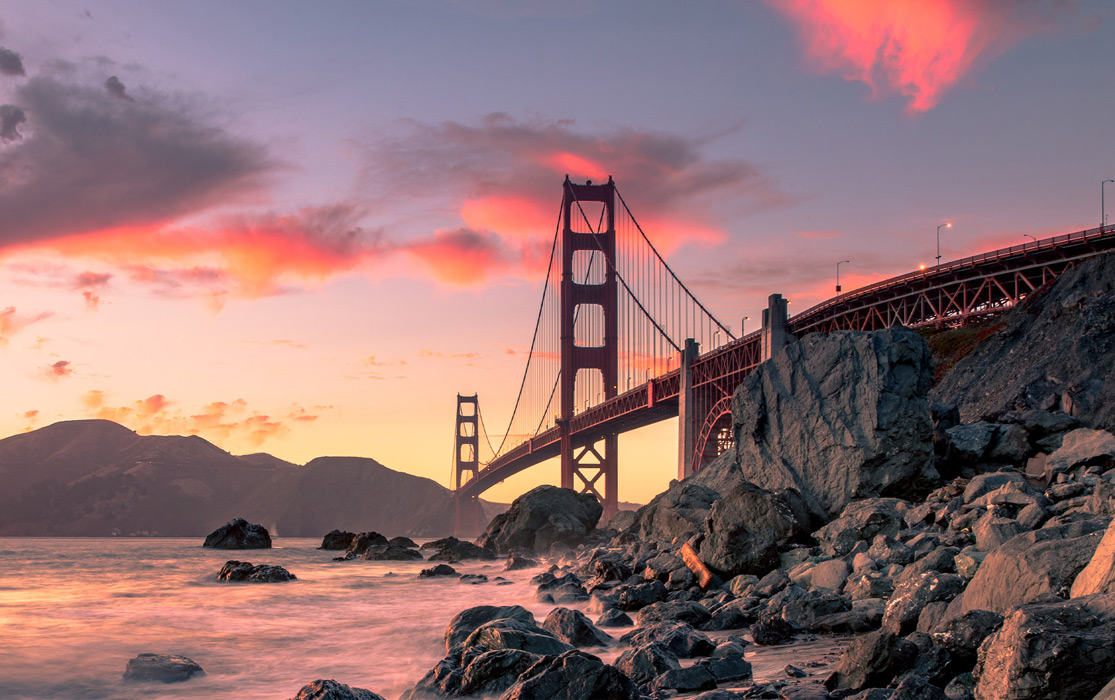
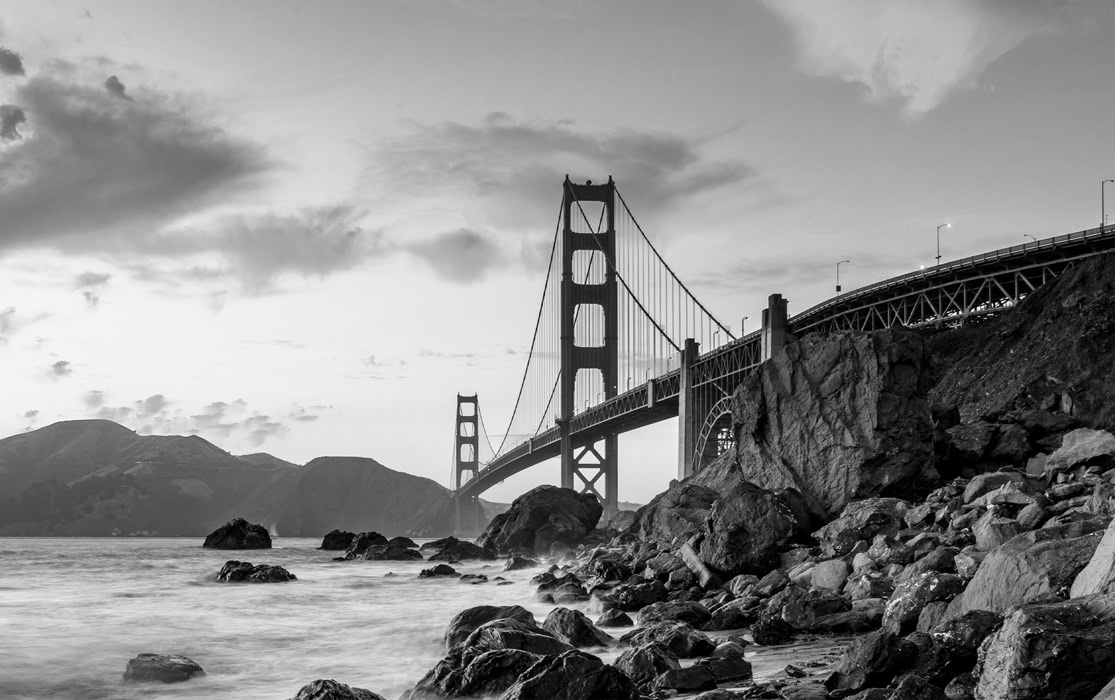
Give your photos a professional look without any complex edits! We curated the trendiest looks and styles in the industry and added the most popular one-click presets to Effects. Powerful new filters you can combine and blend like Weather, Sun Flare, Color Balance, and Channel Mixer give you even more options. Best of all, with ON1's unique copy/paste photo settings capability, you can apply your own look to a batch of photos in seconds.
- Hundreds of filters, LUTs, textures, and borders
- New Depth Lighting, Double Exposure, Split Field, and Motion filters
- Starting Points save your favorite filter combos
- Fully non-destructive, layer-based editing
High-ISO noise reduction that preserves what matters
 ON1 NoNoise AI
Best for photographers editing night scenes, wildlife, concerts, or low-light interiors.
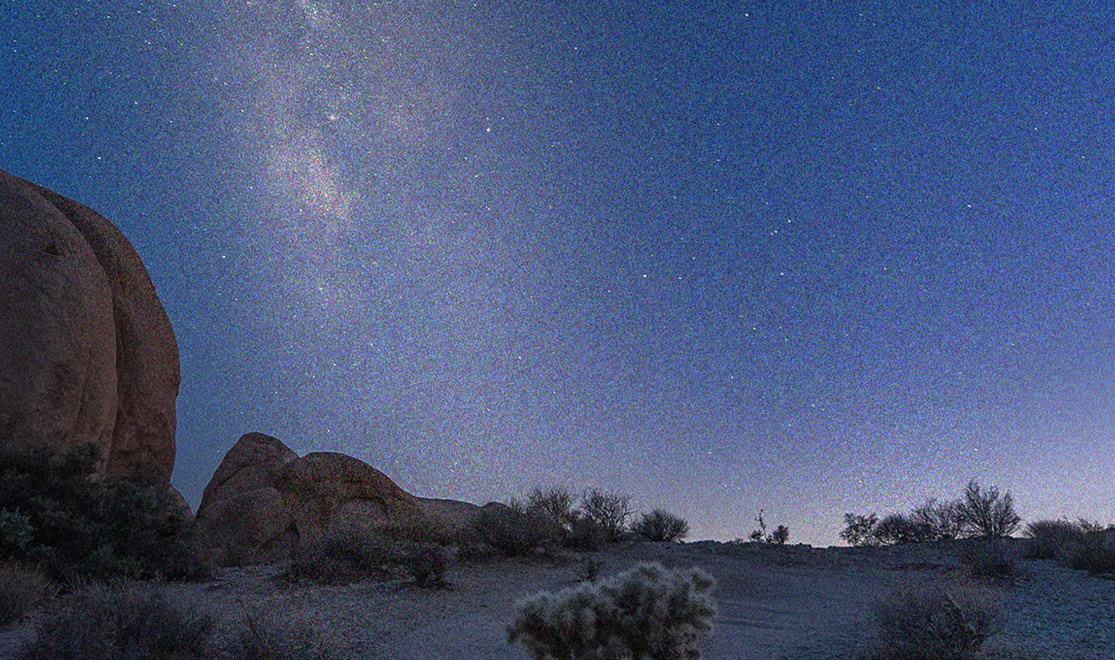
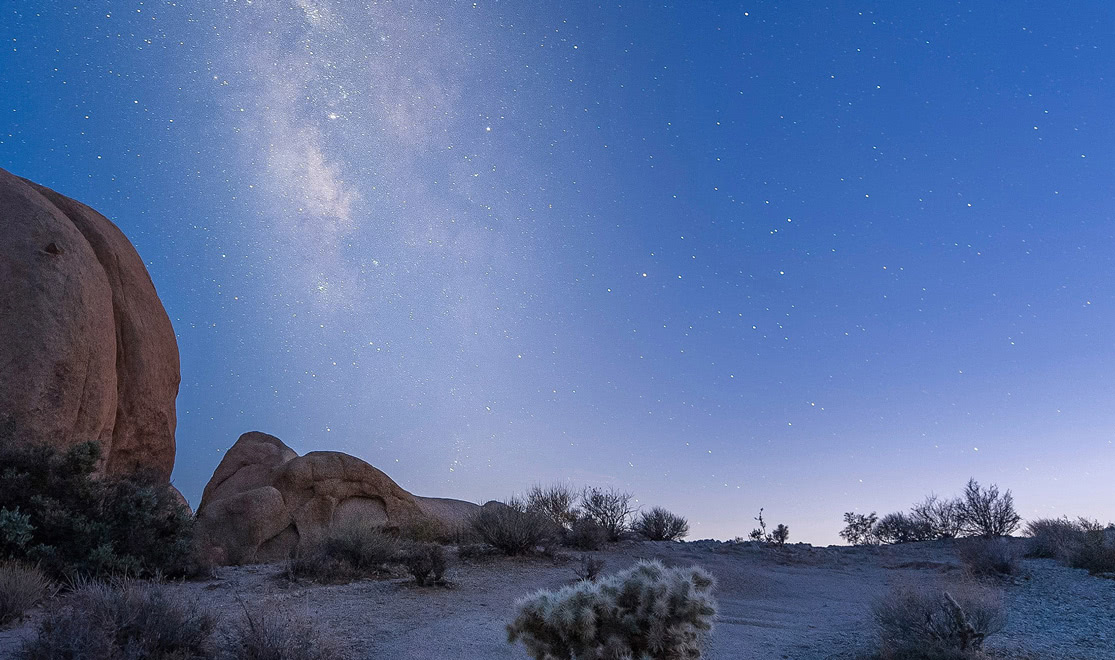
Remove noise from photos and get the sharpest details in your photos with AI-powered NoNoise AI. NoNoise AI intelligently removes all the image noise while intelligently recovering and enhancing the details. It integrates into your workflow by supporting common photo editors and file formats, including saving DNG raw files that maintain the full tonal and color range.
- Industry-leading noise reduction for high-ISO and low-light shots
- Preserves fine detail while removing noise
- Faster and more accurate than manual reduction
Next-gen image upscaling
ON1 Resize AI
Best for photographers preparing large-format prints, cropping for better composition, or handling archival work.
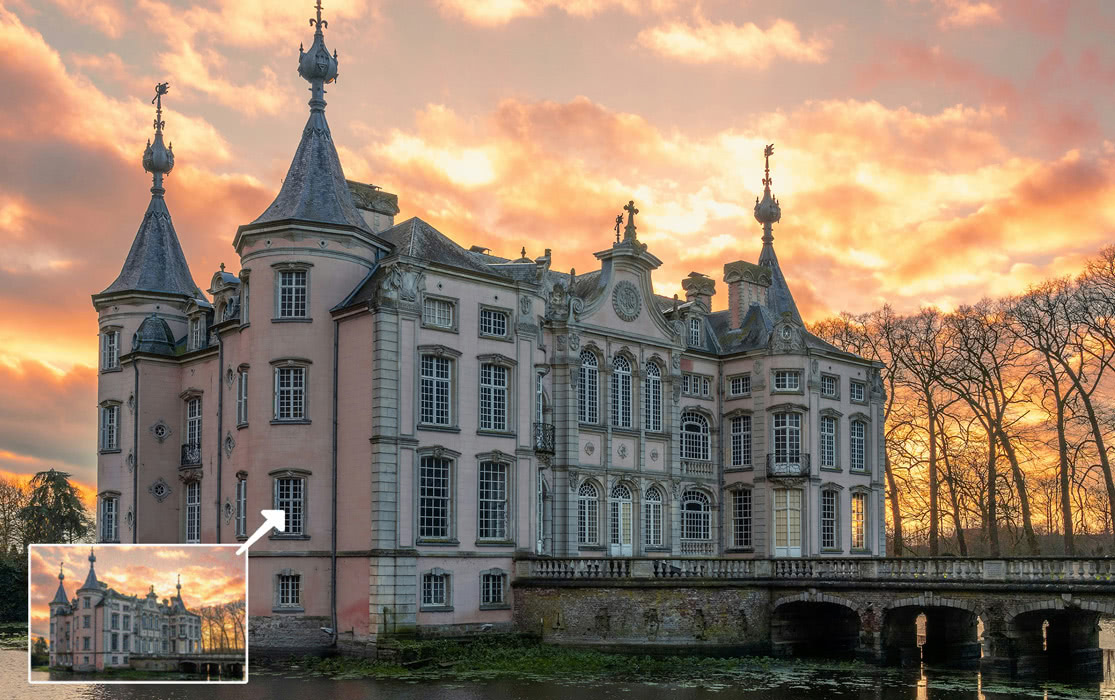
ON1 Resize AI, the next-generation photo enlargement software, gives photographers the best results and the highest quality photo enlargements. This all-new super-resolution technology will allow any photographer to enlarge photos while quickly maintaining and recovering an incredible amount of detail and sharpness.
- Enlarge images for huge prints with no loss in quality
- Generative Highest Quality model for maximum detail
- Standard model built for speed on batch jobs
- Print bigger with total confidence
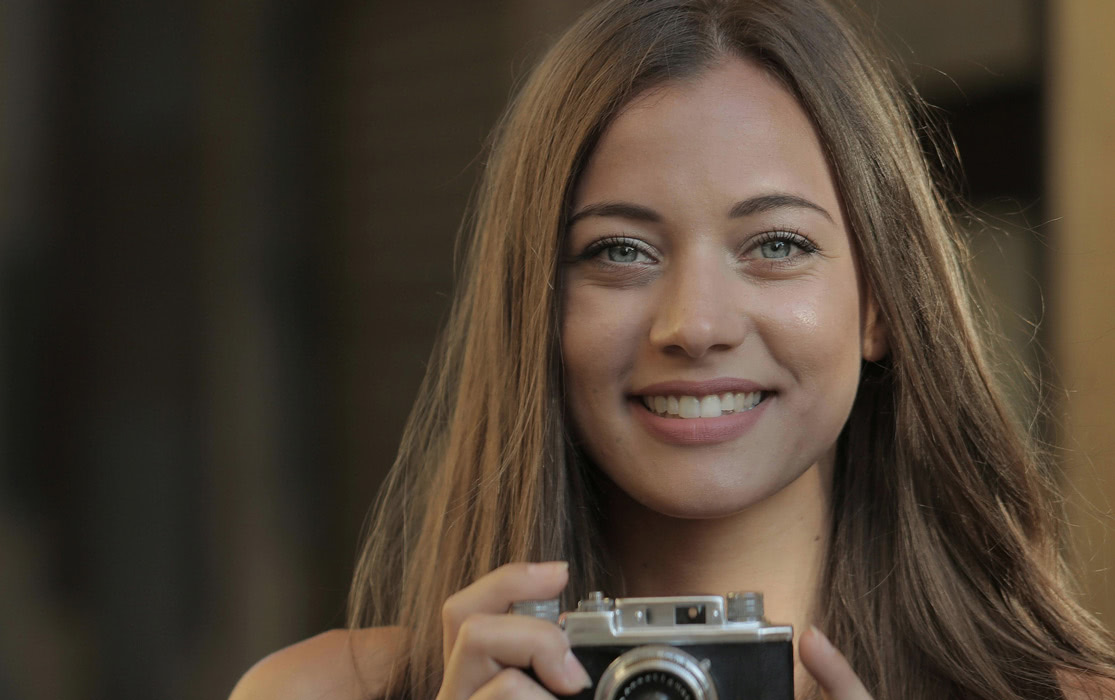
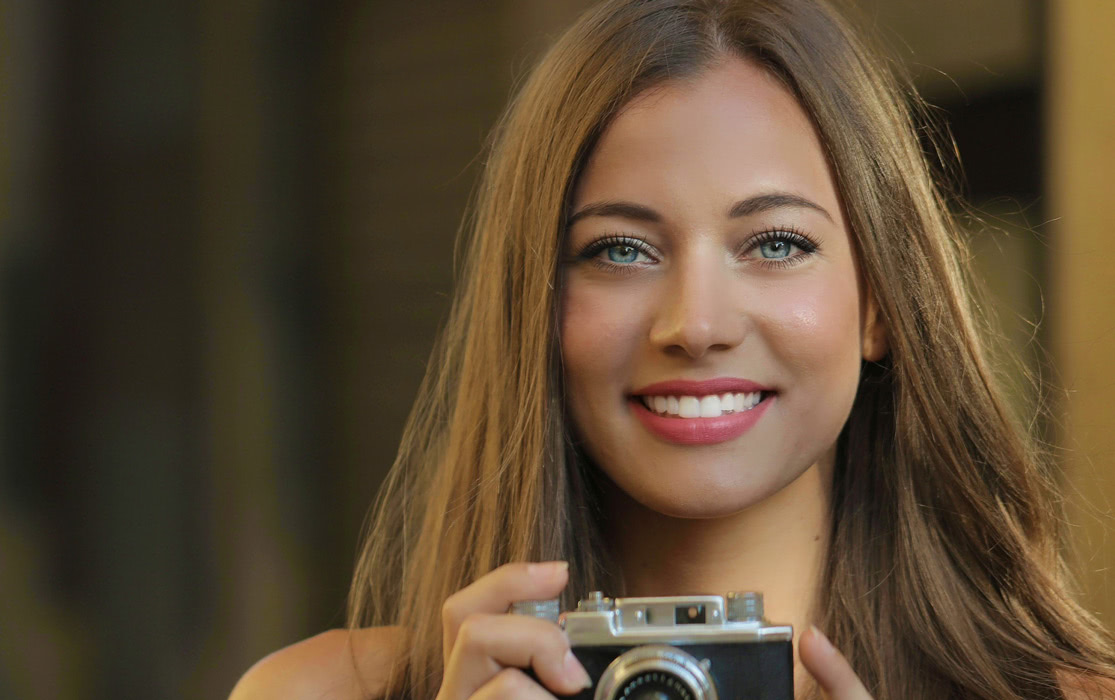
Automated retouching that understands human faces
ON1 Portrait AI
Best for photographers editing headshots, weddings, editorial shoots, and high-volume portrait work.
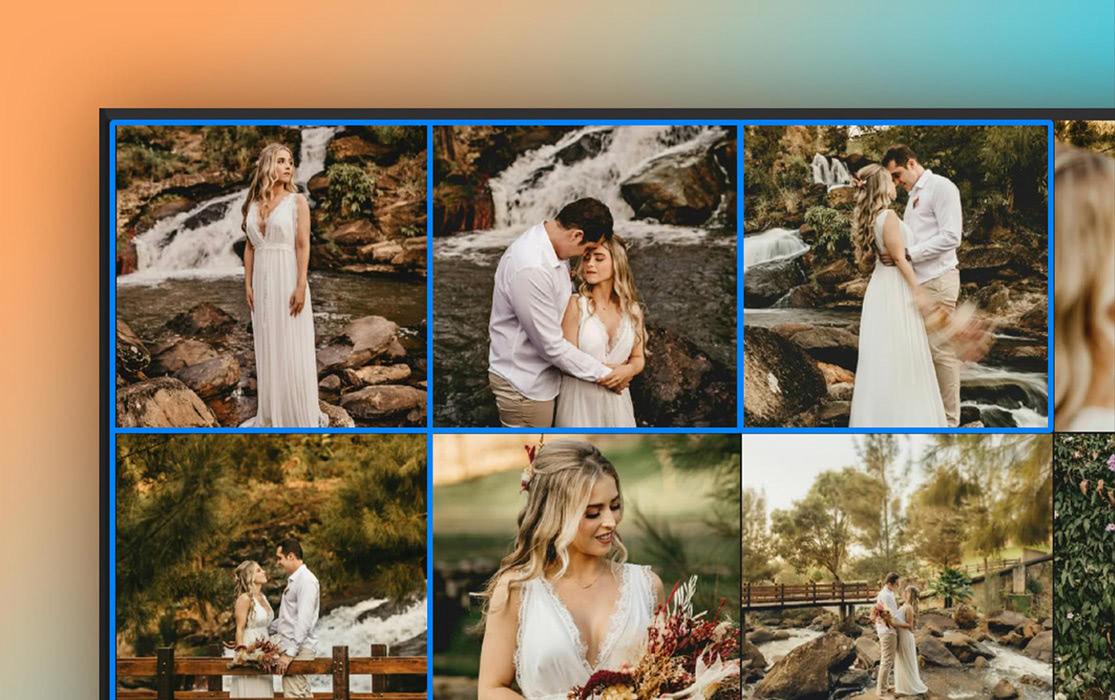
Flawless retouching is just a click away with Portrait AI. It uses machine learning to find every face in your photo and make them look great, automatically. It analyzes each face and adds just the right amount of retouching to the skin, eyes and mouth, giving you professional results in no time at all.
- Automated skin smoothing, eye enhancement, and teeth whitening
- Professional retouching in seconds, not hours
- Fully adjustable, automated results
- Built for high-volume wedding and portrait work
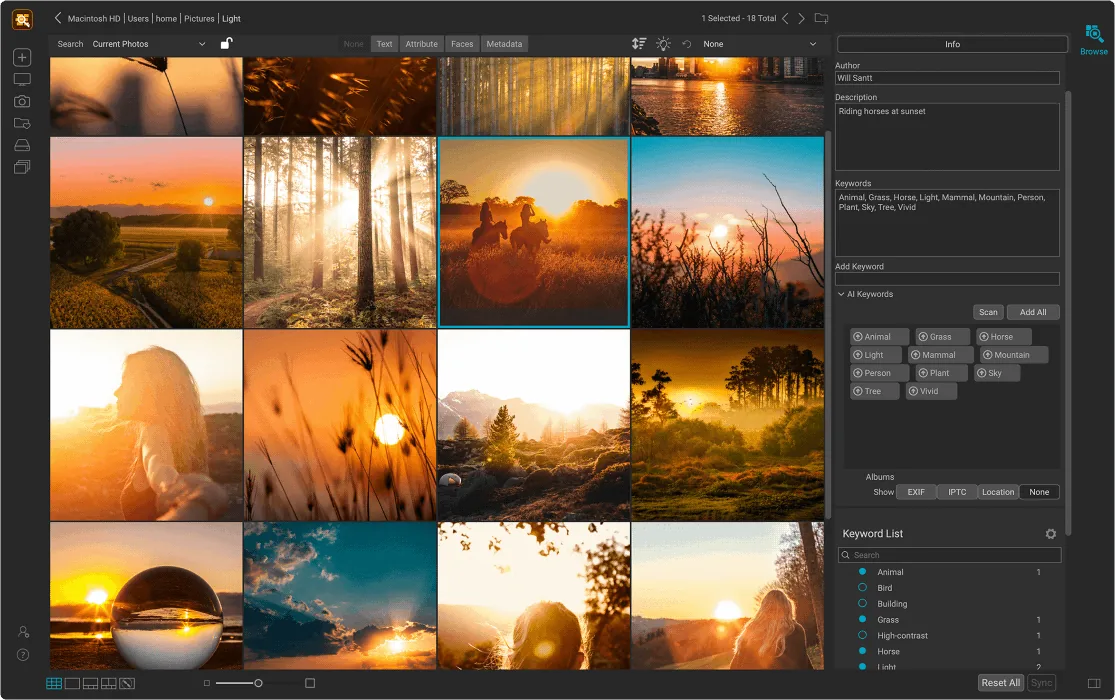
AI keywording that makes any photo easy to find
 ON1 Photo Keyword AI
Stop scrolling through folders to find one shot. Photo Keyword AI looks at what's in each photo and adds keywords for you, so you can search thousands of images by subject in seconds.
Your AI assistant for Lightroom Classic
 Lightpanel
Best for photographers who need fast culling, batch editing, and consistent results across sessions.
Lightpanel is a separate AI-powered tool designed specifically for high-volume wedding and portrait photographers using Adobe Lightroom Classic. It helps automatically cull large batches of photos, apply consistent edits, and speed up workflows—without ever leaving Lightroom. Lightpanel is available as part of the ON1 Photo Studio subscription plan.
- AI culling groups similar shots and flags blinks or blur
- Smart Editing applies context-aware tone and color
- AI-based facial masking for precise retouching
- Works natively inside Lightroom Classic
Every Professional Tool ON1 Makes, One Subscription
ON1 Photo Studio
Best for photographers who want access to every ON1 app and tool.
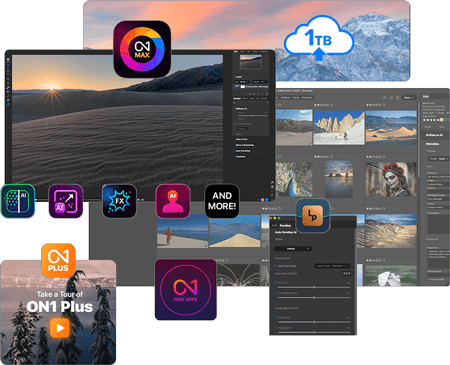
Most photographers piece together their editing workflow over time. You may buy a noise reduction tool here, upgrade your main editor there, you may even miss a new release because the timing was off. Photo Studio ends that. One subscription gives you Photo RAW MAX, every individual ON1 app, 1TB Cloud Sync, ON1 Plus training, and every new ON1 software title as it ships. Your workflow stays complete and current without you having to think about it.
- Every ON1 app and tool, always up to date
- All updates and upgrades included
- All future ON1 software tools included
How to Fix Your Photos Fast with ON1 AI
Power lines. Stray tourists. Random specks you didn't see until now. With ON1 Photo RAW's AI-powered Generative Erase and advanced retouching tools, removing distractions is fast, intuitive, and precise. Watch as real-world photos go from cluttered to clean in just a few clicks in this quick video.
Photographers love ON1
See What They're Saying
ON1 Photo Raw has all the capabilities and more of Lightroom and Photoshop rolled all into one. The user interface is simple and straightforward. All edits are completely reversible even when working in layers.
Karen
Processing and editing my photos is something I've dreaded but you really helped me quickly and joyfully get my photos out. This is a fantastic product that makes me more excited to get out and shoot.
Happy ON1 Customer
I like everything about ON1 Photo RAW. The masking features are fantastic. Everything keeps getting better and better.
Donald Carr
I have tried the rest and found ON1 Photo Raw the absolute best raw photo processing software of all.
Happy ON1 Customer
ON1 Raw is great. I particularly like AI Brilliance, which instantly improves photographs. ON1 make photo editing very easy and quick so that you can concentrate on creativity rather than hours of careful selecting.
Ann Walsh
Great software works very well with my workflow. Does everything I need (layers, effects, stacking, pano, etc.) without creating intermediate files. I can do everything in the original raw format.
Happy ON1 CustomerThe ON1 Guarantee
Your Trust is Our Foundation
Every purchase is protected. Every photo is yours. No games, no surprises.
Frequently Asked Questions About Our AI Photo Editor
What is AI photo editing?
AI photo editing uses machine learning to automate complex editing tasks, like noise reduction, face retouching, sky replacement, and keyword tagging, based on patterns it's learned from analyzing thousands of images. ON1's AI tools give you pro-level results with less manual work, while keeping you in creative control.
Do I need editing experience to use ON1 AI photo editing tools?
Not at all. Our tools are designed to be intuitive and beginner-friendly. Plus, every plan includes access to a growing library of free tutorials and how-to guides. You'll be up and running in no time, even if you've never edited a RAW file in your life.
Can I install ON1 AI photo editing software on more than one computer?
Yes. Your ON1 license allows you to install our smart AI photo editor on multiple computers (Mac or Windows), as long as it's for your own use.
What's the difference between ON1 Photo RAW and ON1 Photo RAW MAX?
ON1 Photo RAW includes the full standalone editor. ON1 Photo RAW MAX gives you everything in Photo RAW plus it works as a plugin inside Adobe Photoshop, Lightroom Classic, Apple Photos, and more.
Does ON1 support non-RAW image formats like JPEG, TIFF, or PNG?
Yes. ON1 works with a wide range of image formats, not just RAW, including JPEG, TIFF, PNG, PSD, and DNG.
What is ON1 Cloud Sync and do I need it?
ON1 Cloud Sync lets you sync photos, edits, presets, and more across desktop and mobile devices. It's perfect if you work on multiple devices or edit on the go.
Experience the AI Photo Editor That Works at Your Speed
Ready to see what intelligent editing looks like? Try ON1 Photo RAW free for 30 days and experience the speed, precision, and creative power of the best AI photo editor available—no credit card, no strings. Whether you're cleaning up noise, enhancing portraits, or organizing thousands of shots with smart photo tagging, ON1's AI photo editing software helps you do more in less time.


