What's new:RAW Processing Engine+NoNoise AINew in 2027: RAW Processing Engine, Enhanced Masking Experience, NoNoise AI, Tack Sharp AI Deblurring, Enhanced Brilliance AI, AI Culling Assistant in MAX, Light Theme, Faster AI Tools, and much more.
ON1 Photo RAW 2027Guided tourStep 1 of 13New in 2027
New RAW Engine
Every photo opens with richer color and contrast, and Highlights and Shadows are more precise.
NoNoise AI 2027
Rebuilt for cleaner high-ISO detail, with models made for what you shoot.
Tack Sharp AI
Recover softness from slightly missed focus and camera shake.
Enhanced Brilliance AI
More natural one-click results across more styles and genres.
AI Culling Assistant
Go from a full card to your keepers in minutes. MAX only.
Loupe Pane
Check any photo up close without opening it.
Compare View
Find the sharpest frame in a burst.
One-Click Subjects and Backgrounds
Masks that work the way you expect.
Masking right on the adjustment
Masks now live on every adjustment, filter and layer, and work the same way everywhere.
Perfect Eraser
Handles larger areas, with new methods for patterns and smooth areas.
Cloud GenAI
The most detailed Gen AI Eraser fills. Included with MAX 2027 or a subscription.
Light Theme
Edit comfortably, day or night.
Share to Flickr
Post straight to Flickr without leaving the app.
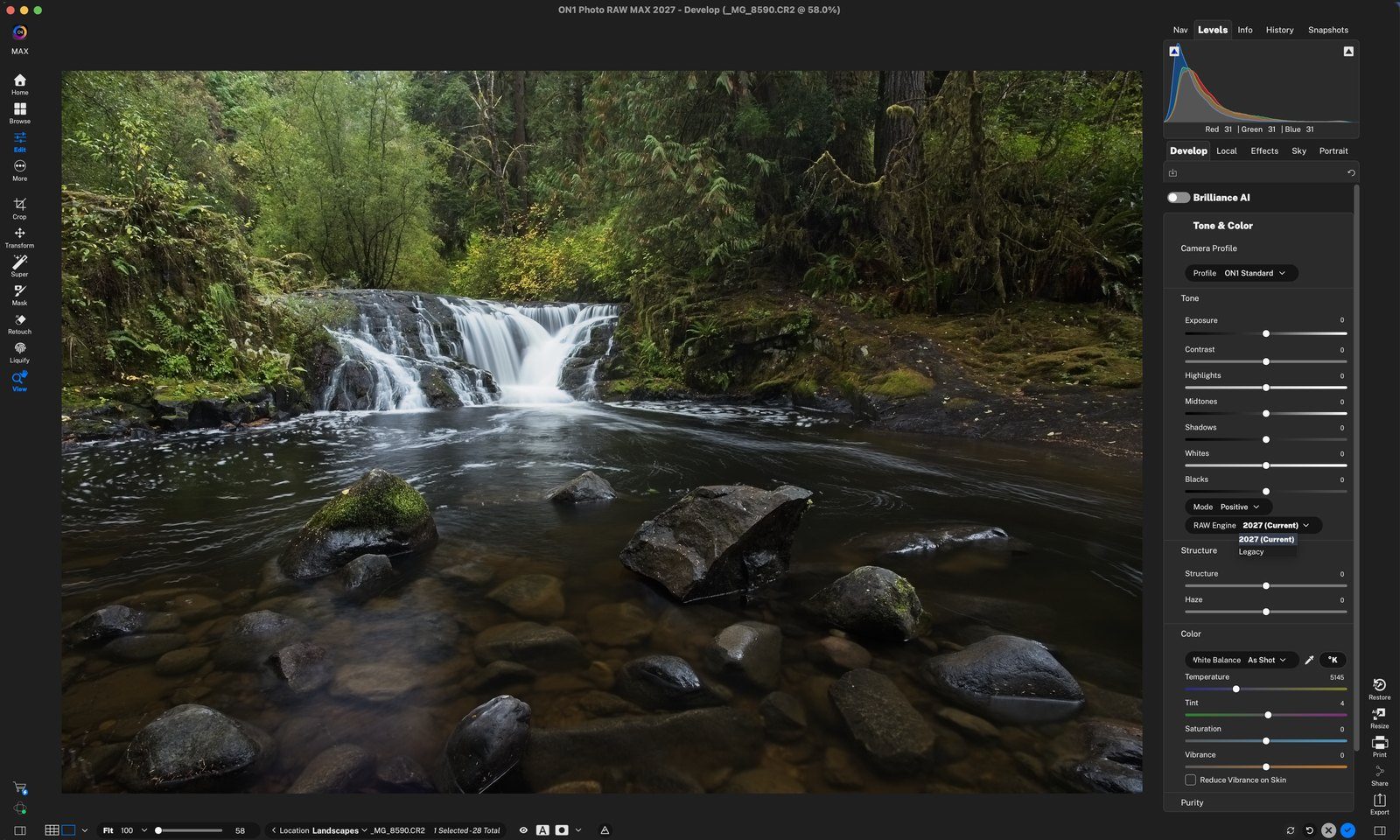
RAW Engine: 2027 (Current)New photos use the 2027 engine. Older edits stay on Legacy, unchanged. Click anywhere to continue
Improved Highlights & ShadowsHighlights −50 and Shadows +50 now affect just their own tones, so the photo keeps its contrast. Click anywhere to continue
Before: LegacyThe same −50 / +50 on the old Legacy engine looks flat and washed out. Click anywhere to continue
Pick a subject modelGeneral, Ultra High ISO, Astro, People, Wildlife and more. Click anywhere to continue
Deblur and denoiseClick Both to run Tack Sharp AI and NoNoise AI together. Click anywhere to continue
One switch, a natural startEvery result is a suggestion: adjust it, dial it back, or turn it off. Click anywhere to continue
Fine TuneSet tone and color strength separately: Tone Amount for brightness and contrast, Color Amount for color. Click anywhere to continue
Analyze, then reviewLook-alikes are grouped, and blurry or eyes-closed shots are flagged. Click anywhere to continue
Keep or reject in CompareEach group opens side by side. The closed-eye frame is marked Rejected ✗. Press R to switch it. Click anywhere to continue
A magnified view in BrowseZoom on the subject or follow your cursor at 1:1. Click anywhere to continue
Turn on the Focus MeterClick the button (blue when on), then hover over the spot that matters, here the eye. Click anywhere to continue
Sharpest winsThe sharpest frame scores 100% in green. Align All and Focus Peaking help too. Click anywhere to continue
One-click selectionsClick Subject or Background, then hover the mask thumbnail to preview it. Click anywhere to continue
Masking tools, right in the railClick Mask and every masking tool expands on the left, including separate Linear and Radial gradients. Click anywhere to continue
Add, Subtract, IntersectRefine a mask in place. Here: Background, then Subtract › Sky. Click anywhere to continue
Sky left outThe red preview shows the combined mask. Composite Mask holds the result of all mask layers. Click anywhere to continue
Copy, Paste, Paste InvertedReuse any mask on another adjustment or filter. Click anywhere to continue
Structure Shift or Patch MatchKeeps brick lined up, or blends smooth areas. Click anywhere to continue
Gear › Model › Cloud GenAIIn the Gen AI Eraser settings, pick Cloud GenAI. Click anywhere to continue
Before: paint over itBrush over the cactus (the red shows what will be replaced), then click Generate. Click anywhere to continue
AfterThe cactus is gone, filled with matching rock and sand. Click the check to apply. Click anywhere to continue
Dark or LightSwitch in Preferences › General. Click anywhere to continue
Share › FlickrSign in once, then share with your title and tags. Click anywhere to finish
Tour complete
That’s the highlights. Next, take the full tour of any feature to try it step by step.