

ON1 Photo RAW 2027 Guided tour Step 1 of 3
Select the photos to export
Exporting makes smaller JPG copies of your photos for sharing on the web or by email. Your originals stay untouched.
Turn on the JPG preset and export
The Export window lists saved presets on the left and their settings on the right.
Find your JPGs
The exported copies are ready to upload or attach to an email.
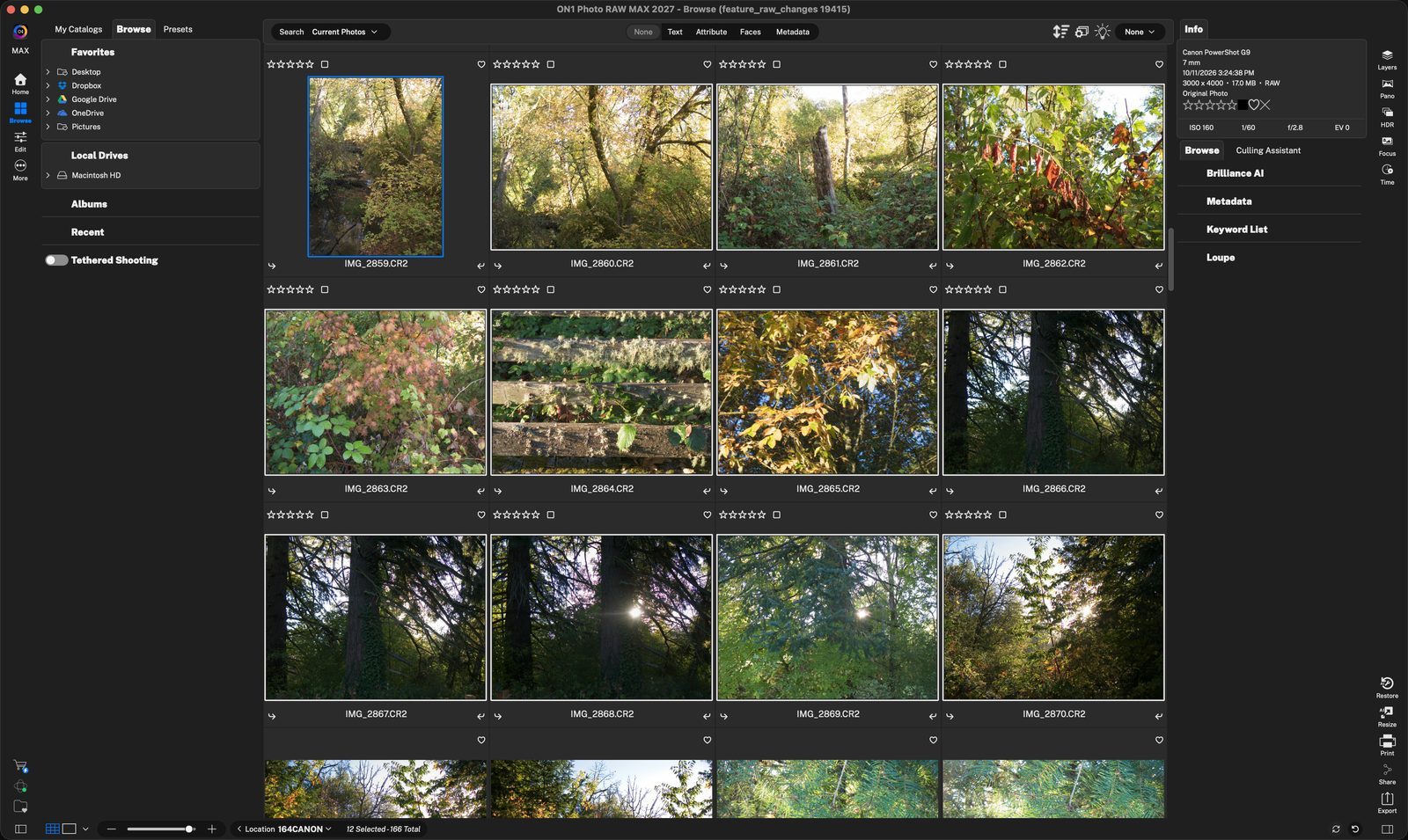
Select the photosClick the first one, then Shift-click or Cmd-click to add more. The status bar shows 12 Selected out of 166. Click anywhere to continue
ExportClick Export in the lower-right corner to open the Export window. Click anywhere to continue
Enable JPGTurn on the 1200px JPG to Desktop preset. It sets a web-friendly JPG, sRGB, quality 90, 1200 pixels on the long side. Click anywhere to continue
DestinationFiles go to the Desktop. You can choose to put in a subfolder as well. Click anywhere to continue
Size and qualityFile Type is JPEG at quality 90, and Resize shrinks the long edge to 1200 pixels. Change any value to suit where the photos are going. Click anywhere to continue
ExportClick Export to create the JPGs. Save Preset keeps your changes for next time. Click anywhere to continue
ExportJPGThe new folder is on your Desktop. Browse to it to see the exported files. Click anywhere to continue
Smaller filesEach photo is now a 900 x 1200 JPG of about 0.5 MB, instead of a 17 MB RAW file. Click anywhere to finish
Tour complete
You selected photos, exported them as web-sized JPGs, and found them in the ExportJPG folder.
- 1Selected photos
- 2Export
- 11200px JPG preset
- 2Destination
- 3File Type and Resize
- 4Export button
- 1ExportJPG folder
- 2File info