

ON1 Plus
Unlock the full Creative Library
Members get every exclusive preset, LUT, texture, and border — plus the video courses and the bookshelf.
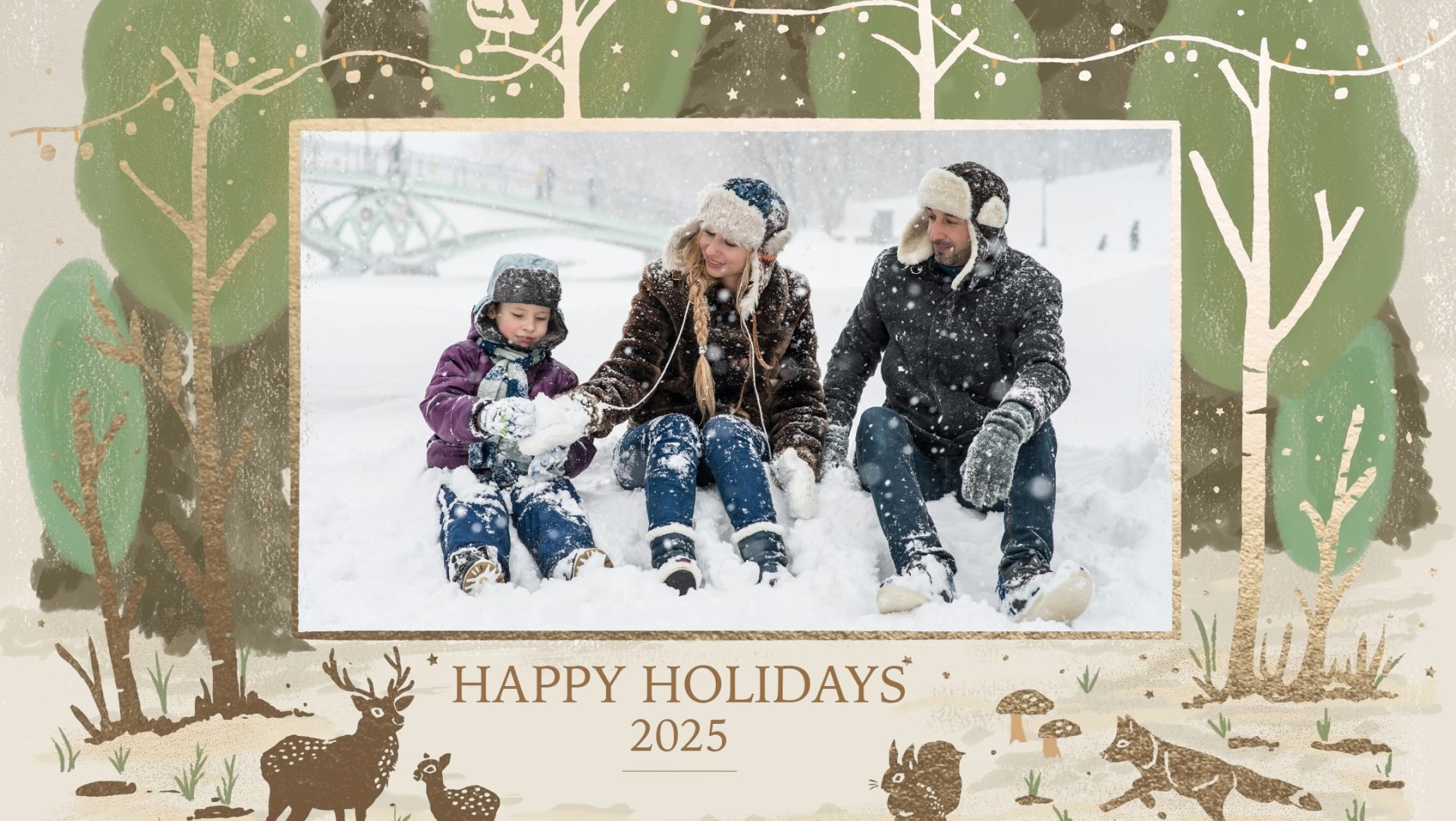
Holiday Card Templates
Create beautiful, professional holiday cards in minutes with easy-to-use Holiday Card Templates in ON1 Photo RAW. Simply drag and drop your favorite photos directly into festive, ready-made designs—no design skills required. With layouts built for speed and simplicity, you can quickly place images, try different photos instantly, and create polished, print-ready holiday cards without the hassle of complicated tools. It’s the fastest way to turn your images into standout seasonal cards for friends, family, or clients.
Learn how to quickly use the templates below ↓
Includes 3 Holiday Card Templates.
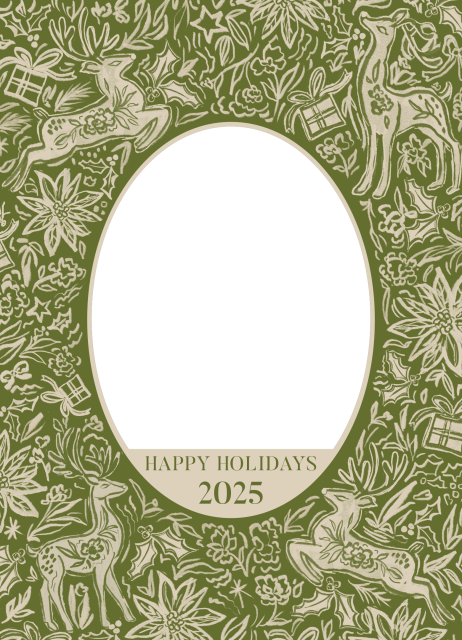
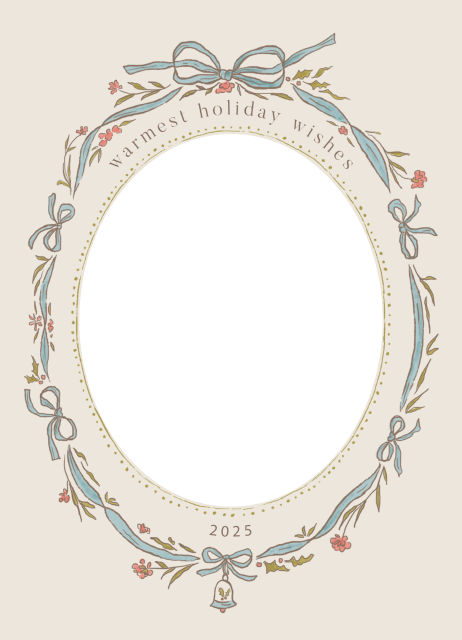
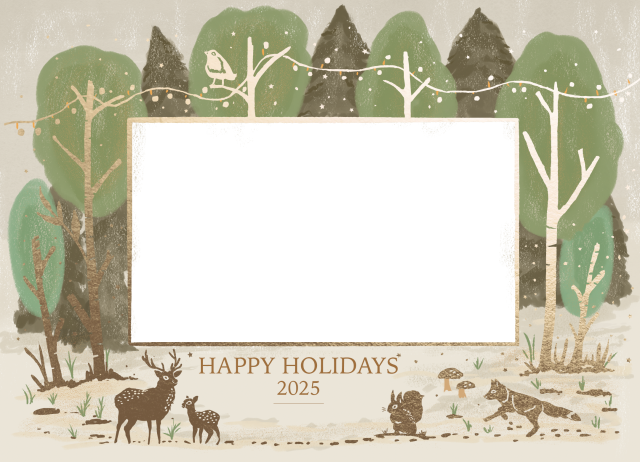
Type
23 Comments
Shane RobertsDecember 7, 2025
Hi Dylan,
Unfortunately, your “How to Install” button takes us to the how to use video!
Shane
Dylan KoteckiDecember 10, 2025
Hey Shane – Since they are PNG files that you are using in Layers, there is no installation required. Just bring them into Edit and then add a photo into Layers and you’re good to go!
Rick HeathDecember 7, 2025
Thank you Dylan! Merry Christmas!
Rick
alain lagnierDecember 7, 2025
Thank Dylan for these Christmas cards, and… Joyeux Noël !
Alain
Ton vanDecember 7, 2025
Dank je wel, Dylan!
Thanks, Dylan!
From the Netherlands
Merry Christmas
Benedict ZsupponDecember 7, 2025
Thank you! Happy Holidays!
Bruce WebbDecember 7, 2025
Happy Holidays is very US-centric. How about providing Merry Xmas or Happy Xmas templates for those who live elsewhere?
I guess there would be some US citizens would also appreciate these as well.
PaulDecember 7, 2025
My thoughts too.
Stéphane DeschampsDecember 7, 2025
I agree..thanks for the gesture, but how about cards without words so that we could use a “Text layer” since we might use language other than English 😉
IAN COCKERILLDecember 7, 2025
Thank you…… Merry Christmas everyone 🙂
Johannes PokornDecember 7, 2025
Merry Christmas – thanks!
Victor BoaseDecember 7, 2025
And what about the southern hemisphere? Snow in summer!?
alain lagnierDecember 8, 2025
Ah ah excellent, that’s a relevant point Victor…
But Dylan thought of our friends in the southern hemisphere
and in this case you have still ( but only) 2 choices !
Hans GDecember 8, 2025
Thank you, Dylan. Happy Christmas.
MarkDecember 8, 2025
I re-number the PNG files when I imported them since had already 3 files from last year in my “Boarder” folder with the same file name as this year’s down load and wanted to keep them organized.
Margo and Scott NoreenDecember 8, 2025
I always look forward to the holiday templates and a quick video on how to use them! What I’d also like is a quick guide/video on how to create a template. I’m just not sure what the best steps are to get the “right” size, how to create the place where the photo layer would come through, etc. Thanks!
Brigida TeetzDecember 8, 2025
Thank You!
Paul SprattDecember 8, 2025
Thanks to On1
mauro nepotiDecember 9, 2025
grazie e Buon Natale a tutti
Zdenek NovakDecember 10, 2025
Vielen Dank!
Armin HasenbankDecember 10, 2025
The How to Install button takes you to a video on how to use the templates, NOT how to install them.
Dylan KoteckiDecember 10, 2025
Hey everyone! Regarding “Installation” – since they are PNG files that you are using in Layers, there is no installation required. Just bring them into Edit and then add a photo into Layers and you’re good to go! The How To video will instruct you how to do this.
Cheers,
Dylan
John FejsaSeptember 1, 2026
Would it be possible for us to have a template for MERRY CHRISTMAS, another for HAPPY NEW YEAR, and another one for MERRY CHRISTMAS and A HAPPY NEW YEAR? We celebrate Christmas on 25th December in Australia, and the New Year on 1 January. It’s only a holiday because of Christmas and New Year. Thank you.
Please review our privacy policy for information about how we use the data we collect.