

 ON1 Photo Keyword AI
ON1 Photo Keyword AI
AI Photo Organizer & Sorting Software
Quickly find and organize your photos using the power of Artificial Intelligence.
$69.99$29.99

Discoverable Photos
Effortlessly Discover All of Your Photos
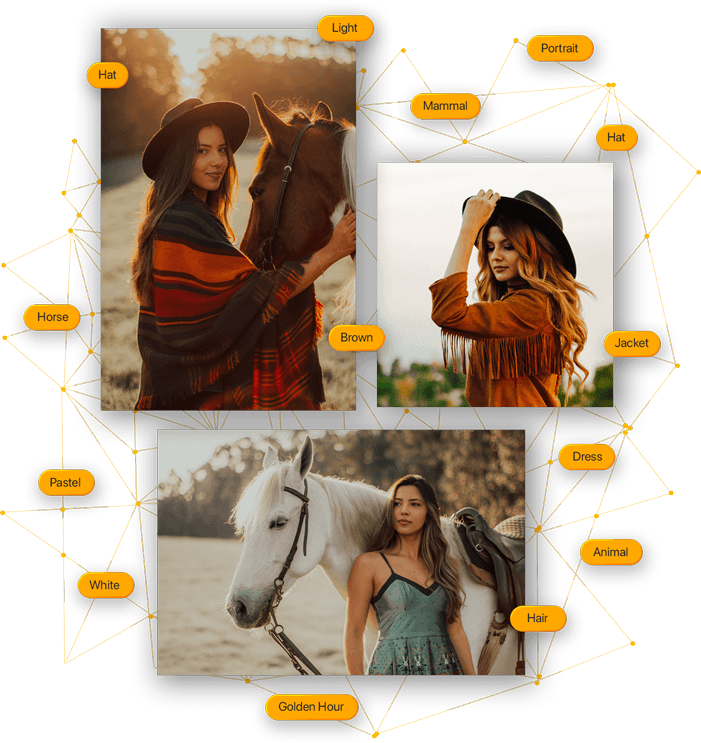
This simple-to-use AI photo organizer allows users to make their photos discoverable by intelligently finding and organizing them using the power of Artificial Intelligence.
Anyone can now search and view their photos with Photo Keyword AI based on photo content without having to do the work you would find in most other photo organizing software. This cutting-edge technology employs advanced machine learning algorithms to analyze your images and automatically assign appropriate keywords.
Search Everything
Quickly Find Your Photos
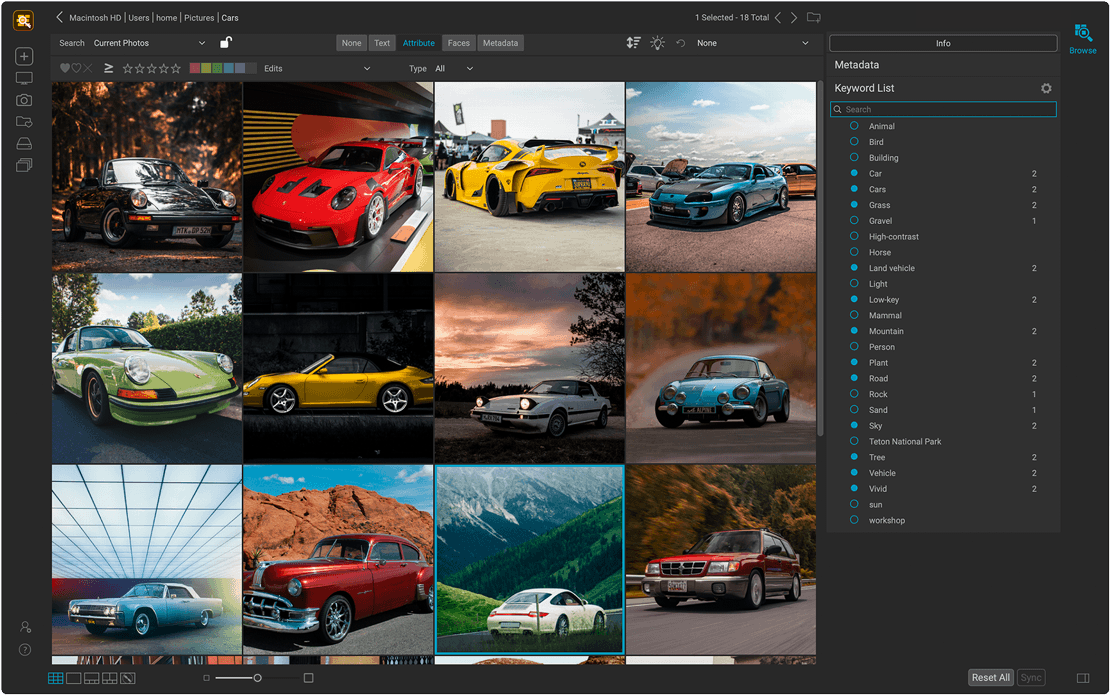
With the rapidly increasing use of AI in photography, it's critical to utilize this new technology to optimize your workflow. Our AI photo tagging software allows you to search your entire photo library with ease. You will soon discover your favorite photos, photos long forgotten, or manage new photos without the time-consuming organizing tasks. ON1 Photo Keyword AI also lets you search any metadata field simply by typing in a word or phrase. If you are looking for photos of birds, just type in bird.
Search by star and color rating
Search by number of faces as well as age and gender
Search by file type, camera settings, size, and more
Search by date, season, day of the week, or time of day
Metadata & Compatibility
Elevate Your Photo Management
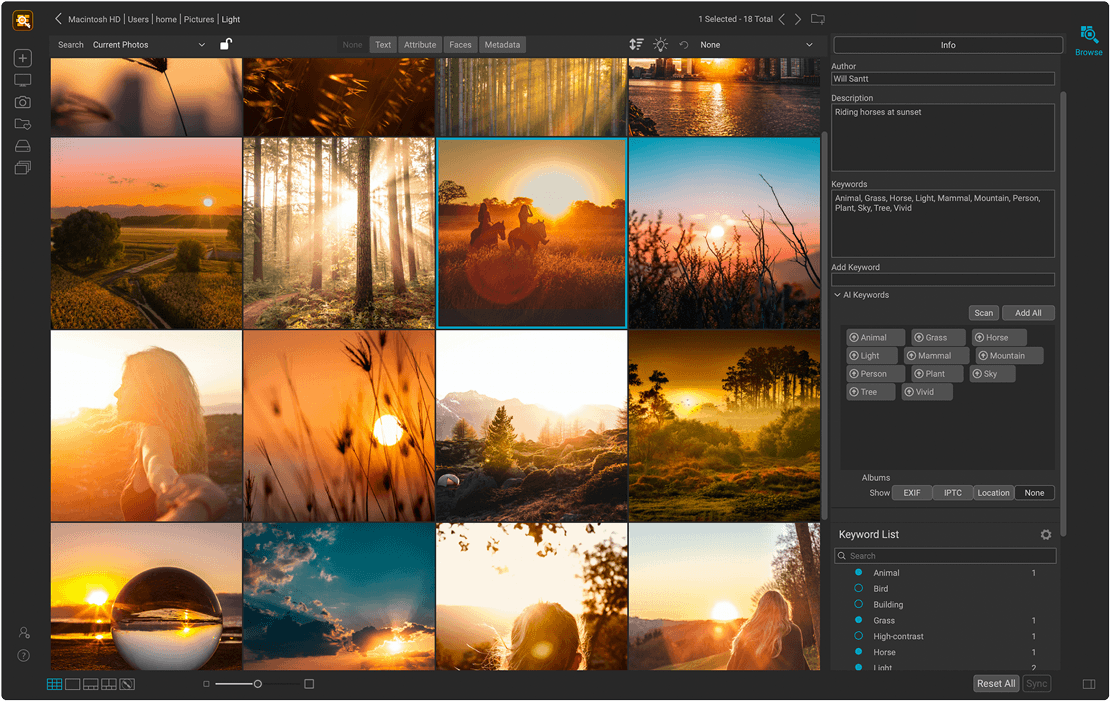
ON1 Photo Keyword AI embeds keywords and metadata automatically via XMP for compatibility with applications like Adobe Lightroom Classic or Capture One. Lightning-fast browser for fast photo viewing, organization, and culling. Full metadata support, including nested keywords, descriptions, and complete EXIF, IPTC, and XMP compatibility.
Import
Easily Load Your Photos
Our AI photo sorting software allows you to get the photos from your memory cards, cameras, or phones with a built-in import dialog.
Map View
Easily see where your photos were captured.
Compare Photos
Compare photos to choose the best shot.
Batch Renaming
Batch renaming for consistent file naming.
Compatibility
Broad File Support
File support includes raw photos from 800+ cameras spanning 20 years, as well as PSD, TIF, JPG, PNG, HEVC, and most video files.

Photo Keyword AI
See it in Action

Pricing
How Do You Want Photo Keyword AI?
Order a license for ON1 Photo Keyword AI 2023.5 today, or get all of the ON1 plugins in Photo RAW MAX.
ON1 Photo Keyword AI 2023.5
License to Own
A one-time purchase you own outright.
- Use as a standalone app on 2 computers
- Includes all the ON1 apps in a single editor
- Includes Future Upgrades
$69.99$29.99

Subscribe to Photo RAW MAX
Subscription
Every ON1 app in a single editor, always on the latest version.
- Use as a standalone app on 3 computers
- Use as a Plugin for Adobe
- Includes all the ON1 apps in a single editor
- Includes Future Upgrades
$89.99$89.99/year
30-Day Money-Back Guarantee
Frequently Asked Questions
ON1 Photo Keyword AI uses AI-based photo analysis to automatically identify and tag objects, scenes, and attributes in your photos. This helps users organize and search their images without manual keywording.
Yes, ON1 Photo Keyword AI has a free trial to let users experience the automatic tagging and organizational capabilities.
Yes, Photo Keyword AI embeds keywords and metadata automatically via XMP for compatibility with applications like Adobe Lightroom Classic or Capture One.
Before You Install
System Requirements
What it takes to run ON1 Photo Keyword AI 2023.5 as a standalone app or as a plugin.
Minimum |
Recommended |
|
|---|---|---|
| Operating System |
(Current maintenance releases, 64 bit only) |
(Current maintenance releases, 64 bit only) |
| Processor |
|
|
| RAM |
8 GB |
16+ GB |
| Hard Drive |
2 GB for installation |
|
| Graphics |
macOS:
Windows:
|
macOS:
Windows:
|
| Internet |
A high-speed internet connection and active account for activation, auto-update checking, content downloads, and tutorials. |
|
| Supported Options |
|
|
| Supported Languages |
English, German, Spanish, French, Japanese, Korean, Simplified Chinese, Russian, Portuguese, Italian, Dutch |
|
The ON1 Guarantee
Your Trust is Our Foundation
Every purchase is protected. Every photo is yours. No games, no surprises.


Keyword and Organize Your Photos Automatically with Photo Keyword AI
Find any photo in your library fast. Looking for more? See all of ON1's AI photo editing tools.
- 30-Day Money-Back Guarantee
- No Subscription Required
- Mac & Windows