

Big Bend Landscapes and How I Edited Them in ON1 Photo RAW
- 7,964 Views
 Posted by Dan Harlacher
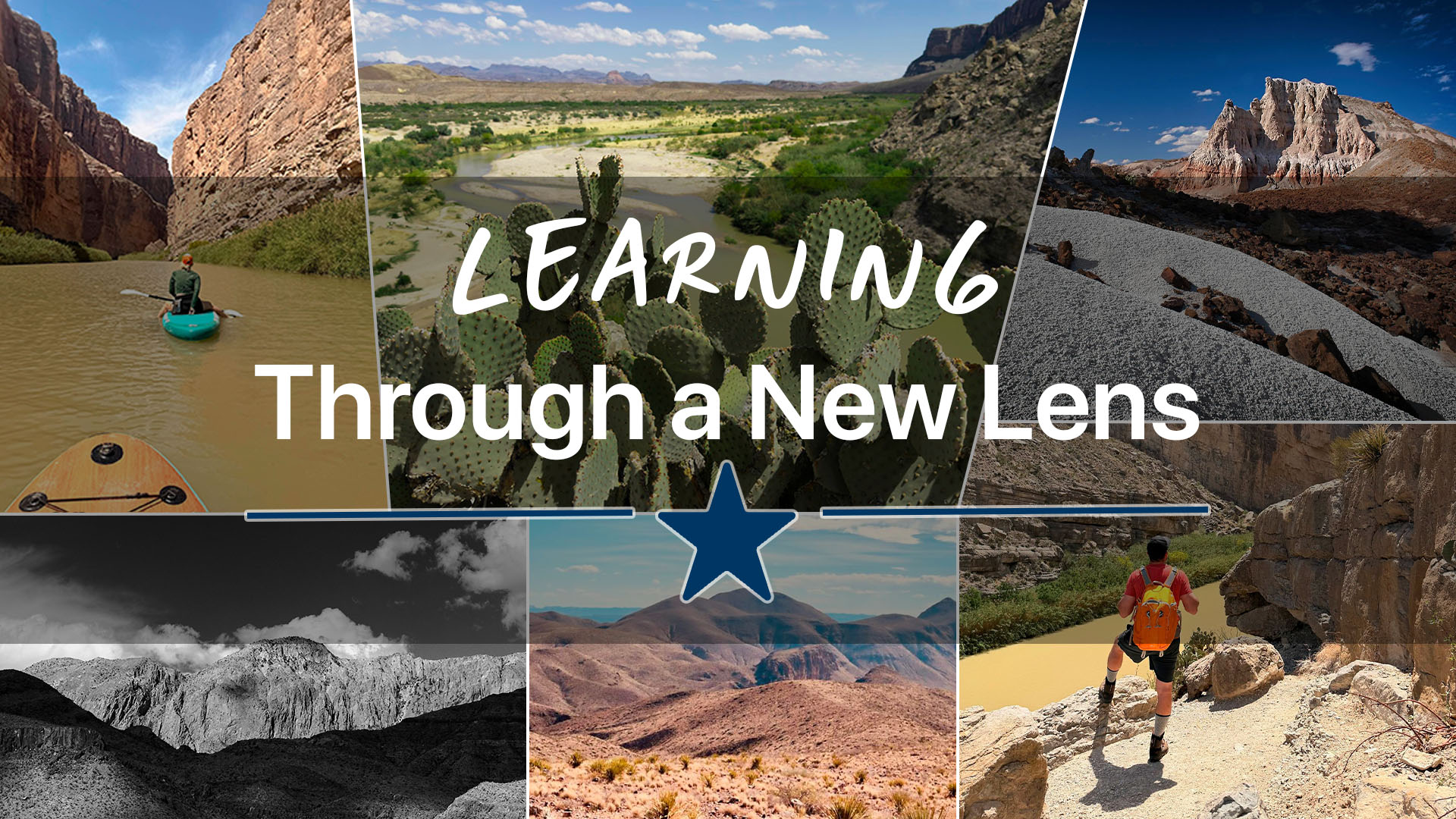
I moved from Oregon to Texas this past year, which meant trading waterfalls and the Pacific coastline for desert, canyon, and sky. My first real photography trip here took me to Big Bend National Park for hiking, paddle boarding, and shooting images with a brand-new camera system I’m still getting to know. I came home with images I’m proud of and some of my favorite edits I’ve done in ON1 Photo RAW in a long time. Below is a look at each location, the shots, and the editing decisions behind them.
Even though I now live in the piney woods of East Texas, I decided my first real photography trip here needed to be to West Texas and Big Bend National Park. While it wasn’t strictly a photography trip, I wanted to spend just as much time hiking and paddle boarding, yet still came home with a collection of images I wanted to share with you.
Santa Elena Canyon: iPhone Portrait Mode + ON1 Color Editor
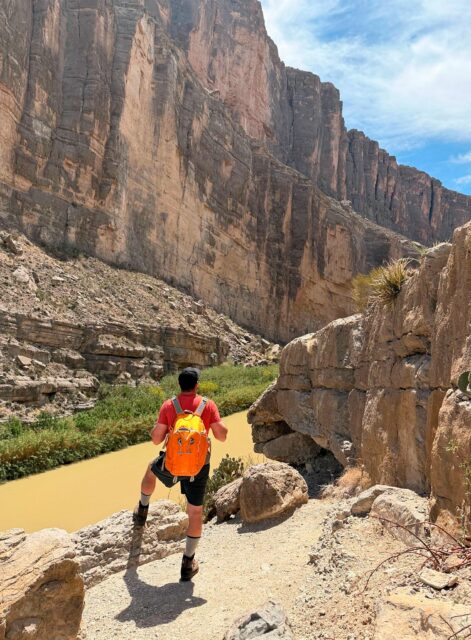
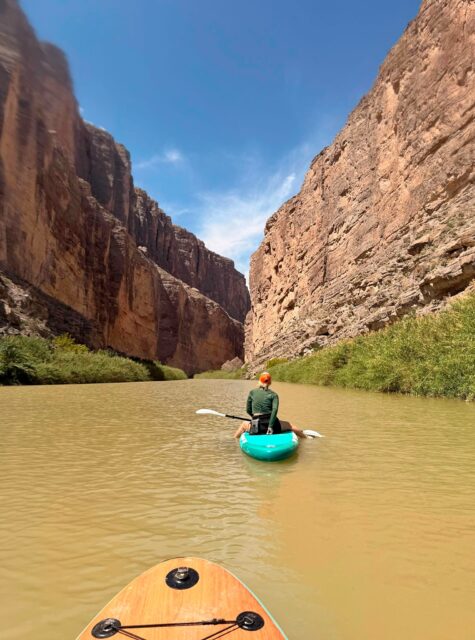
If you’ve never hiked Santa Elena Canyon, put it on your list. The Rio Grande cuts through canyon walls that rise nearly 1,500 feet above the river. You can hike a short distance in on foot or paddle much farther upstream.
The first image from this location was shot on my iPhone 17 Pro Max. I find myself reaching for my phone more often now, and this was a good example of why. I used Portrait mode to keep a prickly pear cactus sharp in the foreground while softly blurring the Rio Grande behind it.
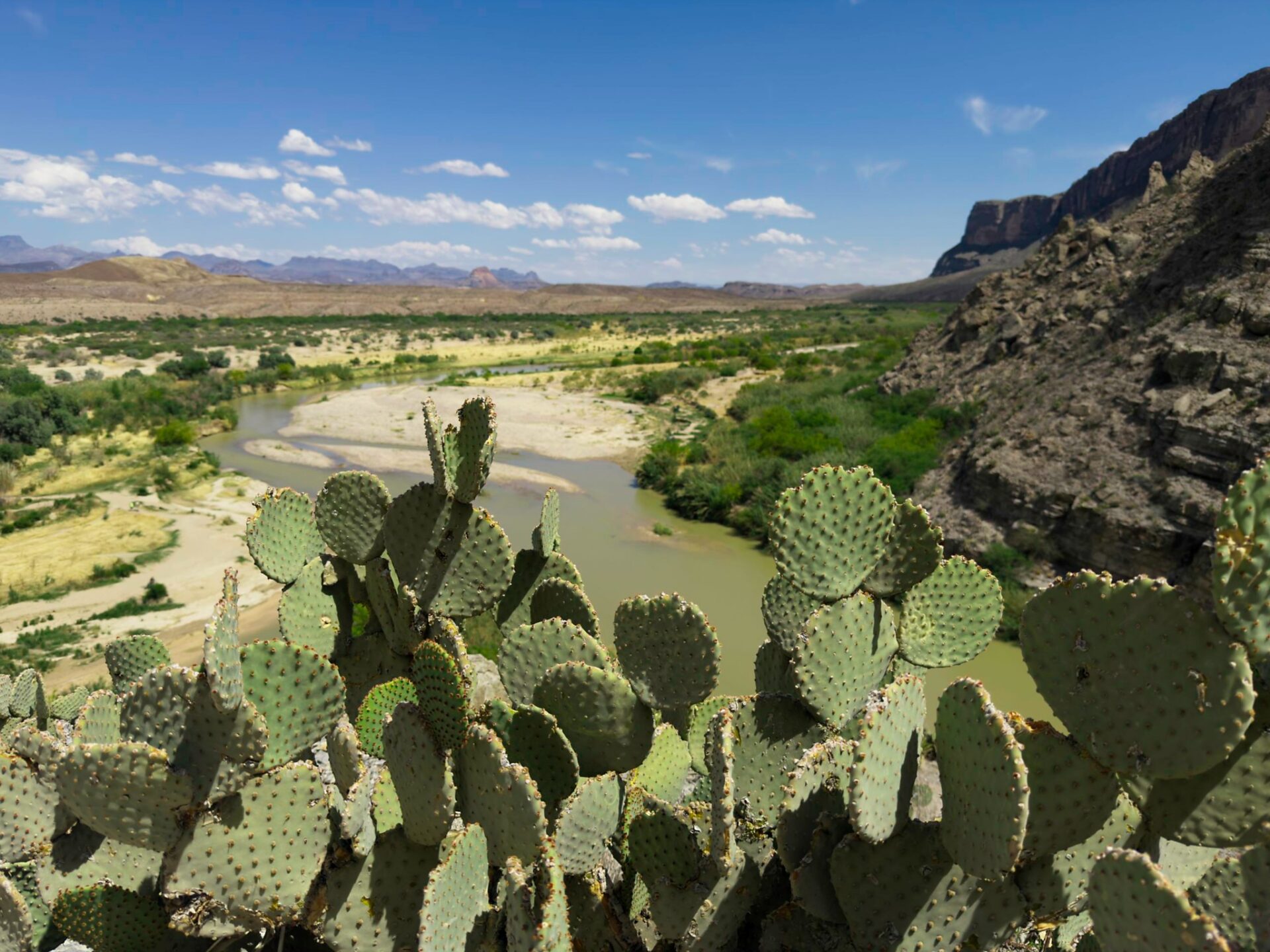
The Edit
The edit in ON1 Photo RAW was minimal. I made modest tone and color adjustments in Develop, then added two Color Editor filters in Effects: one to enhance the green tones in the cactus, and another to deepen the blue in the sky. That was the whole edit.
A few additional frames from the canyon are included below. They may be more fun than photographically significant, but they capture what it feels like to be there.
Tuff Canyon: Super Select AI + Dynamic Contrast
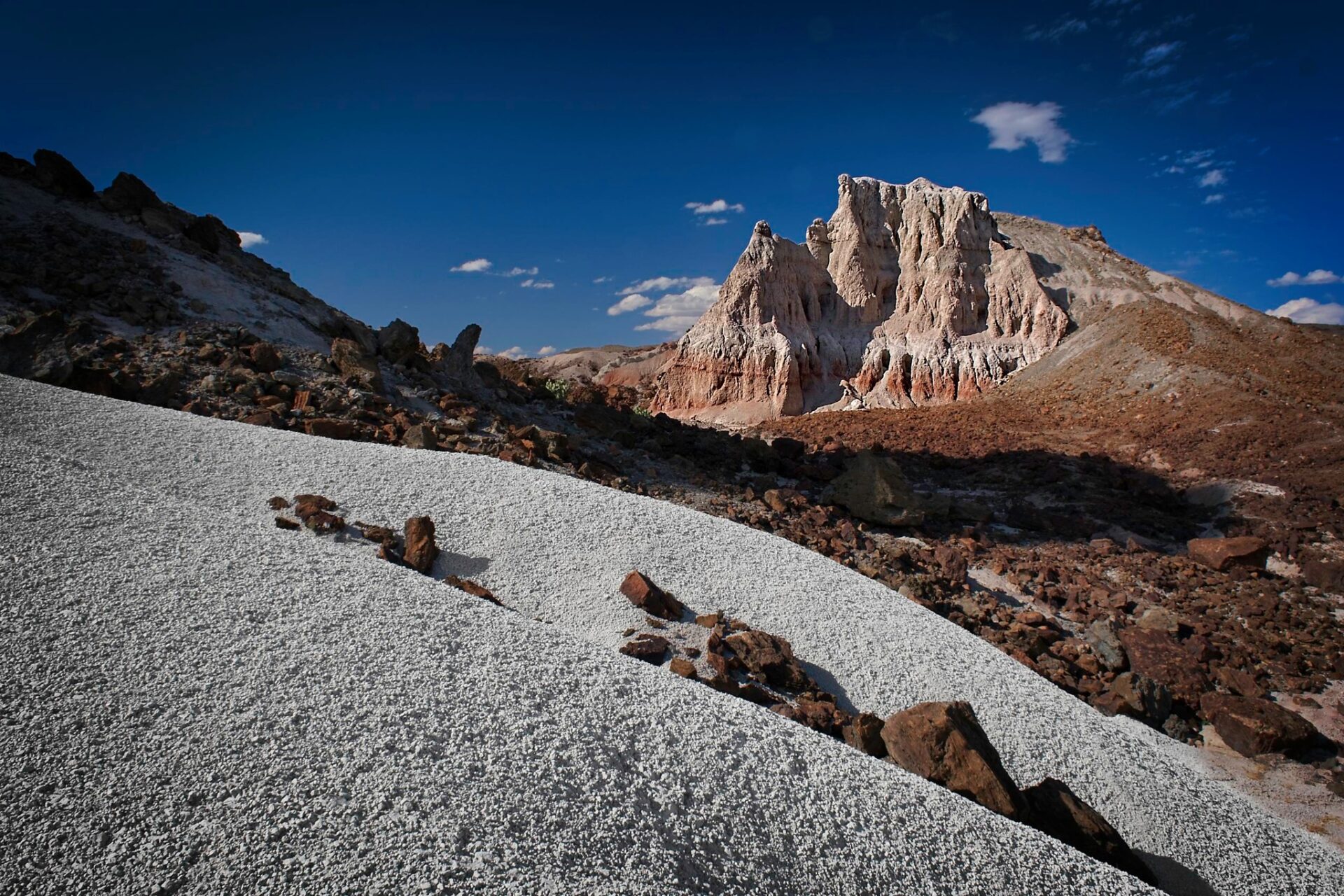
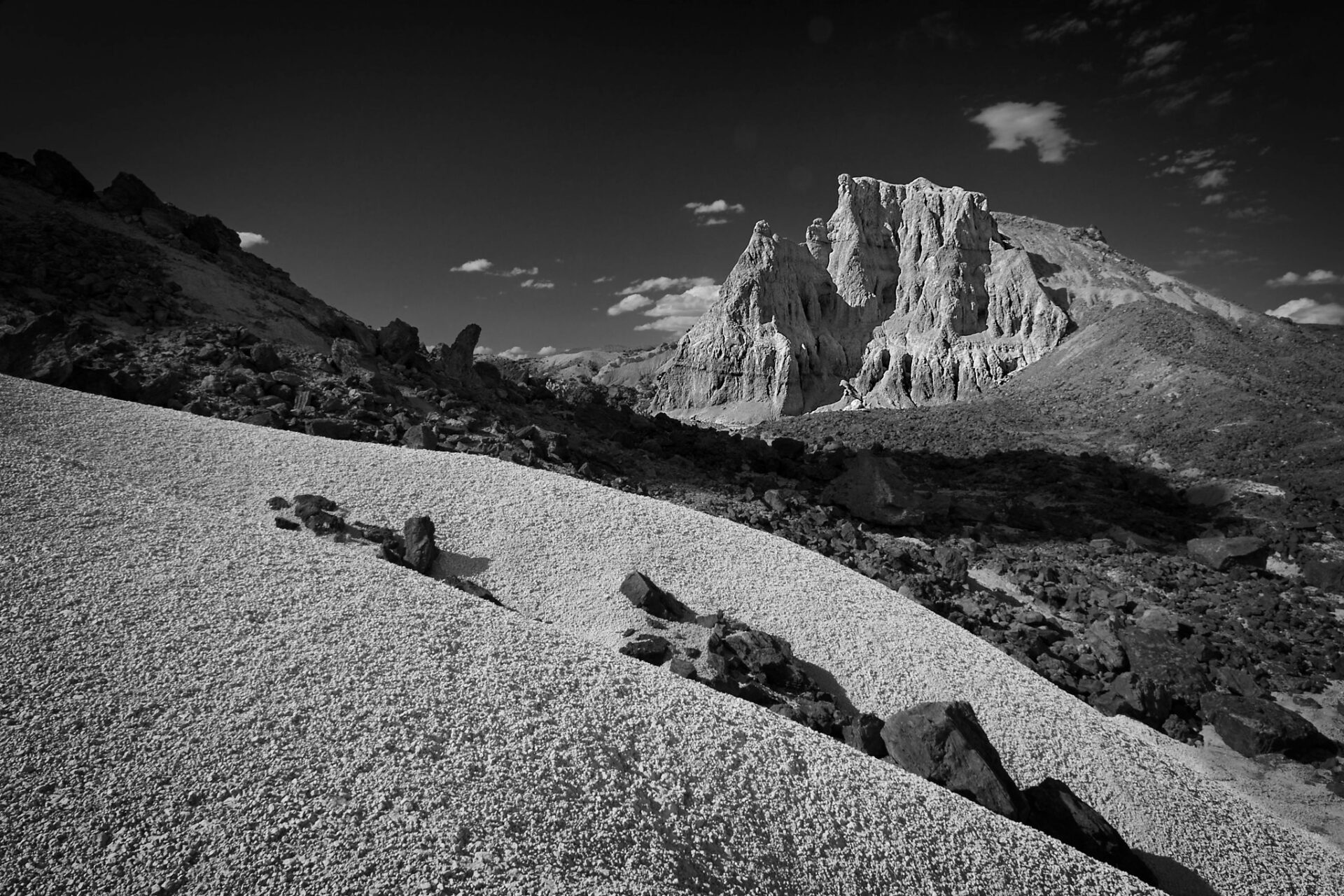
On the drive back from Santa Elena, I stopped near Tuff Canyon along the Ross Maxwell Scenic Drive. Bright white rock formations rise out of deep red earth against a Texas blue sky. The contrast between red, white, and blue made this the strongest photograph of the trip.
This was shot on my Fujifilm X-E5 with a polarizer. After shooting Canon for nearly forty years, I made the jump to Fuji for this trip. We’re still getting acquainted, but I’m enjoying the process.
The Edit
I started with lens corrections and basic tone and color adjustments in Develop. From there, I used a local adjustment with Super Select AI to brighten and whiten the foreground rocks. I then applied Dynamic Contrast, also selectively with Super Select AI, to pull out detail in the distant mountain range. A subtle vignette finished it off.
I keep going back and forth between the color and black-and-white versions. What do you think?
Sotol Vista: Black-and-White Conversion + Curves for Depth
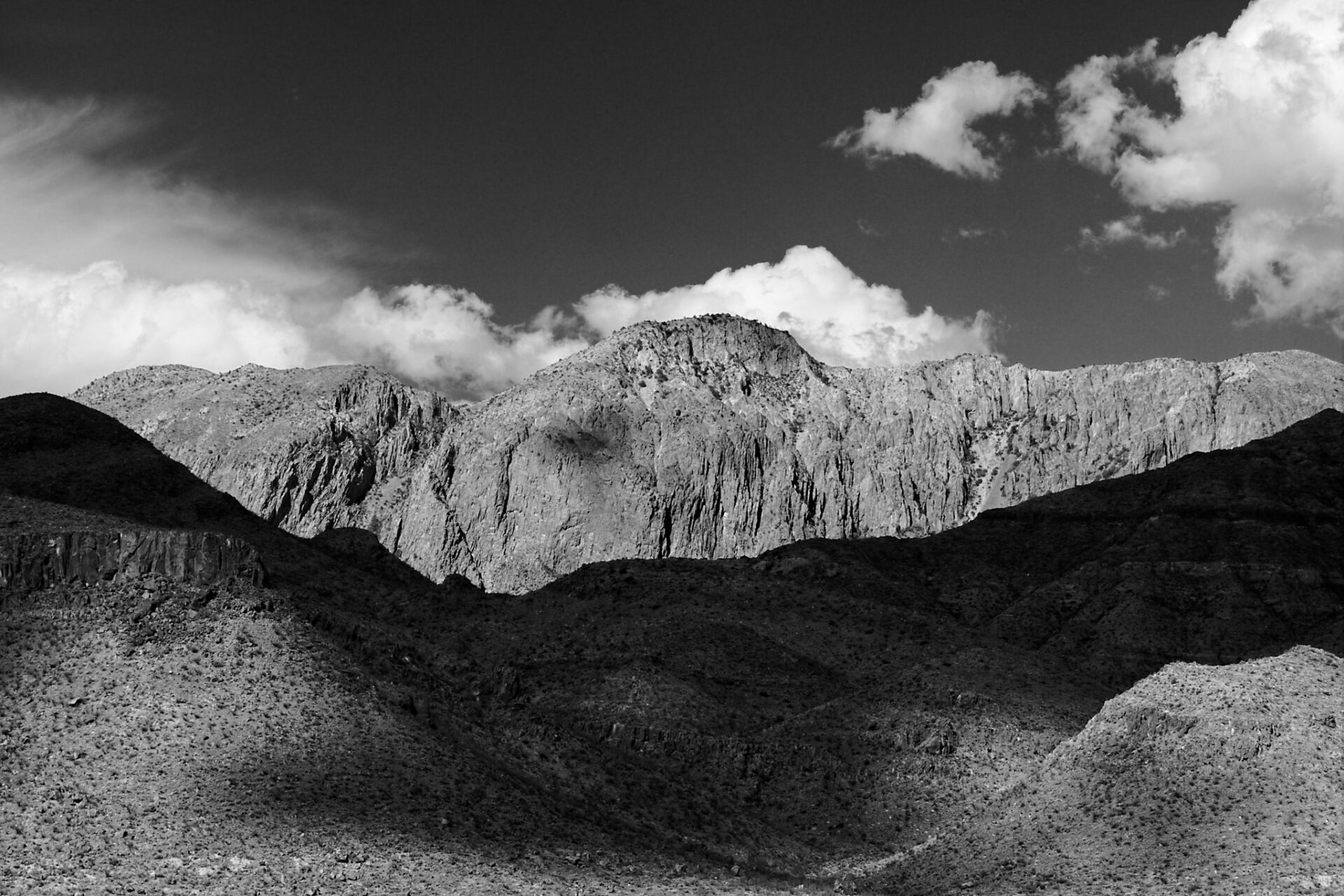
Late that afternoon I went scouting for a sunset location and was pointed toward Sotol Vista. When I arrived, clouds were casting dramatic shadows across the desert. I used a longer lens to isolate a nearby butte, and I knew before I even started editing that this one wanted to be black and white.
The Edit
After basic tonal adjustments in Develop, I added the Black & White filter in Effects and pulled down the blue and cyan sliders to darken the sky. I applied Dynamic Contrast to add texture, then finished with a Curves filter to build local contrast in the rocks.
Black-and-white tip worth keeping:
Curves are one of the most effective tools for creating depth and texture in a monochrome image. Use the dropper to sample a light and a dark area in the scene, then gently raise the highlights and deepen the shadows. The result is a print-like quality that flat conversions don’t achieve.
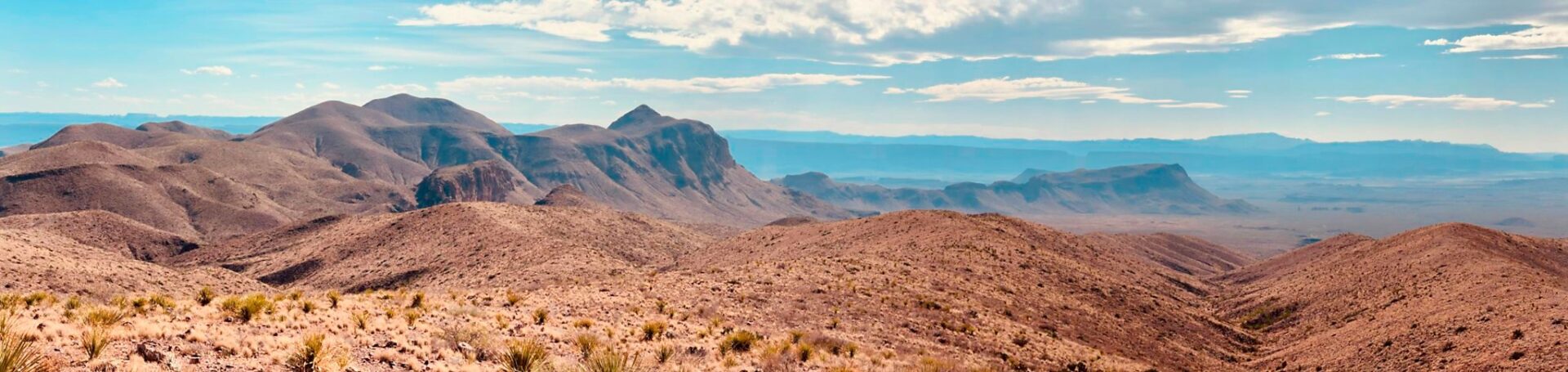
I also included an iPhone panorama from the same overlook. The sunset never fully ignited that evening, but watching the light move across the desert was worth every minute of standing there.
Final Thoughts
A few days in Big Bend isn’t enough time to understand a place like this. Landscapes reveal themselves slowly — across seasons, weather, and light. I already know I’ll be back.
What struck me most wasn’t the scale of the landscape. It was the silence, the openness, and the awareness that wilderness like this still exists.
There are more than 60 national parks across 30 states. Every one of them is an opportunity to step away from the noise, reconnect with what drew you to photography in the first place, and come home with images that mean something.
Get outside this summer. Explore somewhere new. Make photographs that remind you why you started.
*All edits in this post were made in ON1 Photo RAW. If you want to go deeper on any of the tools mentioned, the ON1 Video Library has tutorials on Color Editor, Super Select AI, Dynamic Contrast, and more. Or try ON1 Photo RAW free for 30 days and follow along yourself.*

17 Comments
Karen HarrisJune 8, 2026
Thank you for sharing these beautiful photos and tips
CeciliaJune 8, 2026
Beautifully rendered images. I’m working on improving my BW conversions as well. I shoot with a Fuji X-T5 and love the system. I converted from Canon about 7 years ago and have never regretted the move. My no longer aching shoulders and back agree!
Richard WiseJune 8, 2026
I never knew that there was an eyedropper for setting the highlights, mid-tones and shadows on the curves filter. Thanks for any interesting article and great tips.
Jan MasařJune 8, 2026
Hello. Thank you very much for the excellent display of your photos from traveling around Texas? I learned something new again, ok.
Retha MoulderJune 8, 2026
I have a daughter living in Oregon, the land of the green, and I can imagine how super it was to try out On1 photo as you came across Texas, my current home state. Texas is awesome for if you don’t like the scenery , you have hundreds of of other things to photograph, especially the stars at night and the Milky Way. On1 raw is quickly becoming my goto software . Thanks for the wonderful edits as guidance.
Dudley HawthorneJune 8, 2026
Dan
Howdy, and welcome to Texas.
Since you are up in East Texas, you need to add Undertain, Texas (Caddo Lake) to your must-see list. I would recommend November to catch the fall colors. If you have never photographed the swamps, you are in for a real treat
Dudley HawthorneJune 8, 2026
Sorry, noticed I misspelled the town; it should be UNCERTAIN.
I will blame fat fingers. 🙂
Dan HarlacherJune 11, 2026
Thanks! I can’t wait to get out to Caddo Lake this fall. Also the old ammunition factory that’s near there.
Mark LaurendetJune 8, 2026
Thanks for sharing your photos, I like the B & W, used to process my own 40 years ago.
Did not know about the eyedropper in curves, perhaps ask Dylan to do a tutorial on using it in B & W, would be very usefull.
There are so many option in ON1, wonder how many others we do not know about 🙂
Adam RubinsteinJune 8, 2026
Congratulations Dan on the move and hope it is the start of new opportunities. I frequently make use of the eye-dropper technique to identify specific areas. For those who are reading it also works in the individual RGB channels if you need to make target adjustments when working with specific color casts. Personally, I prefer the color version of your Tuff’s canyon image. For me, when color complements the scene then I prefer to keep them in color rather than taking them into B&W. The general questions I ask are, 1) does the color help to convey the emotion, 2) does the color help to define or provide depth and separation to the elements (warm colors advance and cool colors recede), 3) do the colors act complimentary (as in the color wheel). The warmth in the mountain range separates it and makes it appear larger against the blue sky. I’ll bet if you play with separating and augmenting those browns/oranges, etc. you could really make the image pop.
Usually, I shoot B&W intentionally when the setting calls for it with textures, forms, and emotion or if the color images fail the questions listed above. Admittedly, I’m a big fan of Blake Rudis (of former On1 fame) and subscribe to his color theory/courses over at F64. Additionally, there was a recent published article on color theory which everyone should read (it’s technical, but hey I’m a scientist) which seems to reconcile some of the missing pieces in Schroedinger’s color theory (HSL) https://onlinelibrary.wiley.com/doi/10.1111/cgf.70136. It’s fascinating and essentially demonstrates that the system is not a linear vector space.
HENRY FRACZEKJune 8, 2026
Thanks for sharing and input. There are always new avenues to find in photography. We need to take the time and patience to find them. These are wonderful photos and suggestions.
John DeJune 8, 2026
Hey Dan great stuff. Tuff Canyon is absolutely black and white; I love it.
John South Australia
Neil LongmuirJune 9, 2026
What a wonderful place to take images Dan. The black and white images are stunning.
Neil Winnipeg, Manitoba
James LassoieJune 10, 2026
Spent a month exploring Big Bend NP and BB State Park this past January and am praying the price working through 1000s of images. Put the state park on your list–a lot wilder and remote than the NP requiring a 4×4 high- clearance vehicle to see much of it.
Dan HarlacherJune 11, 2026
I really want to go back and see Big Bend Ranch too. I heard there are a lot of great waterfalls there.
Richard NaylorJune 11, 2026
Yes. I agree the black and white version of that photo is my preferred. Thanks for sharing all that!
Jennifer LovedayJune 12, 2026
it may not be relevant to the above. I am a new user and the tutorials seem to be very helpful however, Please advise the tutorials I can go to to learn about inserting text into images.
Jenny
Please review our privacy policy for information about how we use the data we collect.