

 ON1 Photo RAW
ON1 Photo RAW MAX 2027

Best Lightroom Alternatives in 2026
And why ON1 Photo RAW MAX stands out — a fast, all-in-one editor and organizer with no subscription required.
Why Switch
Looking for the best Lightroom alternative in 2026?
If you're frustrated with Adobe's subscription model or feel like Lightroom and Photoshop are too fragmented, you're not alone. Many photographers are switching to all-in-one alternatives — and ON1 Photo RAW MAX 2027 continues to rise to the top.
ON1 Photo RAW MAX 2027
Complete photo editor with built-in AI tools, non-destructive layers, and no subscription.
Capture One Pro
Best known for tethered shooting and elite color grading.
Luminar Neo
AI-driven, beginner-friendly interface with one-click tools.
DxO PhotoLab
Exceptional RAW processing and optical corrections.
Compare ON1 to Adobe directly in our ON1 vs. Lightroom comparison
The Case for ON1
Why ON1 Photo RAW MAX is the best Lightroom alternative
One-Time Purchase
When you decide to purchase ON1 Photo RAW MAX 2027, you have the option to buy a perpetual license. That means the day you purchase ON1, you own it outright. No subscription.
Weighing other options too? See our guide to the best photo editing software without a subscription.
Lightroom Migration Assistant
Easily transfer catalogs, folders, metadata, and edits using our Lightroom Migration Guide.
Advanced AI Editing Tools
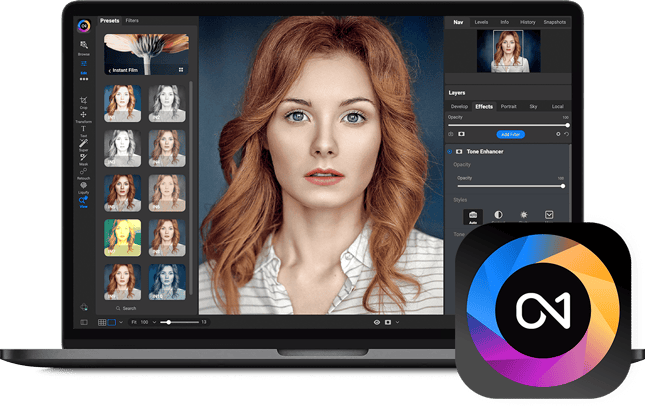
AI-powered noise reduction, upscaling, masking, sky replacement, and keywording, along with hundreds of customizable photo effects, HDR, panos, layers, and much more — in one application. No more bouncing between multiple pieces of software.
Full Layer Support
Create composites with non-destructive layers — something Lightroom simply can't do natively. Layers are built into the heart of the non-destructive workflow, so your creativity never has to leave the application.
Built-in Effects & Presets
Hundreds of fast, non-destructive, stackable, re-editable photo effects. Popular ones include Dynamic Contrast, HDR Look, B&W, Lens Blur, Glows, Color Enhancer, Tone Enhancer, Textures, Borders, Film Looks, and Split Tone.
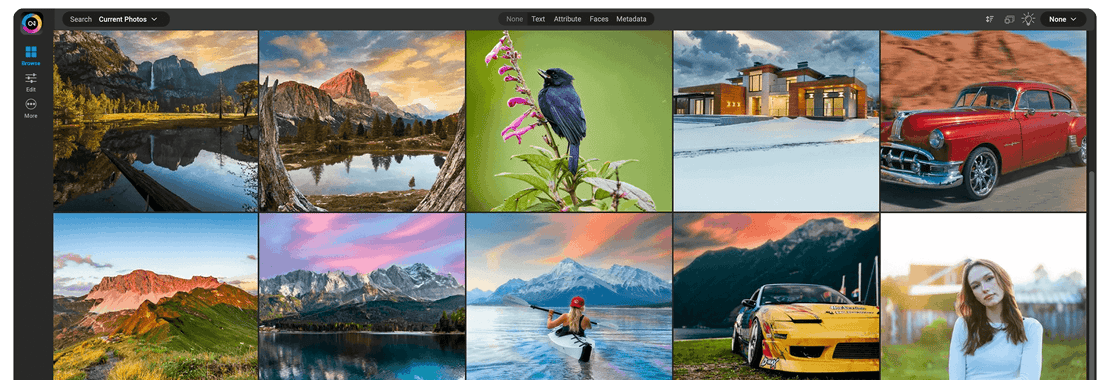
Fast, Folder-Based DAM
Browse and organize your files without being forced into a catalog system.
HDR, Panorama & Focus Stacking
No plugins required — these are built right in. Merge a bracket into an HDR in a fraction of the time of other HDR apps, blend multiple focus distances for more depth of field, and stitch panoramas with ease.
Community-Led Development
We listen to our users and continuously improve ON1 Photo RAW MAX based on your feedback, with frequent updates and tools driven by real photographer requests.
Head to Head
ON1 Photo RAW MAX vs Lightroom vs Capture One
| Feature | ON1 Photo RAW MAX | Adobe Lightroom | Capture One Pro |
|---|---|---|---|
| Pricing Model | One-time license or subscribe | Subscription only | Subscription or license |
| AI Editing Tools | Super Select AI, AI Retouching | Basic presets | Portrait AI only |
| Layer Support | Full, non-destructive | Not available | Limited via workaround |
| HDR / Panorama / Stacking | Included | Limited / plugin required | Available via add-ons |
| Photo Organization (DAM) | Folder-based, fast | Catalog-based | Catalog-based |
| Migration from Lightroom | Yes, built-in tool | N/A | Manual only |
| Photoshop Required? | No | Yes, for advanced edits | No |
Want the full breakdown? See the complete ON1 Photo RAW vs. Lightroom comparison, including 5-year cost and catalog migration.
Getting Started
Switching from Lightroom? Here's how.
You can switch to ON1 Photo RAW MAX without starting from scratch. ON1's Migration Assistant brings over your keywords, ratings, edits, and collections in a few steps. See the full migration walkthrough.
Who It's For
Who is ON1 Photo RAW MAX best for?
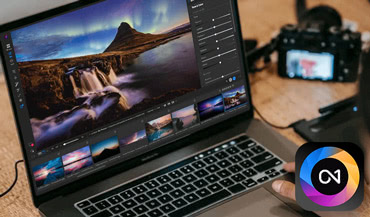
Photographers who want pro features without a subscription
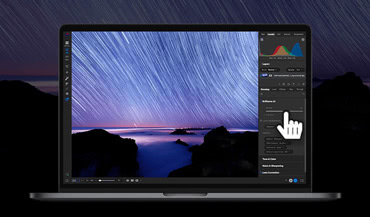
Creative professionals seeking non-destructive layer editing

Lightroom users looking for a smarter, faster DAM system

Anyone tired of using multiple Adobe apps for one workflow
Also read: Which ON1 Product Is Right for You?
Frequently Asked Questions
For most photographers, ON1 Photo RAW MAX covers what Lightroom does and adds layers, AI tools, and effects with no subscription. Lightroom is still the better pick if you depend on Adobe's cloud sync or already pay for Creative Cloud. See the full ON1 Photo RAW vs. Lightroom comparison.
Popular alternatives to Lightroom in 2026 include ON1 Photo RAW MAX, Capture One Pro, Luminar Neo, and DxO PhotoLab. Each has unique strengths, so it's worth trying a few to see which fits your workflow best.
Yes. ON1's Migration Assistant brings over your keywords, ratings, edits, and collections — see the full migration walkthrough.
No. ON1 Photo RAW MAX is available as a one-time purchase. There are also optional subscription plans for added cloud storage and extras, but they're not required.
Try ON1 Photo RAW MAX today
Join thousands of photographers making the switch from Adobe.
- Own it outright
- Built-in AI tools
- Non-destructive workflow
- No subscription required