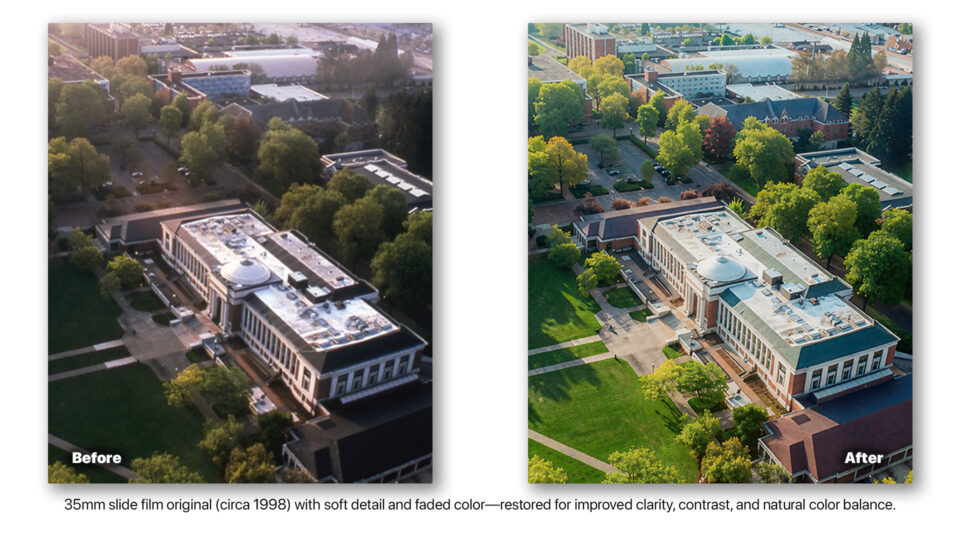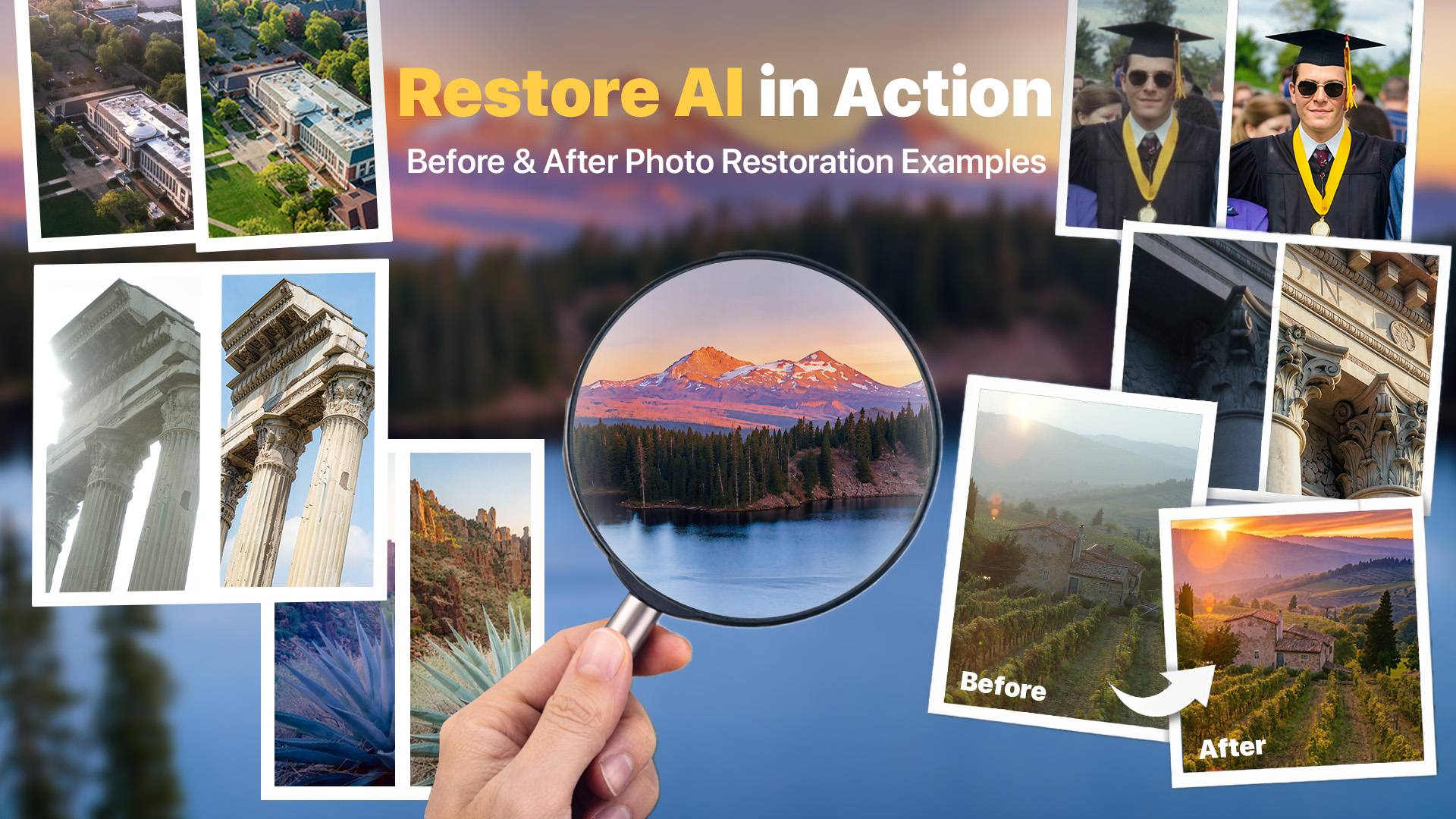
By now, you’ve probably heard about Restore AI. If not, it’s an upcoming feature inside ON1 Photo RAW MAX designed to breathe new life into your photos—both old and new.
Restore AI goes far beyond basic cleanup. It uses advanced AI photo restoration to remove dust, scratches, and wrinkles, correct faded color and tone, sharpen blurry images, and even enhance detail or colorize black-and-white photos. In many cases, what once required hours of careful retouching can now be accomplished in seconds. That’s the kind of innovation we believe in—practical, reliable, and built for real photographers.
It’s Not Just About Old Photos
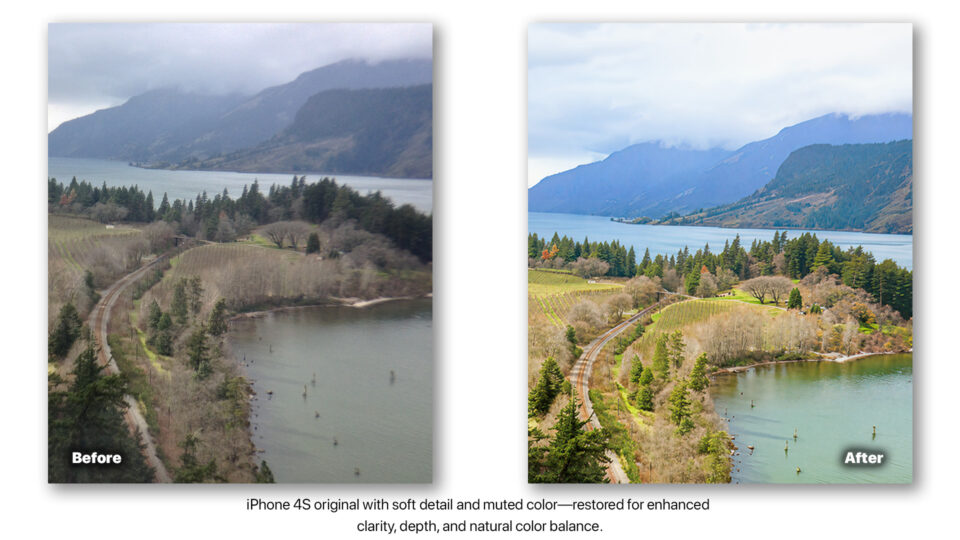
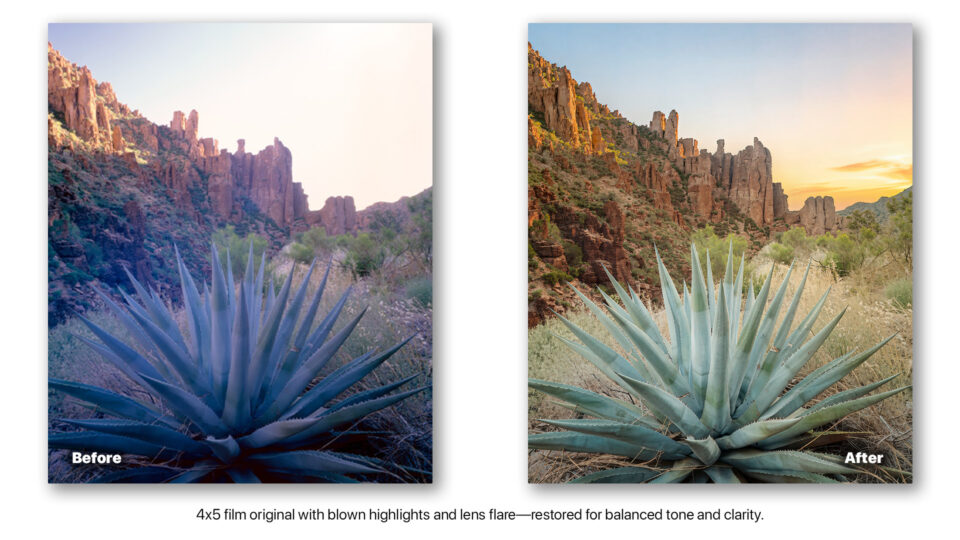
Most of the examples you’ve seen so far focus on very old family photos—images that are 50 to 100 years old. And while Restore AI excels at restoring those, another big opportunity lies in the photos you’ve captured over the last 20 to 30 years. Over the past two or three decades, we’ve all created thousands of digital images—on early DSLRs, smartphones, and compact cameras. At the time, they captured meaningful moments. Today, many of those same images feel soft, noisy, or lacking the detail we’ve come to expect.
Restore AI gives those images a second life—bringing modern quality to moments that still matter.
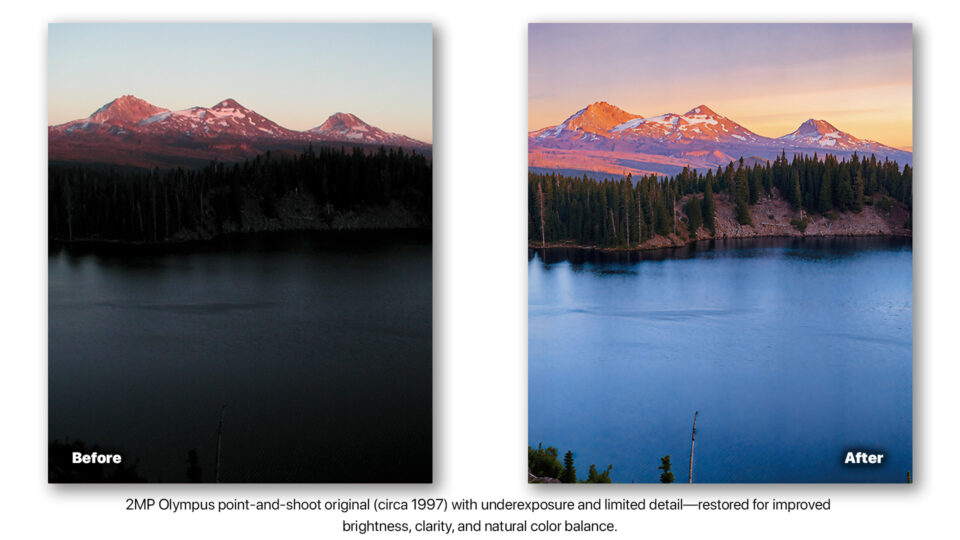
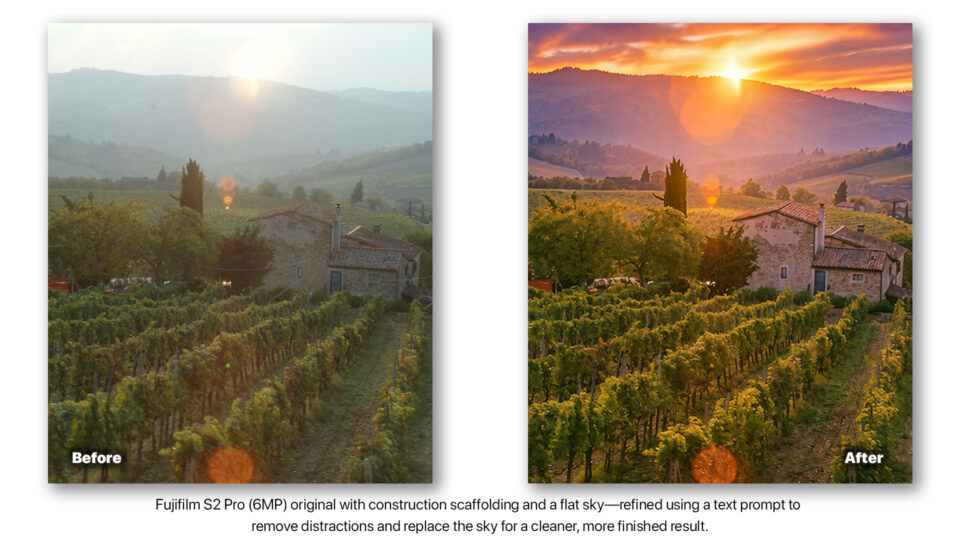
Fix the Photos You Thought You’d Never Use Again
This is where Restore AI becomes more than a feature, it becomes useful. Photos that once felt outdated or unusable can now become images worth sharing, printing, and preserving. Restore AI recovers detail, clarity, and color in a way that feels natural without over processing.
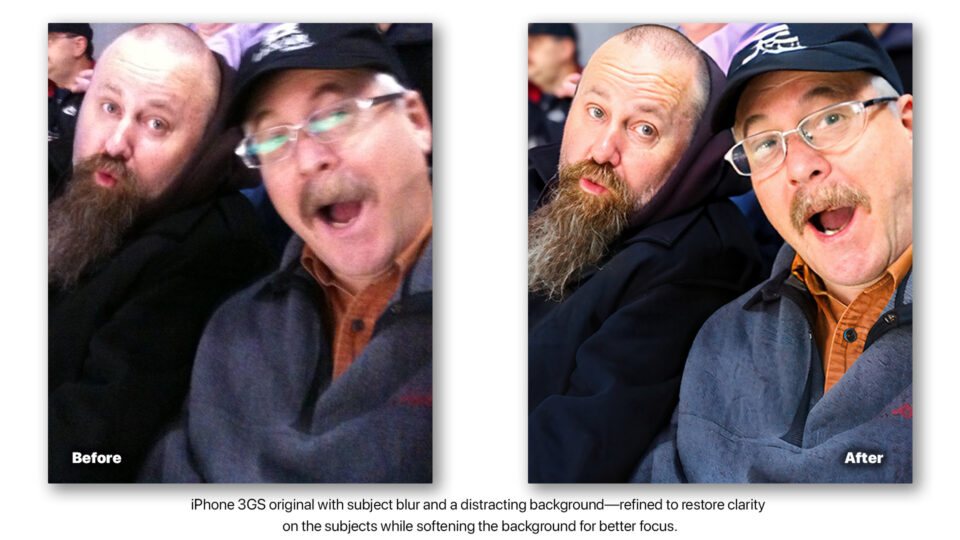
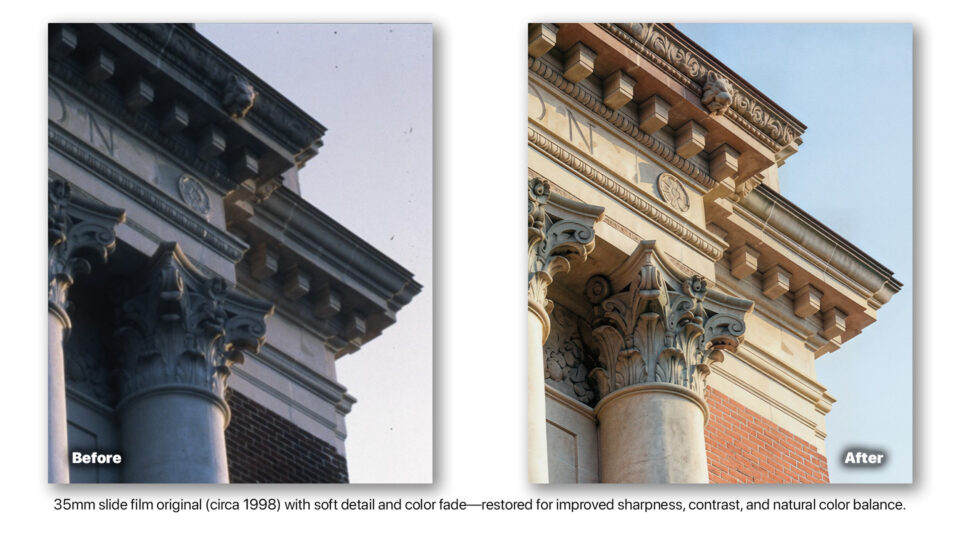
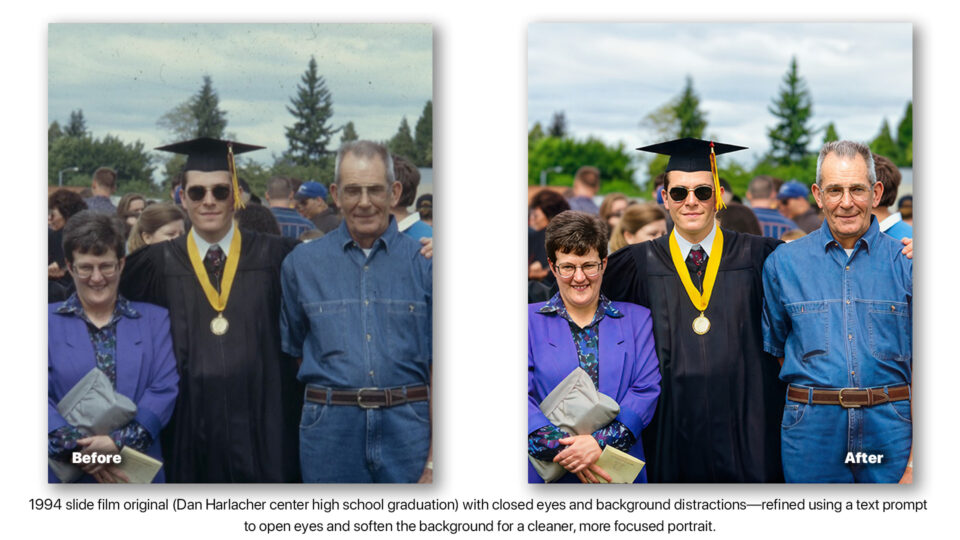
One Tool. Your Entire Photo Library.
Restore AI is built directly into ON1 Photo RAW MAX, part of a complete workflow designed for photographers. No jumping between apps. No reliance on plugins. Just one place to restore, enhance, and finish your photos. It’s designed to simplify your workflow and not add to it. From century-old prints to early digital captures, Restore AI helps you reclaim your entire photo library with confidence.
Don’t Let Your Best Photos Stay Stuck in the Past
Some of your most meaningful photos aren’t your sharpest ones, they’re the ones you took before the tools caught up to the moment. Restore AI will help bring those photos forward, so they can finally match how you remember them. If you’re ready to bring the older photos in your library up to today’s standards, now is the time to upgrade to ON1 Photo RAW MAX and experience Restore AI.
Availability
ON1 Restore AI will be available soon (this month) as a new module exclusively inside ON1 Photo RAW 2026 MAX. Existing ON1 Photo RAW 2026 (and earlier versions) owners can upgrade to Photo RAW MAX to access Restore AI, while current Photo RAW 2026 MAX owners will receive Restore AI as part of a free update in April.
Perpetual license owners of ON1 Photo RAW 2026 MAX will receive unlimited restorations for one full year using cloud-powered AI. Upgrading to future major versions renews that one-year access, ensuring continued restoration capabilities over time. Subscribers to ON1 Photo RAW MAX or ON1 Photo Studio receive unlimited restorations for as long as their subscription remains active.