

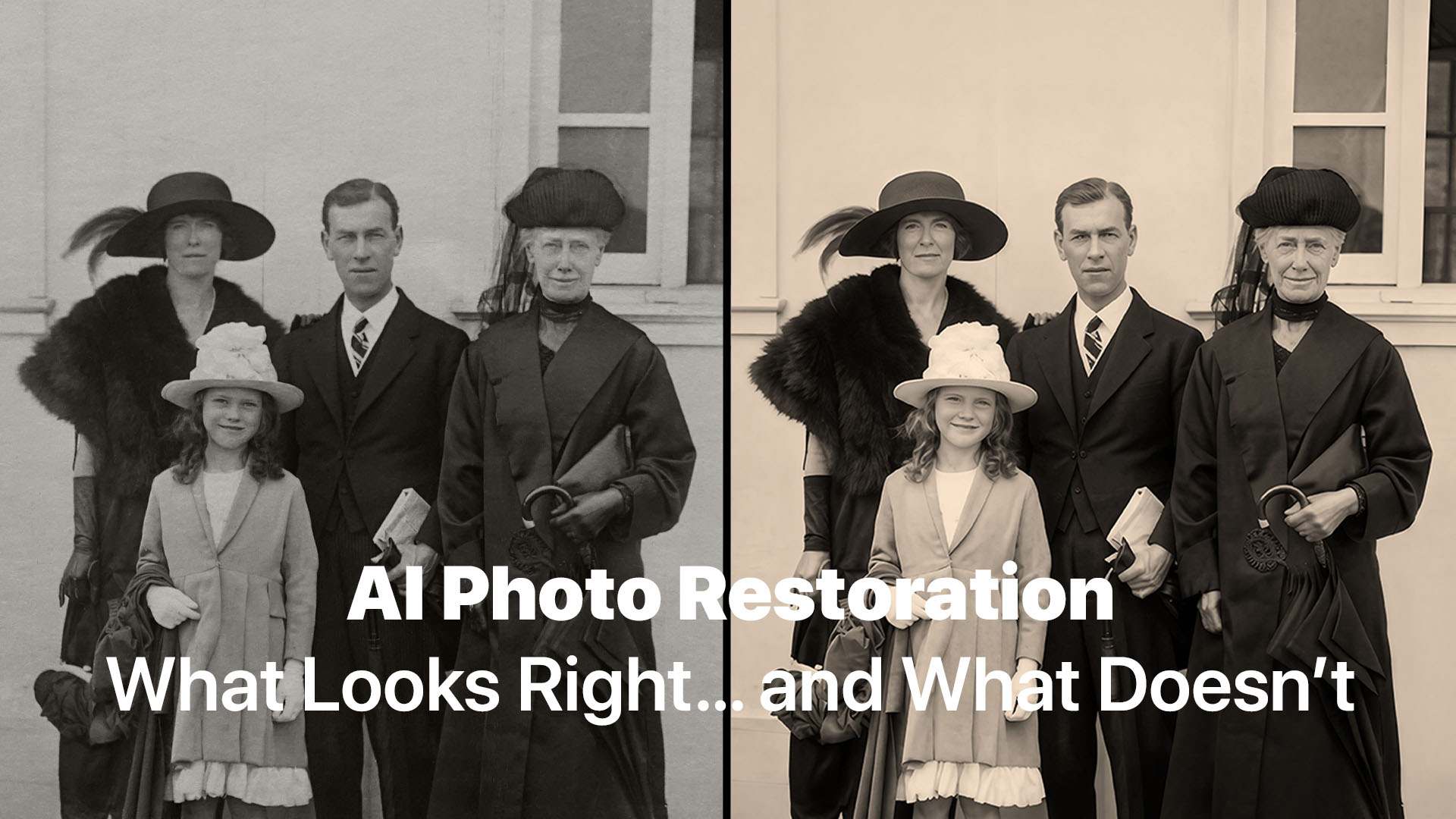
AI photo restoration is powerful—but not perfect. Here’s an honest look at what Restore AI will deliver, where it guesses, and why it still changes everything.
Restoring old photos should feel like bringing memories back to life. After a recent online article that shared the announcement for Restore AI photo restoration, including early examples of the results, we saw feedback that highlighted cases where the AI failed. Those opinions were honest. AI can deliver incredible results, and sometimes it can produce outcomes that feel a little… off.
That’s the reality, and also shows where this technology is today. Restore AI is designed to solve problems photographers face: faded prints, dust and scratches, soft scans, heavy grain, and color shifts from aging. In many cases, it does something that used to take hours (manual retouching) and does it in seconds.
But it’s important to understand what it’s really doing. When the original photo contains clear detail, Restore AI enhances it. When details are missing like tiny faces, heavy blur, or damage, the software has to estimate the restoration and then generate results. Not randomly, but based on patterns it has learned from millions of images. That’s where results can vary.
A Portrait, Brought Back to Life
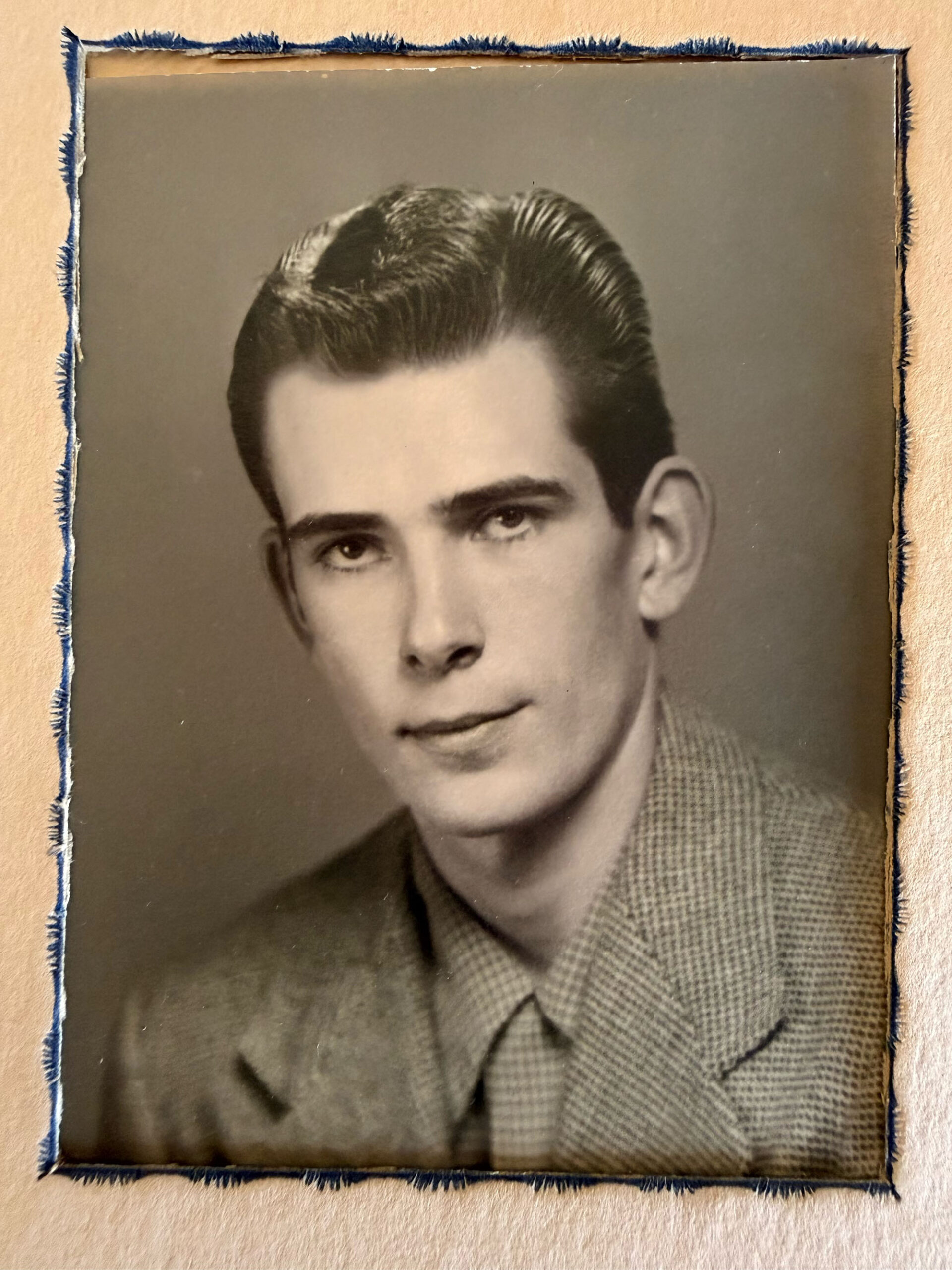
Here’s a photo from the early 1950s of a black-and-white portrait of my father, Mr. Harlacher. The original has soft tones, no color, a moment frozen in time.
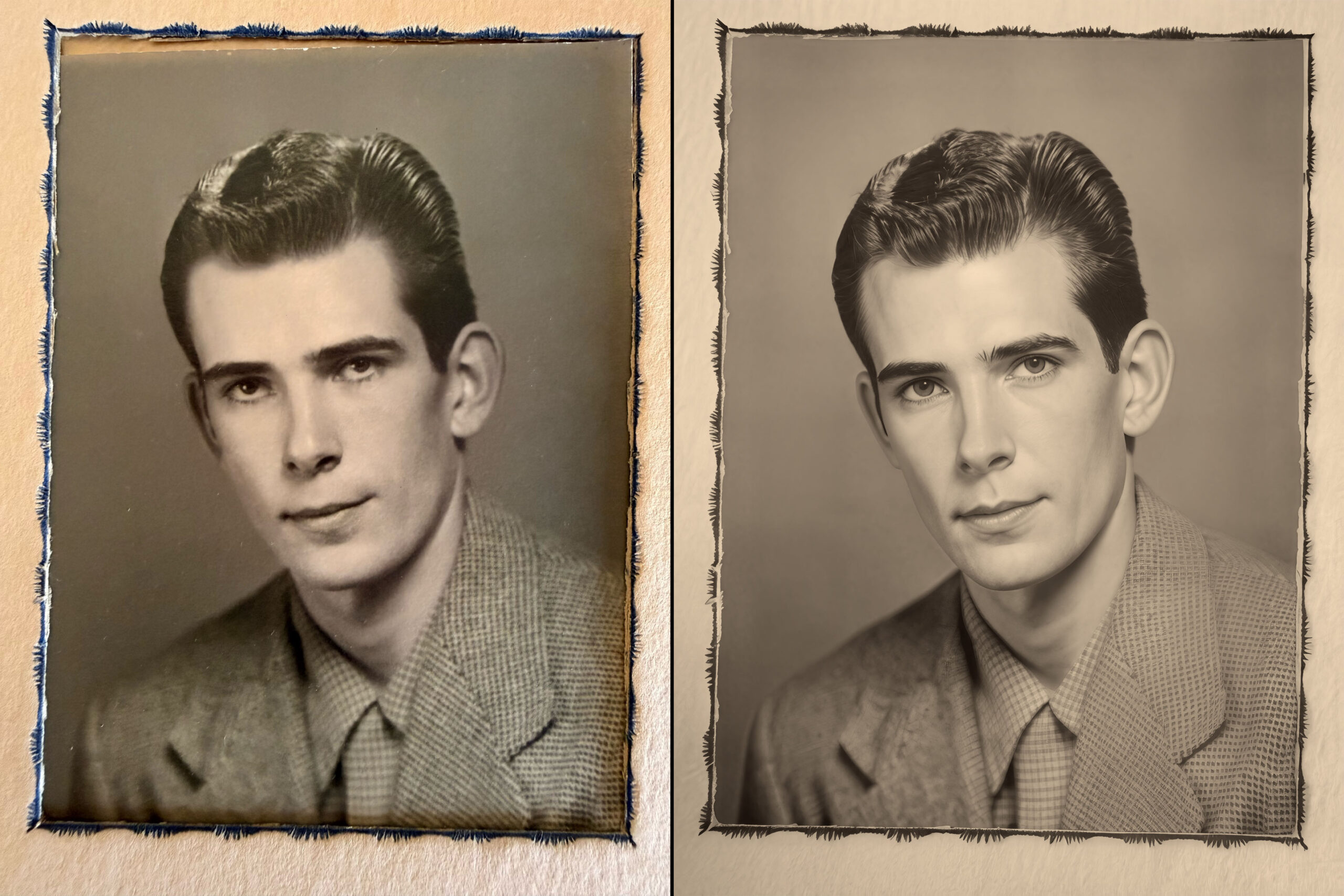
By processing the photo through Restore AI you can move from black and white, to sepia, to a fully colorized version. The transformation is striking. The face feels alive again. The image feels closer.
Now look closer. Some might notice the eye on the right looks slightly different. And yes—it does. But it also looks more defined, more natural compared to the original scan. The likeness is still there. The identity is still unmistakable. Do I still recognize my father? Absolutely I do. Does it feel like a faithful representation? Yes, as his son I feel it absolutely does.
Is the color perfect? Not exactly, but it’s remarkably plausible for the era. In fact, better than most traditional colorization workflows without hours of manual work.
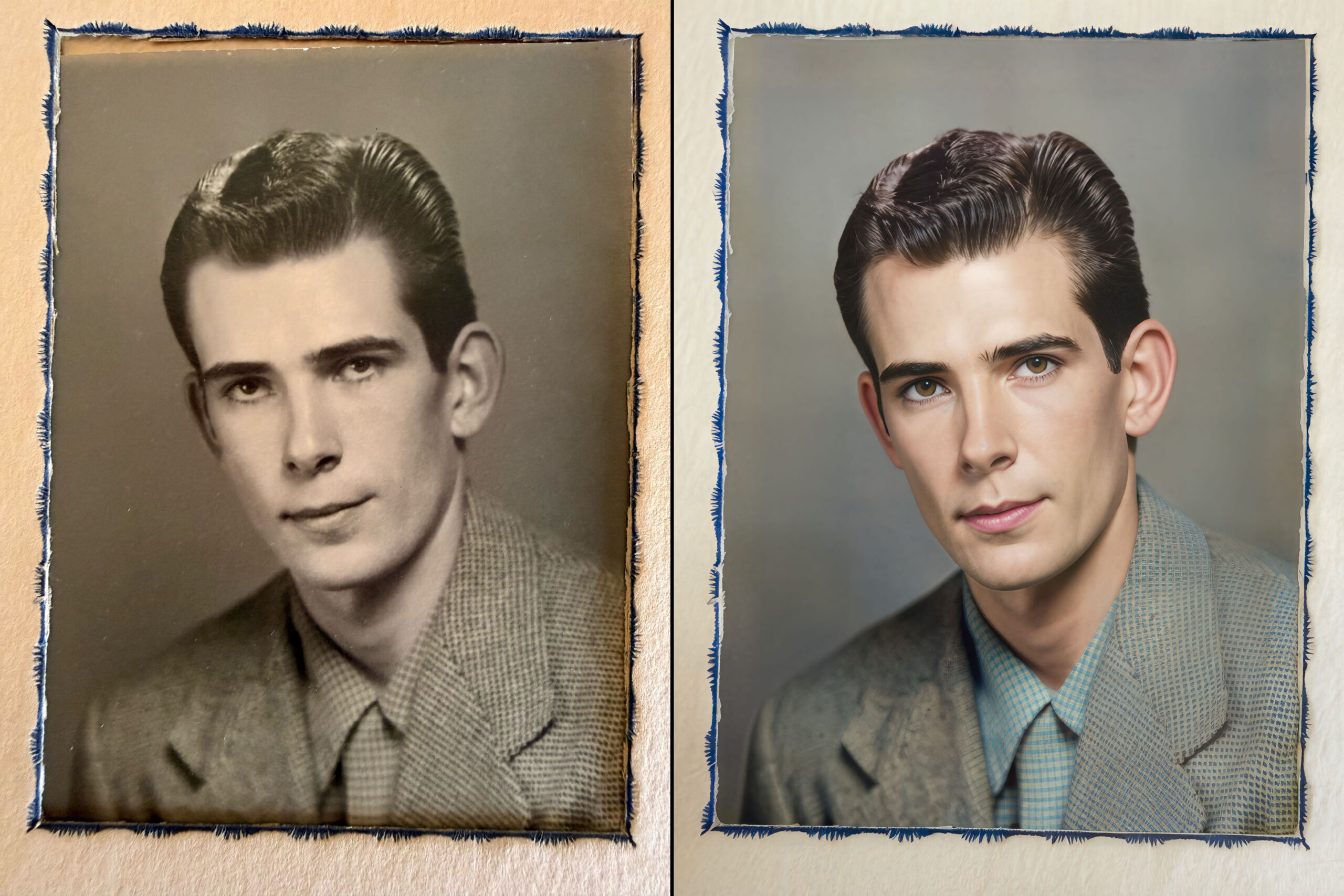
There’s one more detail: his eyes were blue, not brown.
But how could any AI know that from a black-and-white photo? It can’t. So it makes an educated guess. Here’s where control comes in with Restore AI. With Restore AI, you can retry and guide the result. In this case, adding a simple prompt produced a version with blue eyes, closer to reality, and more meaningful for my family.
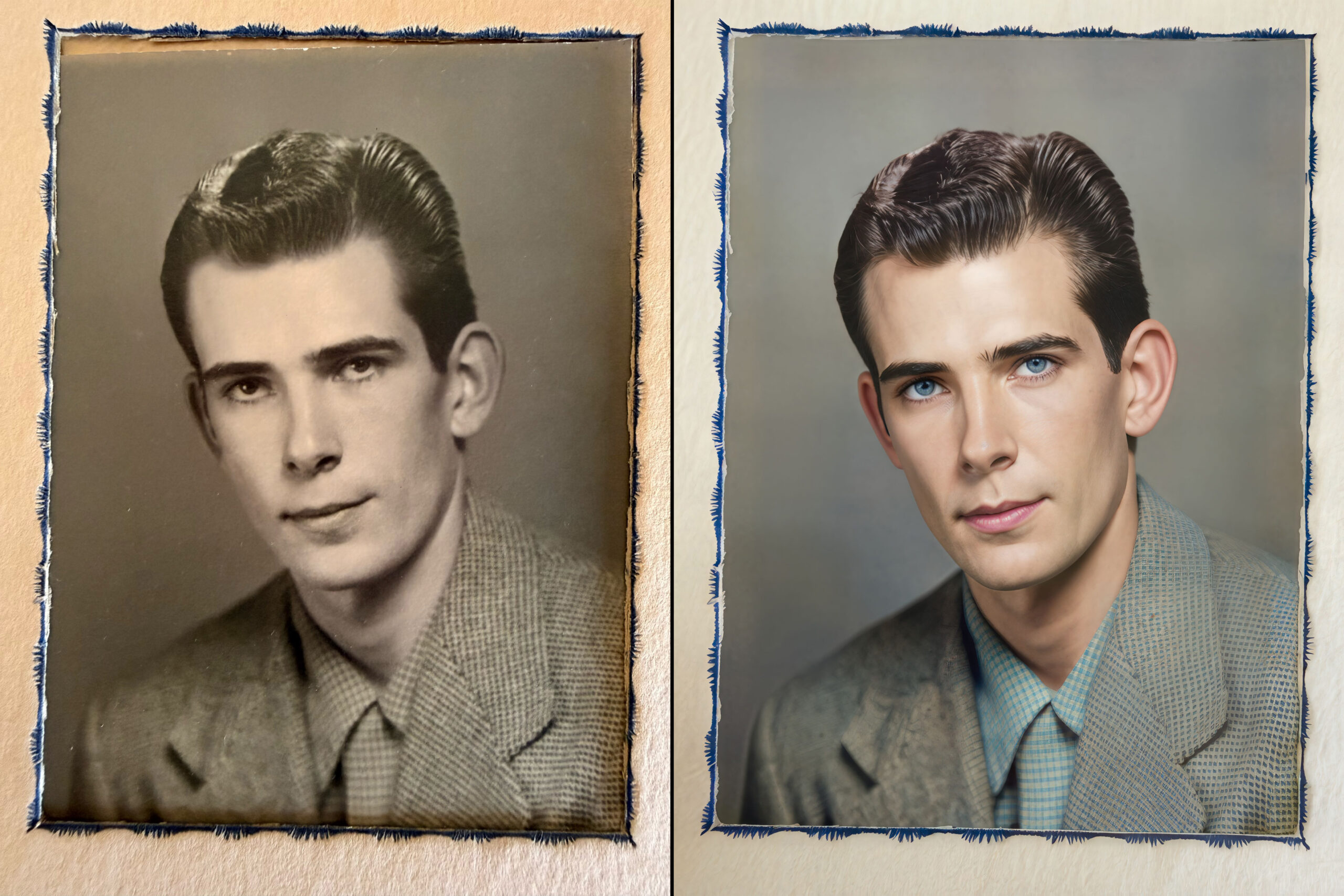
That’s the real story: not perfection, but a ton of progress with creative control.
When There’s Almost Nothing to Work With
Now lets take a look at a different image. An old black-and-white print of a house. The photo itself is out of focus. The subjects being the women standing in the doorway, are tiny. Each face is roughly 28×28 pixels. That’s less than 0.03% of the entire image.
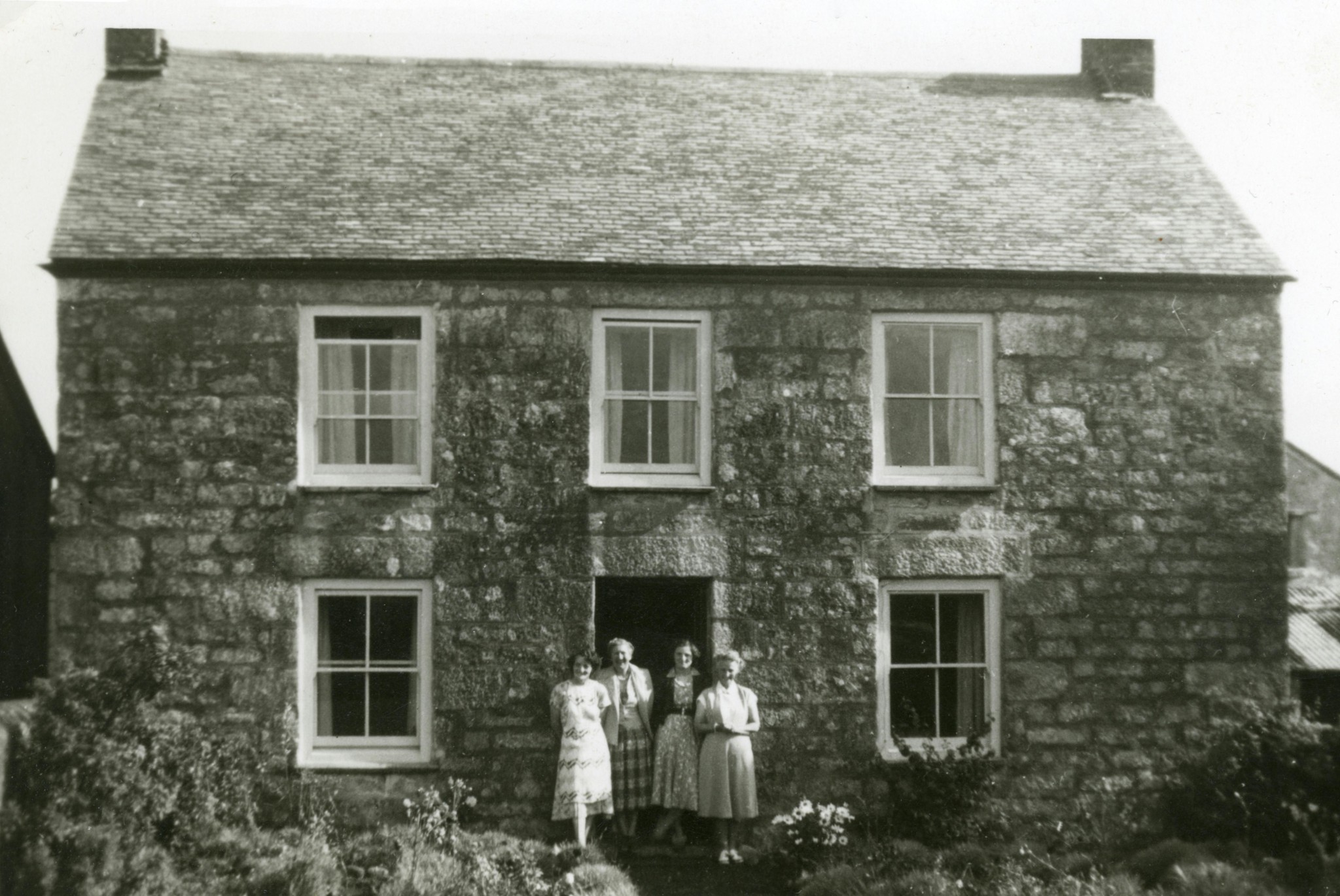
In the original, they’re barely recognizable. In fact, the photo is more about the house than the people. When Restore AI processes this image, several things happen at once. It enlarges the photo, reduces blur, removes scratches, and colorizes the scene. Most notably, it reconstructs the faces by adding detail where almost none existed.
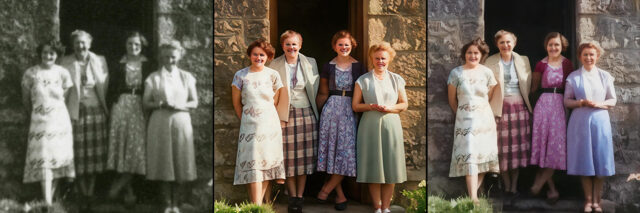
Now take a step back and ask yourself this question. Are those faces in the original photo perfectly accurate? There’s no way to know. The original simply doesn’t contain enough information. But here’s a better question: is the restored version (far right) good enough to print and frame? For most people, no. But when viewed as part of the full image, it becomes more usable. The original just doesn’t contain enough information to get a good result.
It’s also worth noting that the quality of these reconstructed faces (far right) is significantly improved compared to early prototype results that were recently shared publicly (center). The technology is evolving quickly, and the difference shows, but it’s not quite there for photos like these.
The Reality of AI Restoration
It’s easy to look at edge cases and judge the entire technology by its limits. But that misses the bigger picture. Just a short time ago, results like these would have been considered impossible without hours of manual retouching. Today, these results are produced in seconds. That doesn’t mean AI is perfect, but it does mean it’s useful.
Restore AI is designed to get you most of the way there—fast. It removes the heavy lifting so you can focus on refining the result. With layers, masking, and other tools in ON1 Photo RAW MAX, you’re never locked into a single output. You can blend, adjust, and guide the final image to match your intent.
That’s the difference between automation and workflow.
Aligning Expectations with Outcomes
The key to getting the most out of Restore AI is understanding what you want from it. If your goal is to preserve family memories, digitize old collections, or bring new life to aging photos, it can be a huge advantage in your workflow. It gives you something you didn’t have before which is a clean, detailed, believable version of the past.
If your goal is pixel-perfect, forensic-level accuracy, especially from severely damaged or tiny source material, you will likely need to refine the result manually and be willing to put in the time and effort. That’s perfectly okay, because even then, you’re starting from a place that used to take hours to reach.
Great or Grotesque?
It’s a fair question. The answer depends on your expectations. If you expect perfection from imperfect inputs, you’ll find flaws in the results. If you recognize what’s being recovered vs. what’s being estimated, you’ll see something different.
You’ll see a tool that brings back moments that were fading away.
You’ll see a faster path to meaningful results.
And you’ll see just how quickly this technology is improving.
So the better question might be: What memories do you want to bring back? Because with Restore AI, you’re closer than ever to doing exactly that.
Here are a few more restorations using Restore AI. The first image (the woman standing in the boat) needed a bit more refinement, especially in the scenery. So I jumped over to ON1 Effects to make some adjustments to the shoreline and added a little extra detail in some spots. That’s really where this starts to come together.


Restore AI gets you close, fast. But it’s the full workflow in ON1 Photo RAW MAX that lets you take it further—dial things in, guide the result, and make it your own.
And when you see it all working together, it’s not just about fixing an image.
It’s about finishing it.
Can’t wait for you to use it.
Ready to see what’s possible? Learn more about Restore AI pricing and availability and start bringing your memories back to life.