


Lightpanel
AI Photo Culling and Editing Software for Lightroom Classic
Lightpanel enhances your Lightroom Classic workflow with AI-powered tools for faster culling, smarter editing, and effortless results—built for professional photographers.
Smarter Workflow. Seamless Inside Lightroom Classic.
Discover the Lightpanel Advantage
Lightpanel guides you through a streamlined workflow—culling, editing, retouching, and styling—without ever leaving Lightroom.
Step 1 — Import as usual, then press Analyze to group duplicates. Zoom into faces to easily pick the sharpest or most expressive shot.
Step 2 — Lightpanel flags photos with closed eyes or blur. Quickly review and keep only the best—perfect for high-volume shoots.
Step 3 - Adjust tone and fix color casts with AI trained for portrait photography. One Lightpanel slider controls multiple Lightroom sliders—faster edits, fewer clicks.
Step 4 - Make your subjects pop. Lightpanel detects skies and backgrounds and darkens them automatically, giving your photos more depth.
Step 5 - Retouch portraits in Lightroom with real-time AI-powered sliders. Smooth skin, enhance eyes—no exports or extra files.
Step 6 - Apply a clean, natural, or creative finishing look using AI-powered Styles. These adapt to your photo and can even mimic your personal editing style.
Cut Hours Off Your Day
Cull Thousands of Photos in Minutes with AI-Powered Speed

Professional photographers spend countless hours sorting and culling. Lightpanel uses intelligent grouping, facial detection, and focus scoring to flag your best shots—automatically.
Group similar images for fast side-by-side selection


Enter auto-survey mode to breeze through group comparisons
Zoom into facial details and compare sharpness in one view

Spend less time sorting, and more time behind the camera.
Subscribe to ON1 Photo Studio
Smart Edits Tailored to Every Scene
Automatic Photo Editing that Adapts to Every Scene

Lightpanel analyzes each image to automatically adjust tone, contrast, and color based on the scene. Whether it's a bright beach or dim reception hall, it tailors edits to your photo's unique lighting and composition.
- Auto-detects skies, backgrounds, and faces for targeted edits
- Learns your preferences to personalize results
- Works inside Lightroom—non-destructive, no duplicates, no exporting

“ON1 has a major hit on their hands. Lightpanel cuts our workload in half by integrating directly into the Lightroom Classic workflow—no switching apps, no extra steps. It's the AI assistant photographers actually want.”
— Scott Kelby
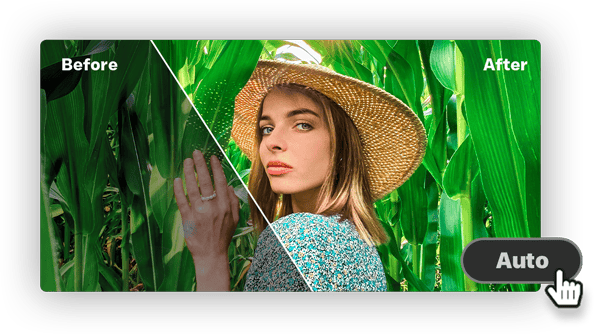
AI auto-corrects your photos to bring out the best colors and details.
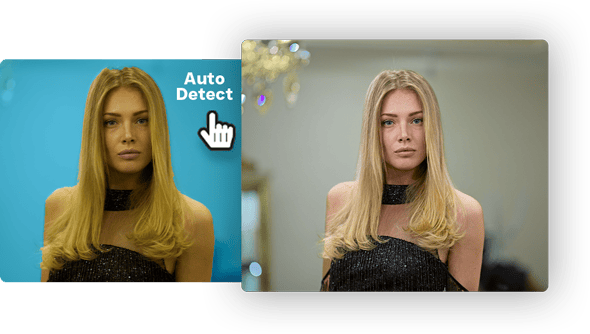
Detects regions like skies or subjects and applies adjustments automatically.
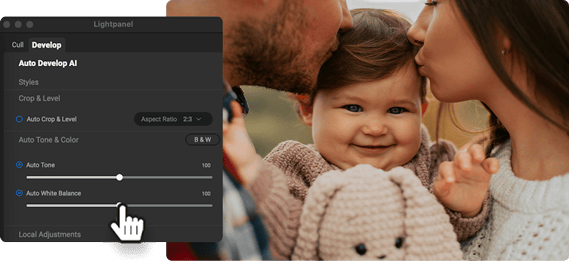
Set preferences to fine-tune AI adjustments to your style.

All adjustments are applied within Lightroom, no exporting or duplicates needed.
Professional photographers spend a significant amount of time culling. Lightpanel saves you hours by identifying the best photos faster, so you can focus on shooting, not sorting.
Subscribe to ON1 Photo Studio
Get Inspired by Expert Edits
Creative Finishing Touches Powered by AI
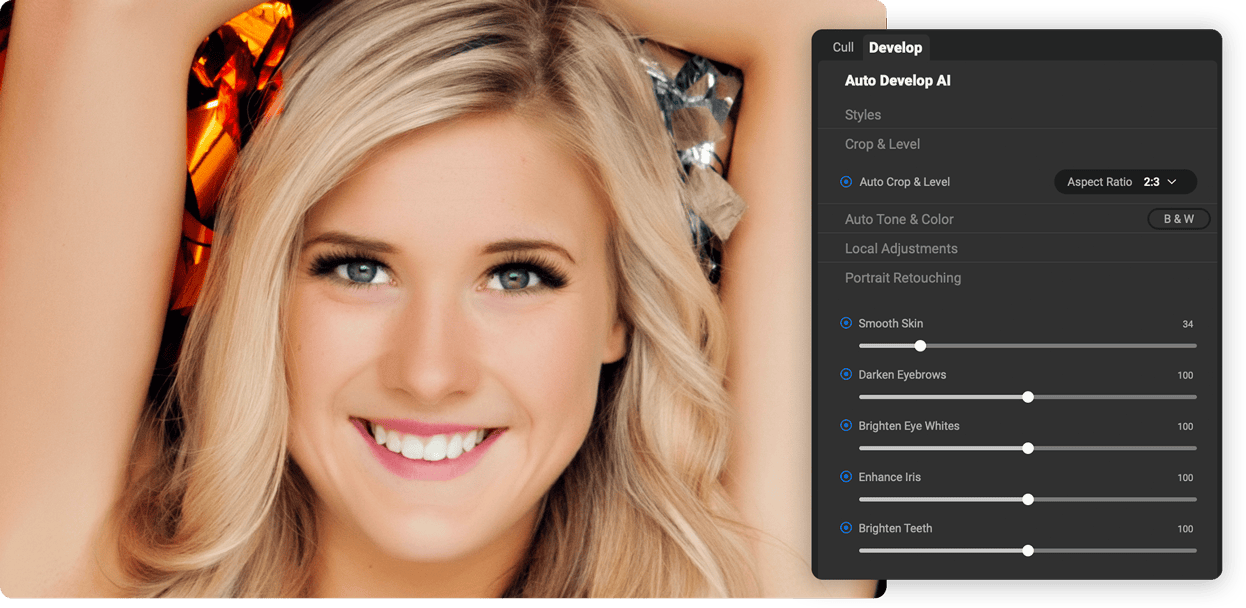
Lightpanel includes a built-in AI Style Advisor that recommends finishing touches based on your photo and past edits.

Suggests Lightroom-style presets tailored to your image

Evolves with your editing habits to offer better recommendations over time
Lightpanel helps you find new creative directions with a single click.
Subscribe to ON1 Photo Studio
Master Your Workflow Instantly
Why Lightpanel Is the Best AI Culling & Editing Software for Lightroom Classic
Lightpanel is the only AI photo assistant built specifically for Lightroom Classic users.

- Purpose-built plugin—no new software to learn
- Combines AI culling, AI editing, and AI retouching in one seamless tool
- Auto-tone and color powered by a custom-trained AI model
- No bloat. Just the tools you need, right where you work
Get Back to Your Photography
Lightpanel eliminates the busywork so you can focus on creativity. Spend less time behind a screen and more time capturing moments, telling stories, and growing your photography business.
Subscribe to ON1 Photo Studio