

January was packed inside ON1 Plus—the #1 resource for ON1 & photography. From rescuing old photos and mastering high-contrast scenes to creative blue hour edits and brand-new presets, our community continued to grow stronger, faster, and more confident in their workflow.
If your goal this year is to Learn ON1 Photo RAW, refine your editing workflow, and create consistent professional results, here’s everything that happened inside ON1 Plus in January 2026—organized by publish date.
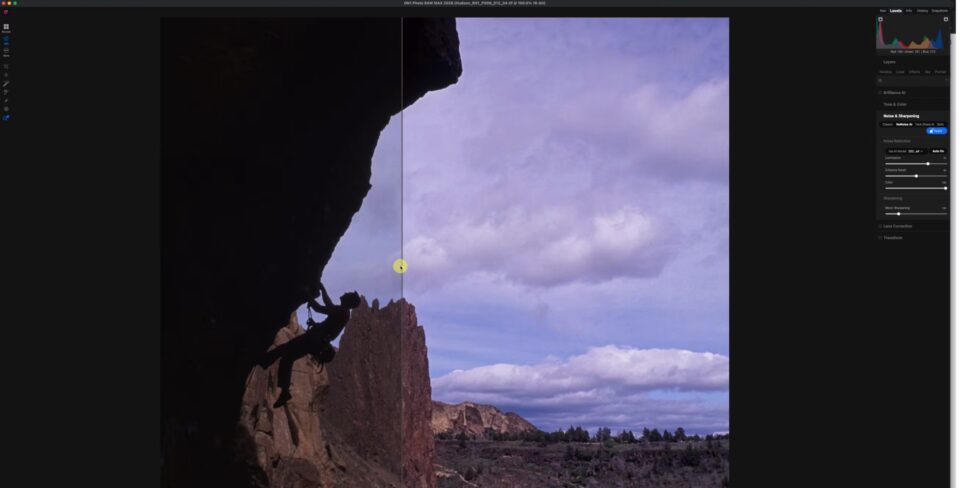
Rescuing Old Photos With Photo RAW
January 6, 2026
We kicked off the month by diving into restoration and rediscovery. In this powerful session, we explored how modern tools in ON1 Photo RAW can completely transform aging film scans and early digital files. You’ll see how to recover hidden detail, improve clarity, restore tonal balance, and bring images back to life using advanced Develop tools, masking, and sharpening controls. If you’ve ever wondered whether an old photo was “too far gone,” this lesson proves otherwise. It’s a masterclass in using modern RAW editing tools to unlock quality that was always there—just waiting to be revealed.
Key Skills Covered:
- Restoring old film scans
- Enhancing clarity and detail
- Recovering dynamic range
- Improving tonal balance in legacy files
How to Use Settings Applied in Layers
January 14, 2026
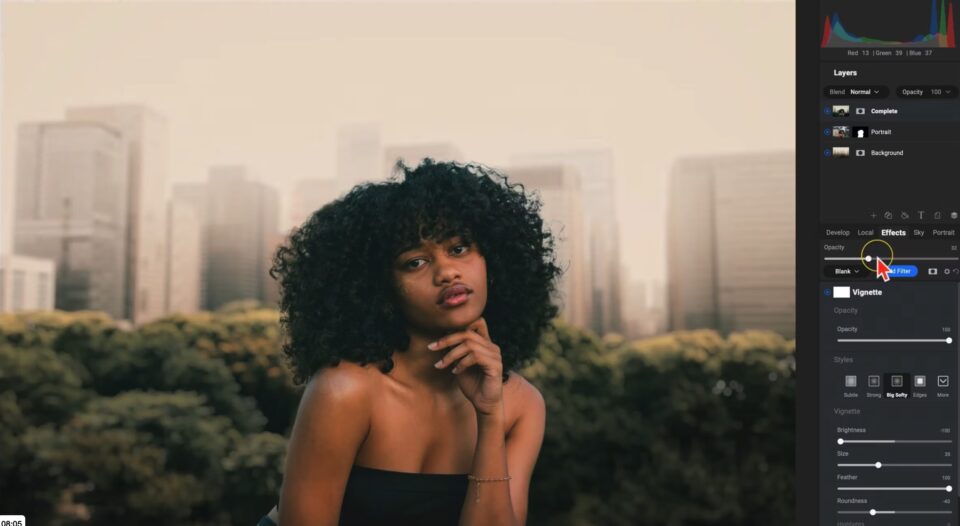
Organization meets power. This lesson focused on one of the most practical workflow upgrades in ON1 Photo RAW: Settings Applied inside Layers. When compositing or building complex edits, knowing exactly what adjustments are applied—and where—can save serious time.
We demonstrated a clean background swap workflow and showed how to instantly view, toggle, and reopen any Develop, Local, or Effects adjustment. No panel hunting. No guesswork. This is one of those features that dramatically improves editing efficiency once you start using it consistently.
Why It Matters:
- Faster non-destructive editing
- Improved layer organization
- Easier compositing workflow
- Greater creative control
If you want to Learn ON1 at a deeper level, mastering Layers is essential.
Capture & Edit High Contrast Scenes
January 16, 2026
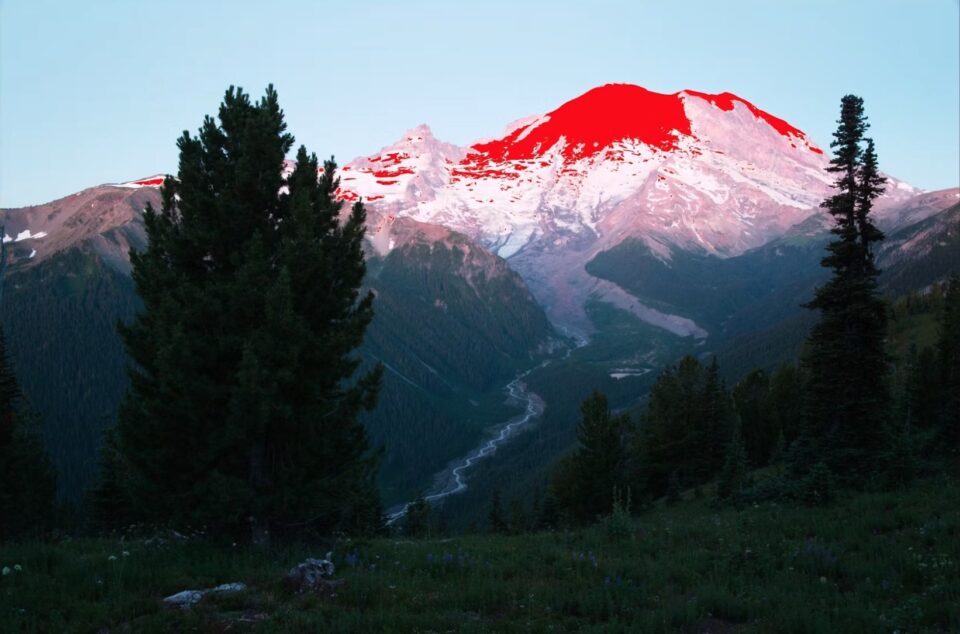
Outdoor photographers face high-contrast scenes constantly—bright highlights, deep shadows, and everything in between.
In this lesson, we covered both sides of the equation:
In the field:
How to recognize high dynamic range situations and capture full tonal information—either in a single exposure or across multiple frames.
In post-processing:
How to use HDR Merge, luminosity masking, and black-and-white conversions inside ON1 Photo RAW to create balanced, compelling results.
This session reinforced a critical truth: great editing starts with intentional capture. When you combine smart field technique with precise RAW processing, you gain total control over dynamic range.
Techniques Covered:
- HDR Merge workflow
- Luminosity masking
- Highlight and shadow recovery
- High-contrast black & white conversions
Vivid Outdoors Presets (10-Preset Pack)
January 23, 2026
Creativity moved fast this week with the release of Vivid Outdoors Presets. Designed specifically for landscapes, travel photography, and nature scenes, these presets boost color richness, enhance tonal balance, and add clarity—without pushing images into unrealistic territory.
They’re ideal as:
- A strong starting point
- A quick finishing touch
- A consistent outdoor editing style
Skies stay believable. Foliage stays natural. Light remains true to the scene. For photographers who want images to pop while maintaining authenticity, this preset pack delivers both speed and control.

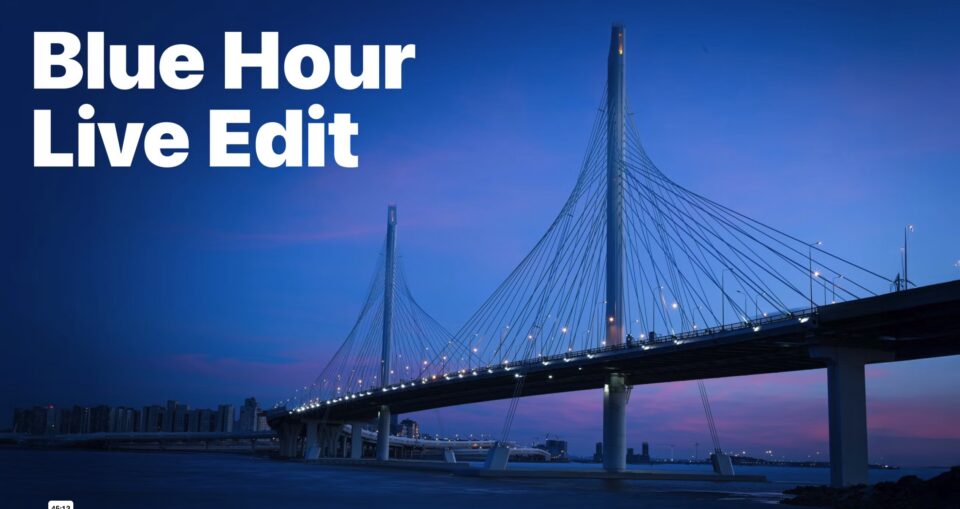
Blue Hour – Live Edit
January 28, 2026
One of our most popular sessions of the month. In this ON1 Plus Live Edit, we focused on how to make blue hour photos actually feel like blue hour.
You’ll see:
- Fast temperature adjustments to set mood
- Contrast refinement for depth
- Local masks to brighten foregrounds without blowing out skies
- Custom vignette techniques for controlled drama
- Color Range Masks to isolate light trails and key colors
We also clarified common masking confusion, helping members work faster and edit with confidence. If your night and twilight photos feel flat, this session shows you how to create atmosphere and intentional color harmony.
Creating a Dreamy Winter Edit (PDF Guide)
January 29, 2026
We wrapped up January with a beautifully structured ON1 workflow guide. This downloadable PDF walks you step-by-step through creating a soft, cinematic winter look in ON1 Photo RAW. From controlling bright snow and building contrast to adding glow and subtle snowfall effects, this guide emphasizes intentional editing—not overprocessing. It’s a perfect example of how ON1 Plus helps you move beyond tools and into structured workflow.

ON1 Plus Community Gallery
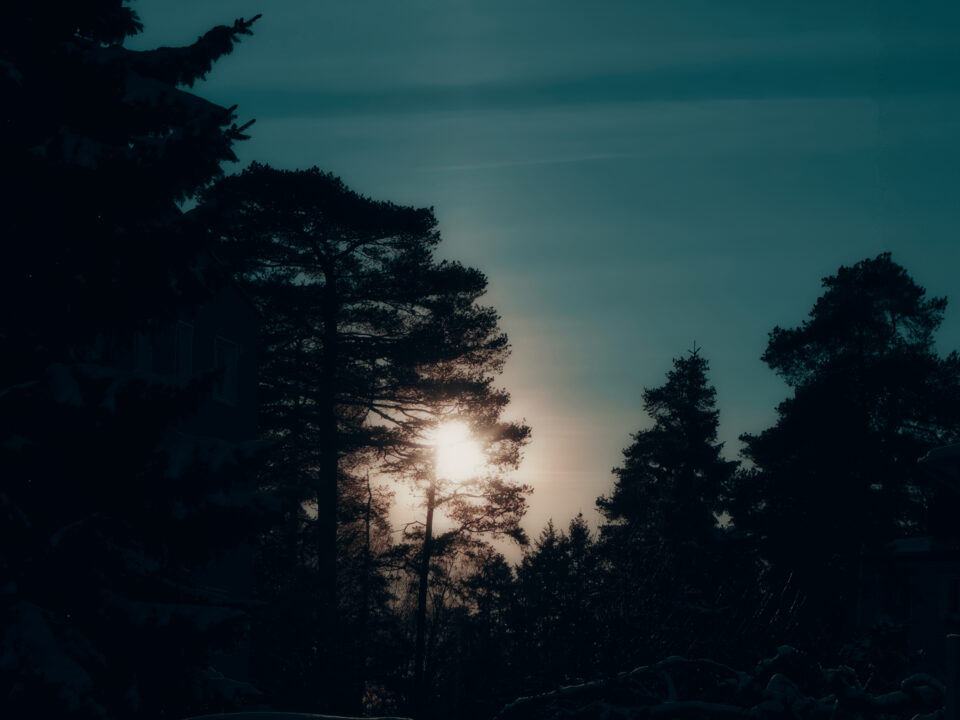
Wintersun Norway
Camera: Sony DSC-RX100M3
Aperture: f/9
Focal Length: 25.7mm
ISO: 125
Shutter Speed: 1/1600 sec
This winter scene from Norway captures the power of dynamic range control in ON1 Photo RAW. The bright winter sun cuts through silhouetted trees while deep shadows remain rich and intentional—demonstrating how careful RAW processing and tonal balance create atmosphere without losing detail.
The ON1 Plus Community Gallery continues to showcase what’s possible when photographers combine creative vision with structured workflow. The image is here.
Why ON1 Plus Continues to Grow
January reinforced what ON1 Plus stands for:
- Become A Master of ON1 Photo RAW.
- The #1 Resource for ON1 & Photography.
Inside ON1 Plus, you don’t just learn tools—you build a repeatable editing workflow. From RAW processing and HDR merge to masking techniques, presets, and creative guides, everything is designed to help you:
- Learn ON1 Photo RAW with confidence
- Improve editing efficiency
- Develop consistent style
- Master non-destructive workflows
- Elevate your photography
If you missed any of these January releases, now is the perfect time to dive in and start sharpening your craft.
Please review our our privacy policy for information about how we use the data we collect.