Every photographer eventually hits the same wall. Your images are technically fine, but they start to look interchangeable, and scrolling through your own portfolio feels flat. The answer is usually to get a better sense of your editing style rather than a new camera or a different lens.
Photo editing styles are the visual language you use to tell a story with your images. They shape the mood of a scene and give your portfolio a recognizable identity that sets you apart from other photographers working in the same genre. Whether you’re editing wedding portraits or travel landscapes, the right editing style can take a technically correct image and make it memorable.
This guide walks through the most popular photo editing styles photographers are using in 2026 and shows you how to create each look in ON1 Photo RAW. You’ll also find notes on AI-powered editing techniques, tips for developing your own signature style, and answers to common questions about mixing and matching approaches.
- What Defines a Photo Editing Style
- 6 Classic and Popular Editing Styles
- 6 Trending Editing Styles in 2026
- AI-Driven Editing Techniques
- How to Develop Your Own Style
- Frequently Asked Questions
What Defines a Photo Editing Style
A photo editing style is a consistent set of decisions about color, contrast, tone, and texture that you apply across a body of work. Photographers are often surprised to learn that editing styles are less about any single slider and more about the combination of them. A vintage look, for example, usually involves warmer shadows, lifted blacks, reduced saturation in specific hues, and some amount of grain. None of those choices is unusual on its own. Together, they create a recognizable aesthetic.
The best way to think about editing styles is as tools for communication. A bright, airy image communicates calm and openness. A dark, moody image communicates intimacy or tension. Once you understand what a style is saying, choosing the right one for a given photo becomes a creative decision rather than a guess.
6 Classic and Popular Photography Editing Styles
These are the foundational editing styles that photographers come back to year after year. Each works well on its own and also serves as a starting point for variations you can make your own.
1. Vintage and Film-Inspired
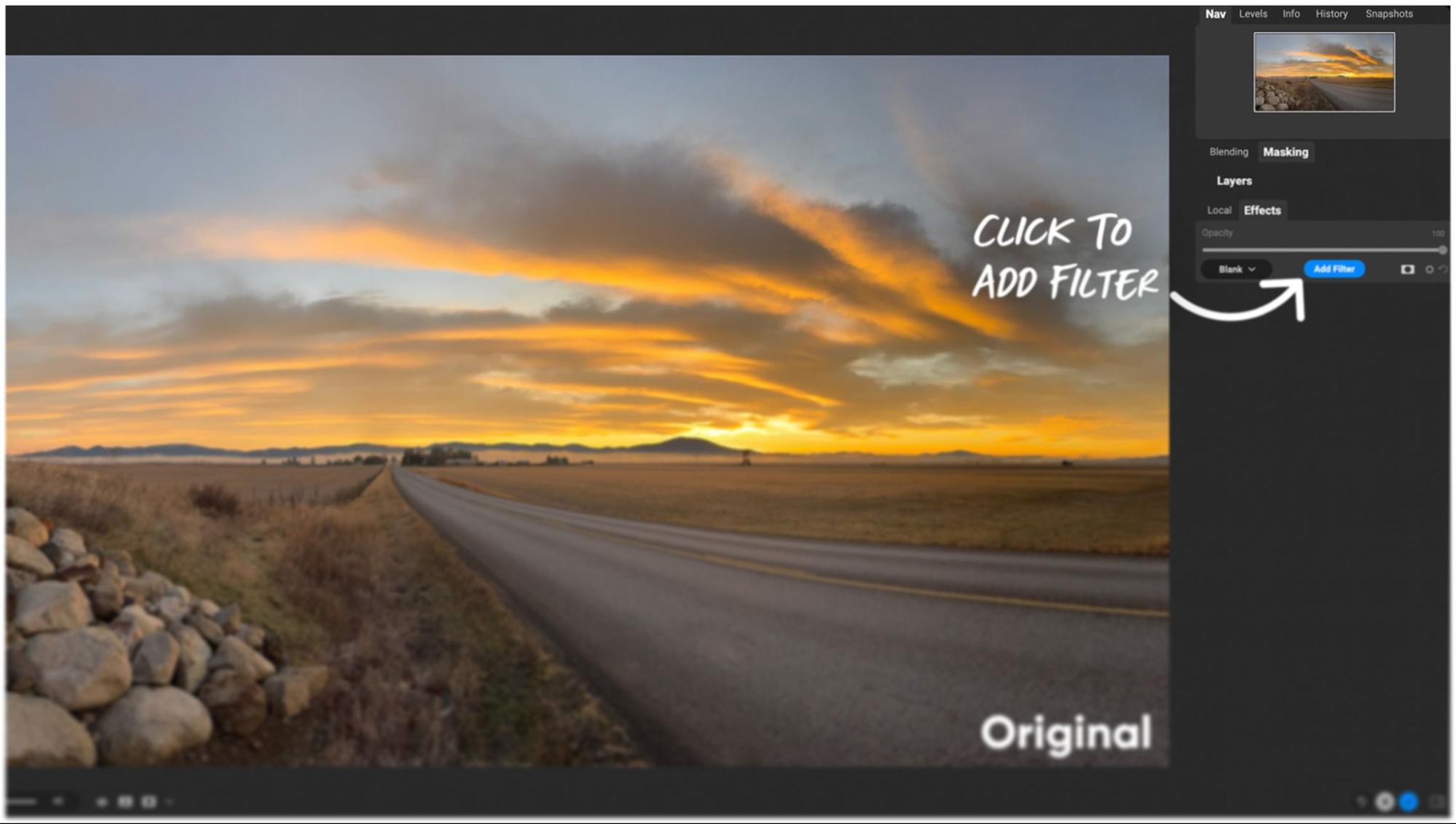
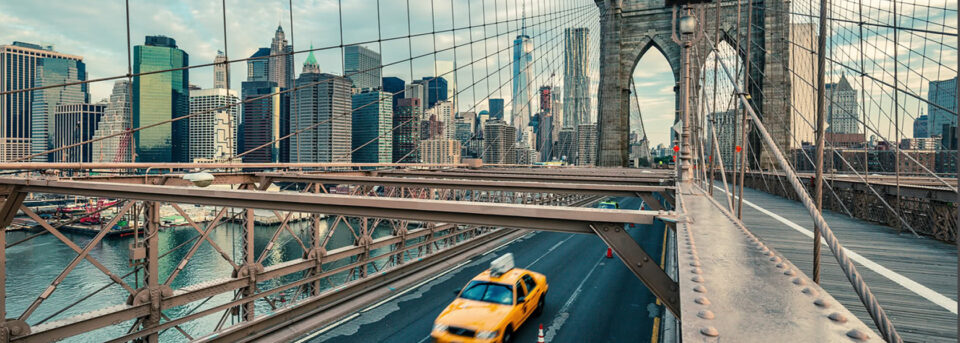
A vintage photo editing style borrows the color shifts, grain, and tonal quirks of film photography. Shadows often skew warm or slightly green, highlights take on a softer roll-off, and the contrast is typically a bit flatter than a modern digital image. Film simulations have been one of the most popular photo editing styles for years, and they continue to drive trends in portrait, wedding, and travel photography.
In ON1 Photo RAW, the Vintage effect gives you a starting point with color presets, grain controls, and saturation adjustments. Choose a color palette, dial in the amount, and layer film grain on top to taste. For a more specific film look, pair the Vintage effect with a film-inspired LUT from ON1’s free LUTs collection.
2. Black and White
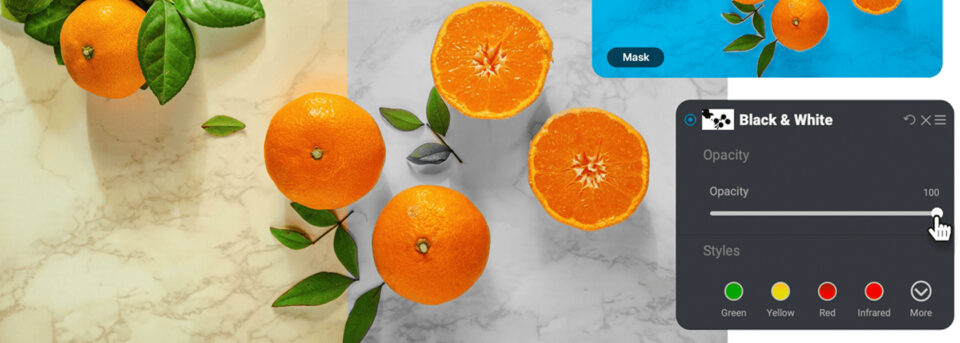
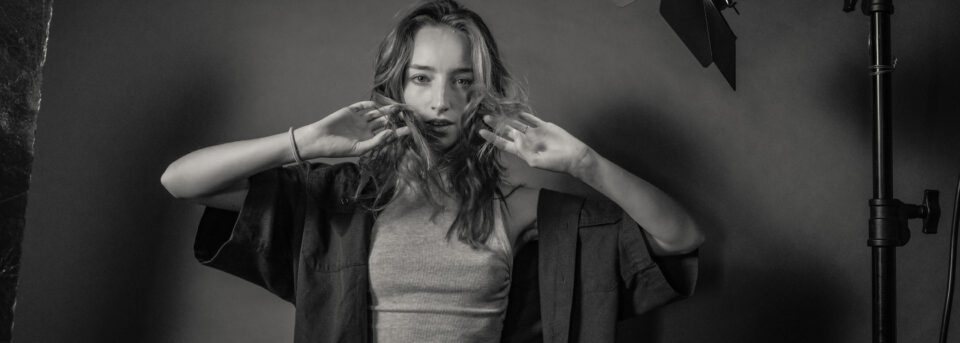
Black-and-white editing strips color from the conversation and forces the viewer to focus on light, shape, and texture. It works on almost any subject, but it’s especially useful for portraits with strong expressions, architecture with interesting lines, and scenes where the color in the original file is competing with your subject rather than supporting it.
In ON1, the Black and White effects filter gives you tonal presets and per-color luminance controls, so you can brighten or darken specific hues in the conversion. Red lips stay bold against pale skin. A blue sky drops to near-black for a dramatic landscape. Experimenting with these sliders is where black-and-white editing stops feeling like a desaturation and starts feeling like interpretation.
3. HDR (High Dynamic Range)
HDR is a technique for capturing detail across the full tonal range of a scene. Photographers shoot multiple exposures, typically one at the metered exposure, one underexposed, and one overexposed, then merge them together. The resulting file holds detail in both the shadows and the highlights that no single exposure could capture.
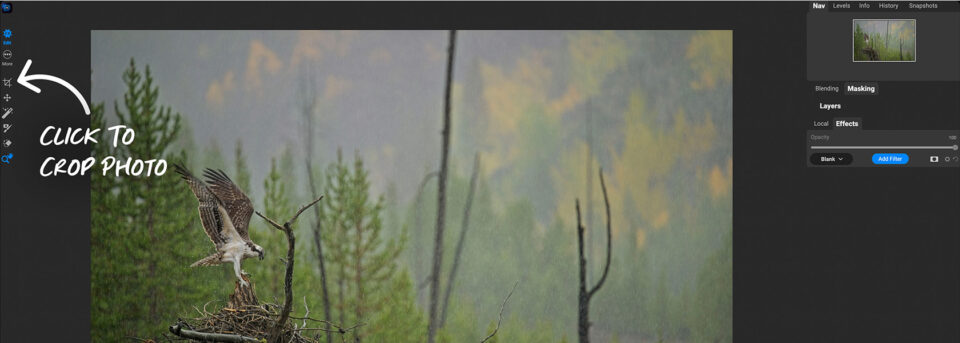
ON1 HDR handles the merge automatically. Load your bracketed exposures, let ON1 align and combine them, and then apply the HDR Look preset in Effects to bring out the dynamic range. Modern HDR editing tends to be subtle, because the over-processed look that defined the style in the 2010s has largely fallen out of fashion. Aim for natural. If a viewer can tell it’s HDR, you’ve probably gone too far.
4. High Key
High-key photography is bright and low-contrast, with tones pushed toward white. It works beautifully for snow scenes, beach portraits, product photography on a white background, and editorial fashion. The mood is usually clean and optimistic.
To create a high key look in ON1 Photo RAW, open your image in the Develop pane and push the shadows slider to +100 and the blacks slider to +30, then raise the exposure until the image feels appropriately bright. The Sunshine effect can add a gentle glow on top. For portraits, Portrait AI can retouch skin while preserving the airy feel that defines the style.
5. Low Key
Low key is the inverse. Dark tones dominate, highlights are used sparingly, and the subject emerges from shadow. This editing style is especially strong for single-subject portraits, still life, and any image where mystery or intimacy serves the story.
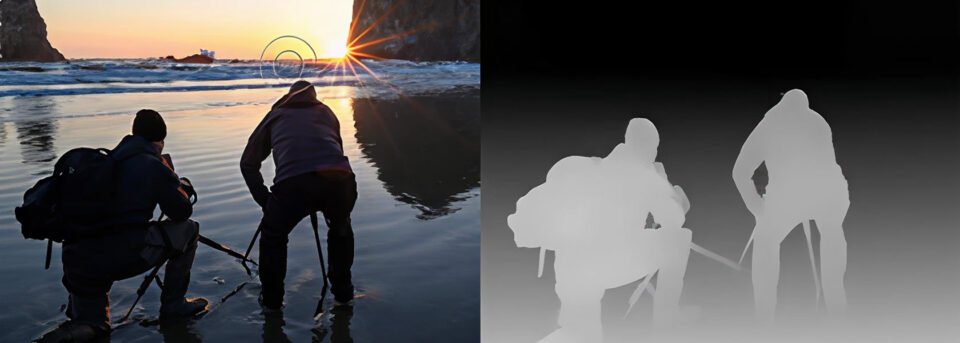
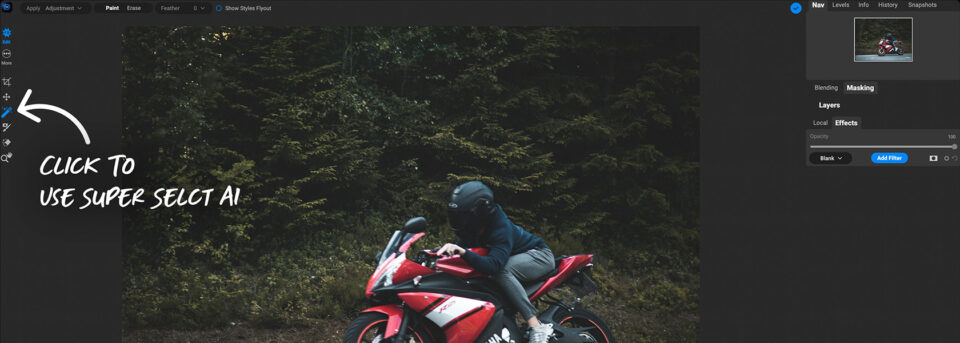
Start in the Develop pane by reducing the shadows slider to -100 and the blacks slider to -30, then nudge the whites and highlights up just enough to preserve detail in the brightest areas. The Grunge effect, with its dark preset, adds texture and atmosphere without crushing the shadows further. Low-key photography editing styles reward careful local adjustments, so use ON1’s AI masking to keep your subject separated from the darkened background.
6. Glow
A glow look adds warmth, softness, and a dreamlike quality that flatters landscapes and portraits in equal measure. Sunset and sunrise images are natural candidates, but the glow style also works well on backlit portraits, golden-hour scenes, and any image that already has warm light you want to amplify.
ON1 Photo RAW’s Glow effect offers presets you can hover over to preview on your image in real time. Pick a starting point, then adjust the intensity and softness sliders. Pair the Glow effect with a subtle boost in the orange and yellow channels for a richer, warm-weather look.
6 Trending Editing Styles in 2026
Alongside the classics, a handful of newer editing styles are shaping what photographers are creating right now. These types of photo editing styles show up constantly on portfolio sites and social feeds, and they’re worth adding to your creative toolkit.
1. Cinematic (Teal and Orange)
The cinematic look borrows color grading techniques from film production. Shadows get pushed toward teal or cyan, skin tones and highlights lean warm, and contrast stays relatively flat. The effect creates the feeling of a movie still, and it’s become one of the most requested editing styles for wedding films, travel stories, and narrative portrait work.
2. Moody and Matte
Moody editing is defined by lifted blacks, reduced saturation in specific channels (often greens and oranges), and a matte finish that feels lifted from a magazine editorial. It’s a dominant style for outdoor portraits, engagement sessions, and lifestyle content.
3. Bright and Airy
The bright and airy style is the go-to for wedding photographers, family portrait photographers, and lifestyle content creators. Images feel light, open, and pastel, with soft shadows and a slight warmth that flatters skin tones. If you’ve scrolled a wedding photographer’s portfolio recently, you’ve seen this style.
4. Dark and Moody
The dark and moody style trades the brightness of airy editing for depth and drama. It works well in food photography, interior shots, and any portrait where atmosphere matters more than showing every detail. Shadows are rich, highlights are restrained, and the color palette is deliberately muted.
5. Minimalist and Clean
Minimalism is less about sliders and more about restraint. A clean editing style uses natural color, controlled contrast, and almost no added effects. The goal is to let composition and light carry the image without the edit calling attention to itself. This is one of the more popular photo editing styles for architecture, product, and editorial work.
6. Cross-Processed and Creative Color
Cross-processing originally referred to developing film in chemistry intended for a different film stock, which produced color shifts. As a digital editing style, it’s become shorthand for bold, unexpected color choices: greens that skew cyan, skies that lean magenta, skin tones pushed warm and saturated. It’s a style that rewards experimentation and a willingness to break the rules of traditional color correction.
AI-Driven Editing Techniques That Shape Modern Styles
AI tools have changed how photographers approach editing styles, because the technical work of isolating a subject, cleaning up a scene, or matching a look is now much faster. A few AI-driven techniques are especially useful when you’re experimenting with different types of photo editing styles.
- AI masking for style-specific adjustments: Super Select AI in ON1 Photo RAW lets you isolate the subject, sky, or background with a click. Once you have a clean mask, you can apply your style treatment to just the background, keeping your subject looking natural while the atmosphere around them shifts to match your chosen look.
- Sky Swap AI for mood changes: A moody, stormy sky can transform a flat landscape into a dramatic one. Sky Swap AI replaces skies automatically and blends the lighting to match, so the swap looks native to the scene.
- Portrait AI for style-aware retouching: Skin retouching has to match the editing style, so a heavy retouch looks wrong on a moody image, and a minimal retouch can undercut a bright and airy edit. Portrait AI detects faces and applies adjustments you can dial in to match the style of the shoot.
- Generative Erase for minimalist looks: Minimalism depends on removing visual clutter. Generative Erase removes distracting elements from the frame and fills in the space with content that looks like it was there all along.
- NoNoise AI for clean low-light edits: Many moody and cinematic editing styles favor low-light scenes, which means noise. NoNoise AI cleans high-ISO files while preserving the detail your style depends on.
AI tools support creative judgment rather than replacing it. They speed up the technical steps so you can spend more time on the artistic choices that actually define your style.
How to Develop Your Own Signature Style
Most photographers start by copying the editing styles of others, which is a reasonable way to learn the technical side. The transition from copying to developing your own style usually involves a few shifts in how you approach editing.
Edit in Batches Rather Than One at a Time
Your style becomes visible when you look at ten or twenty images together. Editing in batches lets you see whether your choices hold up across a body of work, rather than looking good on a single image.
Save Your Decisions as Presets
When you find a combination of settings you like, save it as a preset in ON1 Photo RAW. Over time, your personal preset collection becomes the foundation of your style. You can apply it to new images and adjust from there.
Look At Your Portfolio With Fresh Eyes
Every few months, review your work and look for patterns. The photos you’re proudest of usually share editing decisions in common. Those decisions are your style, whether you’ve articulated them or not.
Study Photographers Outside Your Genre
If you shoot weddings, spend time looking at cinematographers. If you shoot landscapes, study painters. The visual vocabulary of editing styles is shared across creative fields, and the ideas that feel fresh in your niche often come from borrowing from another.
Commit to Consistency, Then Allow Evolution
A recognizable style takes time to build, so resist the urge to change everything after every new trend. At the same time, don’t let consistency become a cage. Your style should grow with your skill and your taste.
Explore New Photo Editing Styles With ON1
Trying new editing styles is one of the best ways to grow as a photographer. ON1 Photo RAW 2026 gives you everything you need to experiment without risk. Edits are non-destructive, so you can try a cinematic grade, a moody matte finish, and a bright and airy treatment on the same file without losing your original.
Start a free 30-day trial of ON1 Photo RAW and see what your images look like in a style you haven’t tried yet. No credit card. No subscription traps.
Frequently Asked Questions About Photography Editing Styles
How do I choose a photo editing style that suits me?
Start by collecting images you love from other photographers, across any genre, and look for what they have in common. Look at how the shadows are handled, whether the color palette leans warm or cool, and what the overall contrast looks like. Those patterns are the beginning of your own editing style. From there, experiment with similar settings on your own work and adjust until the results feel like yours.
What’s the best photo editing software for trying different styles?
Look for software that offers non-destructive editing, strong preset support, and a wide range of effects and color tools in one application. ON1 Photo RAW is built for this kind of experimentation, because you can stack effects, try different presets on the same image, and undo everything if you want to start over. A 30-day free trial lets you test it with your own photos.
Are presets and LUTs a shortcut, or a legitimate part of an editing style?
Both, and there’s nothing wrong with that. Presets and LUTs are meant as starting points rather than finished edits. Most professional photographers use presets as the base layer of their editing style, then adjust from there for each image. ON1’s free Lightroom presets and free LUTs are good places to start if you want to experiment with different editing styles without building everything from scratch.