Finding the best photo editing software is harder than it should be. Every option promises to be exactly what you need, and few of them are upfront about the trade-offs. Between Adobe subscription changes and the rapid arrival of AI features, the 2026 landscape looks different from even a year ago.
This guide is a practical walkthrough of the current market. We’ll compare the leading tools, note what’s actually new, and help you match the right software to your skill level and workflow. We’ll also answer a question that comes up often: what makes the best computer for photo editing today?
If you’re evaluating Lightroom alternatives, wondering whether AI tools are worth the hype, or trying to figure out why your current editor feels slow, this guide is for you.
- What’s Changed in 2026
- Picks for the Best Photo Editing Software
- AI Features That Matter for Photographers
- Matching Software to Your Skill
- Features to Look For Before You Buy
- Best Computer for Photo Editing
- Frequently Asked Questions
What’s Changed in Photo Editing Software in 2026
Several shifts have reshaped the conversation about the best software for photo editing.
- AI features have moved from novelty to baseline: Noise reduction, subject selection, sky replacement, and generative cleanup are now standard. The question for buyers is whether an editor’s AI produces natural results without pushing you into a credit-based economy.
- Subscription fatigue is real: Adobe’s 2025 price increase for the Photography Plan nudged many photographers to seek out perpetual-license alternatives. Ownership models are a more prominent part of the buying decision than they were a few years ago.
- All-in-one workflows are winning: Photographers are tired of stitching together a browser, a raw processor, and a retouching app with plug-ins between them. Software that handles the full workflow in a single application is saving real time.
- Restoration and archival tools are having a moment: Scanning family albums, fixing scratched prints, and colorizing black-and-white photos used to be a specialty workflow. New AI-powered restoration modules have brought those capabilities into mainstream editors.
All of that means the checklist you used to choose an editor in 2023 probably needs a refresh. Let’s look at where each major tool stands right now.
Top Picks for the Best Photo Editing Software in 2026
This list is organized by the kind of photographer you are, not by a ranking that pretends one tool fits everyone. Each of these is capable software, and the differences show up in pricing, workflow style, and where each team has chosen to invest.
Note: Pricing shown reflects publicly listed rates at time of writing. Check each vendor’s site for current promotions.
1. ON1 Photo RAW 2026: Best All-in-One for Most Photographers
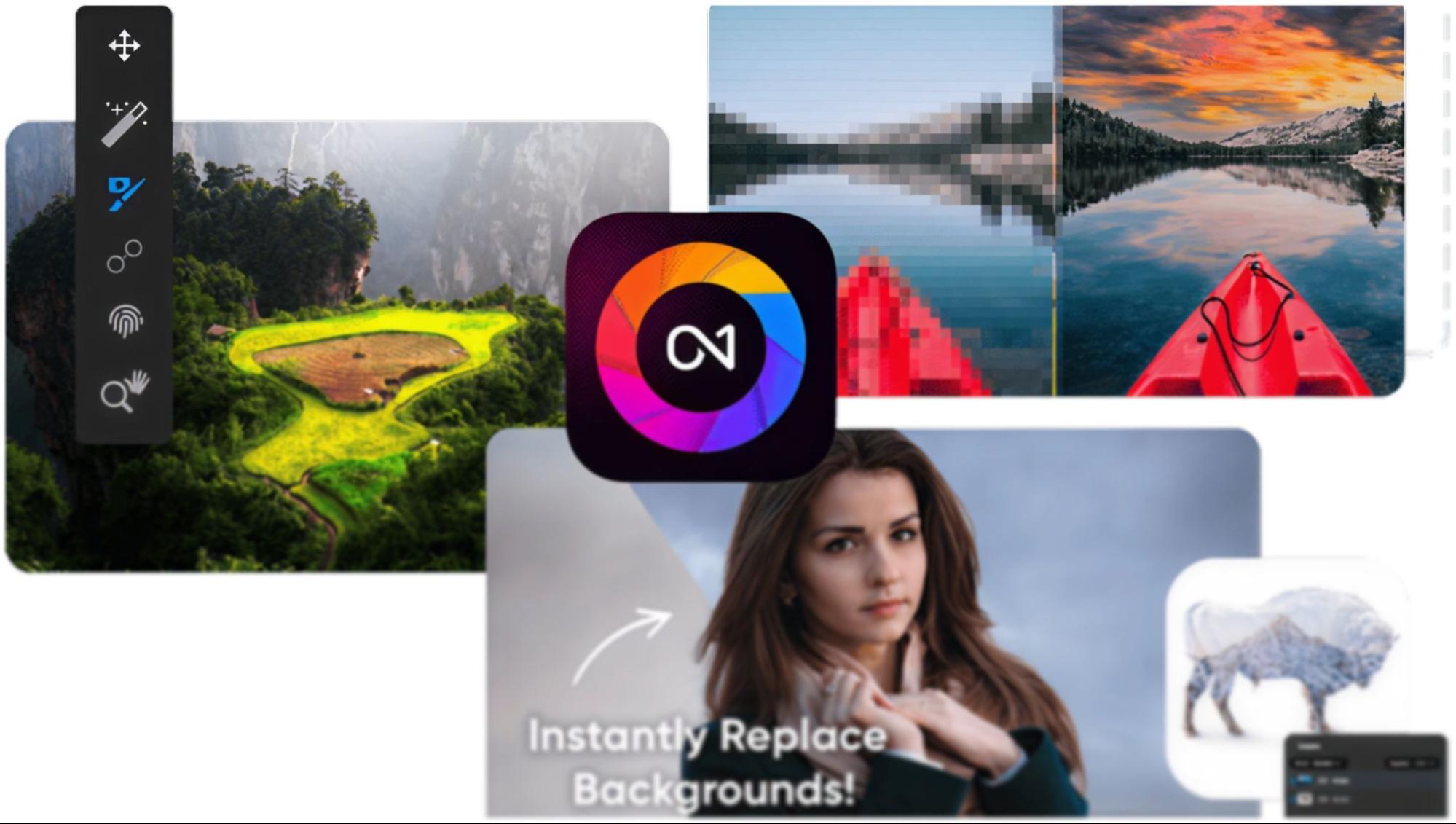
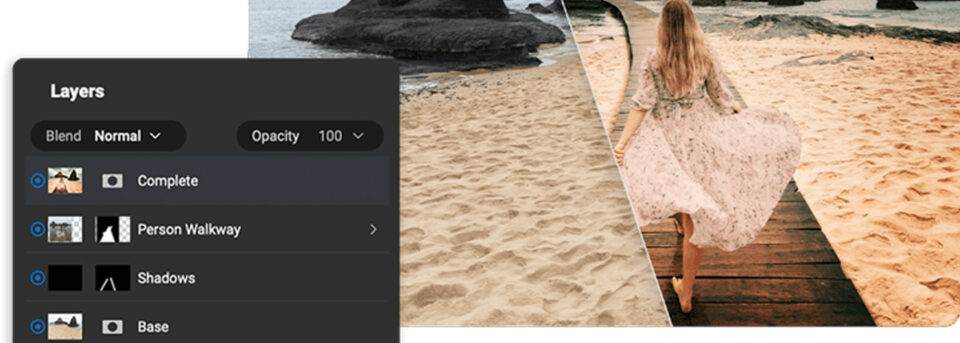
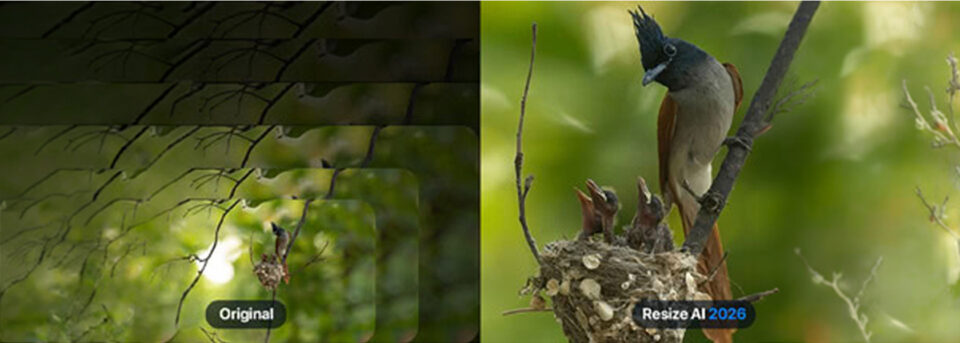
ON1 Photo RAW 2026 combines a browser, raw processor, non-destructive editor, layer-based compositing, AI masking, and export into a single application. It’s the tool we built ourselves, and the design goal from day one has been to be the best photo editing software for photographers who want capability without having to assemble a workflow from several different apps.
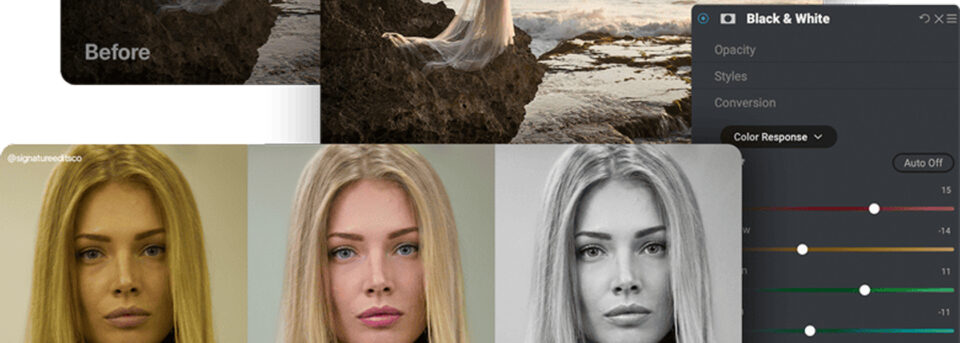
What’s new in 2026: Brilliance AI for one-click tone and color improvements, Super Select AI for point-and-click masking, Mask Layers for flexible selections, and a refreshed Resize AI for super-resolution enlargements. Photo RAW MAX adds Restore AI, a module that automatically repairs dust, scratches, fading, and loss of detail in old photographs, and that can also colorize black-and-white images.
Best for: Photographers who want a Lightroom and Photoshop alternative, photographers who prefer to own their software outright, and anyone who wants AI tools that work without per-image credits.
Pricing: Available as a perpetual license ($49.99) or a subscription through ON1 Photo Studio ($79.99/year). A 30-day free trial is available with no credit card required. Photo RAW MAX ($119.99) adds plug-in support for Photoshop, Lightroom Classic, Apple Photos, Affinity Photo, and other hosts.
2. Adobe Lightroom Classic + Photoshop: The Industry Standard
Adobe’s Photography Plan remains the default in many commercial and editorial environments. Lightroom Classic’s cataloging is mature, Photoshop’s compositing is unmatched, and there’s a large ecosystem of tutorials, plug-ins, and presets built around them.
What’s new: Generative Fill, Generative Remove, Lens Blur, Denoise, and expanded mobile editing. Adobe has leaned hard into generative AI, and if your work benefits from generative compositing, that’s a real strength.
Best for: Photographers who need tight integration with a broader Creative Cloud workflow, retouchers and composite artists, and anyone already invested in Adobe’s ecosystem.
Pricing: Subscription only. Adobe discontinued the Photography Plan for new subscribers in 2024. Current standalone options include Lightroom (with 1TB cloud storage) at $9.99/month, or Photoshop at $22.99/month. Photographers who want both apps typically land on the Creative Cloud All Apps plan at $59.99/month. Generative AI features are gated behind a monthly credit allowance — heavy users should factor that into the real cost. Check Adobe’s site for current plan availability and promotional pricing, as options and rates change frequently. If you were grandfathered into the legacy Photography Plan, your pricing and access may differ from what’s available to new subscribers today.
3. Capture One: Best for Studio and Color-Critical Work
Capture One has a loyal following among commercial, fashion, and studio photographers. Its tethered shooting is widely considered the gold standard, and its color tools give you a level of control that many shooters prefer over Lightroom’s approach.
Best for: Studio photographers, editorial and commercial shooters, and anyone whose work depends on color accuracy and tethered capture.
Pricing: 4/month or $179/year. A 30-day free trial is available with no credit card required. Capture One also offers camera-specific versions (Sony, Fujifilm) at reduced pricing for photographers who shoot exclusively with one system.

4. Affinity Photo: Best Photoshop Alternative on a Budget
Affinity Photo is a Photoshop-style pixel editor with layers, HDR, panorama stitching, and PSD compatibility, available for a single one-time purchase. It’s not a full raw cataloger, so it pairs well with something like ON1 Photo RAW.
Best for: Budget-conscious photographers, compositing and retouching work, and photographers who want to avoid a recurring bill.
Pricing: One-time purchase, typically around $70 for desktop. Occasional promotional pricing makes it even more attractive.
5. DxO PhotoLab: Best for Raw Conversion and Noise Reduction
DxO has carved out a niche as a raw converter and optical correction powerhouse. DeepPRIME XD noise reduction is excellent, particularly for high-ISO wildlife, sports, and concert photography where grain and detail preservation matter.
Best for: Photographers who shoot frequently at high ISO and anyone who prioritizes raw conversion quality and lens corrections.
Pricing: Perpetual license with Essential and Elite tiers. Pricing starts around $139 for the base version.
AI Features That Actually Matter for Photographers
Every editor is racing to add AI. Most of those features fall into a handful of categories, and knowing what they actually do is the fastest way to judge the best photo editing software for your style of shooting.
- AI masking and subject selection: Tools like Super Select AI in ON1 Photo RAW, Subject Select in Photoshop, and Smart Adjustments in Capture One let you isolate people, skies, hair, or backgrounds with a click. This is the feature that has changed day-to-day editing more than any other.
- AI noise reduction: NoNoise AI, Lightroom’s Denoise, and DxO DeepPRIME XD can rescue high-ISO files that would have been unusable a few years ago. If you shoot events, concerts, or wildlife, this alone can justify a software change.
- Generative removal and erase: Generative Erase in ON1 Photo RAW and Generative Remove in Lightroom take out tourists, power lines, and small distractions with fills that look like they were always there. The quality jump from earlier content-aware tools is substantial.
- AI upscaling: Resize AI is the poster child here. It can take a heavily cropped frame and produce a print-ready enlargement, which matters for photographers cropping hard for composition or preparing large-format prints.
- Portrait retouching: Portrait AI finds every face in a photo and applies skin, eye, and teeth adjustments automatically. For wedding, event, and family photographers, it’s a significant time-saver on large shoots.
- AI photo restoration: A newer category. Restore AI in ON1 Photo RAW MAX repairs scratches, tears, fading, and grain in scanned old photos, including batch processing for whole albums, and can colorize black-and-white images.
A note on credits: Some editors gate AI features behind a credit system where intensive operations cost tokens. If you use AI heavily, factor that into the real cost of a subscription. ON1’s AI features do not use credits. A license or subscription gives you unlimited use.
Matching Software to Your Skill Level and Workflow
The best photo editing software for you depends less on reviews and more on how you actually work. A few quick filters will narrow the field fast.
Your Skill Level
The right tool for a photographer just getting started looks different from the right tool for someone processing thousands of client images a week.
- Beginner: Look for an intuitive interface, good presets, and AI tools that give you a believable starting point. An app that teaches you good habits through its interface will serve you better long term than one built around every possible control.
- Intermediate: You’re ready for layers, masking, and raw control. Look for photo editing software for photographers that scales with you, so you’re not forced to change tools just because you learned new techniques.
- Professional: Workflow speed, cataloging, color management, tethered capture, batch processing, and plug-in compatibility all matter. You’re choosing a platform, not just an application.
Your Primary Use Cases
Wedding work, landscape work, and commercial studio work all put different demands on software, and the best photo editing software for one category can be overkill or underpowered for another.
- Hobbyist and family photography: Prioritize ease of organizing a growing library, one-click enhancement, and easy sharing. An all-in-one editor pays for itself quickly here.
- Wedding, event, and portrait work: Batch editing, preset consistency across a shoot, and AI portrait retouching are essential. Speed matters when you’re processing thousands of frames instead of dozens.
- Landscape, travel, and wildlife: Raw quality, noise reduction, dynamic range handling, and masking for skies and foregrounds are the priorities. Good printing and resize tools matter if you produce large-format work.
- Commercial and studio: Tethered shooting, color accuracy, client review workflows, and integration with retouching tools lead the list.
- Content creators and social media: Speed, good presets and LUTs, and fast export for different platform aspect ratios are priorities. Mobile editing support is a plus.
Your Buying Philosophy
This matters more than many people realize. Are you comfortable renting your software indefinitely, or do you want to buy once and own what you use? The best professional photo editing software in 2026 gives you options on both sides of that line. ON1, Affinity, Capture One, and DxO all offer perpetual licenses. Adobe is subscription only.
Features to Look For Before You Buy
When you’re comparing the best software for photo editing, a handful of features separate tools you’ll grow with from tools you’ll outgrow.
- Raw processing: Non-destructive edits on your raw files are essential for serious work. Pay attention to how the software handles highlights, shadows, and color. You’ll notice the difference quickly.
- Library and browsing: Some editors force you to import everything into a catalog. Others let you browse folders directly. Both approaches have advantages, so know which one matches how you already store photos.
- Layers and masking: Local adjustments are where photos get their polish. Look for AI-assisted masking, luminosity masks, and support for multiple adjustment layers.
- Presets, LUTs, and effects: A good preset system lets you develop and reuse your personal look. Look for support for third-party preset formats so you’re not locked in.
- Plug-in ecosystem: If you already use Photoshop, Lightroom, or Affinity, the ability to run your editor as a plug-in is valuable. Photo RAW MAX, for example, integrates with all three.
- Export flexibility: Look for export presets that save you from repeating the same resize-and-sharpen steps for each platform, and for soft proofing if you print your work.
- Performance: A fast editor on modest hardware often beats a slow editor on expensive hardware. Always test on your actual machine with your actual raw files.

Best Computer for Photo Editing: Hardware That Keeps Up
Software is only half the workflow. The best computer for photo editing is the one that matches the software you’re running and the files you’re producing. Here’s a realistic baseline for 2026.
What Matters Most
A few hardware components have an outsized effect on editing performance. Prioritize these before you worry about benchmarks or bragging-rights specs.
- RAM: 16GB is the practical minimum for comfortable editing. 32GB is the sweet spot for most enthusiasts and pros. 64GB or more is worth it for heavy compositing, panorama stitching, or working with very high-resolution files.
- CPU: Modern multi-core processors matter more than raw clock speed. Apple Silicon (M-series) and recent Intel and AMD chips all handle photo editing software for photographers well.
- GPU: Increasingly important. AI features (masking, denoise, upscaling, generative tools) lean on the GPU. A discrete GPU or Apple Silicon’s integrated graphics will meaningfully speed up AI operations.
- Storage: A fast SSD for your operating system, software, and active work. Keep a separate large drive, internal or external, for your photo library. Back up to a third location. Raw files are irreplaceable.
- Display: A calibrated display is more important than a fancy CPU. Aim for at least sRGB coverage for web work, and look at wide-gamut P3 or Adobe RGB displays if you print or do commercial work. Calibrate regularly.
Mac vs. PC for Photo Editing
Both work well in 2026. Apple Silicon Macs offer excellent performance per watt and are strong on battery for mobile editing. Windows PCs give you flexibility on price, configurability, and GPU choice. Every editor we’ve discussed, including ON1 Photo RAW, runs on both platforms. Choose the ecosystem you prefer. The software will meet you there.
Mobile Editing
Tablets and phones are capable editing tools now, not just previewing devices. ON1 Photo RAW for Mobile, Lightroom mobile, and similar apps let you rate, cull, and make real edits on the go. A desktop-plus-mobile workflow, where you triage on a phone during a shoot and finish on a desktop afterward, is increasingly how working photographers handle volume.
Try ON1 Photo RAW Free: The Best Photo Editing Software for Any Skill Level
The best photo editing software is the one that gets out of your way and lets you make the photo you saw when you pressed the shutter. ON1 Photo RAW 2026 brings browsing, raw processing, layer-based editing, AI masking, effects, and export into a single, photographer-first application, with perpetual license and subscription options that keep you in control of how you buy.
Start a free 30-day trial of ON1 Photo RAW. No credit card, no subscription traps, no credits to ration. Install it, bring in your own raw files, and see what an all-in-one editor feels like.
Frequently Asked Questions About the Best Photo Editing Software for Photographers
What’s the best photo editing software for beginners?
Look for an interface that doesn’t punish you for not knowing every slider, good presets so you can get believable results on day one, and AI tools that give you a running start. ON1 Photo RAW is designed to be approachable for newcomers while still having the depth you’ll need as you grow, which makes it a good match for photographers who don’t want to switch tools later.
Is there a good free Lightroom alternative?
Most of the strong Lightroom alternatives, including ON1 Photo RAW, offer free trials rather than permanent free tiers. A trial, typically 30 days, is the most honest way to evaluate whether an editor fits your workflow, because you can test it on your real files and camera profiles instead of a demo dataset.
Does cloud storage matter in photo editing software?
It’s convenient, especially for multi-device editing and off-site backup, but it shouldn’t be the deciding factor. Local storage plus your own cloud backup service gives you flexibility without locking your library inside one vendor’s ecosystem.