

Tech Talk – The Technology Behind Noise Reduction
- 14,925 Views
 Posted by Patrick Smith

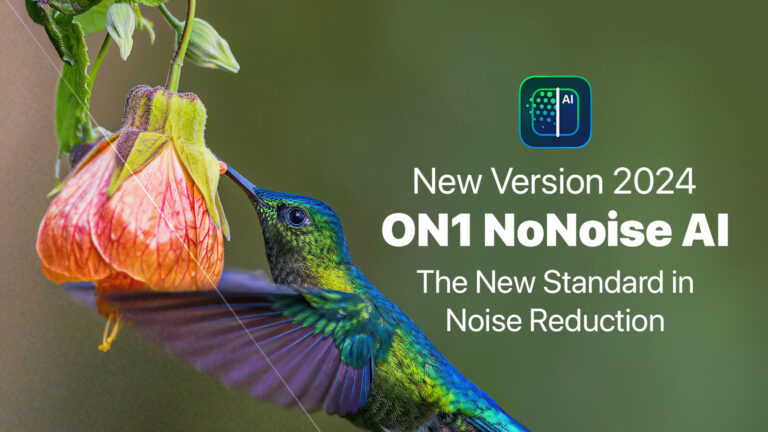
Photo editing software continues to evolve rapidly, which is the case for the upcoming release of ON1 NoNoise AI 2024. NoNoise AI stands at the forefront of innovation, redefining the standards of noise reduction and image clarity. We want to take you behind the scenes and chat about the latest advancements of ON1 NoNoise AI 2024 with Dan Harlacher, VP of Product here at ON1. With the 2024 release, NoNoise AI promises even more significant strides in noise reduction and deblurring, leveraging cutting-edge AI technology to achieve incredible results. Join us as Dan sheds light on the key advancements, the underlying AI technology, and the user-centric approach that drives the latest release of ON1 NoNoise AI.
Can you highlight the key advancements in ON1 NoNoise AI 2024 and how they differentiate it from previous versions?
Dan: The most significant advancement is where it counts—the results. The image quality will be noticeable. We have improved the AI models that do the heavy lifting, which gives you even better noise reduction and deblurring while maintaining a natural, photographic appearance without the smudging of detail or crunchiness you see with other solutions. We are very excited to get this into the hands of the photography community.
How does ON1 NoNoise AI 2024 leverage AI technology to enhance noise reduction in photos?
Dan: NoNoise wouldn’t exist without AI. That’s truly at its heart. Traditional noise reduction and deblurring solutions start with blurring and then trying to resharpen the image. With AI, it’s entirely different. That’s why it can create much better and more realistic results. It’s like magic.
Could you elaborate on the improvements made to the AI noise reduction models and how they excel at different types of photography, such as astrophotography and wildlife?
Dan: AI is still a young field, with breakthroughs coming almost daily. Our talented engineers are at the forefront of this, adopting new techniques and enhancing the data used for training. This allows us to listen to user feedback and target improvements to essential subjects like astro and wildlife photography. For astro photography, the trick is maintaining each of the tiny stars and their round shape without removing or distorting them. It’s not great with the majority of noise reduction methods out there today, and we feel this will be the best for these photos by far. And for wildlife photography, you must keep realistic feather and fur details. Reducing noise on these images often makes them soft or crunchy, and they don’t look real. They look like a painting. NoNoise AI 2024 will do an outstanding job in these areas as well.
The press release mentions an improved AI deblurring model. How does this feature work, and what benefits does it offer users?
Dan: NoNoise AI is more than noise reduction; it also includes Tack Sharp AI for deblurring photos. This goes way beyond simple sharpening. It uses AI to determine why the image is blurry. Was the lens misfocused? Was the camera or subject moving? How much and at what vector? Then, it can reverse the blur locally, applying the right amount of deblurring to all parts of the photos.
How much has processing speed improved, and what can users expect regarding performance gains?
Dan: Performance is always a one-two punch for us. We have to balance the quality of results with performance. To make NoNoise faster, we are optimizing the AI models to take the best advantage of the GPU, but not at the cost of quality. For example, it might be a bit slower in some cases, but the results will be better if that makes sense. It’s a balance, like I said, but we never want the image quality to suffer. We also work with GPU manufacturers to optimize drivers for our necessary AI operations. We have also been working on our batch-processing engine to keep the GPU fed faster.
What feedback or insights from users and beta testers have helped develop ON1 NoNoise AI 2024?
Dan: We were surprised by the number of users adding NoNoise or Tack Sharp to photos that didn’t exhibit noise and blur. From that, we have made it a priority not to harm these types of photos. In the past, these photos could suffer from unintended artifacts. The same rings true when combining NoNoise and Tack Sharp and using high detail and micro sharpening. Some images may need that, but most don’t. When you crank everything up, it could also cause artifacts. We have worked to reduce that, keeping effective control ranges for all photos.
Pre-order your copy of ON1 NoNoise AI 2024 today to get Early Bird pricing.

ON1 NoNoise AI
NEW Version 2024
24 Comments
Mark OvermarsFebruary 27, 2024
Will there be a possibility to apply NoNoise AI locally? I often only want to denoise the sky or sharpen the main subjects. I can do that by duplicating the layers, applying NoNoise to one layer, masking out the part I do not want processed, and then merging the layers, but it would be way easier if there was a filter for this.
Patrick SmithFebruary 27, 2024
Not in this version but something we will consider. It would be very handy!
John ScottFebruary 27, 2024
when will ON1 have this option? I get more noise out of the current AI interface AND artifacts.
dgmurrayFebruary 27, 2024
Is this already not part of on1 raw 24?
Confusing?
Patrick SmithFebruary 27, 2024
Check out the press release in the link above and it will hopefully help clear things up.
Gerald BixmanFebruary 27, 2024
What link are you talking about this is very confusing
Patrick SmithFebruary 27, 2024
You can view the press release here and under the price and availability section it will help explain things.
https://www.on1.com/blog/maximize-image-quality-new-on1-nonoise-ai-2024-is-coming/
Brian LoweFebruary 27, 2024
I would rather have slow processing speed if i get truly the best possible quality outcome.
Looking forward to trying ON1 advancement in Noise and tack sharpness. Thanks Dan.
Jack MelnikoffFebruary 27, 2024
I respectfully disagree with accepting slower processing speeds. I’m concerned many of us will have to purchase hardware upgrades just so we can use this capability. Why would anyone upgrade for about $50 on this capability just so they can now spend several thousands of dollars to ensure they can even run it. Makes absolutely no sense. There needs to be a middle ground between performance and capability. I would think most users cannot be upgrading their hardware every time ON1 comes out with an upgrade.
Patrick SmithFebruary 27, 2024
The system requirements for hardware will remain the same. You wont have to upgrade hardware to run this product.
John ThompsonFebruary 27, 2024
Would you comment on how this latest ON1 AI noise reduction compares with Photoshop’s noise reduction and especially with Topaz’s noise reduction? Yours sounds much better, but i’d appreciate some details. Thanks! 🙂
Neil SchlosserFebruary 27, 2024
I’ve always used ON1 NoNoise even though my research and testing suggested other products can be superior for my tastes. What those other products can’t do, however, is be integral to the application and the photo edit without requiring importing/exporting or creating alternate file formats. This to me is a huge workflow benefit. If the quality of the noise reduction / sharpening raises to match class leaders this will be terrific – like having my cake and eating it too 🙂
Robert CourtFebruary 27, 2024
Is it possible to have an opacity slider in NoNoise AI like there are in many of the editing modules? Currently once the AI does its thing you have you unlock it to make adjustments. It would be nice to just move an over all opacity slider. Especially if the slider could be moved in the plus and negative directions.
Robert BenyonFebruary 27, 2024
Thanks for this Dan. I agree with Mark O above that a masking option within the denoised image would save extra steps. I think you have been improving nonoise and sharpen since they were first released to the extent I have not renewed my licence for Topaz AI and I’ll work solely within ON1 PR from now on. So thanks for the cost saving! I think there is still some improvement needed for tack sharp to avoid small patches of “noise-like” artifacts which sometimes crop up in smooth low textured areas like clear blue skies. More frequent releases of updates would also be welcome.
Roger SeiduleFebruary 27, 2024
Currently, my Photoraw 2024.1 AI nonoise reduction does an amazing job on my Sony A7RV 62mb photos. It retains details in fur and feathers while removing noise where needed, even at iso 12800!
AI tacksharp, on the other hand, is not usable with my photos as it creates a harsh crunchiness and an unnatural look. Looking forward to improvements in AI tacksharp. Thank you
Andrew ButterfieldFebruary 27, 2024
I agree. The current version of TackSharp AI is essentially useless. NoNoise is actually pretty good as is, so I really look forward to the new version of both.
EmilianoFebruary 27, 2024
International Photo Competitions do not accept photos tempered with AI.
I am wondering if magazines will do the same when the image is changed, adding other objects to the picture. Basic retouching and cropping are so far accepted.
Will your latest forthcoming AI noise make a difference to publications?
However, I have ordered your new product more out of curiosity.
Emiliano Joanes
Anthony BaconFebruary 28, 2024
Replying to Emiliano, there is AI and AI.
There is AI processing which uses only data from within the image; that power is increasing used in a number of tools in most post-processing software, to the extent that banning such AI from competition images will prevent much post-processing.
Then there is AI which introduces data from outside the image. That is generally and very understandably not acceptable in competitions.
I fear, though, that developers use the term “AI” when they mean “advanced programming techniques” and it’s really a marketing gimmick.
Jia YangFebruary 27, 2024
In the current and past version of ON1 nonoise, the result looks very good. But when you export to resize to like say long side 2000 pixels jpg, the blurry background will become color patches, not natural smooth! This situation rarely exist at Topaz or DxO denoise. I hope the new version of ON1 Nonoise AI can solve the issue.
Richard GeigerFebruary 27, 2024
I notice nothing is said about using NoNoise AI 2024 for portrait photography, specifically images taken within a few feet or yards of the subject.
Ken SmithFebruary 27, 2024
I’m disappointed that this iteration of NoNoise AI is a (substantial) extra charge.
On the other hand this gives me the opportunity to review other software packages.
Having been a user since 2019, before ordering ON1 2024 I was toying with the Adobe package for photographers for about the same price. This “extra”, NoNoise 2024 may be the tipping point. Photoshop has generative fill a form of AI, We’ll see what Adobe Lightroom has to offer.
Stu EddinsFebruary 28, 2024
If you are using PhotoRAW and not just the plugin: “The new NoNoise AI 2024 enhancements and features will also be fully integrated inside Photo RAW 2024, coming in the next update for subscribers and owners of version 2024.”
Daniel HagmannFebruary 27, 2024
The current version of NoNoise performs very well and I do not need a third party software. Having Local NoNoise capabilities would be great in a future release. I am very happy with ON1 2024.1 with its richt set of integrated features in one compelling user friendly application.
Anthony BaconFebruary 28, 2024
Looking back through my ON1 ownership, I am pleased to have adopted the subscription model. It has enabled me to stay up-to-date with developments for a trivial monthly cost that has totalled less than it would have cost to buy all the new releases.
I’m looking forwards to testing NNAI2024. I agree with Roger Seidule, the 62MPx images from my Sony a7rIVa are poorly treated by Tack Sharp, to the extent that I don’t use it. I’m hoping for better with this release.
My current workflow is to have the raw (ARW) files opened in NNAI2023 and saved as DNG files to automatically open in ACR for much of my processing, before handing over to PS (sorry ON1 guys, I use ON1PR for effects not basic PP). It irks that I can’t use the same automated workflow for single images. Come on, ON1, make it so, please.
Comments are closed on this post.